






To cap AI, open Config Editor, find Performance, and set AI limit to the most AI soldiers you want at once. To remove AI completely, switch on Turn off AI. Save, then restart the server. A change applies at the next start.
What the two settings do
AI limit (operating.aiLimit) sets a ceiling. Once the server holds that many AI, nothing can spawn more. Bohemia’s default is -1, which means no limit. A negative number is ignored, so it is the same as having no limit.
Turn off AI (operating.disableAI) is stronger. Bohemia says the server then does not start or run the AI system at all, so AI is completely off. Its default is off.
Bohemia warns that an AI cap can save performance and can also break the experience. A scenario that expects AI may stop working properly with too low a number. Lower the limit in steps and play a match after each step.
In the ArthOS panel
- Open Config Editor.
- Under Performance, find AI limit. Its help text reads “The most AI soldiers at once. -1 has no limit. Fewer AI means a smoother server.” The panel accepts -1 to 1000.
- To remove AI, switch on Turn off AI (“No AI soldiers at all”).
- Choose Save, then restart.
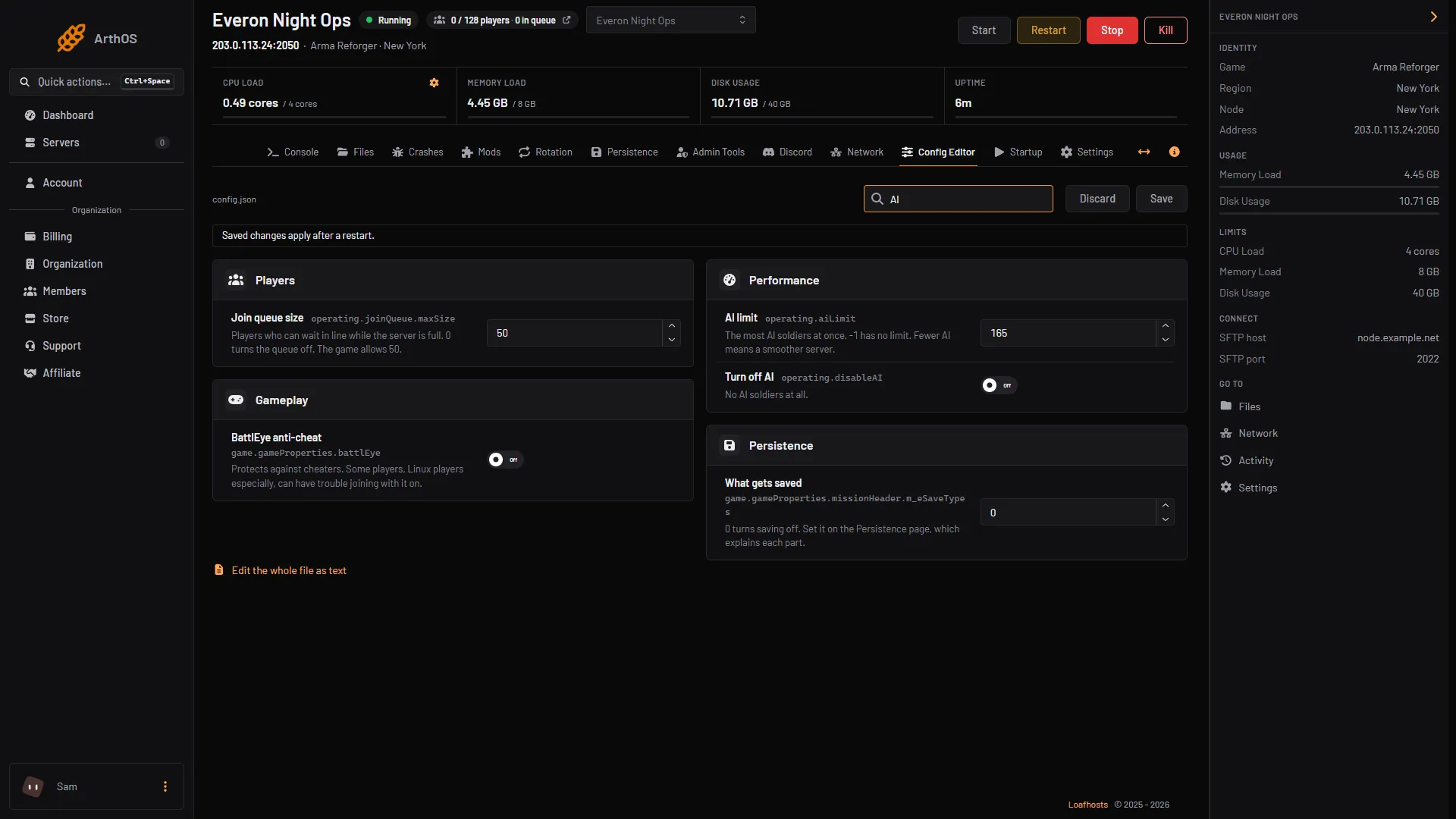
- AI limit
- Turn off AI
See how many AI you have
Open the Admin Tools tab. Its stats show AI characters, next to Server FPS. Compare the two while a match is running. If AI characters stays well under your limit, lowering the limit will not change much.
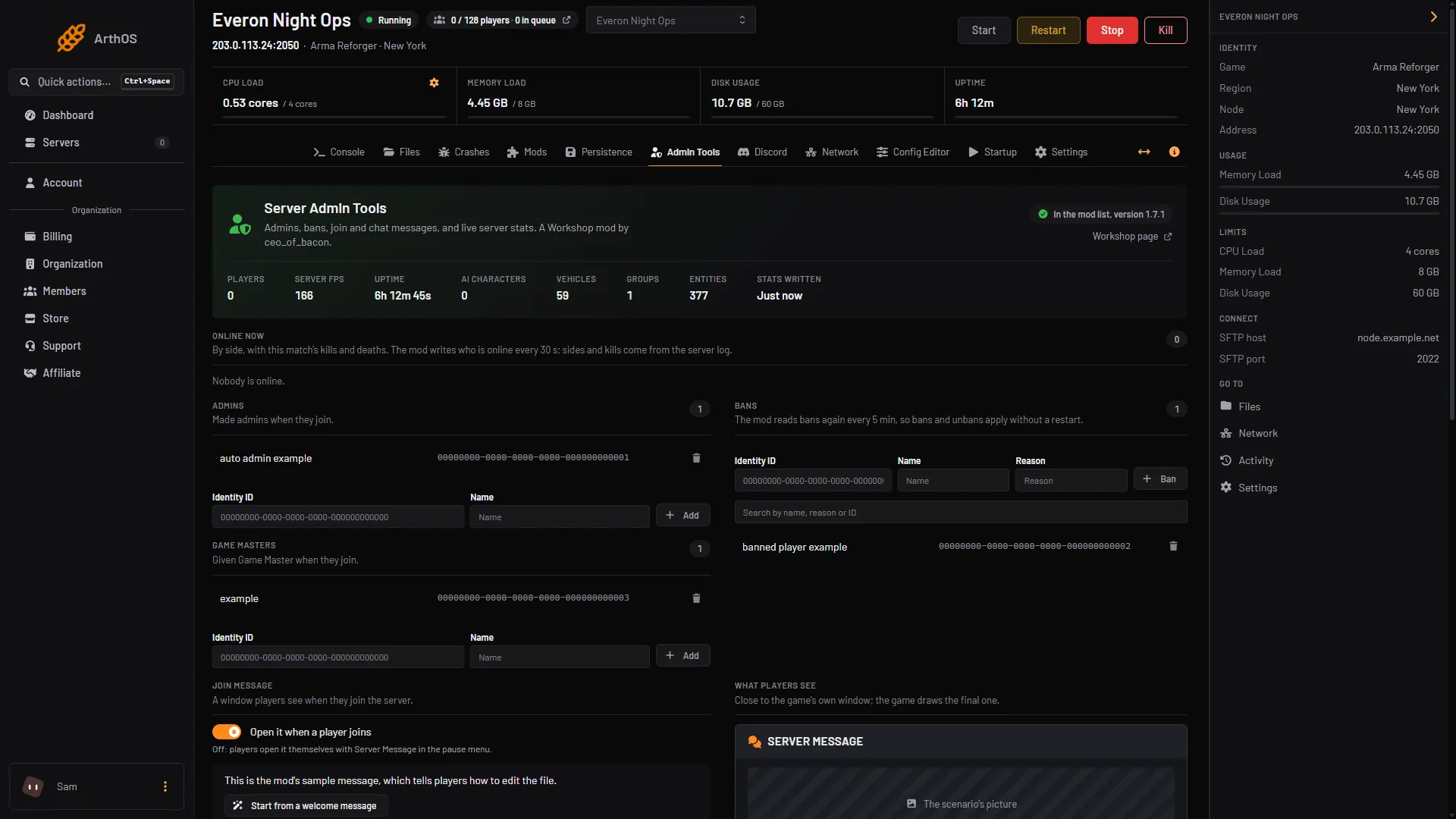
- Server FPS and AI characters
More on reading these numbers: Arma Reforger server stats.
What it costs the server
Bohemia says a limit “can save performance”. It gives no figure for how much each AI costs, so no number is given here. To measure it on your own server, note Server FPS with AI on, change the limit, restart, and note it again in a similar match. Work through the full order of changes in tuning server FPS, view distance and AI.
By hand
In config.json, the settings sit inside operating:
{
  "operating": {
    "aiLimit": 100,
    "disableAI": false
  }
}
Bohemia also documents a start parameter, -aiLimit, which overrides the config value. As a start parameter, a value of 0 or below turns AI off entirely, unlike -1 in the config file. There is also -disableAI.
If it does not work
- The number you set is ignored. A start parameter
-aiLimitoverrides the config file. A negative number in the file is ignored by the game. - No AI at all after a restart. Check that Turn off AI is off and that AI limit is not set very low.
- The scenario breaks or feels empty. The limit is too low for that scenario. Raise it or clear it to
-1.
More about the game: Arma Reforger servers.
Sources: Bohemia wiki: Server Config, Bohemia wiki: Startup Parameters