










Small
Up to 50 players
Seeding and smaller matches.
- 4 cores
- 8 GB RAM
- 30 GB disk
$26.00 /mo
Billed monthly
Squad server hosting
Choose how the next layer is picked, warn teamkillers automatically, and keep a record of every match.
Try it free first A full server for a few days. No card needed.
Plans
Three Squad plans from the store, each sized for a number of players. Under Advanced you set every number yourself. Pay for longer and the monthly price drops.
Up to 50 players
Seeding and smaller matches.
$26.00 /mo
Billed monthly
Up to 80 players
Full matches.
$32.00 /mo
Billed monthly
Up to 100 players
A full server, up to the game's own limit.
$42.00 /mo
Billed monthly
Squad itself allows up to 100 players on one server. Every plan includes the ArthOS panel and DDoS protection. Need more? Set any number yourself under Advanced. Game servers can be refunded within 3 days. Dedicated servers are not refundable.
By continuing you agree to the Terms of Service and Privacy Policy.
Build your own
Start at 1 core, 1 GB of RAM and 10 GB of disk for $9.25/mo, and go up to 16 cores, 64 GB and 500 GB.
$7.00 per IP per month. Optional. Limited availability, confirmed at checkout.
Your build
$32.00/mo
Billed monthly
By continuing you agree to the Terms of Service and Privacy Policy.
Not sure which plan? Try Squad free for 3 days on a full server. No card needed.
Start a free trialIn ArthOS
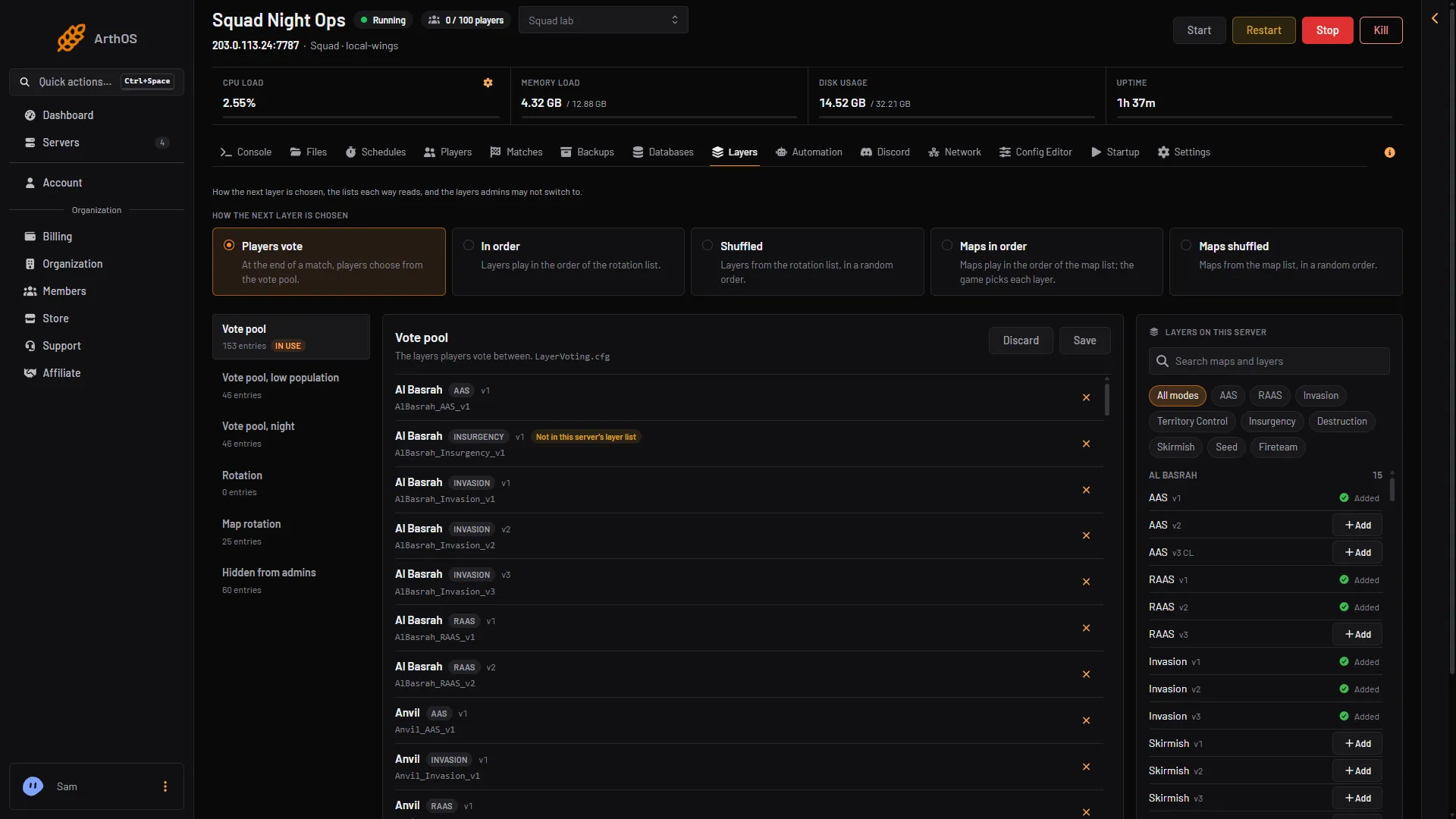
Layers
Choose how the next layer is chosen, build your rotation and vote pool, and filter layers by their tags. Set which layers admins may not switch to.
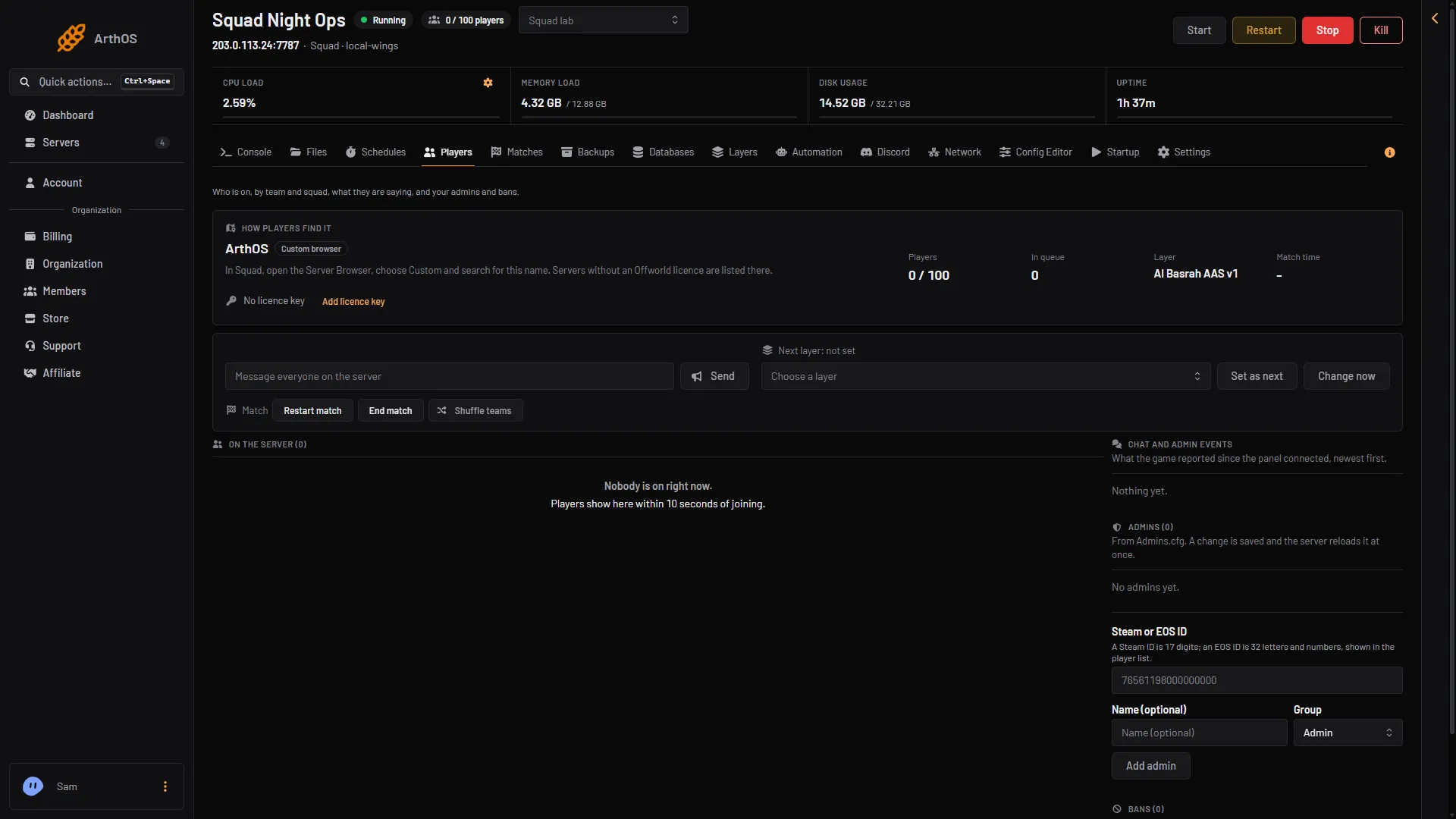
Players
See who is on by team and squad, message everyone, and warn, kick or ban a player. Your licence key goes on the same page.
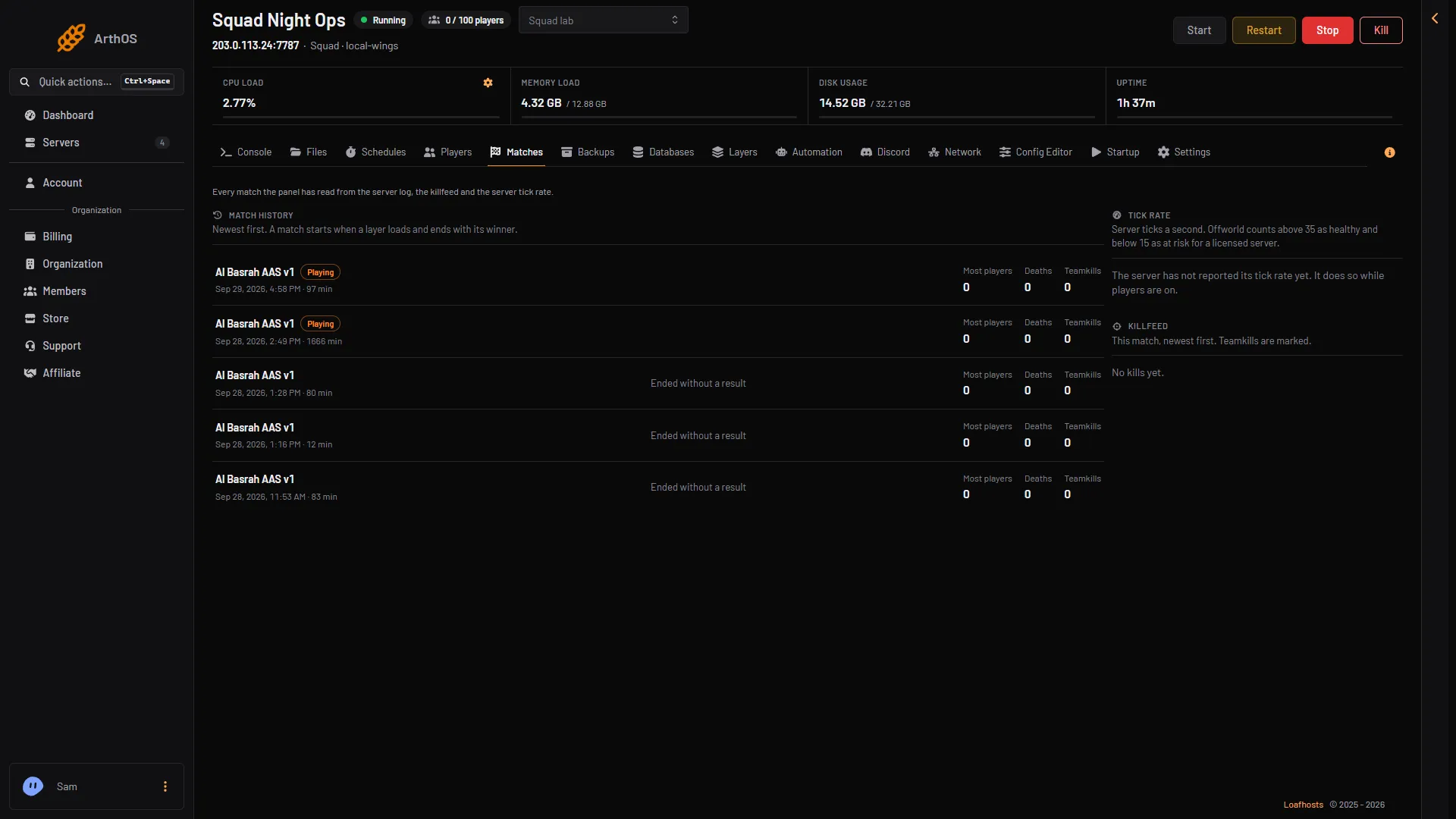
Matches
The match history lists every match the panel has read from the server log, with the most players, deaths and teamkills.
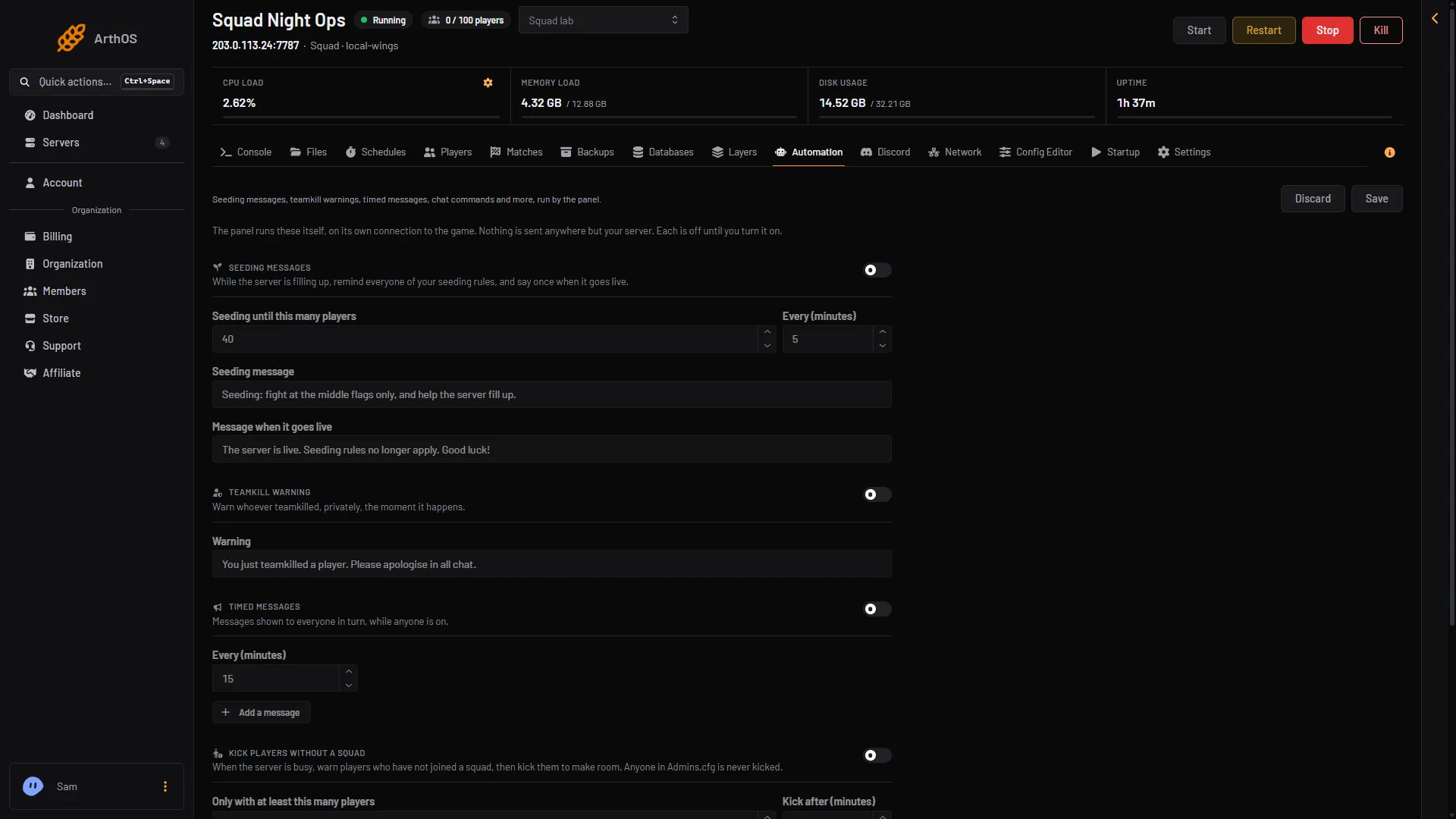
Automation
Warn whoever teamkilled, privately, the moment it happens, and give players chat commands. Each automation is off until you turn it on.
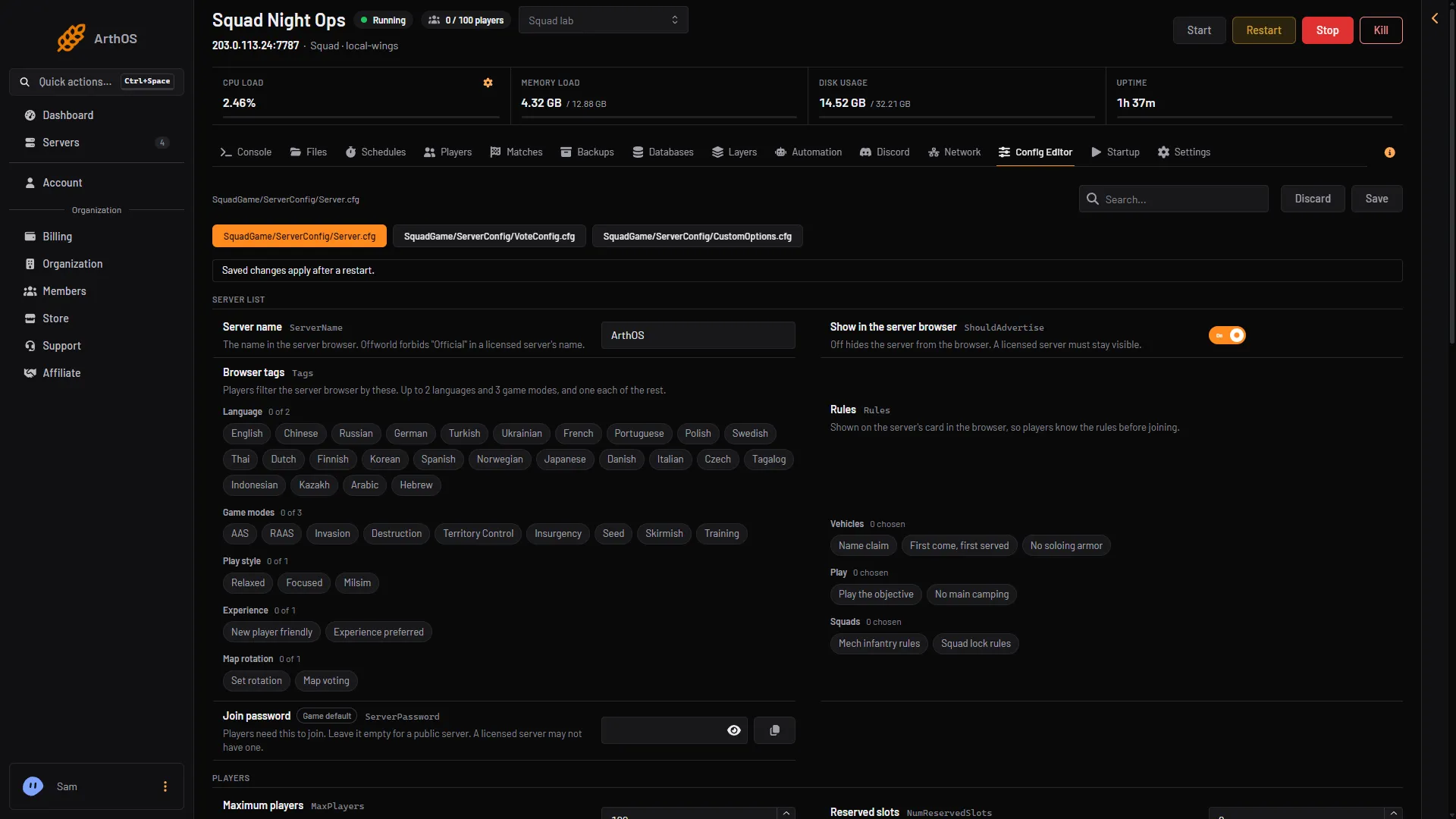
Config editor
Squad's server config opens in the config editor as labelled settings.
Also included
Squad FAQ
Not covered here? Ask us from the Support page in the panel. Contact support
Yes. The Layers page sets how the next layer is chosen, holds your rotation and vote pool, and filters layers by their tags.
Yes. Turn on the teamkill warning in Automation and whoever teamkilled is warned privately, the moment it happens.
There is a licence key field in the panel, on the Players page.
Yes. Matches lists every match the panel has read from the server log, with players, deaths and teamkills.
Squad itself allows up to 100 players on one server. Small is sized for up to 50, Standard for up to 80 and Full for the full 100.
Game servers can be refunded within 3 days. Dedicated servers are not refundable.
See the Terms of Service
Yes. Start a free trial and you get a Squad server on 6 cores, 8 GB memory and 50 GB storage for 3 days, with no card. Keep it after and the first month is 50% off.
By continuing you agree to the Terms of Service and Privacy Policy.