













Small
Up to 32 players
A squad or a small unit.
- 4 cores
- 6 GB RAM
- 40 GB disk
$24.50 /mo
Billed monthly
Arma Reforger server hosting
Set your load order, add mods from the workshop, keep the list as a collection, and let the troubleshooter find the mod that stops the server.
Try it free first A full server for a few days. No card needed.

Plans
Three Arma Reforger plans from the store, each sized for a number of players. Under Advanced you set every number yourself. Pay for longer and the monthly price drops.
Up to 32 players
A squad or a small unit.
$24.50 /mo
Billed monthly
Up to 64 players
A regular community with a mod list.
$29.00 /mo
Billed monthly
Up to 128 players
Big operations, up to the game's own limit.
$40.00 /mo
Billed monthly
Arma Reforger itself allows up to 128 players on one server. Every plan includes the ArthOS panel and DDoS protection. Need more? Set any number yourself under Advanced. Game servers can be refunded within 3 days. Dedicated servers are not refundable.
By continuing you agree to the Terms of Service and Privacy Policy.
Build your own
Start at 1 core, 1 GB of RAM and 10 GB of disk for $9.25/mo, and go up to 16 cores, 64 GB and 500 GB.
$7.00 per IP per month. Optional. Limited availability, confirmed at checkout.
Your build
$29.00/mo
Billed monthly
By continuing you agree to the Terms of Service and Privacy Policy.
Not sure which plan? Try Arma Reforger free for 3 days on a full server. No card needed.
Start a free trialIn ArthOS
Mods
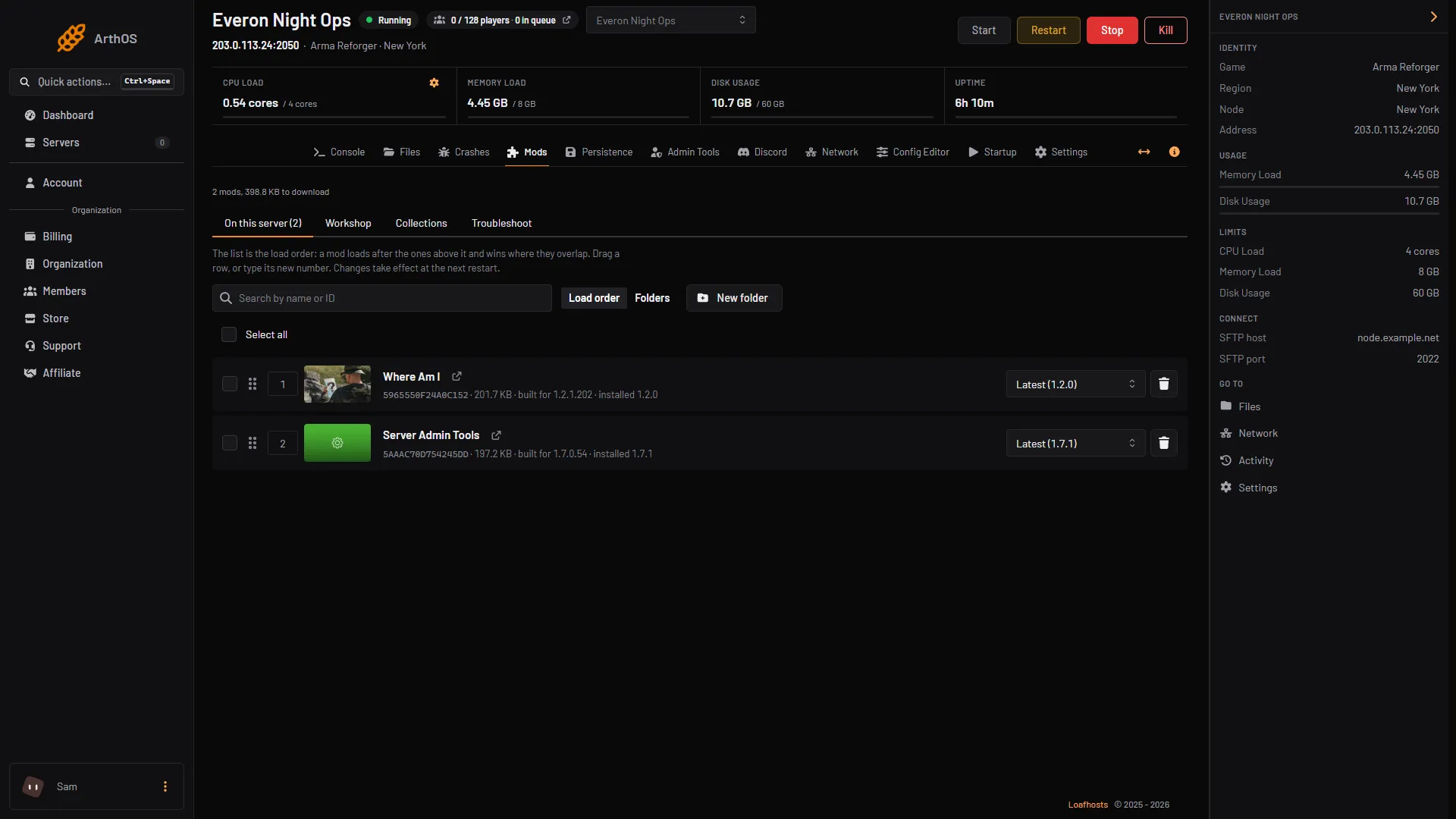
A mod loads after the ones above it and wins where they overlap. Drag a row or type its new number, sort mods into folders, and pin each one to Latest or a version of your choice. Mods you find in the workshop tab, from tens of thousands, go on the list with one click.
Workshop
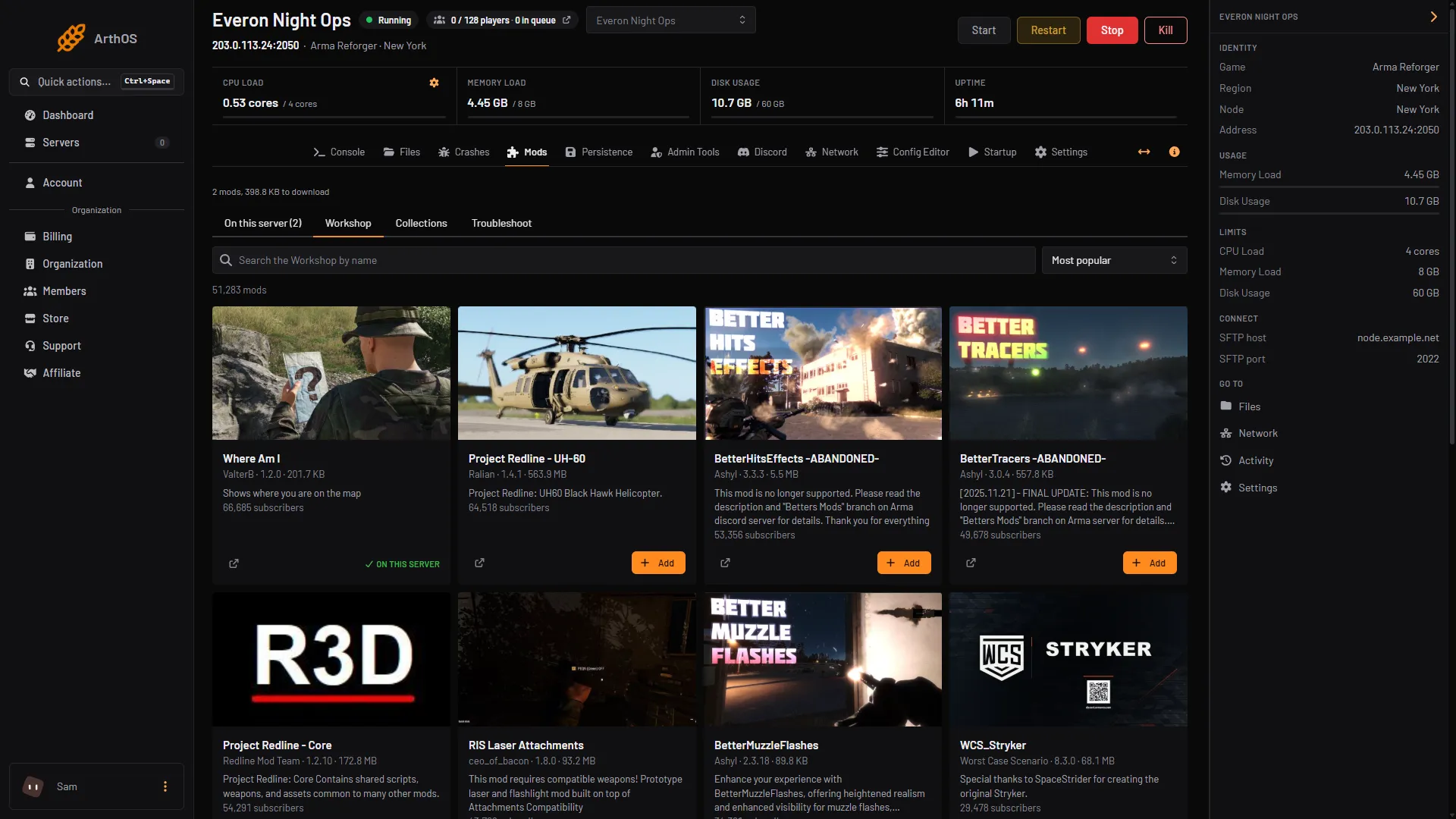
Search tens of thousands of mods by name, sort by what is most popular, and add one to your server with a click. Mods already on your server are marked, so you never add the same one twice.
Collections
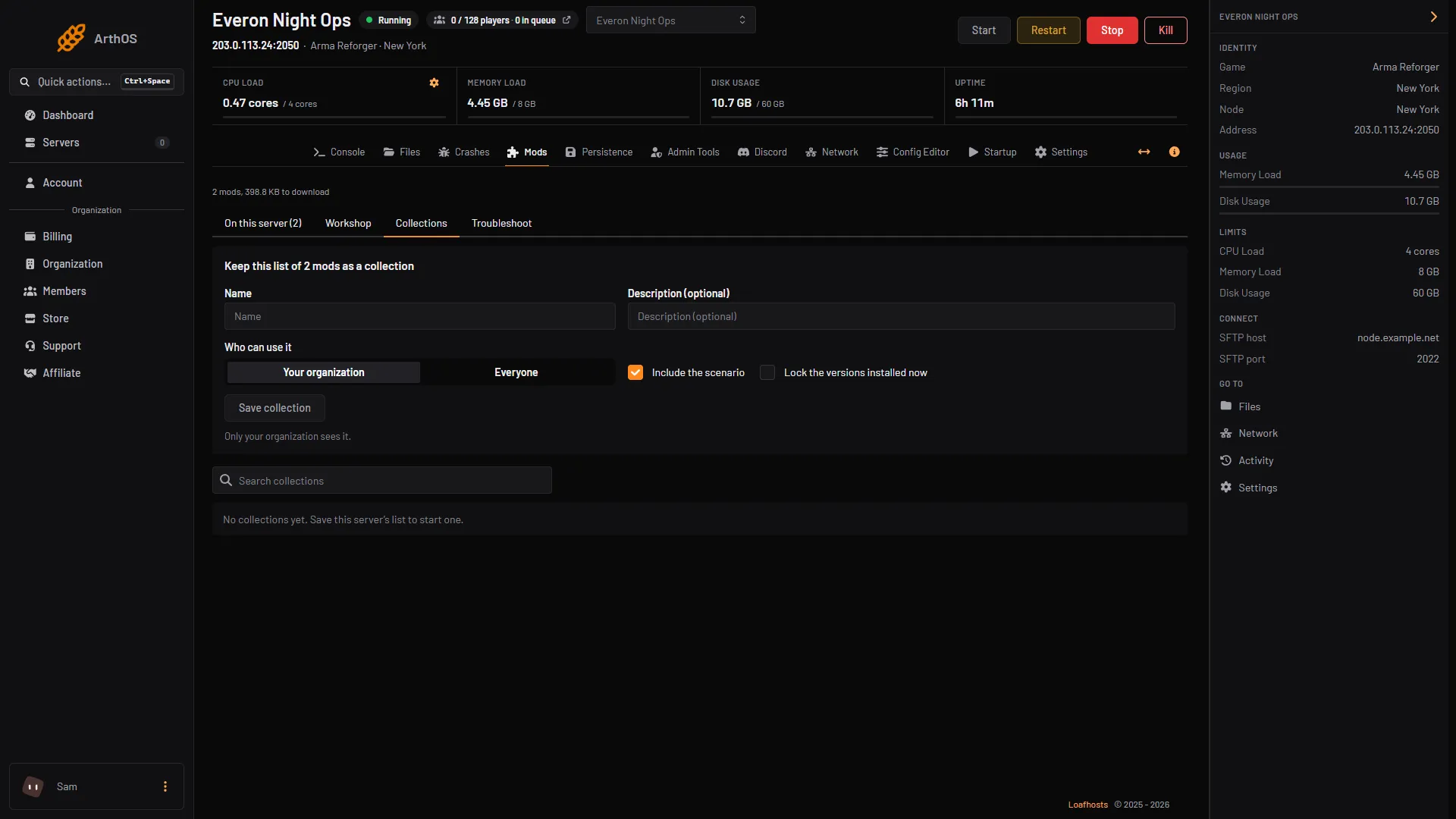
Save the list on your server as a named collection, with an optional description. Choose who can use it, your organisation or everyone, whether the scenario goes with it, and whether to lock the versions installed now.
Persistence
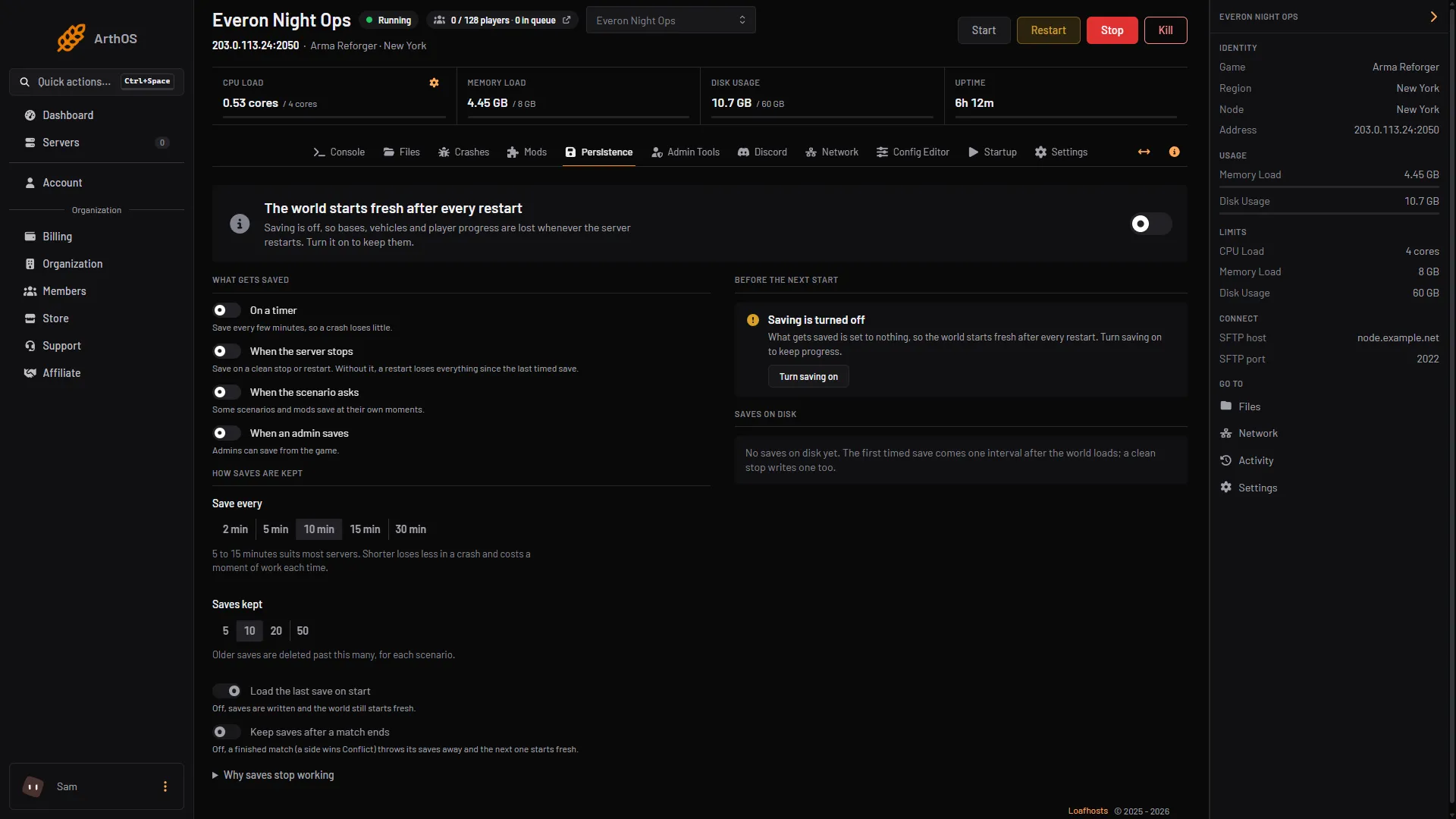
Choose when the world saves: on a timer, when the server stops, when the scenario asks and when an admin saves. Save every 2 to 30 minutes, keep 5 to 50 saves per scenario, and load the last save on start.
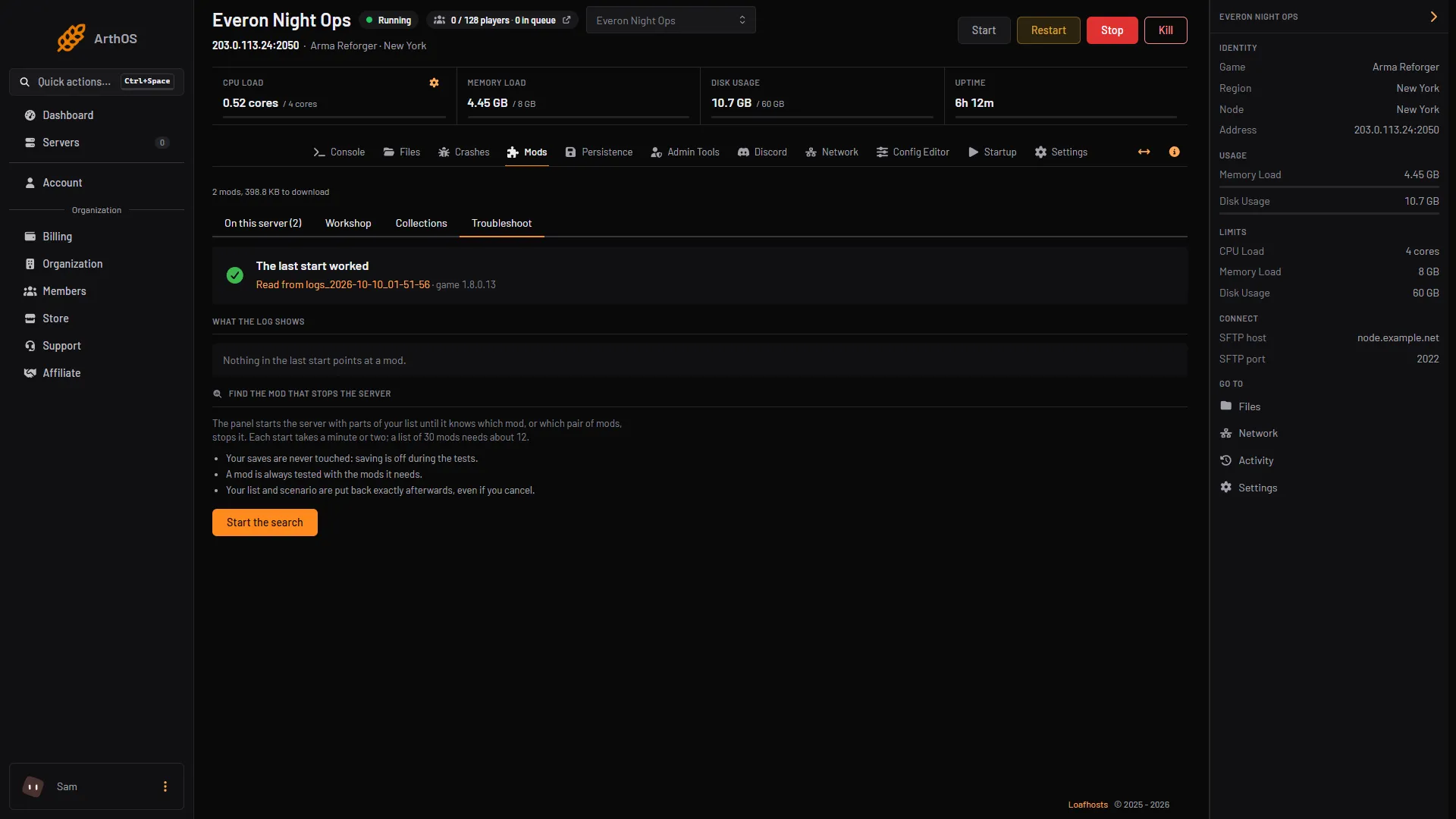
Troubleshooter
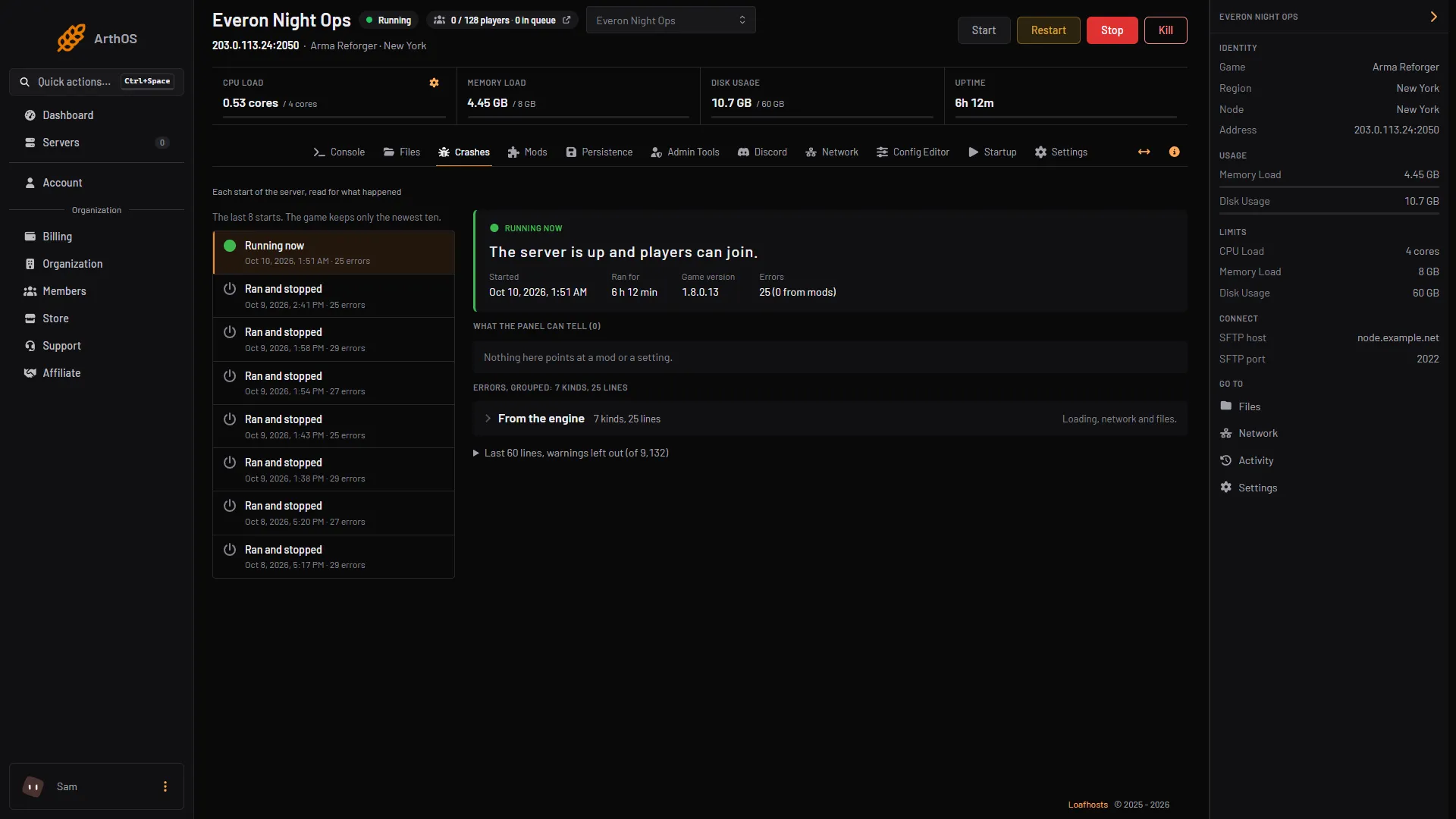
The troubleshooter reads the last start, says whether it worked and which mod the log points at. If a mod stops the server, it starts the server with parts of your list until it knows which mod, or pair of mods, is to blame.
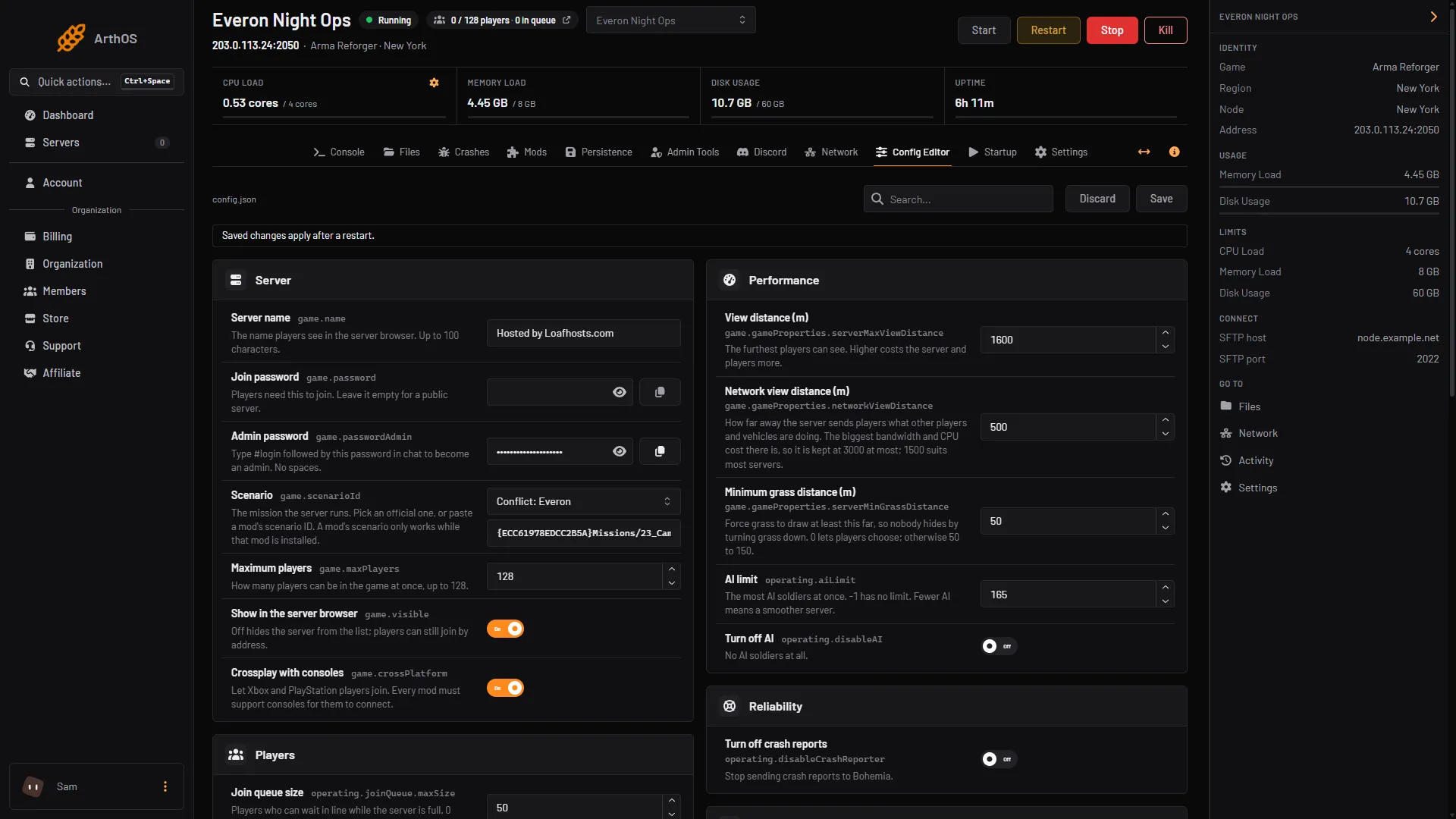
Config editor
The server config opens as labelled settings, each with its key and a line that explains it: server name, passwords, scenario, maximum players, console crossplay, the join queue and more. Search finds any setting, and changes apply after a restart.
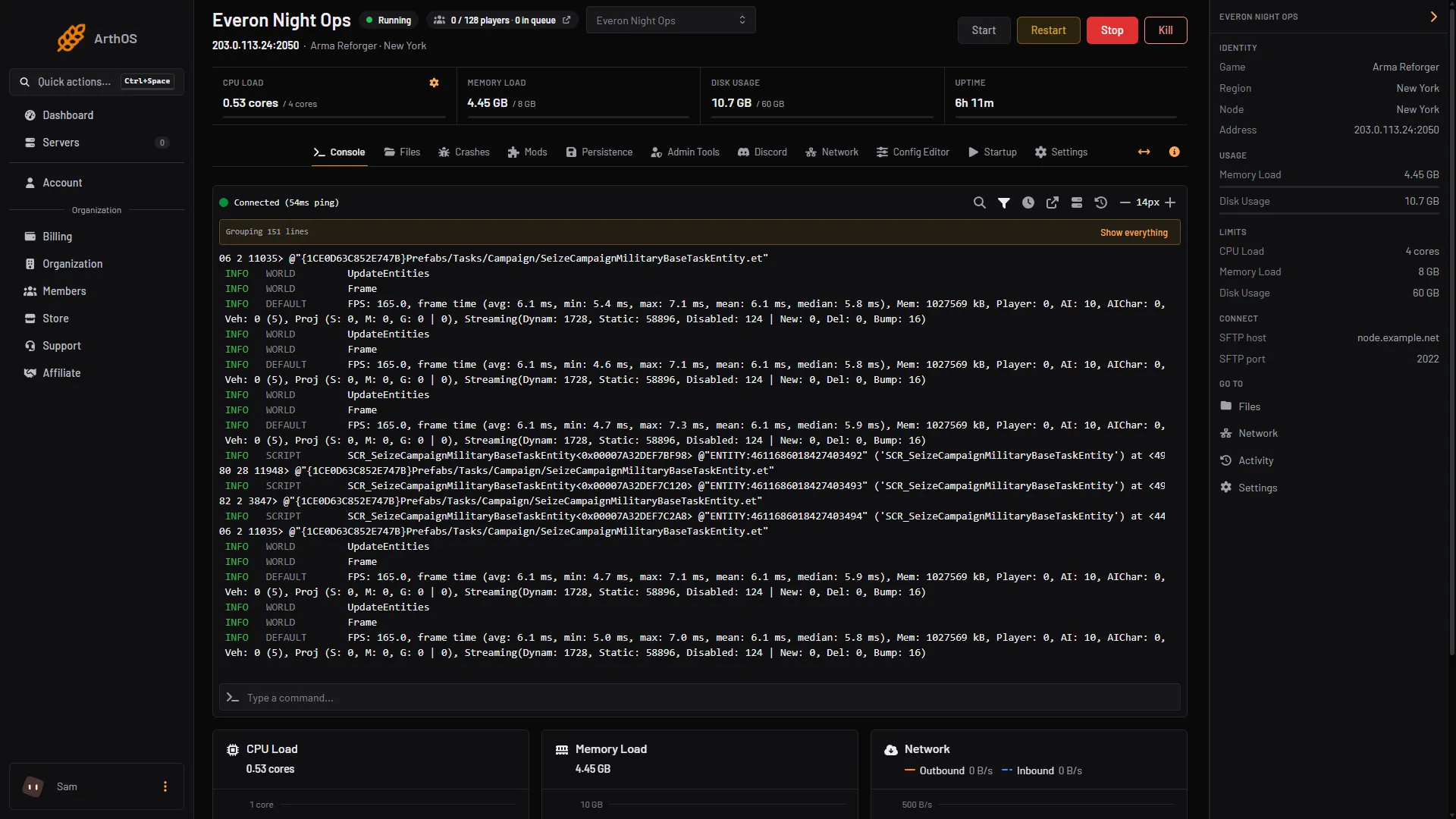
Also included
Arma Reforger FAQ
Not covered here? Ask us from the Support page in the panel. Contact support
Guides for this game
Yes. Add mods from the workshop, set the load order by dragging or numbering them, pin each one to a version, and keep the list as a collection.
With persistence on, the world saves when the server stops, on a timer from 2 to 30 minutes, when the scenario asks and when an admin saves, and it can load the last save on start.
The troubleshooter reads the last start and says which mod the log points at. It can also start the server with parts of your list until it finds the mod, or pair of mods, that stops it. Your saves are never touched and your list is put back afterwards.
No. Each server gets the extra ports the game needs, assigned automatically.
Arma Reforger itself allows up to 128 players on one server. Small is sized for up to 32, Standard for up to 64 and Large for the full 128.
Game servers can be refunded within 3 days. Dedicated servers are not refundable.
See the Terms of Service
Yes. Start a free trial and you get a Arma Reforger server on 6 cores, 8 GB memory and 50 GB storage for 3 days, with no card. Keep it after and the first month is 50% off.
By continuing you agree to the Terms of Service and Privacy Policy.