






BattlEye is the anti-cheat that checks players when they join your Arma Reforger server. Bohemia’s default is on. A new Loafhosts server starts with it off, so switch it on if you want the protection. You turn it off with one setting, game.gameProperties.battlEye, set to false, and the change applies after a restart.
What Bohemia says
Bohemia’s server documentation lists battlEye as a true or false value. The default is true, and has been since game version 0.9.8.73. The entry reads: “true to enable BattlEye, false to disable it.” That is all Bohemia writes about the setting itself.
Bohemia does not describe, on the pages checked, exactly what a player sees when it is off. In plain terms: with BattlEye off, the server does not run the anti-cheat check on players who join. If you run a public server, leave it on.
Not checked on 1.8 as of 12 October 2026: how BattlEye applies to Xbox and PlayStation players.
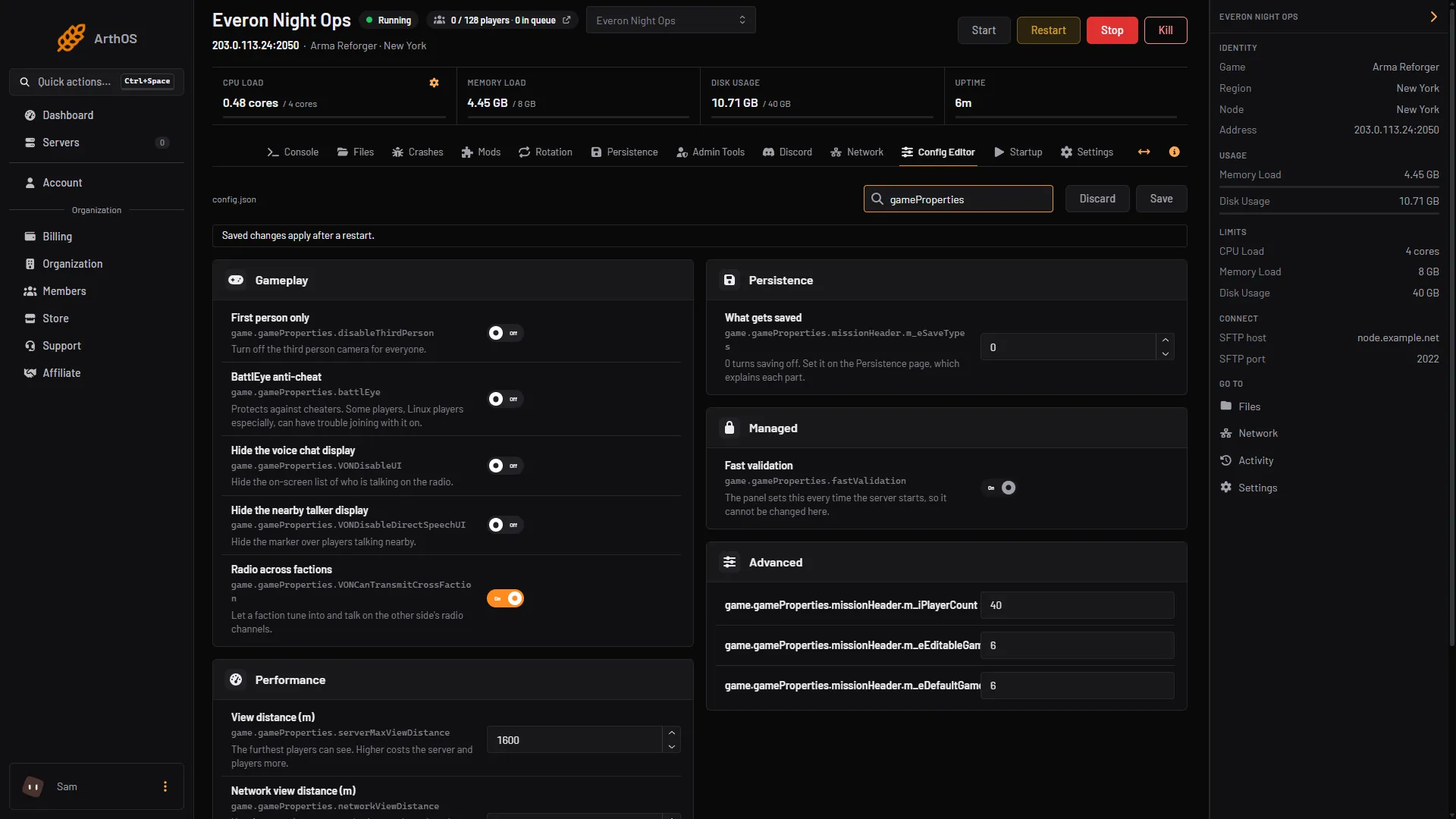
The ArthOS panel adds a note of its own on the row: “Protects against cheaters. Some players, Linux players especially, can have trouble joining with it on.” If a player on Linux cannot join, BattlEye is one cause to check, but turning it off for everyone also removes the protection for everyone.
In the ArthOS panel
- Open the Config Editor tab.
- Find the Gameplay group and the row BattlEye anti-cheat.
- Switch it on or off (1).
- Choose Save (2). The editor shows “Saved changes apply after a restart.”
- Restart the server. See restart an Arma Reforger server. A restart drops everyone who is playing, so pick a quiet time.
- BattlEye anti-cheat
- Save
By hand
Open config.json in Files. Inside game, find gameProperties and set battlEye:
{
  "game": {
    "gameProperties": {
      "battlEye": false
    }
  }
}
Only battlEye is shown here. Keep every other key in gameProperties as it is. One stray comma stops the server from starting, so read the file again before you save. The file is explained in the Arma Reforger config.json guide. Then restart.
If you hosted it yourself
Bohemia also keeps a BattlEye settings file, BEServer_x64.cfg, in the BattlEye folder of the game profile. Bohemia says to only add lines to it, never edit or erase what is there. If that file is damaged, players are kicked with the message “Missing GameID/MasterPort server config settings”, and edited values stop BattlEye from working. Bohemia’s fix is to verify the game files on Steam. On the ArthOS panel you do not need to touch this file to turn BattlEye on or off.
If it does not work
- The row is on but players still cannot join. Check the log in the server logs guide for the real cause before you change anything. A mod problem looks the same from the player’s side.
- The setting went back after a restart. Make sure you chose Save before restarting, and that you edited the right server.
- The server will not start after a by-hand edit. A comma or quote is wrong in
config.json. Fix it, or restore the file from a backup. - A Linux player has trouble joining. The panel warns about this. Ask the player to check their BattlEye setup on their side first. Switching BattlEye off is the last step, not the first.
More Arma Reforger hosting guides are linked from Arma Reforger servers.
Sources: Bohemia wiki: Server Config, Bohemia wiki: Server Hosting