






Fast validation is on by default (since 0.9.6), and you should leave it on. Bohemia says to always set it to true for a public server. On Loafhosts the panel switches it on every time the server starts, so you cannot turn it off by mistake.
What it does
When a player joins, the game checks that the player’s copy of the map matches the server’s copy. That check covers the map’s entities and components.
Fast validation is the short version of that check. With it on, the server and the player swap only the minimum needed to see that the data matches. Bohemia says all servers that expect players to connect over the internet should have it on.
With it off, the server sends extra data about every replicated entity and component each time a new player connects. If the two copies differ, that extra data can show where they start to differ. Bohemia says this is fine when the server and the game run on the same computer and you are hunting a problem. It is not meant for a public server.
In the ArthOS panel
- Open Config Editor.
- Find the group Managed.
- Read the Fast validation row (1). It is locked. The help text says “The panel sets this every time the server starts, so it cannot be changed here.”
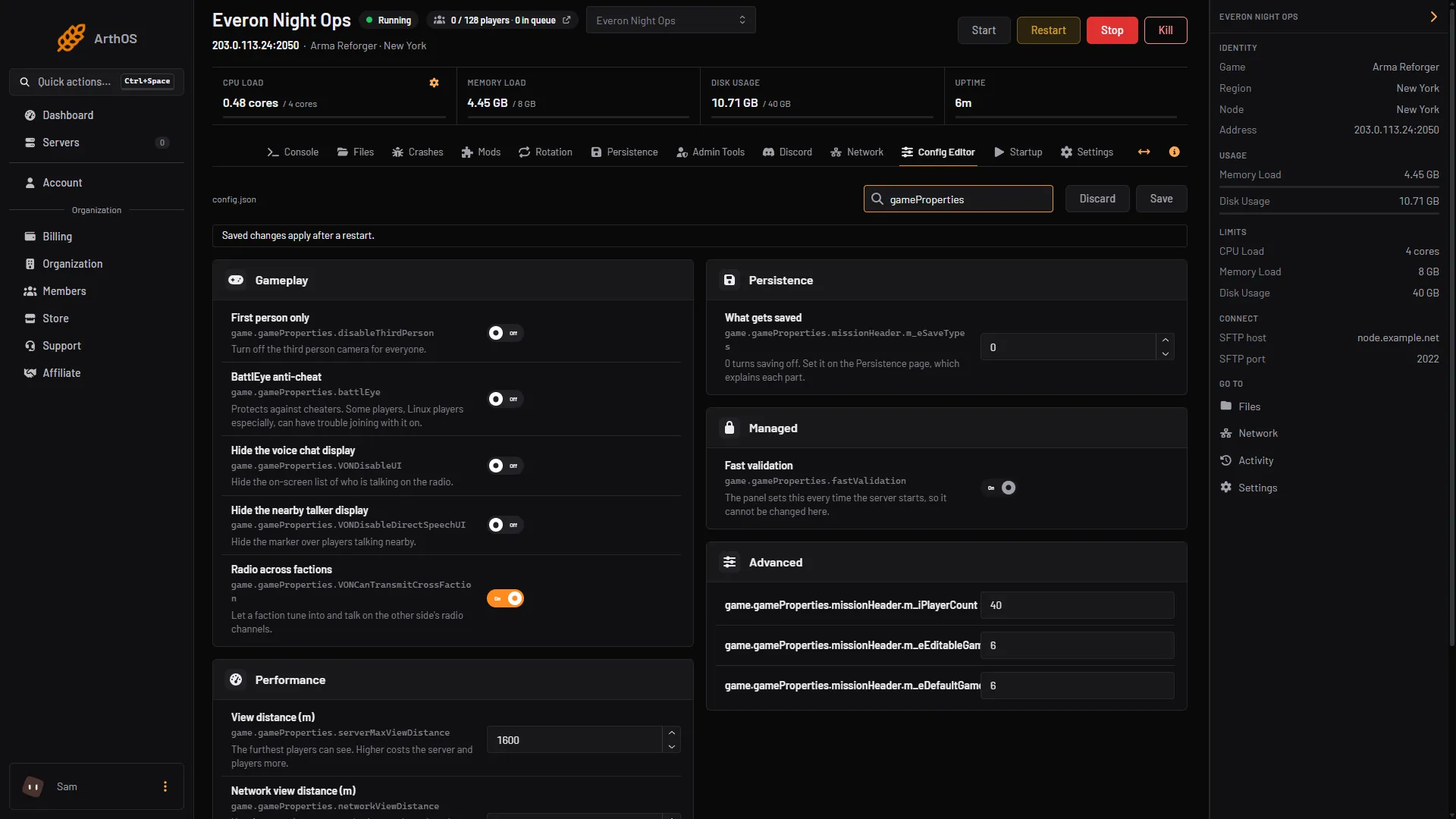
- Fast validation, locked
You cannot change it here. The panel writes true into the config file each time the server starts, even if you edit the file by hand and set it to false. Nothing is needed from you.
By hand
If you host somewhere else, the setting is in config.json, inside game, then gameProperties:
{
  "game": {
    "gameProperties": {
      "fastValidation": true
    }
  }
}
true is the default, so a config that leaves it out also has it on. Edit the file with the server stopped, then start it. See the config.json guide for how the file is laid out.
If it does not work
- You cannot edit the row. That is on purpose. The panel manages it.
- Players cannot join and you want to turn this off to find out why. Do not do it on a public server. With it on, the game cannot say where the two copies differ, so test on your own computer instead.
- You want the extra detail for a local test. Set it to
falseonly on a server on your own computer, with the player on the same machine.
More about the game: Arma Reforger servers. Joining: connect to a server.
Sources: Bohemia wiki: Server Config