






When a Reforger server with a long mod list will not start, the hard part is knowing which mod is to blame. The troubleshooter in the ArthOS panel does that work for you.
1. Read the last start
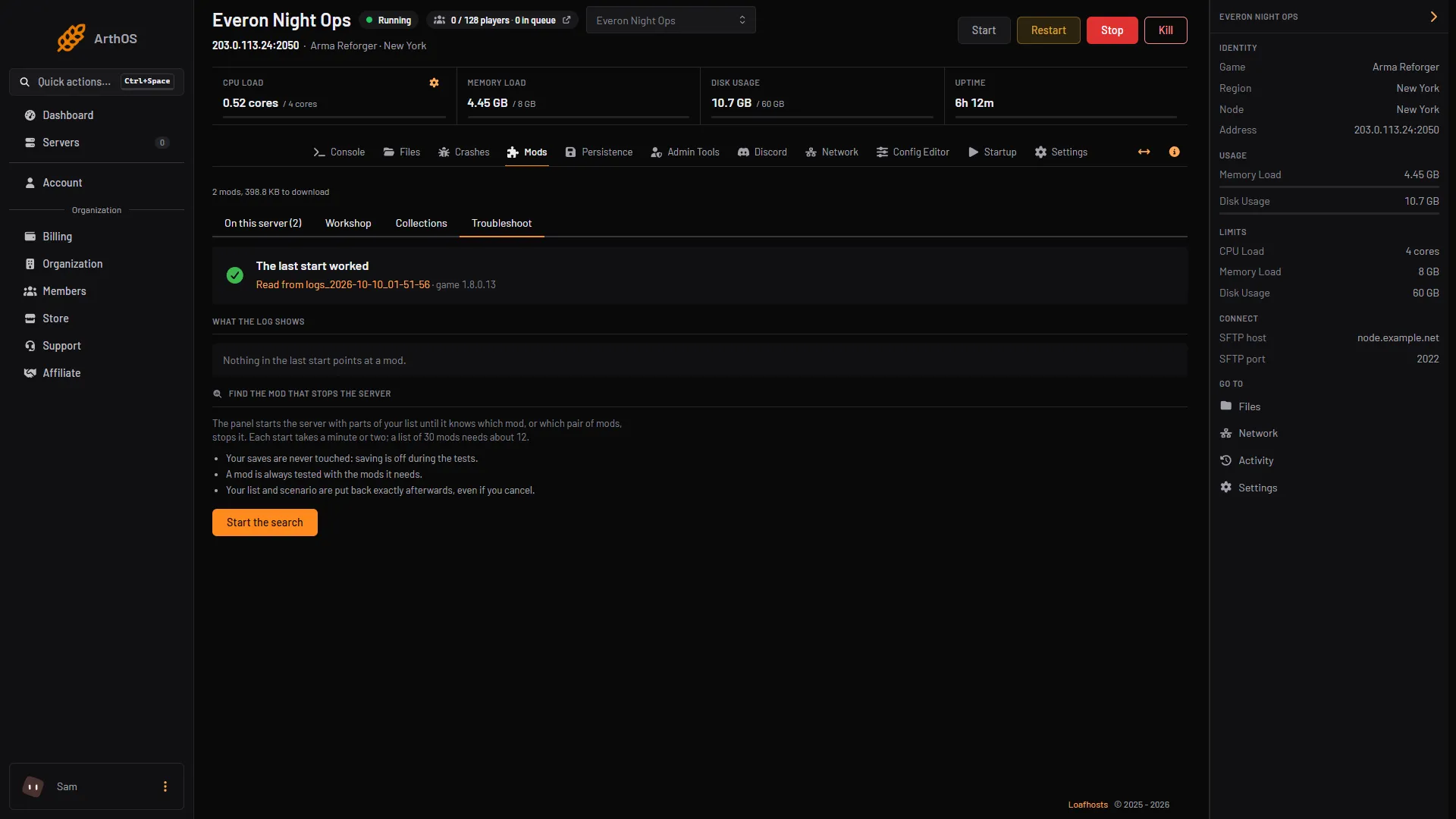
On the Mods page, open the Troubleshoot tab. At the top it reads the last start from the server log and tells you two things: whether the start worked, and whether anything in the log points at a mod.
- Troubleshoot tab
- What the log shows
- Start the search
Open Troubleshoot (1) and read what the log shows (2). To search, choose Start the search (3).
If the log names a mod, that is usually your answer. Update it, pin it to a version that worked, or take it out of the list on the mods page.
2. Let the panel search for the mod
Sometimes the log does not point anywhere useful. Then let the panel search your list.
Choose Start the search and the panel starts the server with parts of your list until it knows which mod, or pair of mods, stops it. Each start takes a minute or two, so a list of 30 mods needs about 12 starts; a longer list needs more starts, and each takes longer. You can cancel at any time.
While it searches:
- Your saves are never touched: saving is off during the tests.
- A mod is always tested with the mods it needs.
- Your mod list and scenario are put back exactly afterwards, even if you cancel.
3. Look back at earlier starts
- List of starts
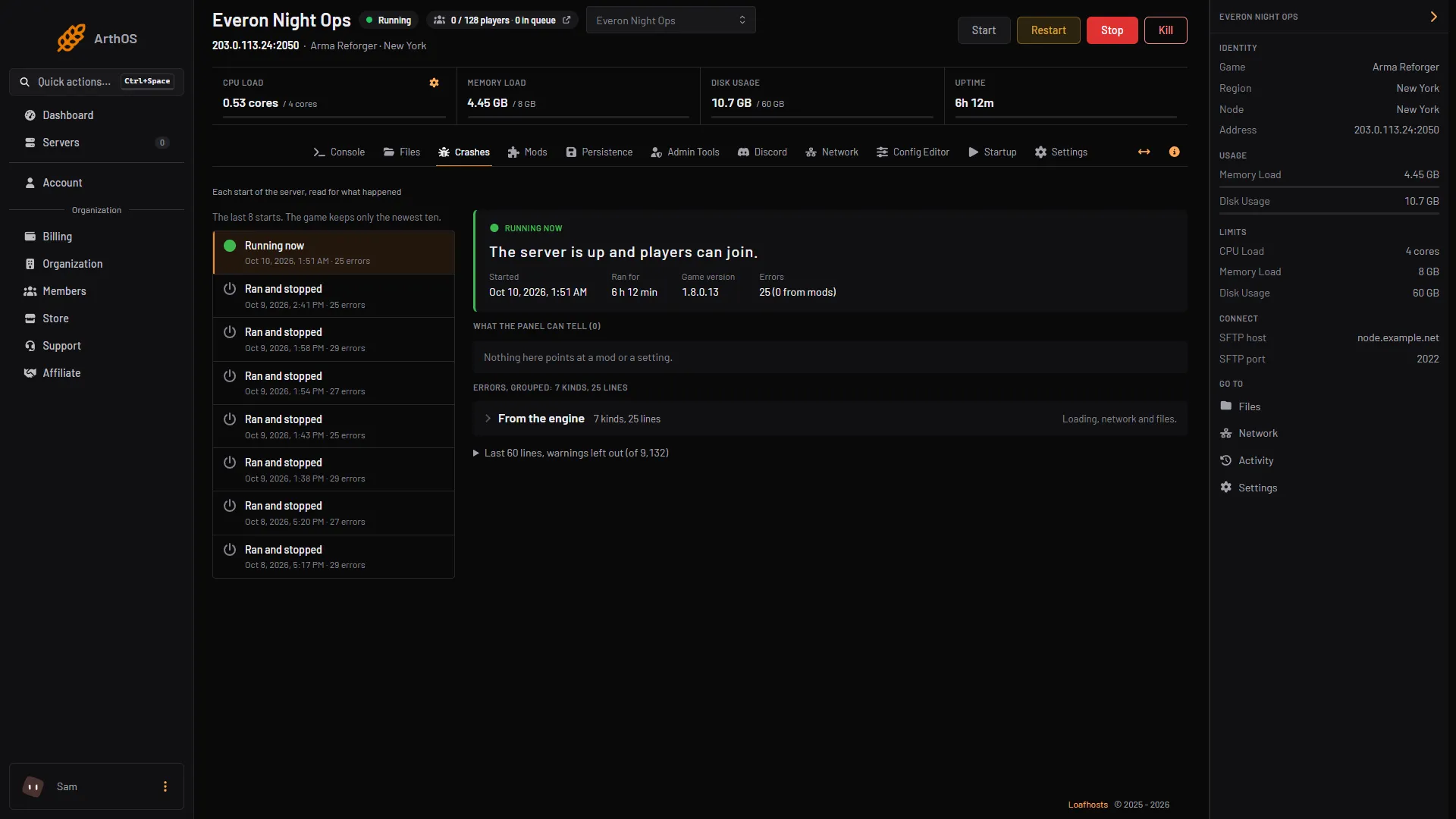
- What the panel can tell
- Errors, grouped
The Crashes tab reads each start of the server for what happened, with errors grouped, so you can see whether a problem is new or has been there for a while. Pick a start from the list (1); the panel says what it can tell (2) and groups the errors (3), with “(N from mods)” counted in each start.
4. Keep a list that works
Once the server starts cleanly, keep the list as a collection; load order, presets and folders shows how. A collection can include the scenario and lock the mod versions installed now, so the list you know works stays that way.
If it does not work
- The log does not name a mod. Read the grouped errors on Crashes, which sort errors into “From the engine”, “From mods” and “From the game itself”, then run the search.
- The server stops with no mod to blame. If you edited
config.jsonby hand, the panel names any line that does not parse; see config.json explained. Otherwise read why the server crashed.
Still stuck? Ask us from the Support page in the panel.
Sources: Bohemia wiki: Server Config, Bohemia wiki: Startup Parameters