






If the server is frozen right now, use Kill in the header, then Start. Kill does not let the game save.
A hang means the server is running but not working: the process is still there, but nobody can join and nothing moves. The Hang recovery card on the Settings tab watches for this and restarts the server for you. It is on by default for Arma Reforger servers. You can switch it off with one switch on the same card.
Why it exists
When a game server process exits, the panel starts it again when it exits (Auto-Start). That does not help when the process never exits. A match can end and the server can fail to close, or a crash handler can run forever, or the game can stop writing its log. Hang recovery reads the server’s newest console.log while it runs and restarts a server that matches one of the four cases below.
What counts as a hang
The panel acts in these four cases only:
- A match ended and the server did not close. The game wrote its end-of-match line, and the server is still running 2 minutes later.
- A crash it does not recover from. The log shows
Application crashed!orApplication hang, or thecrash.logfile holds anUnhandled exception, and the server is still running 30 seconds later. - The log went silent. Nothing new in the log for 5 minutes. A server that writes no performance line at all has no silence rule.
- No log after the start. The server writes no log 15 minutes after it started.
The panel waits 5 minutes. If Performance log interval in Startup is long, it waits longer: two intervals plus 1 minute.
Only text the current start wrote counts. Old logs never cause a restart.
In the ArthOS panel
See and change the switch
- Open the Settings tab.
- Find the Hang recovery card, next to Auto-Start.
- The switch Restart the server when it hangs (1) is on or off. Click it to change it. The change saves at once.
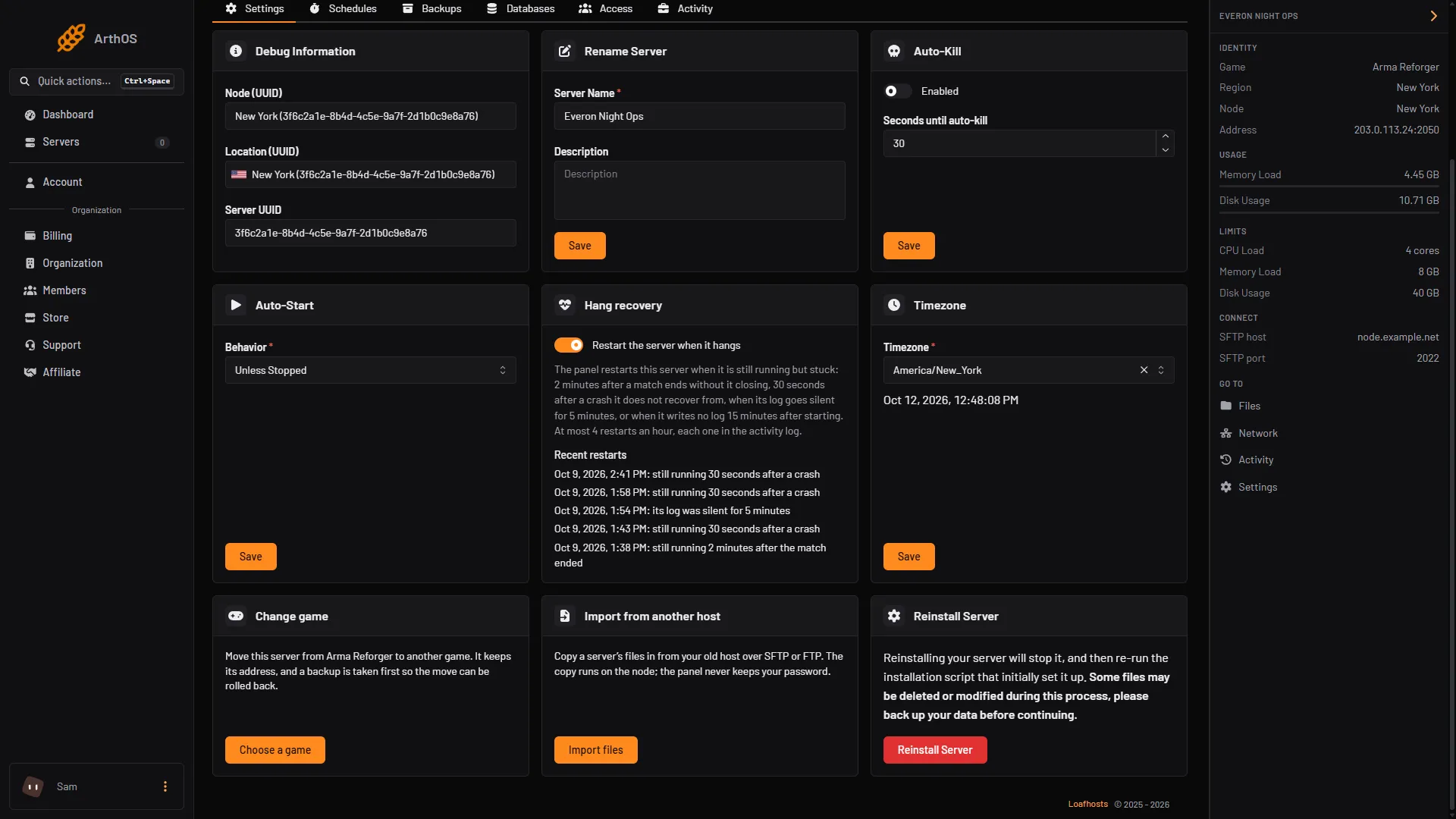
- Restart the server when it hangs
- Card with recent restarts
If you do not see the card, your role may not have the permission that goes with the Auto-Start settings, or the server is not an Arma Reforger server.
What a restart does
The panel sends Stop first and waits up to 20 seconds. If the server is still up, it sends Kill, then Start. Players are disconnected and can rejoin when the server is back, as with any restart. A Stop lets the game save. A Kill does not, so a hung server that needs one can lose what it had not saved yet.
The start runs the same checks as a start from the panel. If one fails, for example a broken config.json, the server stays stopped and the card says why.
How often it acts
- At most 4 restarts in one hour for one server. After the fourth, the panel leaves that server alone for the rest of the hour, because a problem that needs more than 4 restarts is not one a restart fixes.
- At least 3 minutes between two actions on the same server.
- It does not act on a server that is suspended, still installing, or running a mod Troubleshoot check.
Where the restarts show
The card lists the Recent restarts (2): the time and the reason, for example “still running 30 seconds after a crash”, “its log was silent for 5 minutes” or “still running 2 minutes after the match ended”. Each restart is also in the activity log on the Activity tab inside Settings. With no restarts it says “It has not needed a restart yet.”
Hang recovery and Auto-Start
They do different jobs. The Auto-Start card has a Behavior list with Always, Unless Stopped and Never. It decides what happens when the server’s process exits. Hang recovery covers the case where the process does not exit. If you use both, leave Hang recovery on unless you want a hung server to stay hung.
A player named Application crashed! does not trigger a restart, because the panel only reads the game’s own lines.
By hand
If you host the server yourself, Bohemia’s -logStats startup parameter prints a performance line at the interval you give, in milliseconds. A watchdog script can look for that line, or for a stopped log, and restart the process. See Bohemia’s startup parameters.
If it does not work
- The server hung and was not restarted. The switch may be off. Or the server already had 4 restarts this hour. Or the log shows no sign: a hang with no end-of-match line, no crash line and a log that keeps growing does not count.
- It restarts again and again. A restart is not fixing the cause. Read the crashes and the logs, and look at your mod list.
- The card shows “stopped but not started”. The start was refused. Fix the reason shown, then start the server yourself.
- A match ends and the server restarts after 2 minutes. That is the first case above. If the server normally takes longer to close at match end, switch Hang recovery off.
More about the game on our Arma Reforger page.
Sources: Bohemia wiki: Startup Parameters