






The A2S query port is the UDP port where an Arma Reforger server answers Steam server queries. You set it in the a2s block of config.json. On the ArthOS panel you do not set it: the panel fills it in, and the Query Port variable on the Startup tab is read only.
What A2S is
A2S is the Steam query protocol. A program sends a small UDP message to the server, and the server replies with facts such as its name, how many players are on and the maximum. Bohemia links Valve’s page on server queries for the protocol.
Things that use it:
- Third-party server lists and status sites use it. Not checked on 1.8 as of 12 October 2026: whether the in-game browser needs it.
- Status bots and websites that show a server’s player count.
- The ArthOS panel itself, which reads player counts for Arma Reforger servers by asking the query port.
The a2s block
Bohemia’s Server Config page shows the block like this:
{
  "a2s": {
    "address": "192.168.9.10",
    "port": 17777
  }
}addressis the IP address the A2S socket binds to. Bohemia says it can restrict queries to one network interface. Bohemia’s default config leaves it empty.portis the UDP port the game listens on for A2S requests. Bohemia’s default is 17777.
Bohemia lists the A2S port as optional when you open ports. The game port is required, and the A2S port and RCON port are optional. Before game version 0.9.9, the settings had other names (a2sQueryEnabled and steamQueryPort), so old guides show the old keys.
There are also two startup parameters, -a2sIpAddress and -a2sPort, which set the same two values from the command line.
On the ArthOS panel
The panel sets a2s.address to 0.0.0.0 and a2s.port to the server’s Query Port every time the server starts. The Query Port variable on the Startup tab is marked READ ONLY, and its help says: “Set by the panel from the port plan when the server is created.” It follows the game port. For example, a server with game port 2050 can have query port 2051 and RCON port 2052, which is how the panel’s port plan lays them out.
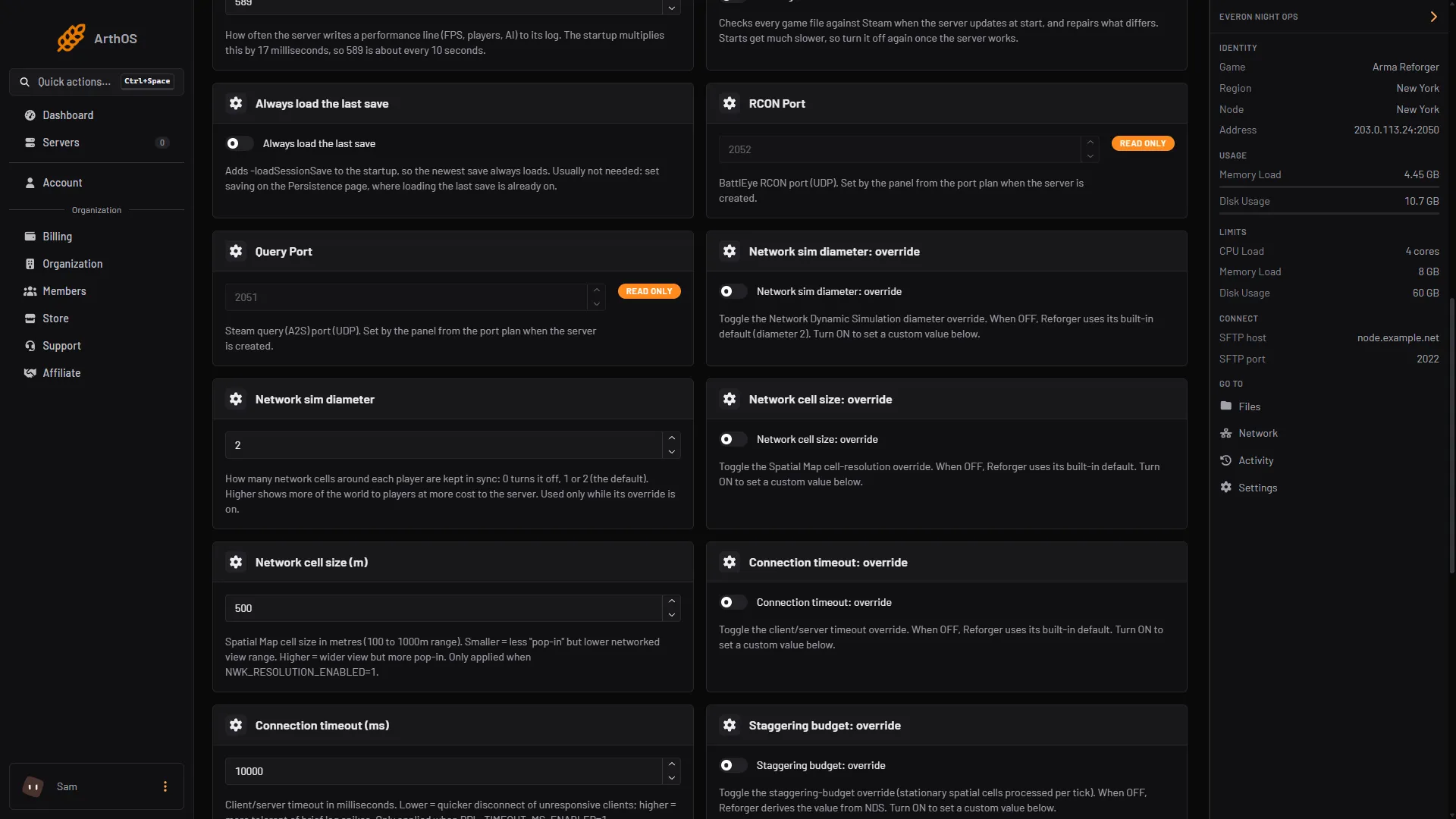
- Query Port, read only
- RCON Port, read only
A2S and the Discord page
The Discord tab can show the player count in a channel name (Show the player count in the channel name). For Arma Reforger the panel reads the player count by asking the server’s query port. If the query port is wrong or blocked, the count in Discord and in the server header can be wrong or missing. The channel name changes at most every 11 minutes, because that is as often as Discord allows. See Discord alerts and the killfeed.
By hand
If you host the server yourself, open the UDP query port in your firewall if you want browsers or bots to read it, and set the a2s block to match, in the same one-line JSON shape:
"a2s": { "address": "0.0.0.0", "port": 17777 }Restart the server afterwards. The game reads config.json only when it starts.
If it does not work
- The player count in Discord is stuck or missing. Check the server is running. Check that nothing on your side blocks the query port.
- A status site cannot reach the server. It needs the UDP query port, not the game port.
- My edits to
a2sdisappeared. On the ArthOS panel the values are written at each start. Use the game port and the panel’s port plan. - The server is not listed in the browser. The query port is only one cause. See the browser listing guide.
Not checked on 1.8 as of 12 October 2026: what each third-party browser or bot does when the query port does not answer.
Sources: Bohemia wiki: Server Config, Bohemia wiki: Startup Parameters