






To force first person on an Arma Reforger server, set game.gameProperties.disableThirdPerson to true in config.json and restart. Bohemia’s documentation describes the setting as “Force clients to use the first-person view”. It is a true or false value, and the default is false, which means third person is allowed.
Players do not need to install or change anything. The setting is on the server, and it applies to everyone who joins.
In the ArthOS panel
- Open the Config Editor tab.
- Under Gameplay, find First person only (
game.gameProperties.disableThirdPerson). The help text reads “Turn off the third person camera for everyone.” Switch it on (1). - Press Save (2), then restart the server. The server reads its config when it starts, so the change applies after a restart. A restart disconnects everyone who is playing, so do it when the server is quiet. See restart your server.
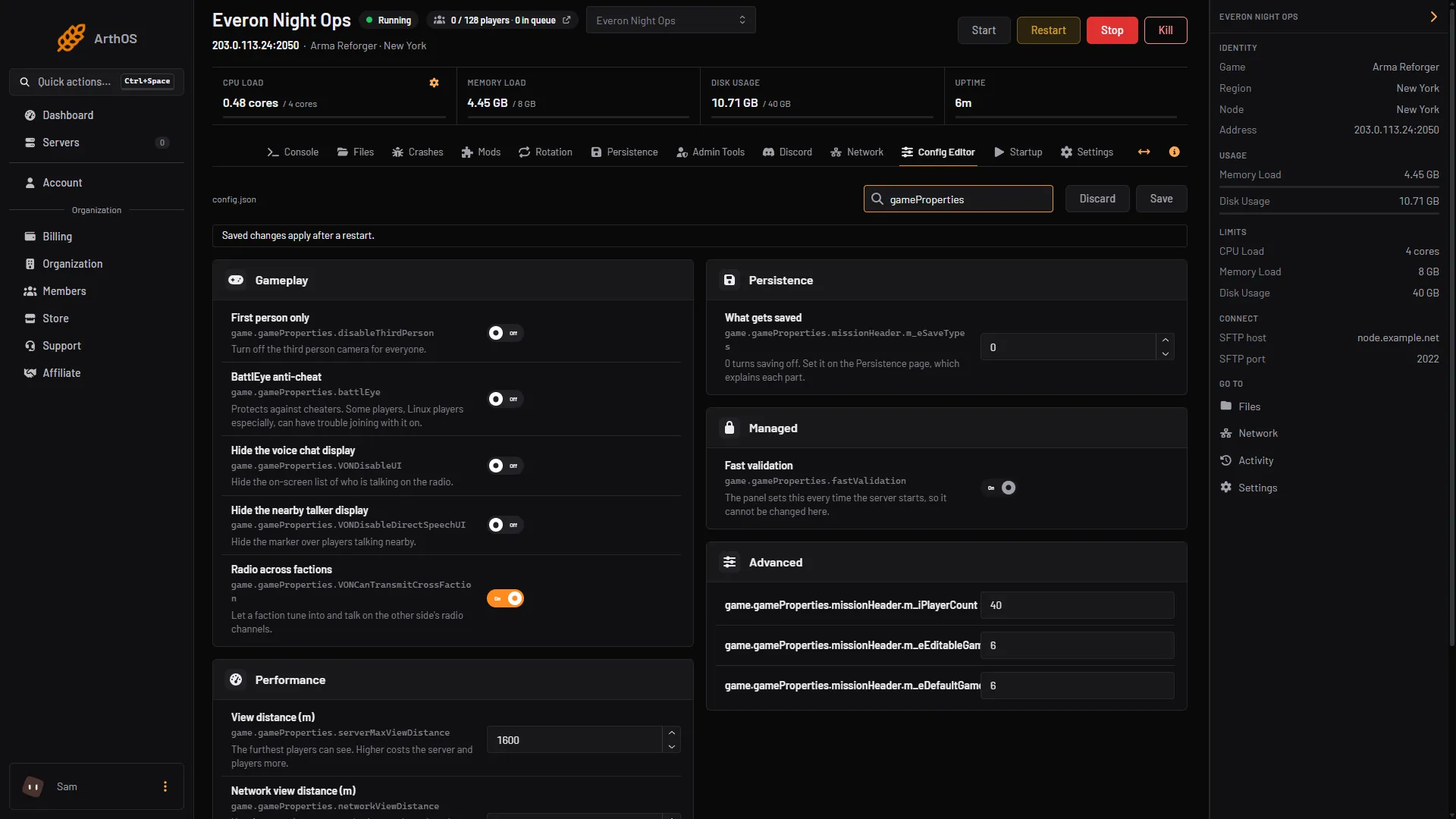
- First person only switch
- Save
In a rotation
If you use the Rotation tab, an entry can set the camera for its own match. In the entry’s Add entry dialog, under While it plays, use Camera. Left alone, it keeps the server’s own setting. An entry changes only what it names, and the server’s own value comes back after it. See scenario rotation.
By hand
In config.json, the setting sits in game.gameProperties. Do not put quotes around true:
"game": {
  "gameProperties": {
    "disableThirdPerson": true
  }
}
If gameProperties already has other settings, add disableThirdPerson to them and leave the rest as they are. Do not create a second gameProperties. Save the file and restart the server.
To go back to third person, set the value to false and restart.
Things to know
- It is for everyone. There is no per-player switch in the setting. Bohemia describes it as forcing the view on clients.
- It is a server setting, not a mod. You do not add anything to the mod list.
- Scenarios that expect third person. Not checked on 1.8 as of 12 October 2026: how every vehicle and scenario behaves with the camera forced. Test your scenario after you turn it on.
If it does not work
- Players can still use third person. The server has not been restarted since you saved, or the value is in the wrong place. It must be inside
game.gameProperties, not directly ingame. - Saving in the panel is refused, or the server will not start after a manual edit. The JSON is broken. Look for a quote around
true, or a comma that is missing or extra. The log names the error. See reading server logs. - The change disappears. A rotation entry may be setting the camera for its match. Check the entry’s Camera setting.
More about the config file is in the config.json guide. More about the game is on our Arma Reforger page.
Sources: Bohemia wiki: Server Config