






Game Master is a scenario with nothing planned. One player, the Game Master, places units and sets objectives in real time for everyone else. To run it, set game.scenarioId to the Game Master scenario of your map and restart. Server admins always get the Game Master role. You need your own identity ID first, to add yourself as an admin: see find Arma Reforger player IDs. Not checked on 1.8 as of 12 October 2026: whether a console player can be the Game Master.
What Game Master is
Bohemia describes Game Master as a mode where a player chooses what the next events will be. The Game Master can create, edit, move and kill AI units and vehicles, edit or kill a player, give groups waypoints, and place or delete prefabs on the fly. The Game Master cannot change the base terrain.
The Game Master works through an interface that Bohemia splits into four panels. It offers:
- An Entity Browser to place characters, vehicles and structures.
- Playable factions and objectives for them.
- Respawn, time of day, date and weather.
- Budgets for objects, AI, vehicles and systems. When one reaches 100%, no more of that kind can be placed until some are removed.
If no faction is playable yet, the Game Master must define one first with the big + button, or players have nothing to join. Removing a playable faction kills players already in it.
The scenario IDs
| Map | Scenario ID |
|---|---|
| Game Master - Everon | {59AD59368755F41A}Missions/21_GM_Eden.conf |
| Game Master - Arland | {2BBBE828037C6F4B}Missions/22_GM_Arland.conf |
| Game Master - Kolguyev | {F45C6C15D31252E6}Missions/27_GM_Cain.conf |
These are from Bohemia’s Server Config page. For Arland and Kolguyev see Arland scenarios and Kolguyev.
In the ArthOS panel
- Open your Arma Reforger server and choose the Config Editor tab.
- In the Server group open Scenario (1) and pick Game Master: Everon, Game Master: Arland or Game Master: Kolguyev.
- Choose Save (2), then restart the server.
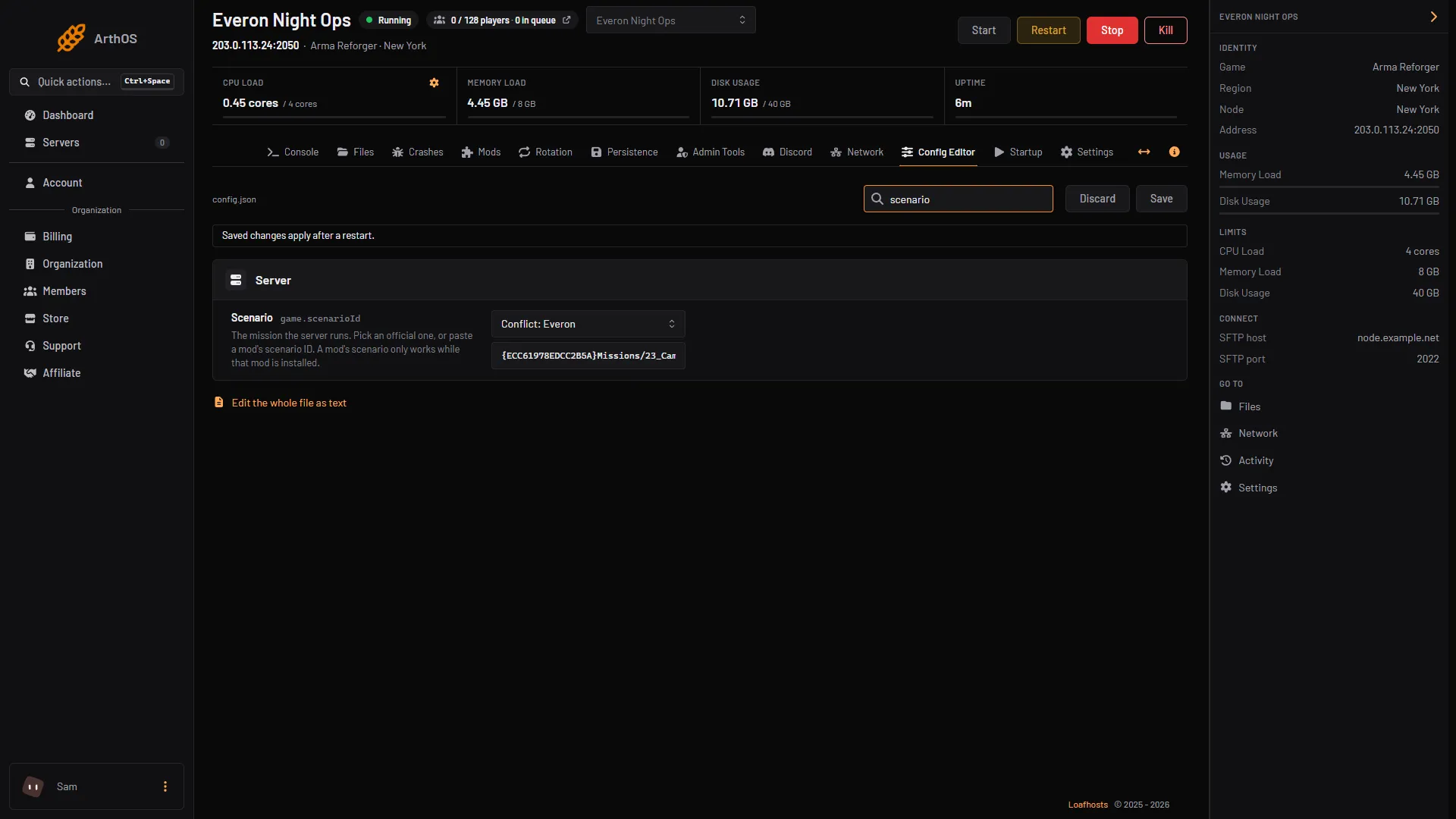
- Scenario row
- Save
Who becomes Game Master
Bohemia’s rules are short:
- The server host, or a declared server admin, always has access to the Game Master interface.
- If no Game Master is present, the first player to connect gets the role.
- The role cannot be moved to someone else unless that player disconnects.
Because of the second rule, an open server hands the role to a stranger if no admin joins first. Add your own admins, see add admins, and join before the public does. A server takes 30 admin IDs.
With the Server Admin Tools mod in the mod list, the panel’s Admin Tools tab has a Game Masters list: “Given Game Master when they join.” Add a player’s Identity ID and Name, then Add. See Game Master permissions.
In game, the 1.8 changelog says a Game Master or admin can teleport the editor camera to a player and promote or demote a player from the Player List.
By hand
Set scenarioId inside the game block of config.json, save, and restart:
{
    "game": {
        "scenarioId": "{59AD59368755F41A}Missions/21_GM_Eden.conf"
    }
}
Saves
Bohemia’s Persistence System page says the Game Master world systems carry a persistence entry, so a Game Master world is set up to be saved. Turn saving on in the Persistence tab, see persistence and save games.
If it does not work
- Nobody is Game Master. Nobody with the role has joined. An admin who connects gets it.
- A stranger is Game Master. They connected first and no admin was present. They keep the role until they disconnect.
- Players cannot join a side. No faction is playable yet. The Game Master must add one in the Scenario Menu.
- The server starts a different scenario. Copy the ID again from the table.
- Nothing more can be placed. A budget is at 100%. Use Clear Destroyed Entities or delete units.
Running on Loafhosts? See Arma Reforger servers.
Sources: Bohemia wiki: Game Master, Bohemia wiki: Server Config, Bohemia wiki: Persistence System, reforger.armaplatform.com: Game, reforger.armaplatform.com: Changelog august 13 2026