






Server Admin Tools is a free Workshop mod by ceo_of_bacon. The panel’s Admin Tools tab adds it to your mod list for you and then edits its settings file: who is admin, who is banned, a message players see when they join, and chat messages sent on a timer.
The tab also shows live stats and kills. That part is in Arma Reforger server stats.
The mod
Its Workshop page lists these facts:
- Name: Server Admin Tools. ID:
5AAAC70D754245DD. Author: ceo_of_bacon. - Version 1.7.1, built for game version 1.7.0.54. Size: about 193 KB.
- The author’s summary: “Stats and server management tools.” For all its features, the author points to the Server Admin Tools thread on the Arma Discord.
- Licence: for non-commercial use in Arma Reforger. The mod may not be shared or adapted without the author’s written permission.
Install it in the ArthOS panel
- Open the Admin Tools tab.
- If the mod card says “Not in the mod list”, choose Add to the mod list. The page says “Added to the mod list. It loads at the next restart.”
- Restart the server. The mod writes its settings file on that first start.
- Open Admin Tools again. Until the file exists the page says the mod writes its settings file the first time the server starts with it. Once it does, the card reads “In the mod list” with the version.
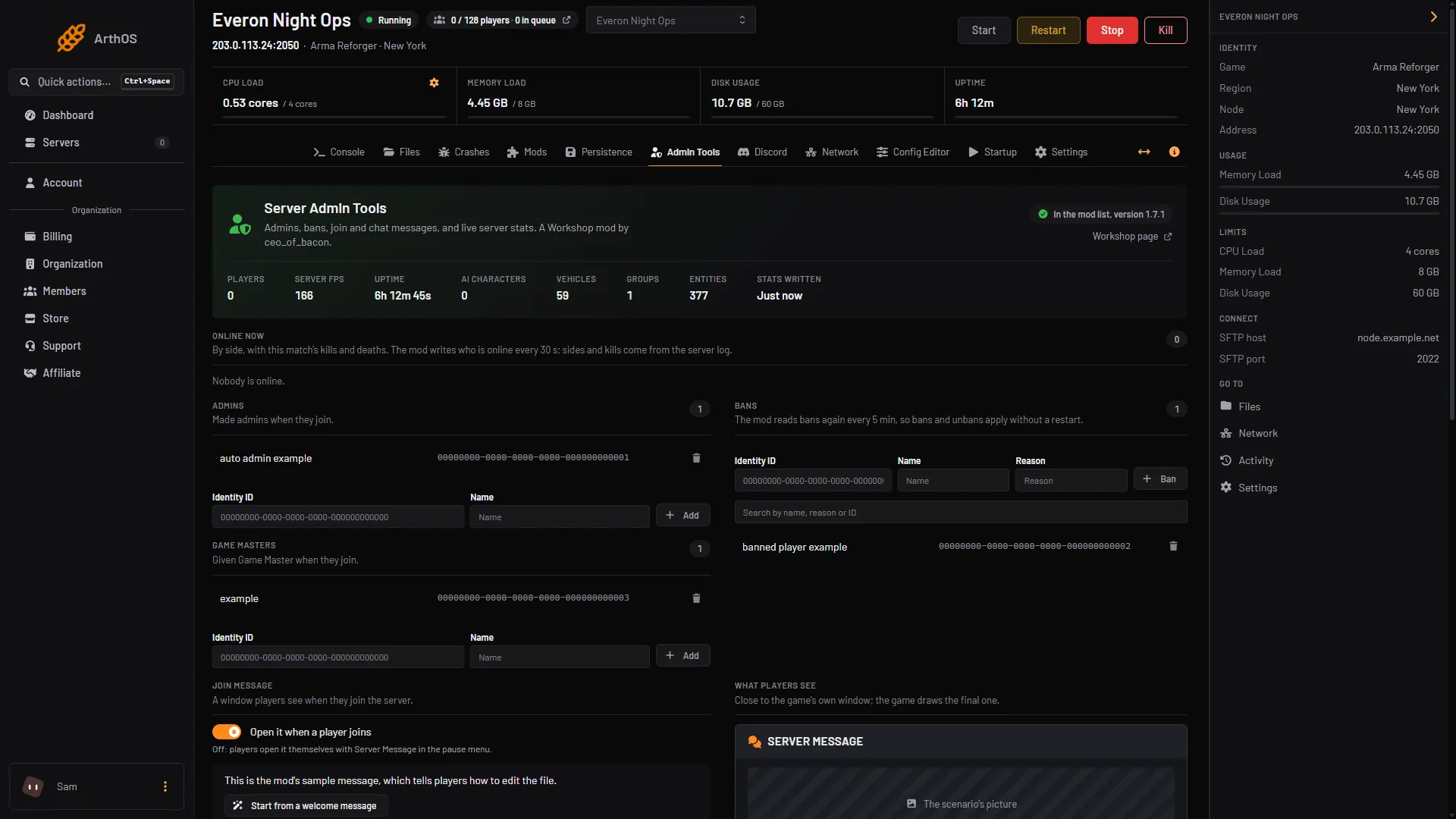
- Mod card and Add button
- Admins made on join
- Bans
You need permission to edit files to change anything here. Without it you can read the settings but not save.
What the tab edits
Changes wait in a bar that shows “Unsaved changes”. Choose Save changes to write them, or Discard. The panel merges your change into the file as it is now, so a ban made in game while the page was open is kept.
- Admins (“Made admins when they join”): add an Identity ID and a Name, then Add. See add admins.
- Game Masters (“Given Game Master when they join”): the same, for Game Master rights.
- Bans: Identity ID, Name, Reason, then Ban. The mod reads bans again every 5 minutes by default, so bans and unbans apply without a restart. Details are in ban and kick players.
- Join message: a window players see when they join. The switch Open it when a player joins turns it on. Off, players open it themselves with Server Message in the pause menu. Use Start from a welcome message for a template. The page previews the result and counts your characters against about 2048.
- System messages: text shown to everyone in chat as system messages. Repeated messages go out every set number of minutes; At set times messages go out at an hour and minute. A switch decides whether the times are UTC or the server’s clock.
- Advanced: Write stats every (seconds), Read bans again every (minutes), Record who is online in the stats file, the Events API (an Address, a Token and a rate limit), and Events the mod records.
The events the mod can record are joins, kills, bases captured, votes started and ended, matches started and ended, low FPS warnings and admin actions. Each ticked event is counted and written to the server log. If you set an Events API address, it is sent there too. Empty sends nothing.
The files
In Files the mod keeps two files in the profile folder:
/profile/profile/ServerAdminTools_Config.json: what you set on this tab./profile/profile/ServerAdminTools_Stats.json: what the server reports.
Use Open the file on the tab to edit the settings file as text.
By hand
- In
config.json, add the mod to themodsarray insidegame:{ "modId": "5AAAC70D754245DD", "name": "Server Admin Tools" }. Keep the JSON valid. See config.json explained. - Restart the server. The mod writes
ServerAdminTools_Config.jsoninto the profile folder. - Edit that file, then restart so the options apply.
If it does not work
- The tab says the mod is not in the list. Choose Add to the mod list and restart.
- The page says the settings file is not valid JSON. The file has a typo. Open it with Open the file and fix it.
- The mod fails to load after a game update. The Workshop page says it was built for 1.7.0.54. Check that page for a newer version, then see finding the mod that stops your server.
- You cannot save. Your role lacks permission to edit files.
More about the game: Arma Reforger servers.
Sources: reforger.armaplatform.com: 5AAAC70D754245DD, Bohemia wiki: Server Config