






If you run several Arma Reforger servers, a ban on one of them does not reach the others. The ArthOS panel has no shared ban list, and the game has none either. To keep the same people out of every server, copy the ban list from one server to the rest by hand.
The shared ban list belongs to the Server Admin Tools mod. It is the list the panel’s Admin Tools tab edits. The game’s own #ban command keeps a separate list, and the panel does not show it. See ban and kick players for both.
Where the bans are kept
The mod keeps its bans in one settings file in the server’s profile folder. In Files on a Loafhosts server it is:
/profile/profile/ServerAdminTools_Config.json
The file holds the mod’s whole setup: admins, Game Masters, bans, messages and options. The bans are one block called bans. Each ban is an identity ID, then a text made of the player’s name and, if you gave one, a reason:
"bans": {
  "aaaaaaaa-bbbb-cccc-dddd-eeeeeeeeeeee": "SomeName - teamkilling",
  "11111111-2222-3333-4444-555555555555": "OtherName"
}
The file stores no end time, so a ban in this list stays until someone removes it. An identity ID is the player’s own ID, so the same ID bans the same person on every server. See find a player’s ID.
Copy the bans by hand
Do this for each server that should get the list. The mod writes this file itself when an admin bans someone in game, so stop the target server first, or you can lose a ban made while you edit.
- Open the Files tab of the server that has the bans you want.
- Open
/profile/profile/ServerAdminTools_Config.jsonand select thebansblock, from"bans": {to its closing}. Copy it. - On the target server, choose Stop, and wait until it is offline.
- Open the same file in Files on the target server. If you cannot find it, the mod has not run there yet: see the Server Admin Tools mod.
- Find that server’s own
bansblock. Add the missing lines from the copied block inside it. Do not paste a second"bans"block next to the first. - Check the commas. Every line ends with a comma except the last one in the block. One stray comma makes the file invalid JSON.
- Save the file and start the server.
The target server then bans those people. The mod reads its ban list again on a timer, by default every 5 minutes, so a ban you add later can apply without a restart. A banned player who is online is removed at that next read.
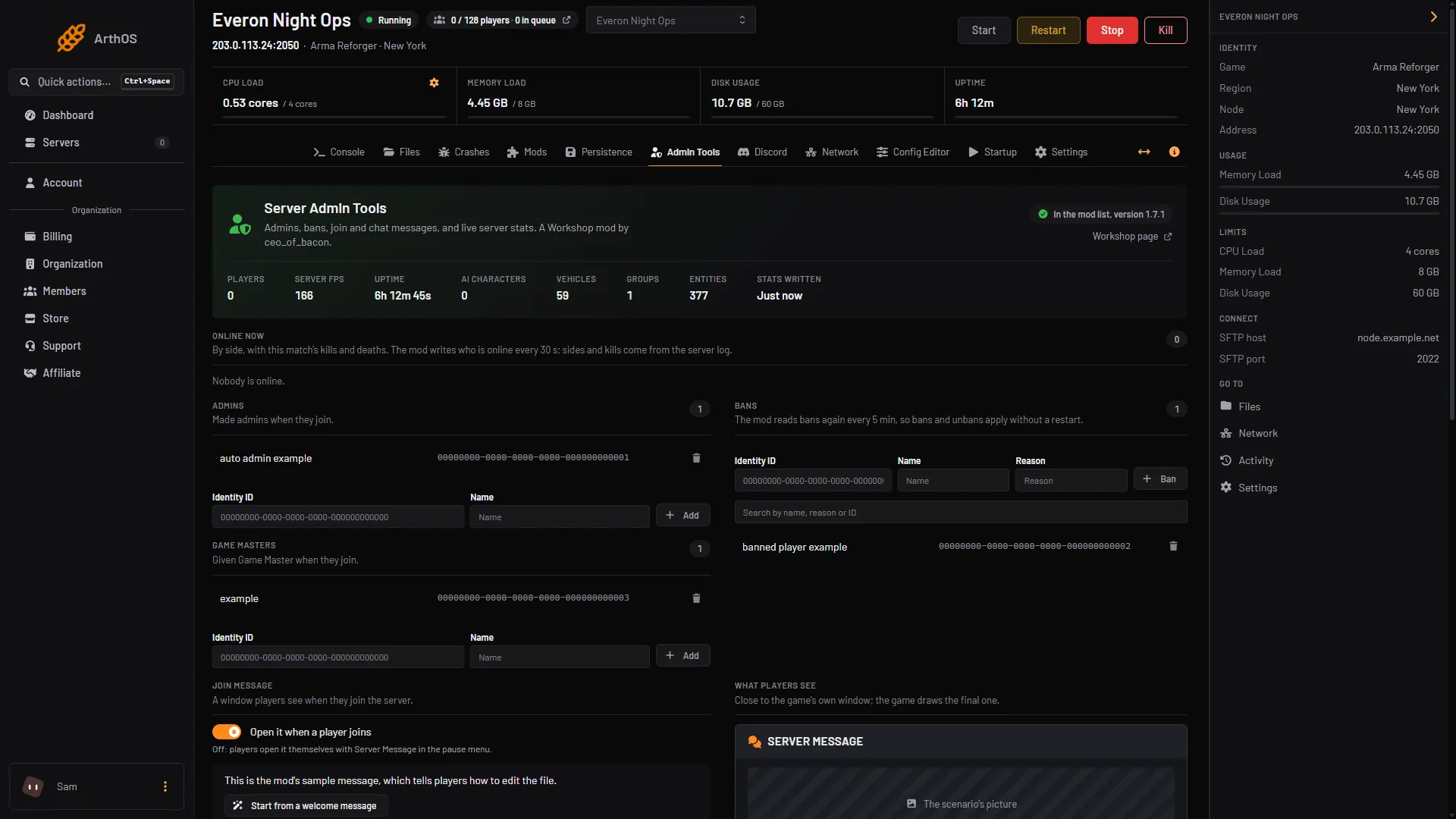
- Bans card
Keeping the lists in step
Nothing copies a new ban to the other servers for you. When you ban someone, repeat the ban on each server, or copy the block again. Unbanning works the same way: remove the line on every server.
A separate RCON tool can have its own ban features. Those belong to the tool, so read its own documentation. Nothing in the panel depends on one. For connecting a tool, see RCON.
If it does not work
- The panel says the settings file is not valid JSON. A comma is missing or extra, or a second
"bans"block was pasted in. Open the file and fix it, or paste your original text back. - The ban does not apply. Wait for the reload time shown on the Bans card, 5 minutes by default. Check the mod is in the server’s mod list and the server has restarted since it was added.
- A player on the list can still join. The ID was copied wrong, or the ban was made with the game’s own
#banon another server. That list is separate. - The file does not exist. The mod writes it the first time the server starts with the mod loaded.
More about the game: Arma Reforger servers.
Sources: Bohemia wiki: Server Management, reforger.armaplatform.com: 5AAAC70D754245DD