









Open the Config Editor, change Server name in the Server group, save, and restart the server. The new name shows in the server browser after the restart.
Change the name
- Open your server in the panel and open the Config Editor.
- In the Server group, find Server name.
- Type the new name.
- Choose Save. While the server runs, the editor says “Saved. Restart the server to apply the changes.” with Restart now.
- Restart the server, with Restart now or Restart at the top of the server page. The game reads this file only when it starts.
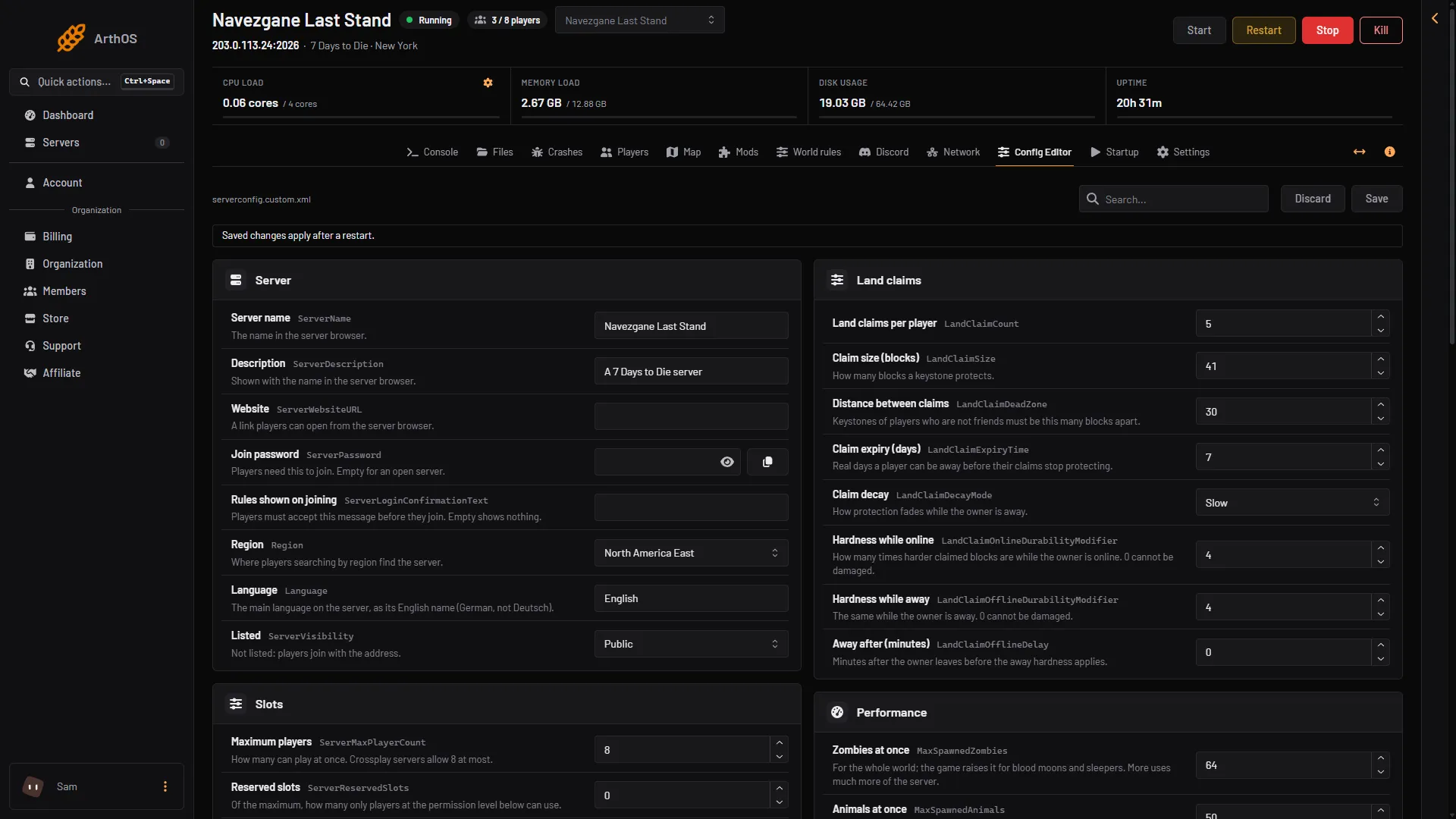
- Server name
- Description
- Region
Server name is box 1. Description is box 2 and Region is box 3.
The name you gave when you ordered is written into Server name once, the first time the server starts. This happens only while the file still holds the game’s default, My Game Host. If you change the name later, your name stays.
Other rows in the same group
- Description: shown with the name in the server browser.
- Website: a link players can open from the server browser.
- Rules shown on joining: a message players must accept before they join. Leave it empty to show nothing.
- Region: where players who search by region find the server. Set Region to where your players are. A new server starts with North America East, the game’s default, whatever region it was ordered in.
- Language: the main language on the server. Use the English name of the language, for example
German, notDeutsch.
The Save name is not the server name
In the World group there is a row called Save name. It is the name of the save folder. It is not what players see in the browser. Changing it starts a new save with a new world state. Your old save stays on the server, but players will not see it until you set the old name again. Leave Save name alone unless you want a fresh start.
If it does not work
- The old name still shows. Restart the server. Saving does not change a running server.
- The name is not in the list at all. Check Listed in the same group. Not listed hides the server from the browser. Players then join with the address.
- Your edit seems lost. Save in the Config Editor. A hand edit of
serverconfig.xmlin Files does nothing, because the server starts from its own copy,serverconfig.custom.xml.
More about the game: 7 Days to Die servers.
Sources: 7daystodie.wiki.gg: Server