









Most of the time the server is still starting, or Listed is not Public. Check the Players page first: if it says the server is loading its world, wait. If the server is up, open the Config Editor and check that Listed is Public. While you sort it out, players can still get in with Connect to IP.
1. The server is not running or still starting
If nobody has played on the server for 3 days, it stops by itself (Standby, in Settings). Players then see no server until you start it or use its Wake link.
A server only appears in the list once its world is ready. A new server from the store is ready about 30 seconds after its first start on the map Navezgane. A new or bigger world takes longer.
- Open the Console page.
- Watch for the line
INF StartGame done. The server is ready when it appears. A server that is listed also logsINF [Steamworks.NET] Making server publicjust before it andINF [EOS] Server registered, session: ...just after it. If you see those, the server did list itself, so look at the filters and the version (parts 3 and 4). - Open the Players page. While the world loads it says: “The server is loading its world. A new world can take several minutes to generate the first time. Players show here once it is ready.”
If the page says “The server is running but not answering the panel yet. If this lasts, restart it.”, wait a minute, then restart once.
2. Listed is not Public
The setting Listed (the game’s ServerVisibility) decides who can see the server in the list. Public is 2, Friends only is 1 and Not listed is 0. Friends only does not work on a server like this one: players cannot find it in the list. The game’s own note says it works only when the first player connects by address. Use Public or Not listed.
- Open the Config Editor.
- In the group Server, find Listed.
- Pick Public.
- Save, then restart the server. A change in the Config Editor applies at the next start.
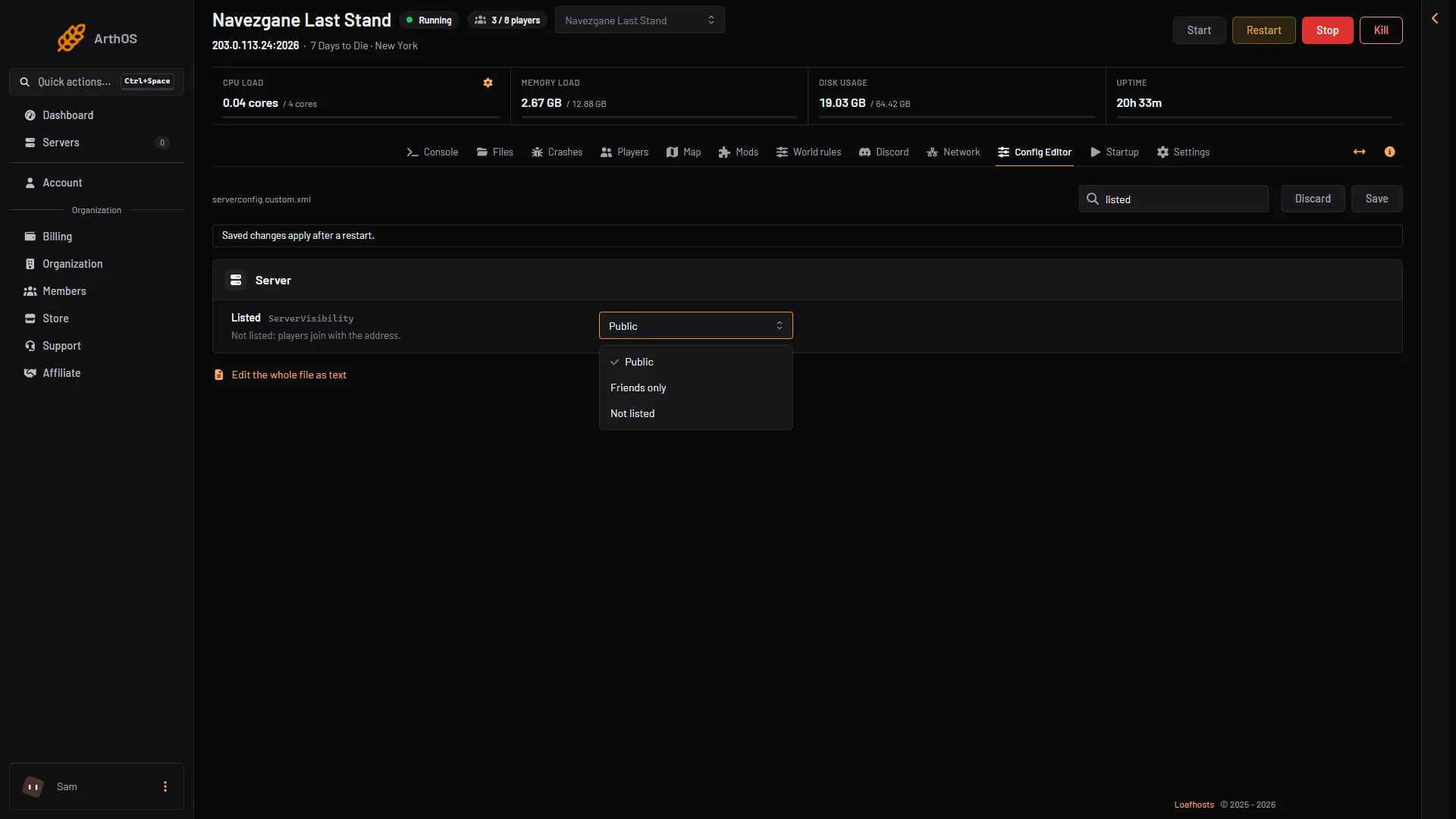
- Listed
A new server ordered from Loafhosts starts as Public, with no join password, Anti-cheat on and Crossplay off. If Listed is not Public, someone changed it.
While you are in the Server group, check that Server name is what you expect, because that is the name players search for. A new server’s Region is North America East (NorthAmericaEast), the game’s default, whatever region it was ordered in. Set Region to where your players are.
3. The list filters hide it
The server list in the game has filters. A filter can hide a server that is running fine. Clear the filters, then search by the server’s name. Look at these:
- Password. A list filter on passwords can hide a server that has a Join password.
- Version. A server runs one game version. Players must run exactly the same version. See the next part.
- Crossplay. The game says a crossplay server is found in searches only when it has the default number of player slots or fewer. Crossplay needs the anti-cheat on, 8 players at most and no mods. See the crossplay guide.
- Anti-cheat. The server runs Easy Anti-Cheat (EAC) by default (Anti-cheat, group Technical).
Not checked on V3.3.0 as of 19 October 2026: the names of the filters on the game’s server list screen.
4. A different game version
Players must run exactly the version the server runs. A server on an older or newer version than the player’s game is not joinable. The Startup page has two settings for this:
- Update on start: when on, the server checks Steam for a newer build at every start. It is on for new servers.
- Game version: empty means the current stable version. It can also hold
latest_experimentalor a pinned version such asv3.2.0.
If you pinned an older version, players need that version too. See the version mismatch guide.
Join meanwhile
You do not have to wait for the list. The Players page has a card Joining with the server’s address and a Copy button.
- Copy the address.
- In the game, open Join a Game and use Connect to IP.
- Paste the address.
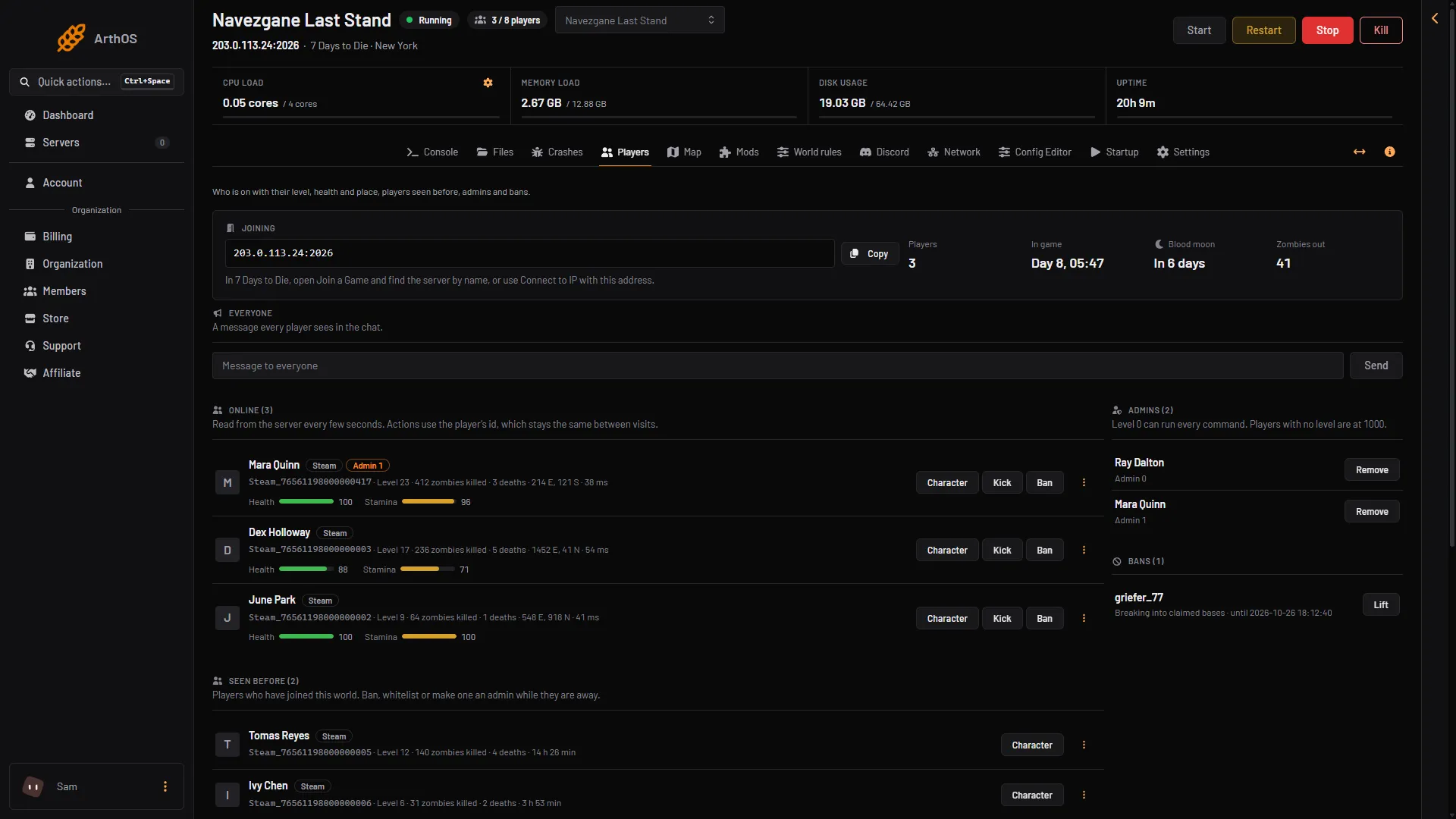
- Joining
- Copy
More about the game: 7 Days to Die servers.
If it does not work
- The Players page says the server is stopped. Start it from the Console page.
- Listed is Public, the server is ready, and it is still missing. Try Connect to IP. If that works, look at the list filters and the version on the player’s side. If it fails too, check the version first, then open the Network page and make sure the address you gave is the one it shows for the game port.
- “This server has no address yet.” The Joining card shows this while the server has no address. Wait for the server to finish its first start.
- Console players cannot see it. Crossplay must be on, and a server with mods is not open to console players.
Sources: 7daystodie.wiki.gg: Game Settings, 7daystodie.wiki.gg: Server