










Small
Up to 5 players
A few friends from the Meadows to the first bosses.
- 2 cores
- 3 GB RAM
- 20 GB disk
$14.75 /mo
Billed monthly
Valheim server hosting
Install mods and modpacks from Thunderstore with everything they need, see your world and every player on its map, set the world modifiers, and let Xbox players in with a join code.
Try it free first A full server for a few days. No card needed.
Plans
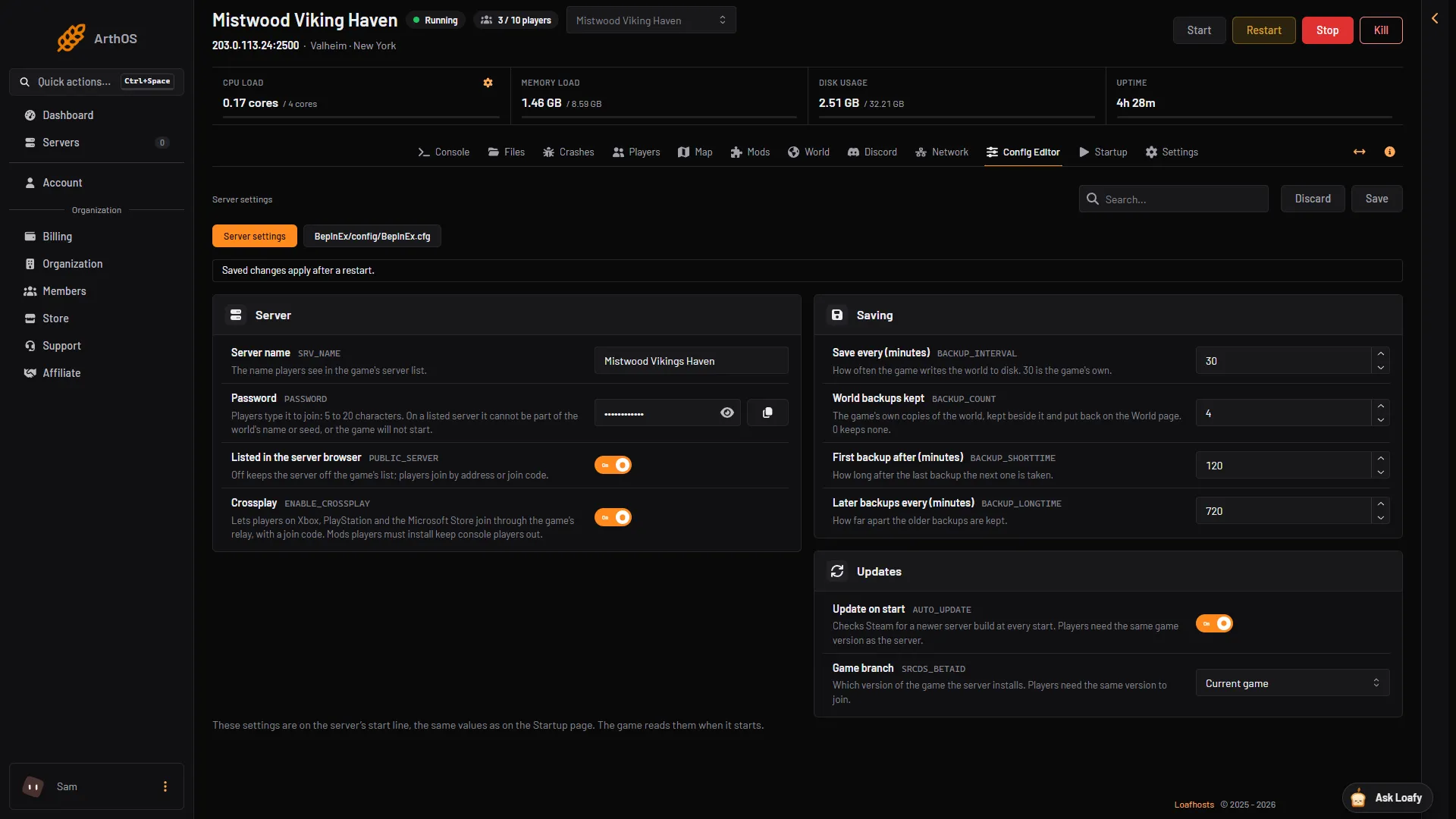
Three Valheim plans from the store, each sized for a number of players. Under Advanced you set every number yourself. Pay for longer and the monthly price drops.
Up to 5 players
A few friends from the Meadows to the first bosses.
$14.75 /mo
Billed monthly
Up to 10 players
A full crew of ten, with a few mods.
$20.00 /mo
Billed monthly
Up to 10 players
Ten players with big mods or a modpack.
$27.50 /mo
Billed monthly
Every plan includes the ArthOS panel and DDoS protection. Need more? Set any number yourself under Advanced. Game servers can be refunded within 3 days. Dedicated servers are not refundable.
By continuing you agree to the Terms of Service and Privacy Policy.
Build your own
Start at 1 core, 1 GB of RAM and 10 GB of disk for $9.25/mo, and go up to 16 cores, 64 GB and 500 GB.
$7.00 per IP per month. Optional. Limited availability, confirmed at checkout.
Your build
$20.00/mo
Billed monthly
By continuing you agree to the Terms of Service and Privacy Policy.
Not sure which plan? Try Valheim free for 3 days on a full server. No card needed.
Start a free trialIn ArthOS
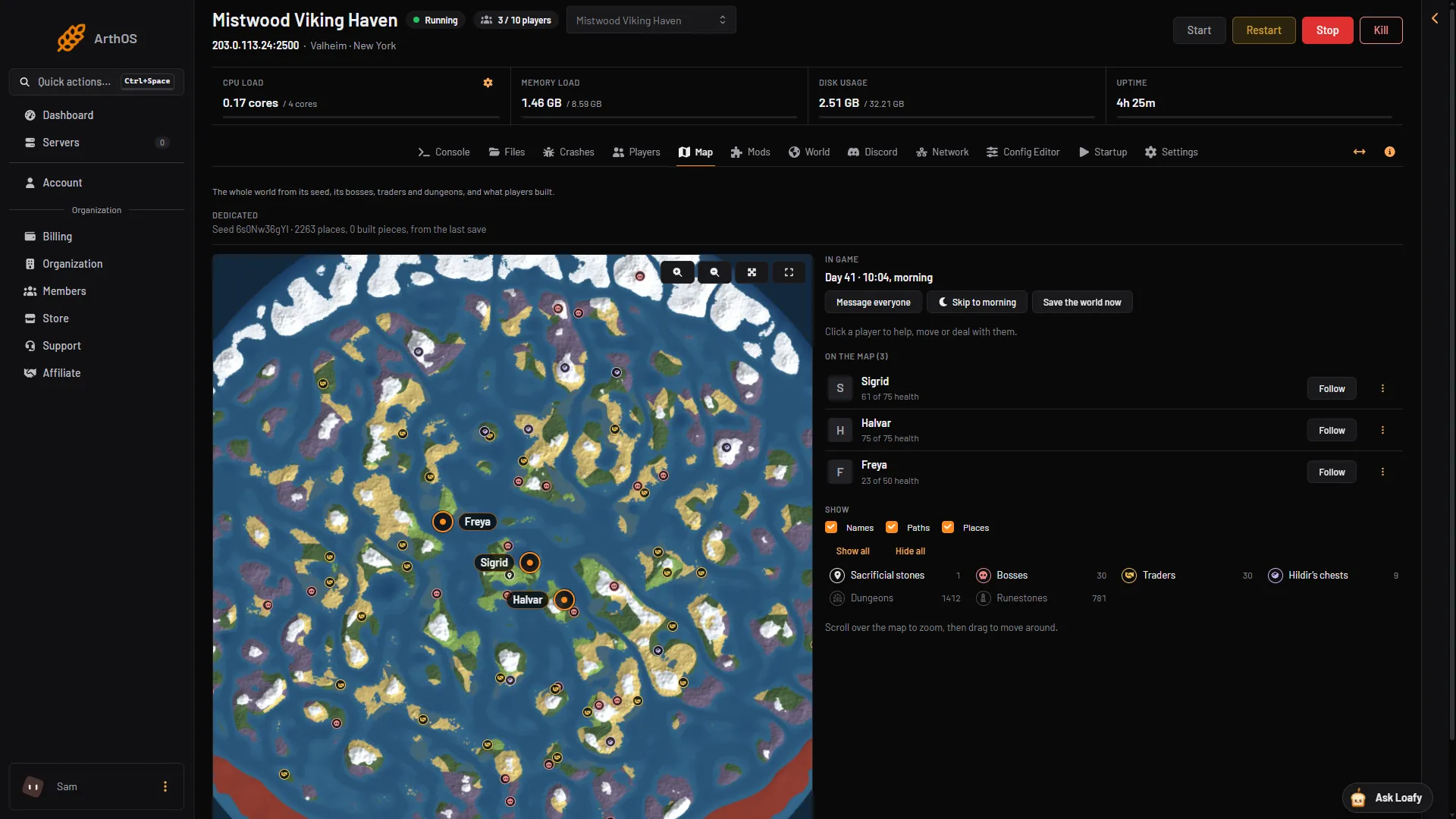
Map
The Map draws the whole world from its seed, biome by biome, with the sacrificial stones, bosses, traders, Hildir's chests, dungeons and runestones. Portals, beds and bases come from the last save. With the panel tools on, every player shows where they are, and a click on one opens their actions.
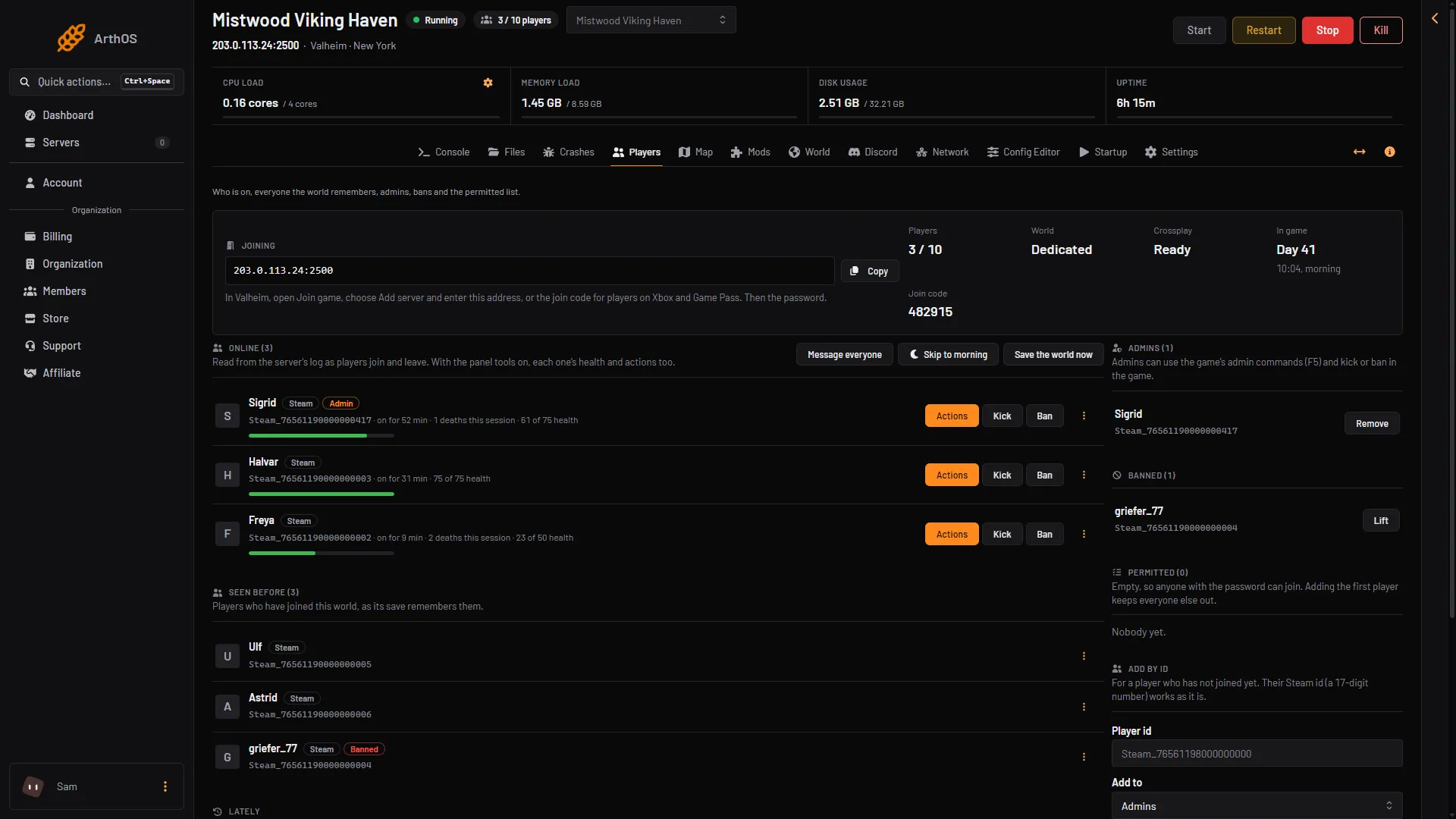
Players
See who is on, everyone the world remembers and, with the panel tools on, each player's health. Make an admin, ban, or start a permitted list, and every change applies at once, with no restart. The join code for Xbox and Game Pass players sits on the same page.
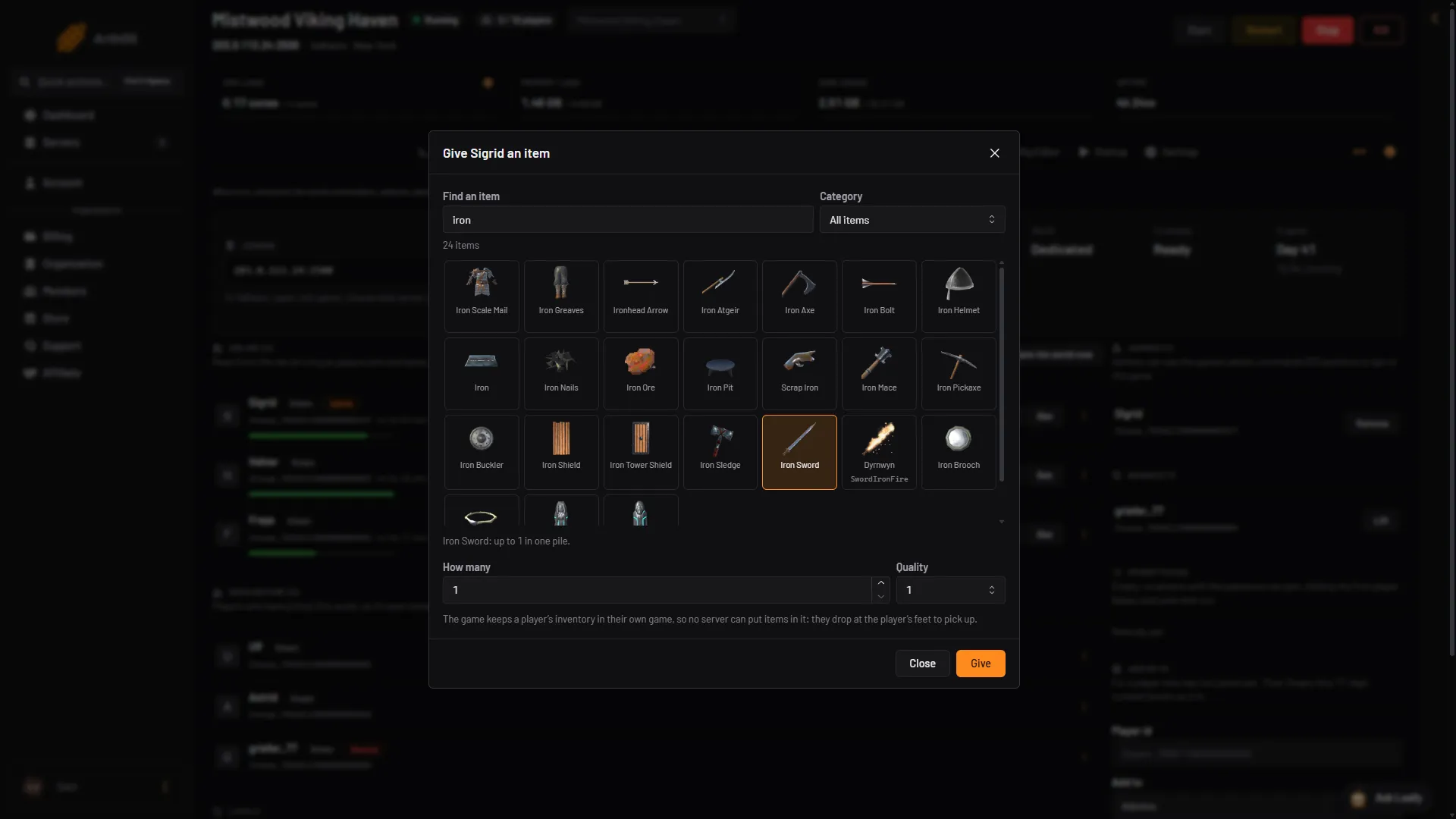
Panel tools
The panel tools are a small plugin of ours that runs inside the server, so players install nothing. Give an item from the game's own list with its pictures, heal, give an effect, send a message, teleport by clicking the map, spawn creatures, start a raid or skip to morning. Items drop at the player's feet: no server can put them in an inventory.
Mods
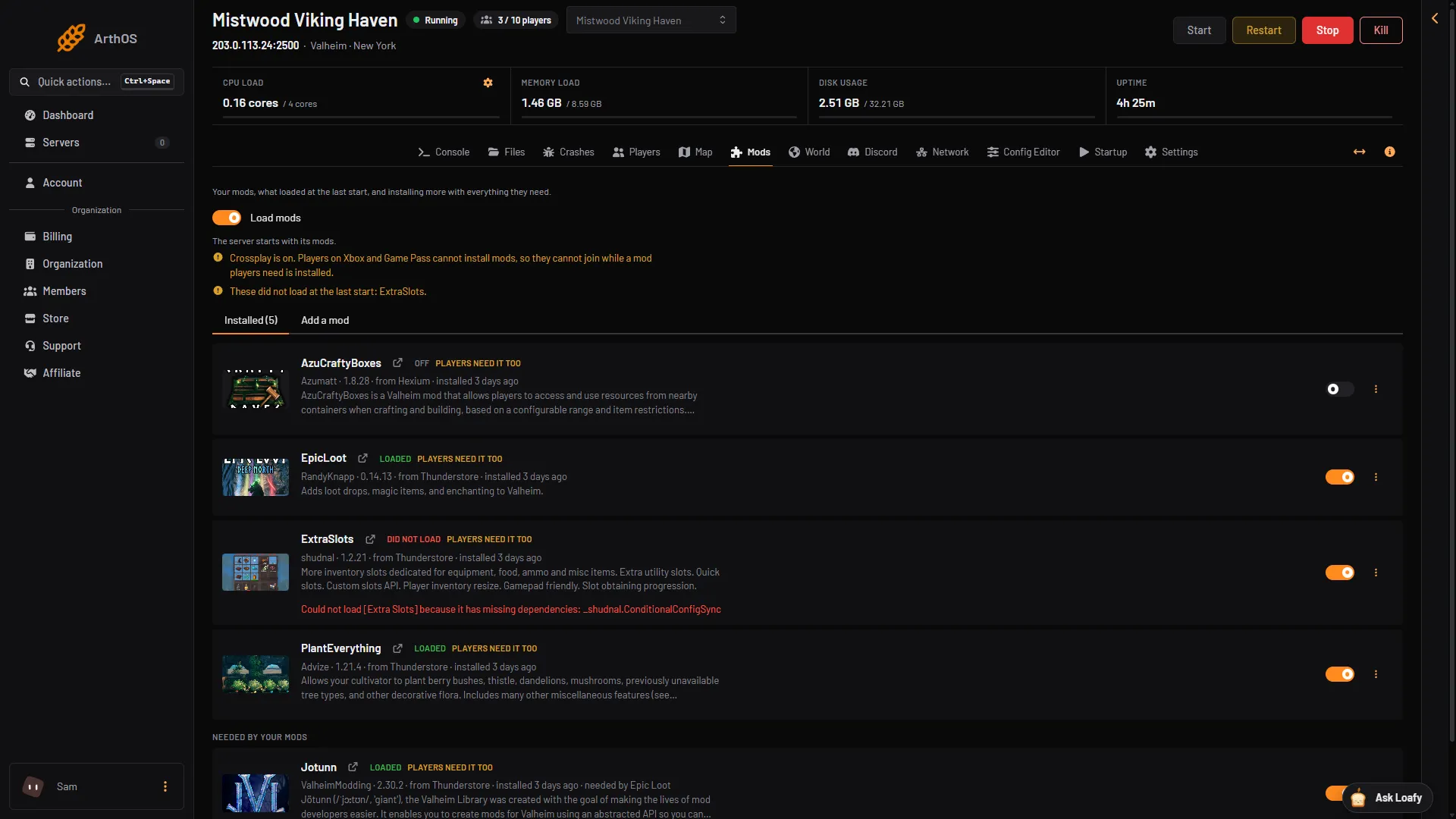
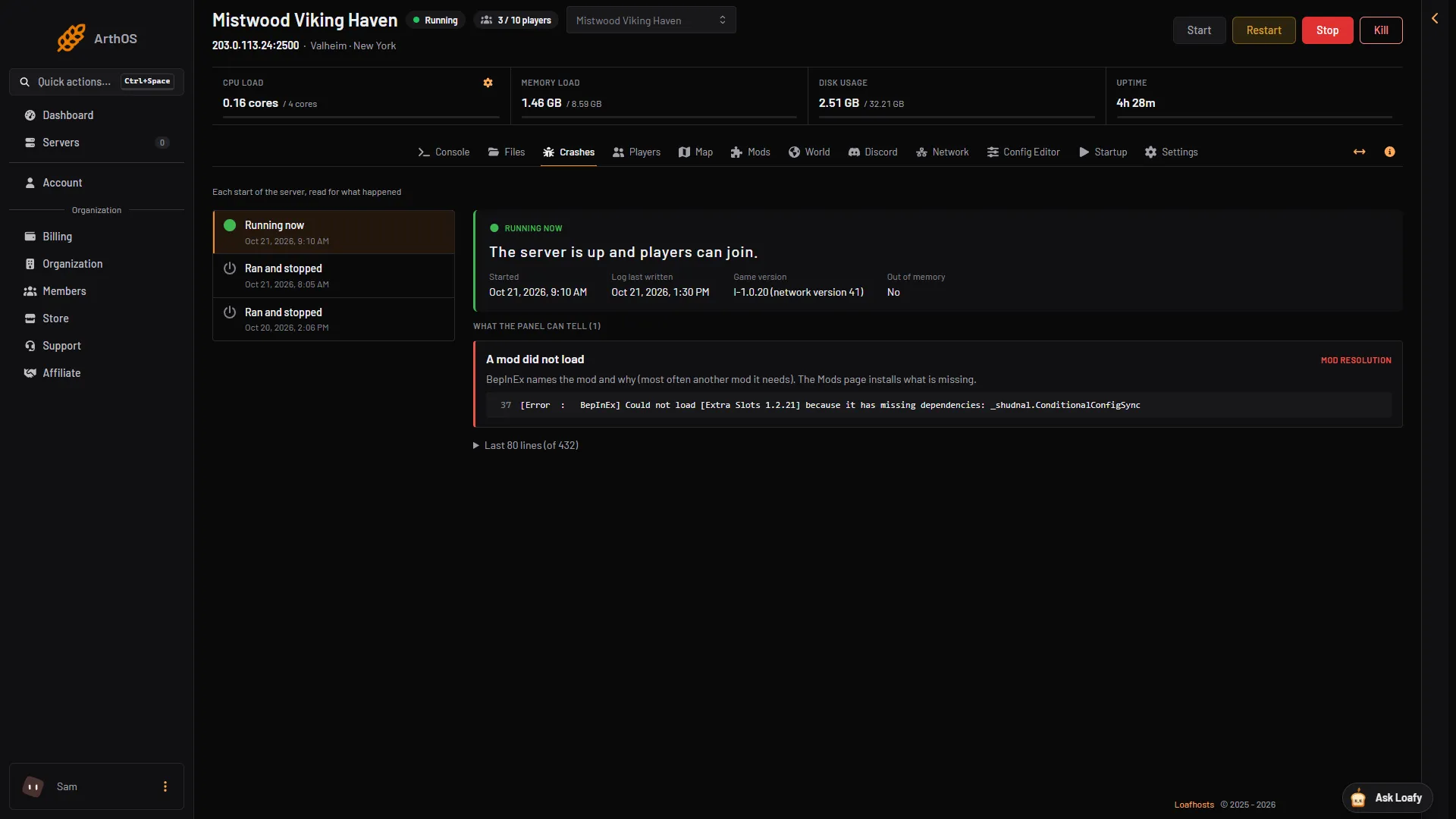
Search every mod and modpack on Thunderstore and Hexium. Install puts it in place with every mod it needs, BepInEx included, and starts the server again. Each mod then shows whether it loaded at the last start, and why one did not.
World
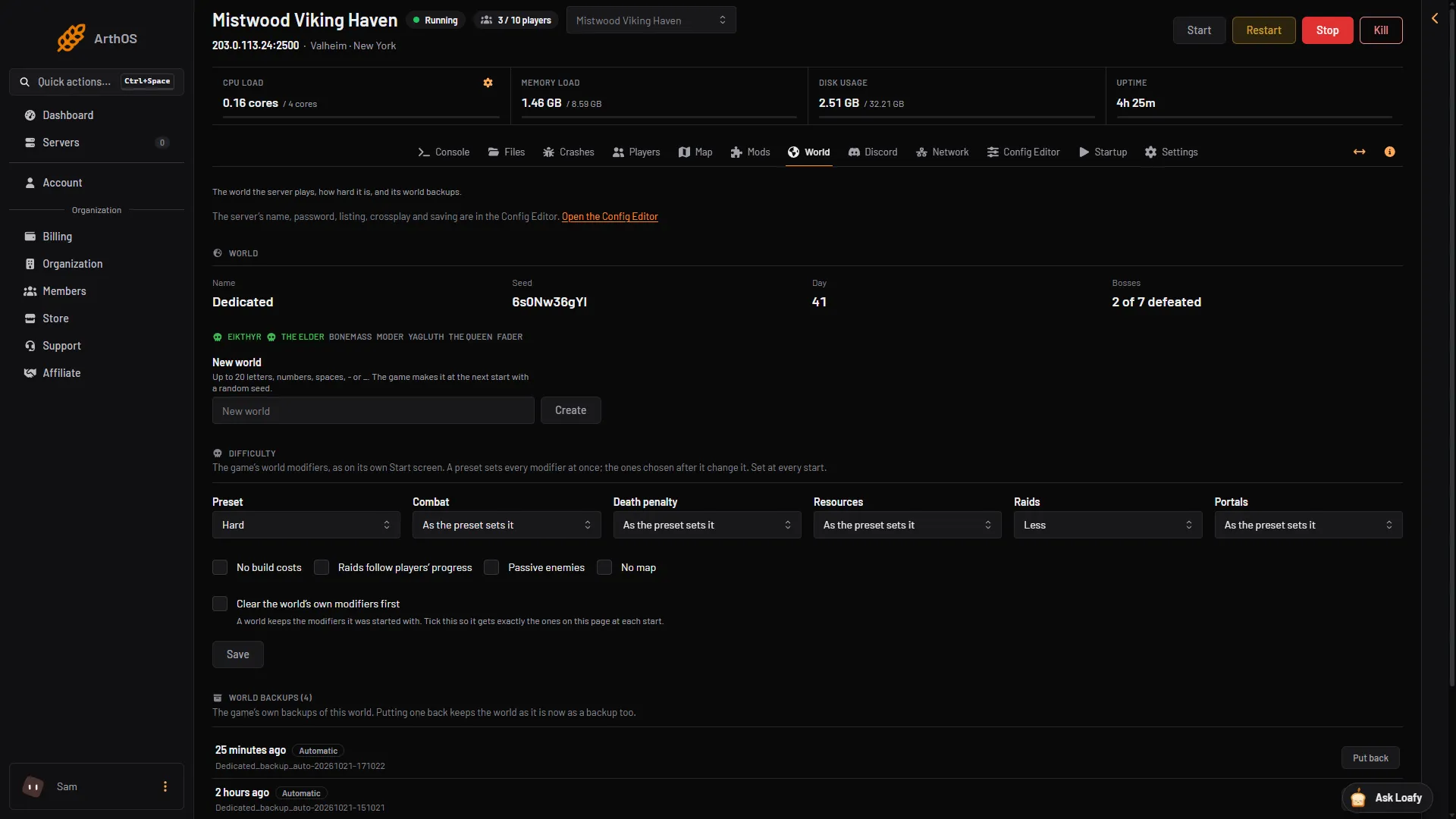
Pick a preset, or set combat, death penalty, resources, raids and portals one by one, with no build costs, passive enemies or no map. See the day and the bosses beaten, start a new world, or put one of the game's own world backups back.
Also for Valheim
Also included
Valheim FAQ
Not covered here? Ask us from the Support page in the panel. Contact support
In Valheim, open Join game, choose Add server and enter the address shown in the panel, then the password. Players on Xbox and Game Pass use the join code from the Players page.
Yes. A new server starts with crossplay on and a join code on the Players page. Players on Xbox and Game Pass cannot install mods, so they cannot join while the server runs a mod players need.
Yes. Search Thunderstore and Hexium on the Mods page and install a mod or a modpack with everything it needs, BepInEx included. Players install the same mods in their own game.
Yes. The World page has the game's presets and every world modifier: combat, death penalty, resources, raids and portals, plus no build costs, passive enemies and no map. The server uses them from its next start.
Up to 10, the game's own limit for a server. Small is sized for up to 5 players, Standard and Large for 10; Large leaves room for mods.
No server can: Valheim keeps a player's inventory, food and skills in their own game. With the panel tools on you see each player's health and what they hold, and you can give them items, which drop at their feet.
Game servers can be refunded within 3 days. Dedicated servers are not refundable.
See the Terms of Service
Yes. Start a free trial and you get a Valheim server on 6 cores, 8 GB memory and 50 GB storage for 3 days, with no card. Keep it after and the first month is 50% off.
By continuing you agree to the Terms of Service and Privacy Policy.