






Enshrouded has no admin command line. You become an admin by joining with the Admin password. That password puts you in the Admin group, which can kick and ban players, open every storage, build anywhere and place Flame Altars.
Keen Games’ readme for the dedicated server (version 0.9.0.0) calls this the “Admin” user group. It is the first of four groups every new server has. Checked on the 0.9 server. Enshrouded 1.0 is released on 15 October 2026.
What the Admin group may do
On a new server the Admin group has all five permissions:
- Kick and ban
- Open storage in bases
- Change the world outside bases
- Build in bases
- Place and upgrade Flame Altars
Kicking and banning is done in the game, from the Social tab. There is no kick button in the panel. See kick and ban players.
In the ArthOS panel
To see or change the password:
- Open the Players page of your server.
- In Groups and passwords, find the Admin row. The password is hidden. Show it to read it, or choose Copy.
- To make a new one, choose New password. The panel picks a new password for you and saves it at once.
A changed password shows Applies at restart. The new password only works after the server restarts, so restart it and tell your admins the new one.
You can also type your own on the Startup page, in Admin password (box 1). The field is masked; use the eye button to read it.
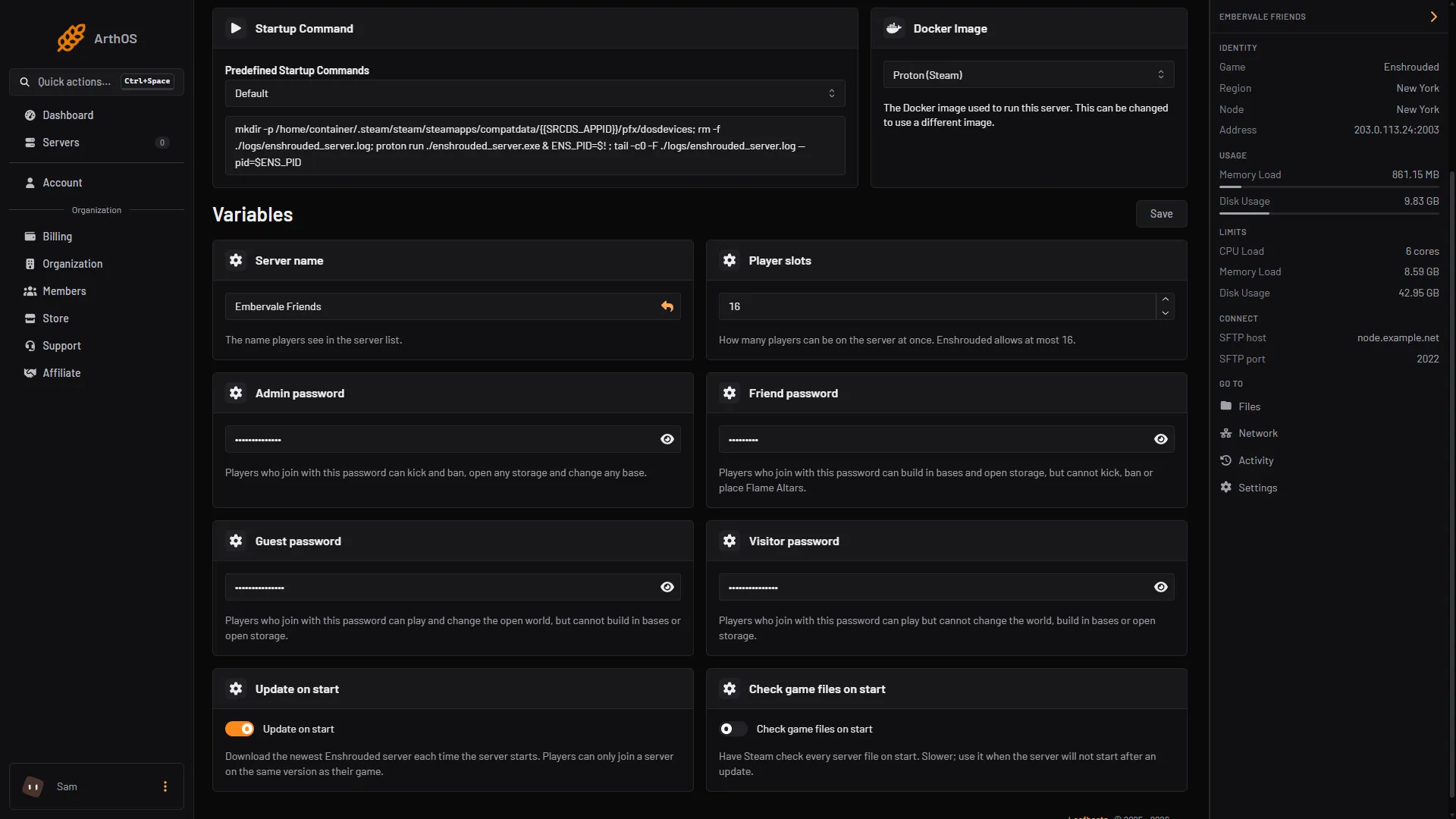
- Admin password
It must not be empty. It must not be only digits. It can be up to 64 characters. The panel writes it into the server’s settings file at every start, so a change made by hand in the file is replaced.
Only people whose role may read Startup can see passwords.
Join as Admin in game
- In Enshrouded, open Join.
- Turn on Show dedicated server, then pick your server by name.
- Type the Admin password when asked.
- Open the Social tab to kick or ban.
By hand
The password is the password of the group named Admin in userGroups in enshrouded_server.json. Stop the server before you edit the file by hand in Files. The game rewrites it at start. Saving in the Config Editor while the server runs is fine: the change applies at the next start.
Keep it secret
- Give the Admin password only to people you trust with bans and with every base.
- Use one password per group. Do not reuse the Friend password. For friends who should build, give them the Friend password and keep Admin to yourself.
- Do not clear Friend password on Startup: Friend then has no password, the Players page says “No password: anyone can join as this group.”, and anyone could build in bases and open storage.
- If it leaks, make a new one and restart. Everyone with the old one is then out of the Admin group.
- The panel warns you if a group has no password. Do not leave Admin open.
If it does not work
- The password is refused. The change applies at restart. Restart the server and try the new one.
- You joined but cannot kick or ban anyone. You joined with another group’s password. Only a group with Kick and ban can do it.
- You cannot see any passwords in the panel. Your role cannot read Startup. Ask the owner.
More about the game: Enshrouded servers.
Sources: store.steampowered.com: 1203620