






Kick and ban in game, not in the panel. Join with the Admin password, open the Social tab and pick the player. A kick removes them for now. A ban keeps that player out for good.
Keen Games’ readme for the dedicated server (version 0.9.0.0) describes both. Checked on the 0.9 server. Enshrouded 1.0 is released on 15 October 2026.
Kick or ban in game
Join with the Admin password and open the Social tab. Any group with Kick and ban switched on can do this too.
The same tab shows the list of banned players. You can add players to it and remove them there.
The game stores for each ban: accountIDHash (an identifier for the Steam account that does not reveal the account ID), displayName (the Steam name), characterName and banDate (a Unix timestamp).
In the ArthOS panel
The Players page shows the bans.
- Open Players on your server.
- Look at Banned. Each row has the player’s name, their character name and the date.
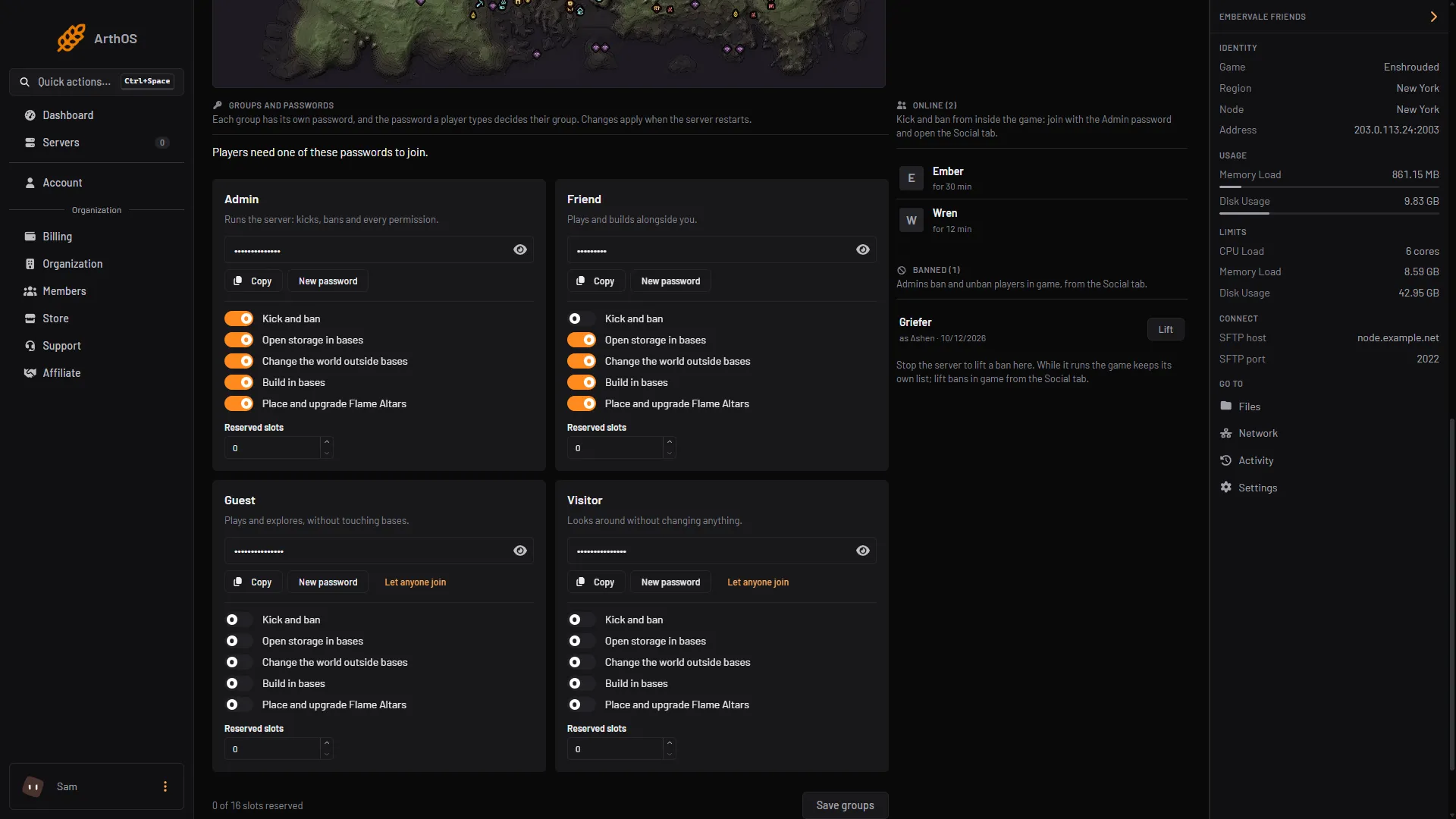
- Banned list
- Lift
- Note while the server runs
To lift a ban from here, the server must be stopped.
- Stop the server.
- Choose Lift (box 2) next to the player in Banned (box 1).
- Start the server.
While the server runs, the page shows the note (box 3): “Stop the server to lift a ban here. While it runs the game keeps its own list; lift bans in game from the Social tab.”
You need permission to edit files to see Lift.
By hand
Bans are the bans list in enshrouded_server.json. The readme says you may edit it only while the server is not running. Stop the server, open the file in Files, delete the block of the player you want back and start the server.
A block looks like this:
{
    "accountIDHash": "example",
    "displayName": "Name",
    "characterName": "Character",
    "banDate": 1760200000
}
If it does not work
- There is no Social tab option to kick or ban. You joined with a group that lacks Kick and ban. Join with the Admin password.
- You cannot lift a ban. The server is running. Stop it first.
- A banned player is not in the panel list. The game keeps its own list while it runs and the panel reads the file. Check again after a restart.
More about the game: Enshrouded servers.
Sources: store.steampowered.com: 1203620