






An Enshrouded server keeps its world in the savegame folder. To keep a safe copy, make a backup under Settings, then Backups. To restore it, choose Restore on that backup. You can also copy the world files out to your own computer from Files.
What is in the savegame folder
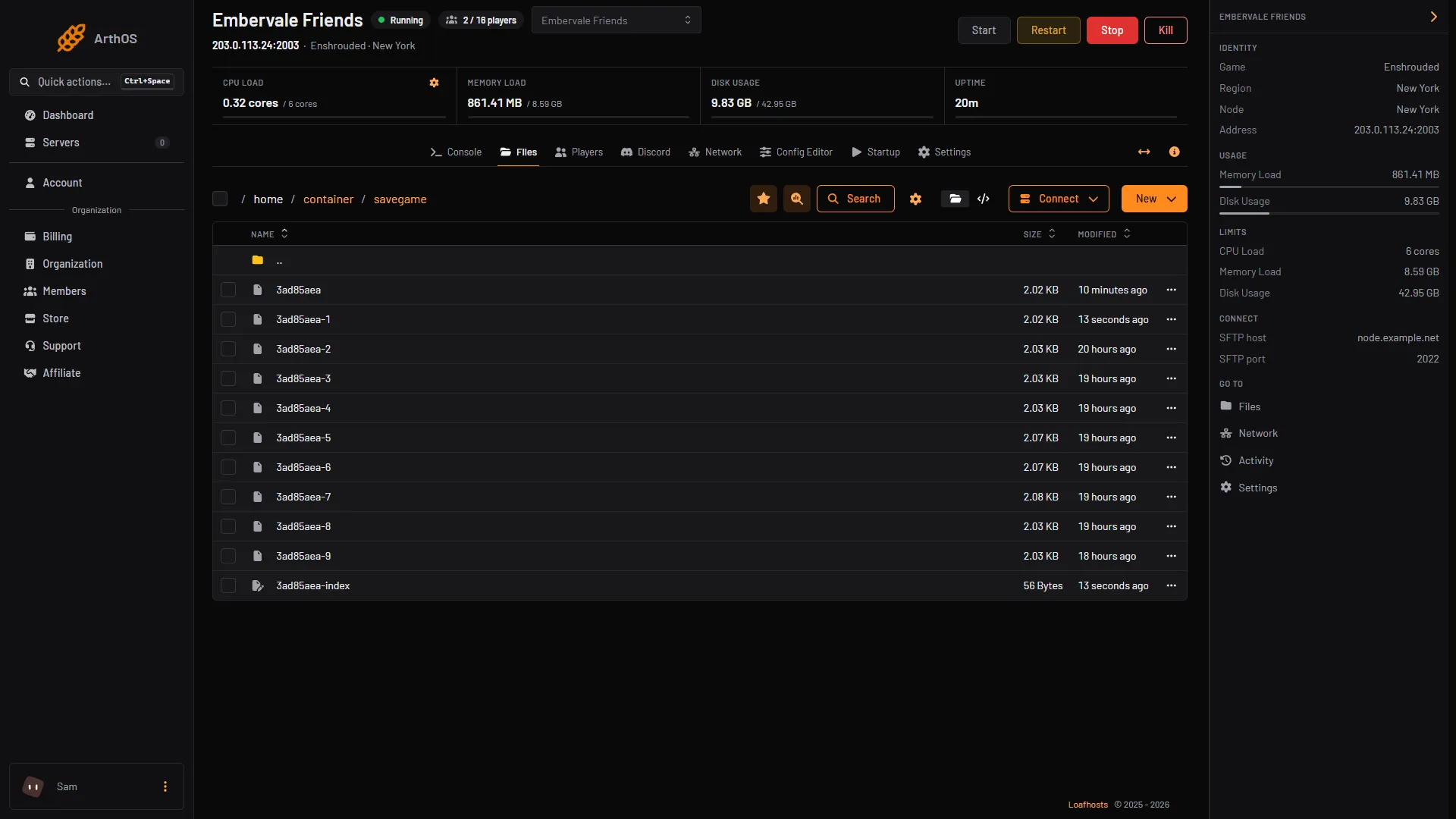
Open Files and then the savegame folder. It holds:
- the world file, named with 8 letters and numbers, such as
3ad85aea - numbered copies of it,
-1to-9 - an
-indexfile for the world (1)
- The -index file
Keen Games say each world has numbered rolling copies. A new copy is written every few minutes (Keen’s save article says 10) and when the game shuts down, and it overwrites the oldest one. Check the modified date of each file to see when it was made.
Only the world is stored on the server. Keen’s FAQ says character progression is stored on the players’ own computers. A world is between 1 MB and 100 MB.
In the ArthOS panel
Make a backup
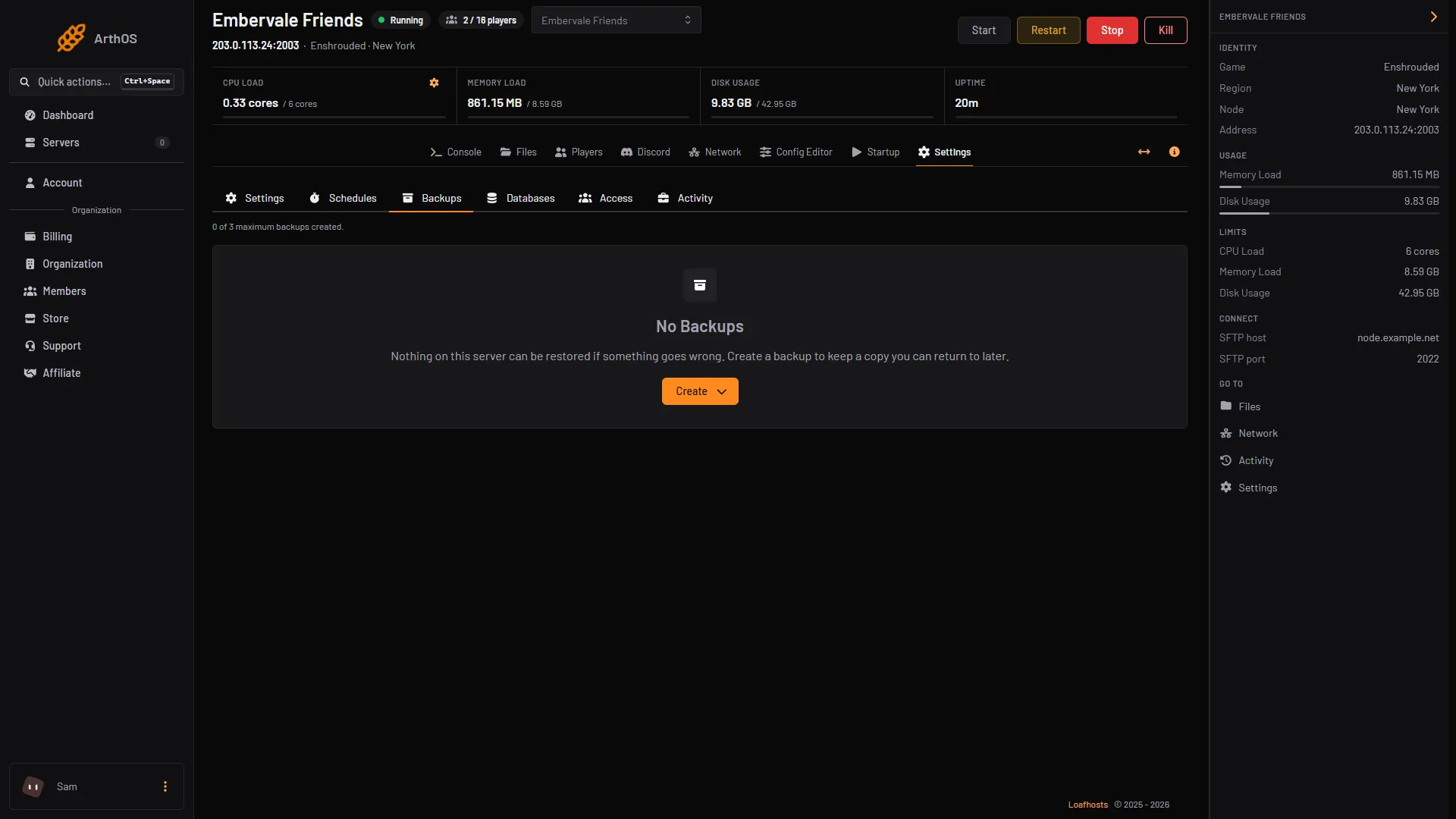
- Open Settings, then the Backups tab.
- Choose Create (1), then Create Backup in the menu.
- Type a Name. Leave Source on Server Files.
- Choose Create in the dialog.
- Create
The tab shows your server’s own limit, for example “0 of N maximum backups created”. N depends on your plan; on the test server it showed 3. Backups are kept on your server’s machine. A backup copies the server’s files, the game included, so it is about the size of the server folder. The Ignored Files box in the dialog leaves out files you list.
Two things to know about the limit:
- A backup you make by hand is refused when you are at the limit. Delete an old one first.
- A scheduled backup at the limit deletes your oldest backup that is not locked.
You can make backups on a timer with a schedule. See restart an Enshrouded server for how schedules are built, and use the Create Backup step.
Restore a backup
- Open Settings, then Backups.
- Open the menu of the backup and choose Restore.
- Choose whether to delete all files first. The panel says this cannot be undone. Leave it off to put the backup’s files over the current ones.
- Choose Restore.
Copy the world to your computer
- Open Files, then the
savegamefolder. - Select the world files and choose Download Selection.
Or use SFTP. Choose Connect, then via SFTP. The SFTP Details window shows the host, port and username. The password is your control panel password.
You can also download a whole backup from the Backups tab with Download.
Go back to an earlier copy of the world
Keen describe a way to roll back to one of the numbered copies. The -index file holds a number, written after “latest”, from 0 to 9. It says which copy is the current one. Stop the server, copy all the save files somewhere safe, then change that number and start the server.
A panel backup is the safer way back, because it needs no editing of game files.
By hand
If you run the server yourself, the savegame folder is next to enshrouded_server.exe. The setting saveDirectory in enshrouded_server.json can point somewhere else. Copy the folder while the server is stopped.
If it does not work
- Create Backup is refused. You are at the backup limit. Delete an old backup, or unlock and delete one.
- The restored world looks old. The backup was made earlier than you thought. Check the backup’s time, then try another.
- You cannot restore or download. Your role may not allow backups. Ask the organization owner.
More about the game: Enshrouded servers.
Sources: enshrouded.zendesk.com: 17764283835677 Save Game Management, enshrouded.zendesk.com: 16056312924957 Dedicated Server FAQ, enshrouded.zendesk.com: 16055628734109 Recommended Server Specifications