






To restart an Enshrouded server, open the Console page and choose Restart. The server shuts down and starts again. Anyone on it is dropped and can rejoin once it is back.
Some changes only take effect after a restart. Group and password changes on the Players page, values on Startup, and settings in the Config Editor are all read when the server starts. You can save in the Config Editor while the server runs: the panel says “Saved changes apply after a restart.” Stop the server first only when you edit the file by hand in Files, or to Lift a ban.
In the ArthOS panel
- Open the Console page of your server.
- Choose Restart. The panel asks “Restart this server?” and explains that anyone connected is dropped.
- Confirm. Watch the Console until this line appears:
[Session] 'HostOnline' (up)!. Keen Games say this line shows the server is fully started.
Players can join again once that line has appeared.
If an update is out, the Players page shows Restart and update instead. It restarts the server and downloads the update. See Update an Enshrouded server.
What happens to the world
The game writes a new copy of the world every few minutes (Keen’s save article says 10) and when it shuts down. A normal Restart is a shutdown, so a copy should be written. The Console shows a save as [server] Start Saving, and a timed save ends with a [savexxx] SAVE line. If the last few minutes matter, wait for one of those before you restart.
Restart on a schedule
A schedule can restart the server at the same time every day. Your server can have up to 5 schedules.
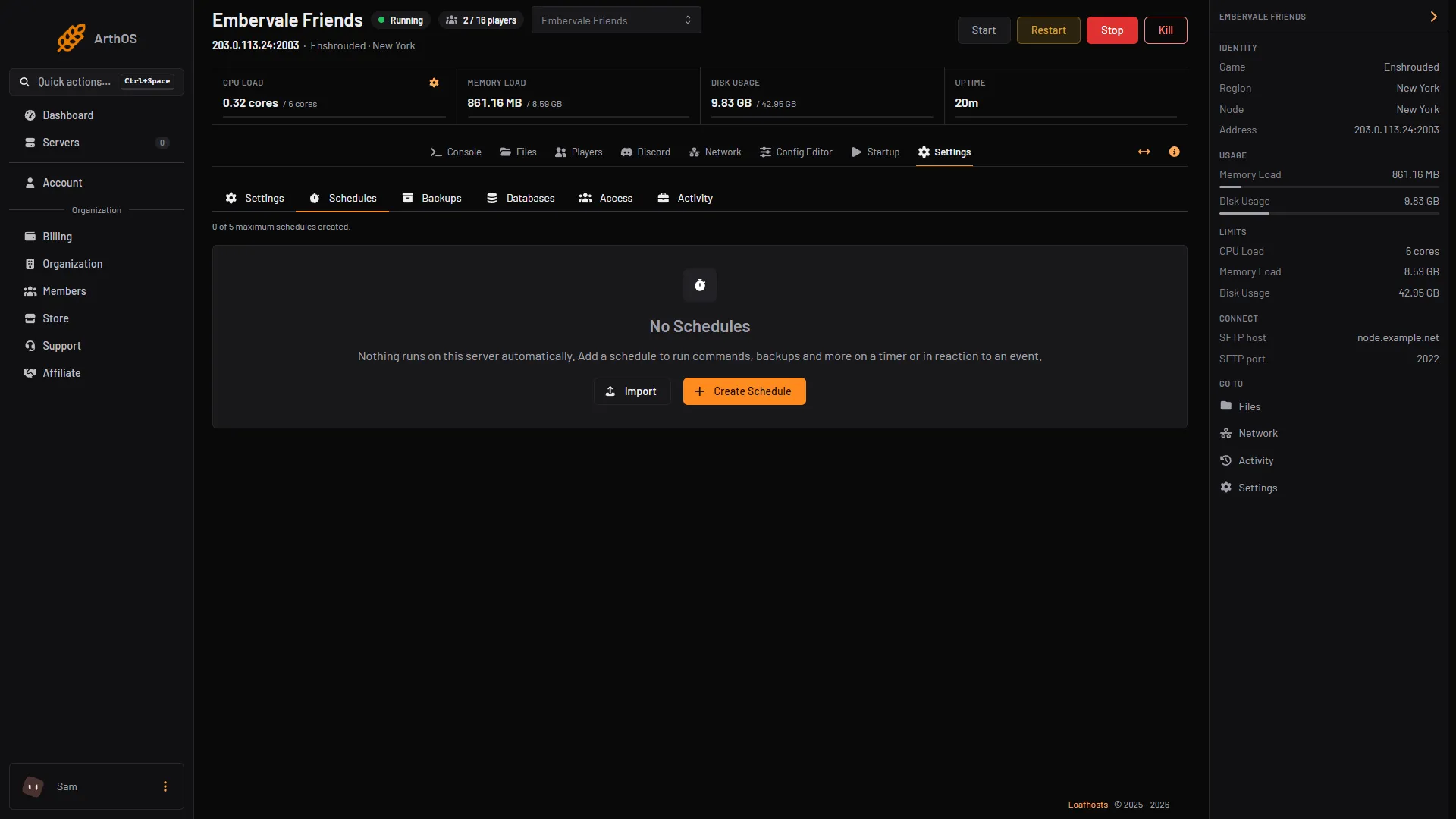
- Create Schedule
- Open Settings, then the Schedules tab.
- Choose Create Schedule (1). Type a Schedule Name, such as “Daily restart”. Leave Enabled on.
- Under Triggers, add a trigger of type Time Interval (Cron). Set Runs to Daily and At to the time you want. The panel says times use the server timezone, and it shows which one.
- Save. The schedule opens. On the Actions tab, choose Create First Step.
- Set Action Type to Send Power Signal, and Power Action to Restart. Save the step.
By hand
If you run the server yourself, close enshrouded_server.exe and start it again. Starting it again re-reads enshrouded_server.json.
If it does not work
- There is no Restart button, or it is grey. The server is stopped, or your role cannot restart the server. Ask the organization owner.
- Players cannot rejoin straight away. The server is still starting. Wait for the
HostOnlineline in the Console. - The server list does not show it. Players must turn on Show dedicated server in the filter. See connect to an Enshrouded server.
- The scheduled restart did not happen. Check the schedule is Enabled, and that the time is in the server timezone, not yours.
More about the game: Enshrouded servers.
Sources: enshrouded.zendesk.com: 17764283835677 Save Game Management, enshrouded.zendesk.com: 16056312924957 Dedicated Server FAQ