






The Enshrouded server writes its log to logs/enshrouded_server.log. The Console page shows the same lines live as the server runs. On Loafhosts only the current run is kept: the log is removed when the server starts, so a restart clears it.
In the ArthOS panel
To read the log as it happens:
- Open the Console page.
- Start or restart the server. The lines from the game appear as it loads.
The console follows the log file, so what you see there is what the game writes. Scroll up for earlier lines of the same run.
To read the whole file:
- Open the Files page.
- Open the
logsfolder. - Open
enshrouded_server.log.
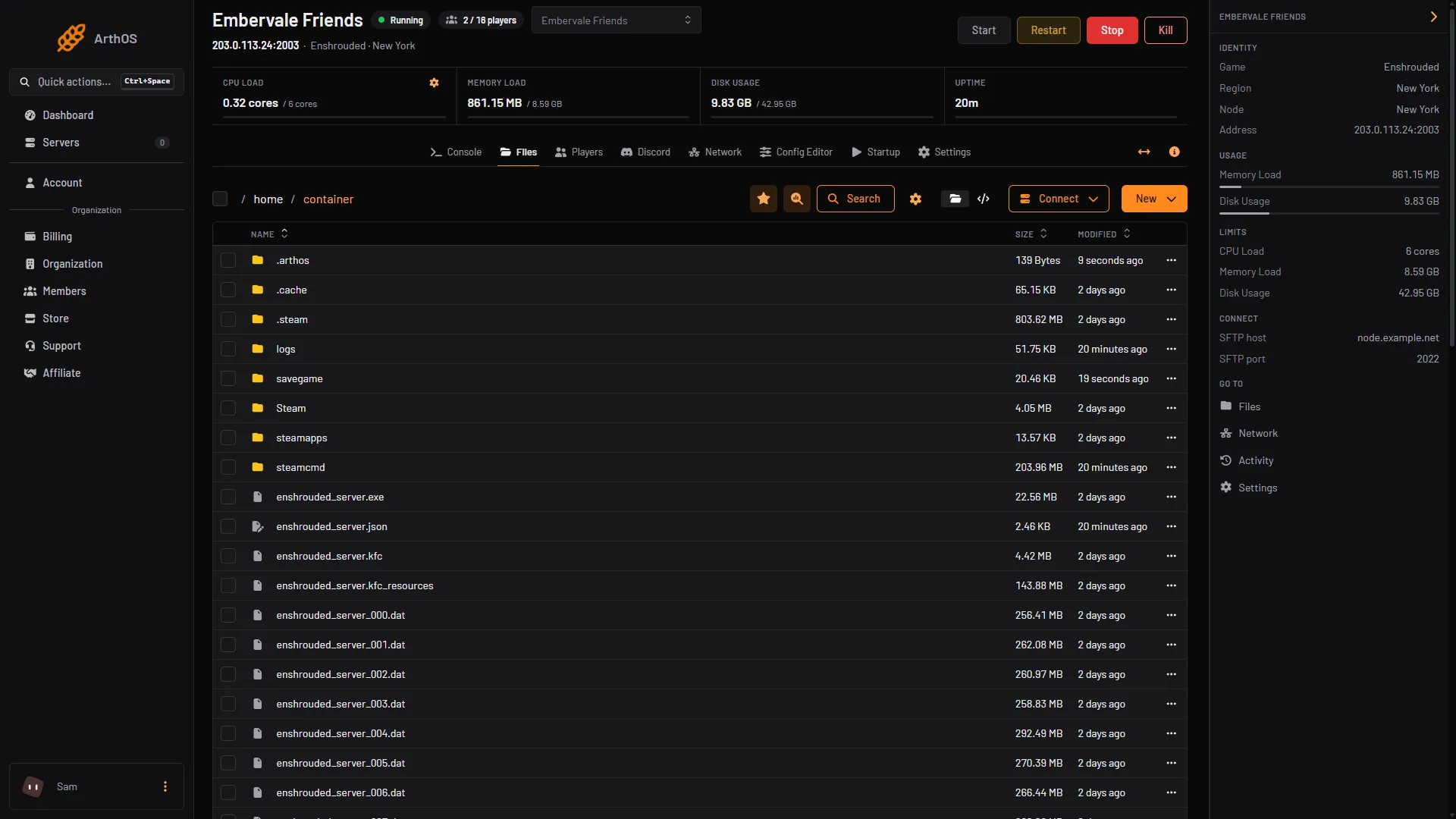
- The logs folder
The logs folder (1) is in the top folder, beside savegame and enshrouded_server.json.
What the lines tell you
Checked on the 0.9 server. Enshrouded 1.0 is released on 15 October 2026.
Keen Games document one thing to look for: how to tell the server is fully started. These lines appear in the log when it is:
[Session] 'HostOnline' (up)!
[Session] finished transition from 'Lobby' to 'Host_Online' (current='Host_Online')!
Until you see them, the server is still loading and is not listed for players. The panel treats the first line as the sign that the server is up.
Keen’s guide also says a line about load deserialization, with the time it took, follows. A timed save shows lines such as [server] Start Saving, and ends with a [savexxx] SAVE 0 bases ... line. Other lines are the game’s own messages, and Keen does not publish a full list of them. Read them for what they say, and search for a word such as error or failed when something is wrong.
Other files that help
- Settings:
enshrouded_server.json, in the main folder. The game rewrites it when it starts. - Saves: the
savegamefolder holds the world file. Each world has 10 rolling copies, and a new one is made every few minutes (Keen’s save article says 10) or when the game shuts down. Character progress is kept by each player’s game, not by the server. - Crash dumps: Keen’s guide says crash dumps are placed beside the settings file, in the main folder.
By hand
On your own machine the folder is set by logDirectory in enshrouded_server.json. The default is ./logs. Keen’s guide says the server saves the latest log there and archives older logs in logs/backup. That is the stock behaviour. On Loafhosts the start command removes the old log first, so do not expect older runs in that folder.
If it does not work
- The Console is empty. The server is stopped or has not started writing yet. Start it and wait a moment.
enshrouded_server.logis missing. The server has never started. Start it once.- The log shows only a start. You are reading the log of the current run. The one before it is gone.
- You need the log of a problem that already happened. A restart has erased it. Next time, copy the log before restarting.
More about the game: Enshrouded servers.
Sources: enshrouded.zendesk.com: 16056312924957 Dedicated Server FAQ, enshrouded.zendesk.com: 16055441447709 Dedicated Server Configuration, store.steampowered.com: 1203620