






Text chat and voice chat are both off on a new Enshrouded server, so players cannot type or talk to each other until you turn them on. Both are rows in the Server card of the Config Editor: Text chat and Voice chat. Restart the server afterwards.
Checked on the 0.9 server. Enshrouded 1.0 is released on 15 October 2026. The settings come from the readme that ships with the server (version 0.9.0.0).
The three settings
- Text chat. Off by default. Players cannot type to each other until it is on.
- Voice chat. Off by default.
- Voice chat range. Used while voice chat is on. Players nearby is the default: players hear those close to them. Everyone on the server lets all players hear each other.
In the ArthOS panel
- Open the Config Editor tab.
- In the Server card, switch Text chat on, Voice chat on, or both.
- For voice, pick Voice chat range: Players nearby or Everyone on the server.
- Choose Save.
- Restart the server if it is running. Saved changes apply after a restart. A restart removes every player from the server, so pick a quiet moment.
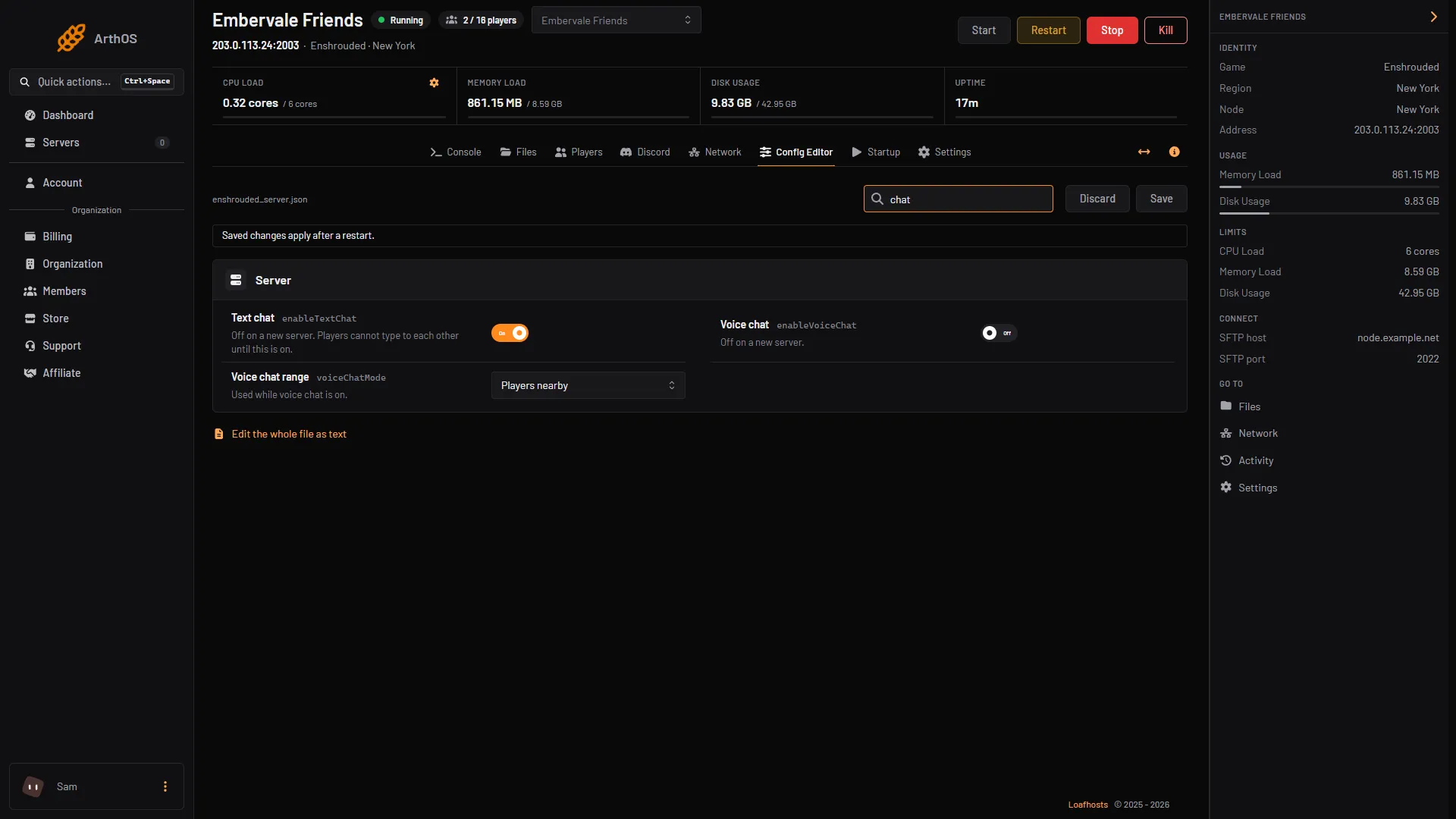
- Text chat
- Voice chat
- Voice chat range
By hand
- Stop the server. The game rewrites
enshrouded_server.jsonwhen it starts. - Open
enshrouded_server.jsonin Files. - Set the three keys near the top of the file:
"voiceChatMode": "Proximity",
"enableVoiceChat": true,
"enableTextChat": true,
voiceChatMode is Proximity or Global.
- Save the file and start the server.
If it does not work
- Players still cannot chat. The server has not restarted since you saved. The game reads these settings at start.
- Players cannot hear someone far away. Range is Players nearby. Choose Everyone on the server to let everyone hear.
- My hand edit disappeared. It was made while the server ran. Stop the server first.
More about the game: Enshrouded servers.
Sources: store.steampowered.com: 1203620