






Server list tags help players find your Enshrouded server. A player can filter the list by the same tags. You choose them in the Server list tags row of the Config Editor, then restart the server. A new server has none.
Checked on the 0.9 server. Enshrouded 1.0 is released on 15 October 2026. Tags came in with game update 0.9.0.0, and the list below is the one in the readme that ships with the server.
The tags
There are three groups. The readme sets no limit on how many you pick.
- Players: Looking for players. It tells players the server is happy to have new people.
- Focus: Base building, Exploration, Roleplay.
- Language: English, German, French, Italian, Spanish, Portuguese, Polish, Russian, Ukrainian, Turkish, Japanese, Korean, Chinese, Taiwanese, Thai.
The game knows only these tags. You cannot make your own.
In the ArthOS panel
- Open the Config Editor tab.
- In the Server card, find Server list tags.
- Choose the tags that fit. Each is a chip you click to switch on or off.
- Choose Save.
- If the server is running, restart it. Saved changes apply after a restart.
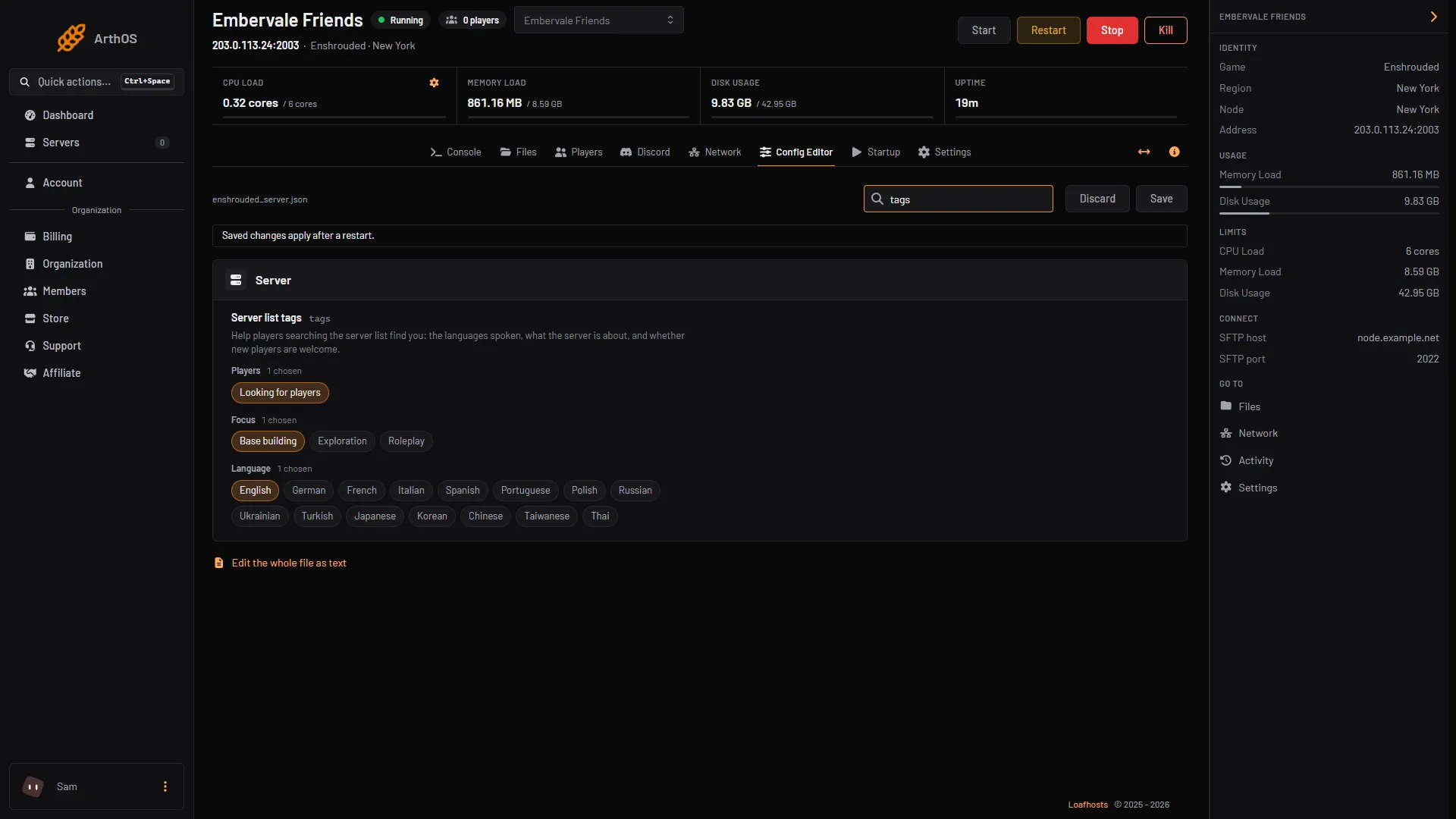
- Server list tags
By hand
- Stop the server. The game rewrites
enshrouded_server.jsonwhen it starts. - Open
enshrouded_server.jsonin Files. - Fill in
tags, spelling each tag exactly as in the readme:
"tags": [
    "LookingForPlayers",
    "English",
    "BaseBuilding"
],- Save the file and start the server.
If it does not work
- The panel refuses my tags. Choose only from the list. A tag with another spelling is refused.
- My tags are not in the list in game. The server has not restarted since you saved.
- The server is not listed at all. Tags only help players filter. See the server is not showing.
- My hand edit disappeared. Edit while the server is stopped.
More about the game: Enshrouded servers.
Sources: store.steampowered.com: 1203620