






Open Config Editor, go to Gameplay and change Decay speed. 1 is normal decay, 0 turns decay off and 2 makes it twice as fast. Choose Save and restart the server. Upkeep is the switch for tool cupboards using resources to protect a base.
If you host Rust yourself: decay.scale is a multiplier, and the default is 1. Put decay.scale 0.5 in server/<identity>/cfg/server.cfg. On a Loafhosts server the identity is rust, so the file is server/rust/cfg/server.cfg.
How decay and upkeep work
Facepunch, the maker of Rust, describes it like this on its tool cupboard page:
- A tool cupboard stops a base from decaying. Without one with resources inside, a base starts decaying straight away.
- Keeping a base from decaying is called upkeep. It costs a fraction of what the base cost to build. The walls, foundations, ceilings, roofs, doors and windows add to it. Items inside, such as sleeping bags, do not.
- Press
Eon the cupboard in the game to see the cost per 24 hours. - Each separate building needs its own cupboard.
- When the upkeep runs out, the outer parts decay first, then the core. Only the material that ran out decays. Facepunch lists these times from the moment that material is gone from the cupboard: twig 1 hour, wood 3 hours, stone 5 hours, metal 8 hours and armoured 12 hours.
- If a cupboard is destroyed with resources inside, it uses up to 24 hours of upkeep, so the base is not lost at once.
In the ArthOS panel
- Open the Config Editor tab.
- Under Gameplay, set Decay speed (
decay.scale). A value between 0 and 1 slows decay, so0.5is half speed. - Leave Upkeep (
decay.upkeep) on unless you have a reason. Its help line reads “Tool cupboards use resources to protect a base from decay.” - Choose Save, then restart the server.
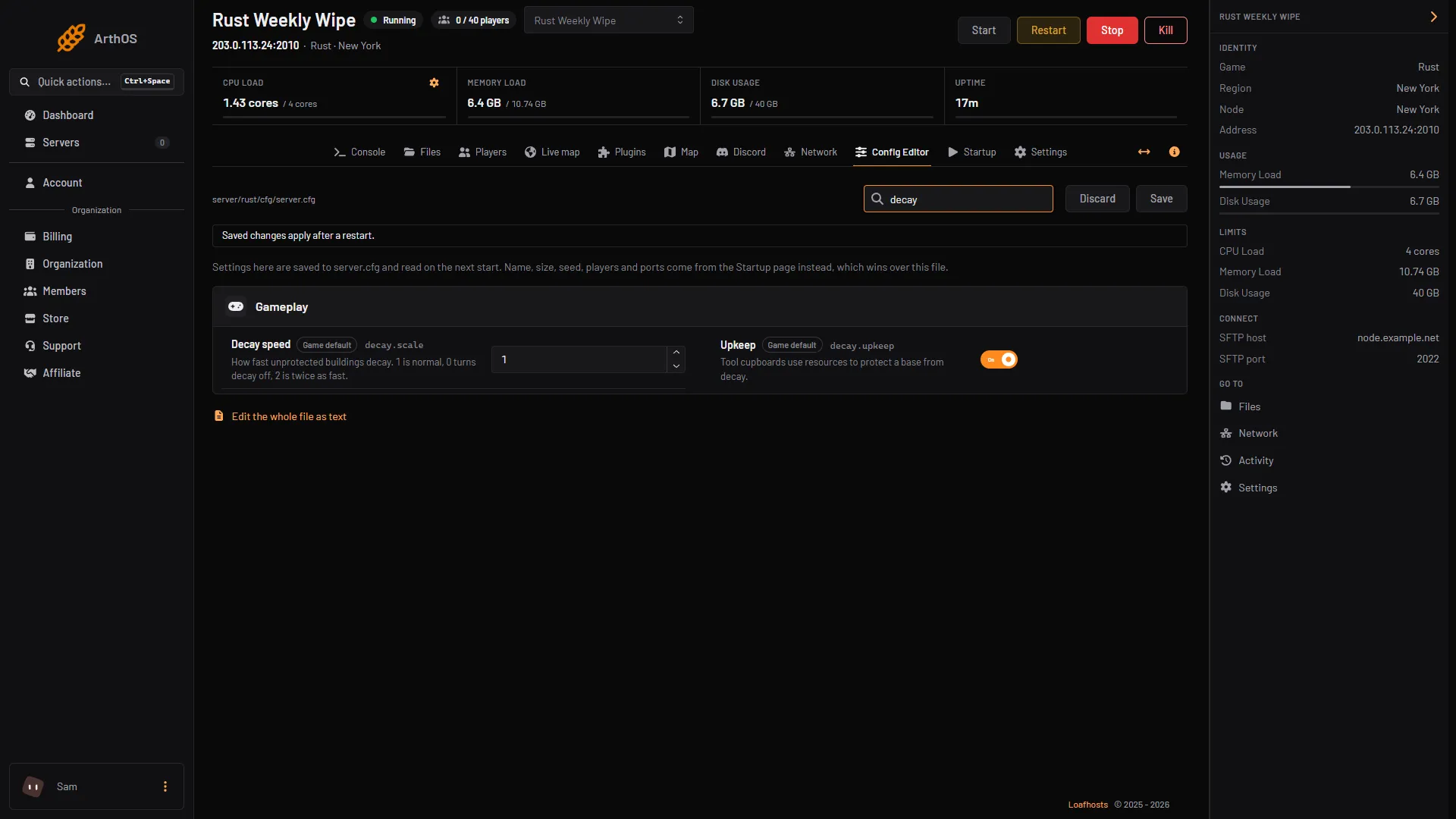
- Set the decay speed
- Upkeep switch
- Press Save
The panel’s help for Decay speed reads “How fast unprotected buildings decay. 1 is normal, 0 turns decay off, 2 is twice as fast.” Each row shows a Game default chip while the file does not set it. Settings here are saved to server.cfg and read on the next start.
What 0 means
decay.scale is a multiplier on decay, and 1 is the default. At 0 the panel’s help says decay is off: bases are never damaged by decay, so abandoned bases stay until the wipe. Every base that stays is more for the server to hold, so a long wipe on a busy server can slow down. See Fix lag and low server FPS on a Rust server.
For a casual server
Facepunch gives no recommended figure for a casual server. These are the facts from this guide:
- A Decay speed below
1slows the decay of unprotected bases. - A longer upkeep period makes one payment last longer.
- Leave Upkeep on.
0keeps bases until the wipe.
Make upkeep cheaper
Two more settings change how upkeep works. The Config Editor does not list them, so add them to the file:
| Setting | Default | What it does |
|---|---|---|
decay.upkeep_period_minutes | 1440 (24 hours) | How long one upkeep payment lasts. Raise it for upkeep to cost less |
decay.upkeep_grief_protection | 1440 (24 hours) | The most upkeep a destroyed cupboard can use |
- Open Files and go to
server/rust/cfg. - Open
server.cfgand add a line such as:
decay.upkeep_period_minutes 2880- Save the file and restart the server.
With 2880, one payment lasts 48 hours instead of 24.
If you add a line yourself, the Config Editor keeps it. A line the editor does not know is listed under Advanced. To add one, use Edit the whole file as text at the bottom of the Config Editor.
By hand
Add the lines to server/<identity>/cfg/server.cfg, without a +. The server reads it at start. You can also type decay.scale 0.5 in the server console or an RCON tool, which needs admin rights. Put the line in server.cfg as well, so the value is there at every start.
If it does not work
- Nothing changed. The Config Editor only saves the file. Restart the server so it is read again. If you host Rust yourself, also check the start line for a
+decay.scale, which can override the file. - Bases still disappear.
decay.scaleabove0still lets bases decay once their cupboard has no upkeep left. A base with no cupboard decays straight away. - You cannot find the upkeep period in the Config Editor. It is not listed there. Add it to
server.cfgin Files. - Your own numbers differ from the list above. Facepunch’s times come from its wiki page, which is not dated. Check your tool cupboard in the game.
More about Rust hosting on the Rust page.
Sources: wiki.facepunch.com: Useful commands, wiki.facepunch.com: The tool cupboard, wiki.facepunch.com: Creating a server