






Idle kick removes players who stop moving, so they do not hold a slot on a full server. Three rows in the Config Editor control it: Idle kick (minutes) is how long, Idle kick mode is when it applies (0, 1 or 2), and Idle kick admins too decides whether admins count. Save and restart the server.
The three rows
All three sit in the Players group. The help text below is what the panel shows. If the game’s own console help disagrees, follow the panel.
| Row | Setting | Values | Panel help text |
|---|---|---|---|
| Idle kick (minutes) | server.idlekick | 0 to 1440 | “Minutes before an idle player is kicked. 0 never kicks.” |
| Idle kick mode | server.idlekickmode | 0, 1 or 2 | “0 never, 1 only when the server is full, 2 always.” |
| Idle kick admins too | server.idlekickadmins | 0 or 1 | “1 kicks idle admins as well.” |
A running server reported these starting values: 30 minutes, mode 1 and admins 0. With those, an idle player is kicked after 30 minutes, but only when the server is full, and admins are left alone.
Facepunch, the maker of Rust, does not say on its wiki what counts as idle. Not checked as of 11 October 2026: what the game treats as idle.
Pick the values
| You want | Idle kick (minutes) | Idle kick mode | Idle kick admins too |
|---|---|---|---|
| Never kick idle players | any | 0 | any |
| Kick idle players only when the server is full | for example 15 | 1 | 0 |
| Kick idle players all the time | for example 15 | 2 | 0 |
| Kick idle admins too | as above | 1 or 2 | 1 |
Mode 0 never kicks, and the panel’s help says 0 minutes never kicks. Use mode 0 to switch idle kick off on purpose.
In the ArthOS panel
- Open your server and choose Config Editor. It opens
server/rust/cfg/server.cfg. - Type “idle” into Search…. Only the three rows stay on the page. A row shows a Game default chip until your file sets it.
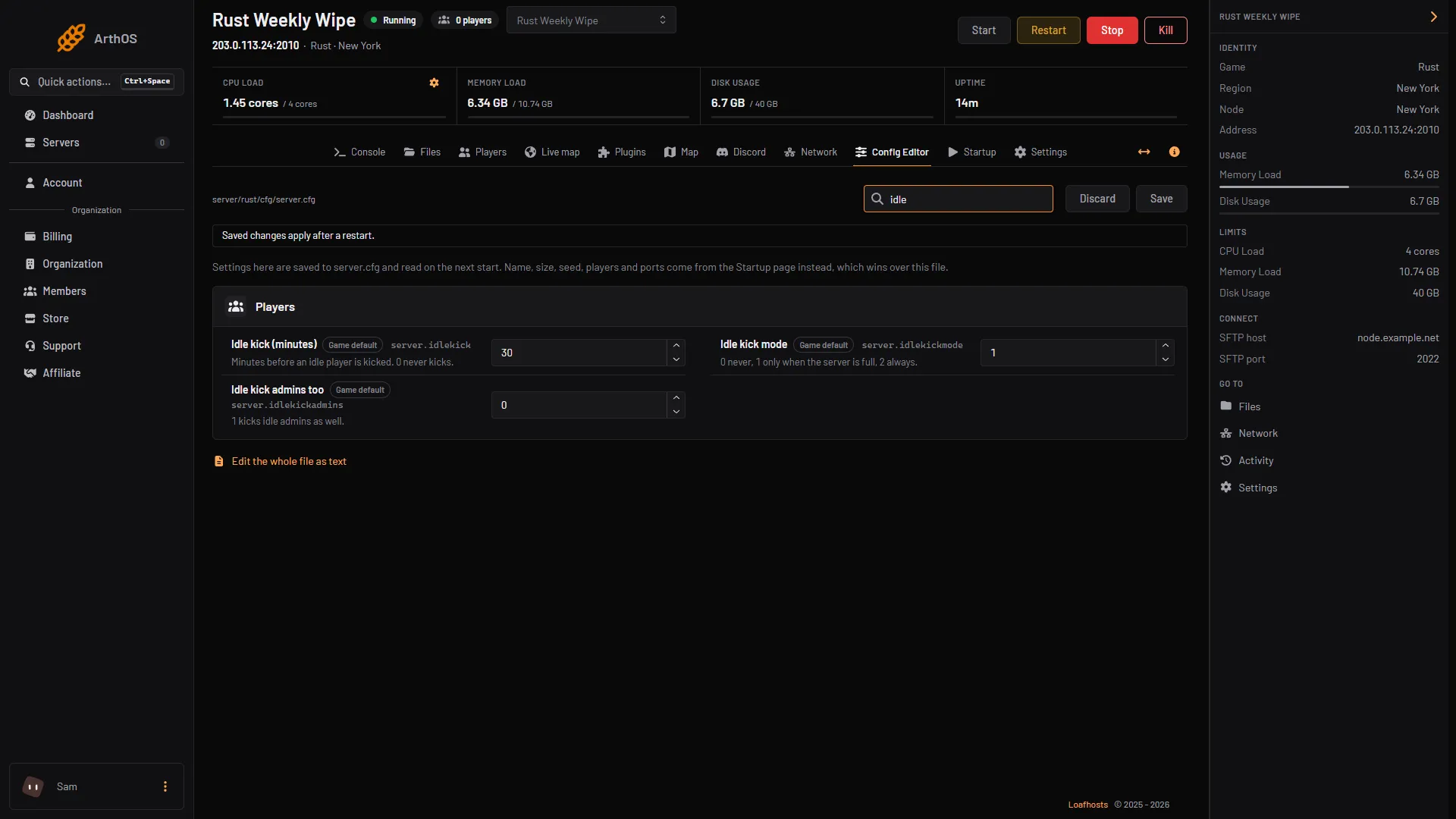
- Idle kick (minutes)
- Idle kick mode
- Idle kick admins too
- Save
- Set Idle kick (minutes) (1), Idle kick mode (2) and Idle kick admins too (3).
- Choose Save (4). The panel says “Saved. Restart the server to apply the changes.”
- Restart the server. If it is stopped, the change applies when it starts.
Tell players first if you lower the time. Restart with a warning shows how to warn them.
By hand
Add the lines to server/rust/cfg/server.cfg. On your own machine the file is server/<identity>/cfg/server.cfg. There is no + in the file.
server.idlekick 15
server.idlekickmode 1
server.idlekickadmins 0
The server reads the file when it starts.
If it does not work
- Nobody is kicked. Mode 0 never kicks, and 0 minutes never kicks. With mode 1 nobody is kicked while the server has free slots.
- Admins are not kicked. Idle kick admins too is 0. Set it to 1.
- You are kicked while you test it, and you are an admin. Idle kick admins too is 1. Set it to 0.
- The change has no effect. The file is read at start. Restart the server after you save.
More about the game: Rust servers.