






The team size limit is the setting relationshipmanager.maxteamsize. Set it to the most players you want in one team, save, and restart the server. Facepunch describes it as the maximum team and auth size, so it caps authorisation on a tool cupboard (the box that protects a base) as well as the team itself.
The game’s default is 8 players. A duo server uses 2, a trio server 3, and a squad server 4 or 5.
In the ArthOS panel
- Open your server and choose the Config Editor tab. For Rust it opens
server/rust/cfg/server.cfg. - Under Gameplay, find Team size limit. Its setting name,
relationshipmanager.maxteamsize, is shown beside it. You can also type “team” in the search box. - Enter a whole number from 0 to 128. The row shows 8 and the panel’s help text, “The most players in one team. 0 turns teams off.” A Game default chip shows while the file does not set it yet.
- Choose Save. The panel says “Saved. Restart the server to apply the changes.”
- Choose Restart now, or restart at a quiet time. If the server is stopped, the change applies when it starts.
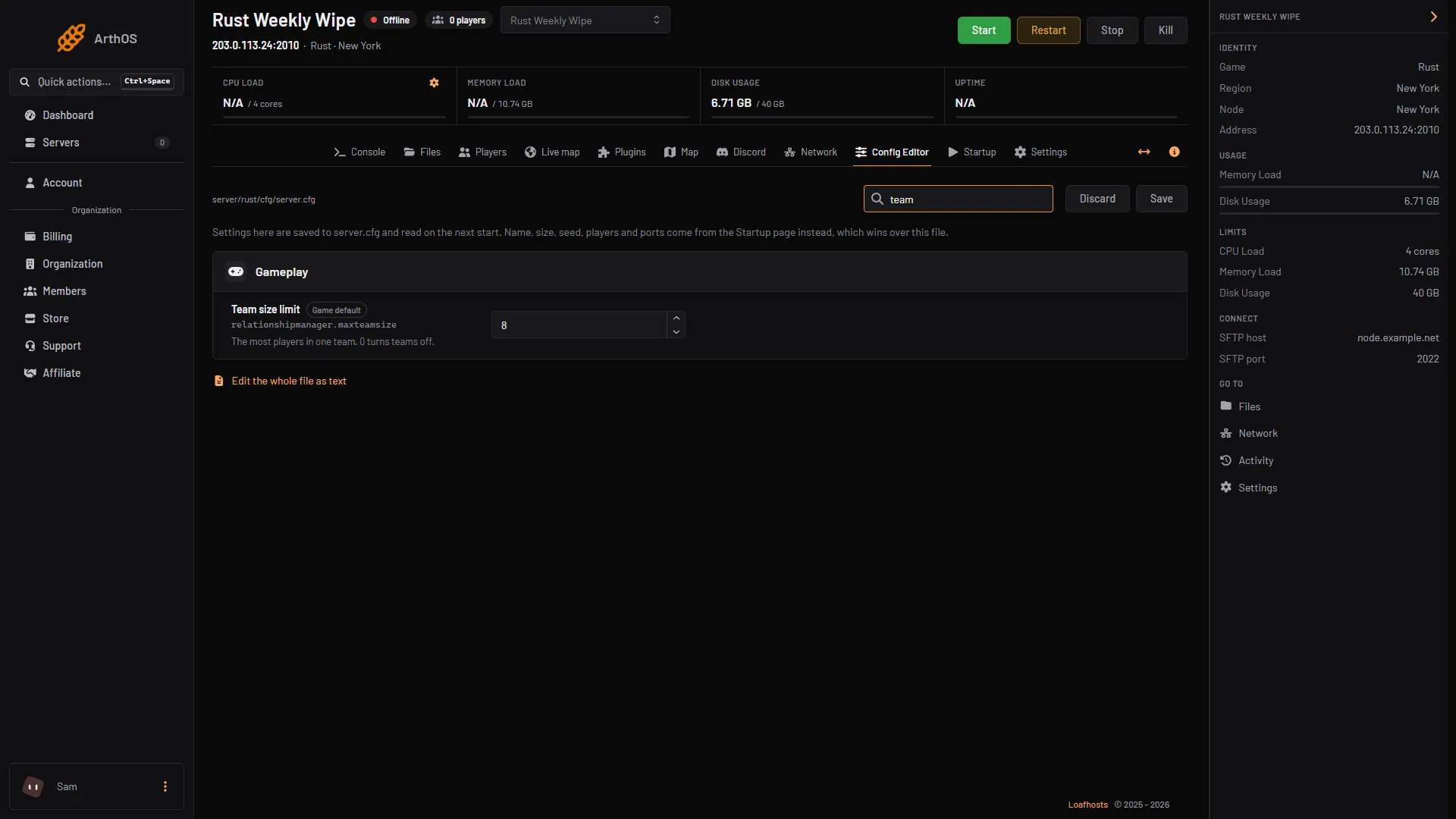
- Team size limit
By hand
- Open
server/rust/cfg/server.cfg. On your own machine it isrust/server/<identity>/cfg/server.cfg. Create it if it does not exist. - Add one line. Do not put a
+in front, because that is only for the command line:
relationshipmanager.maxteamsize 4- Save the file and restart the server. The file is read when the server starts.
You can also pass +relationshipmanager.maxteamsize 4 on the command line. On Loafhosts that goes in Extra startup arguments on the Startup page, but the Config Editor is simpler.
Set it before the wipe
Set the limit before the wipe (the reset of the map that starts everyone over), so nobody has to leave a team that is already too big.
Related gamemode limits
The Softcore gamemode already limits teams to 4 players. If you use it, you do not need to set this yourself. You can still change it with the same setting.
If it does not work
- Teams can still grow past the limit. The server has not been restarted since you saved. The file is read at start.
- Your line is ignored. Check the spelling, and that there is no
+or-in front of it inserver.cfg. - You cannot save. Your role can read the file but not edit it. Ask the server owner.
More about the game: Rust servers.
Sources: wiki.facepunch.com: Server Gamemodes, wiki.facepunch.com: Creating a server, wiki.facepunch.com: Teams, rust.facepunch.com: News