












Small
Up to 4 players
A few pioneers and a growing factory.
- 2 cores
- 8 GB RAM
- 30 GB disk
$22.00 /mo
Billed monthly
Satisfactory server hosting
Start a game or load any save, see your factory on the game's own map, share blueprints between sessions, install mods from ficsit.app with SML, and set every server option.
Try it free first A full server for a few days. No card needed.
Plans
Three Satisfactory plans from the store, each sized for a number of players. Under Advanced you set every number yourself. Pay for longer and the monthly price drops.
Up to 4 players
A few pioneers and a growing factory.
$22.00 /mo
Billed monthly
Up to 8 players
A crew of eight, a big factory and a few mods.
$31.00 /mo
Billed monthly
Up to 16 players
A big group, megafactories and many mods.
$43.50 /mo
Billed monthly
Every plan includes the ArthOS panel and DDoS protection. Need more? Set any number yourself under Advanced. Game servers can be refunded within 3 days. Dedicated servers are not refundable.
By continuing you agree to the Terms of Service and Privacy Policy.
Build your own
Start at 1 core, 1 GB of RAM and 10 GB of disk for $9.25/mo, and go up to 16 cores, 64 GB and 500 GB.
$7.00 per IP per month. Optional. Limited availability, confirmed at checkout.
Your build
$31.00/mo
Billed monthly
By continuing you agree to the Terms of Service and Privacy Policy.
Not sure which plan? Try Satisfactory free for 3 days on a full server. No card needed.
Start a free trialIn ArthOS
Map
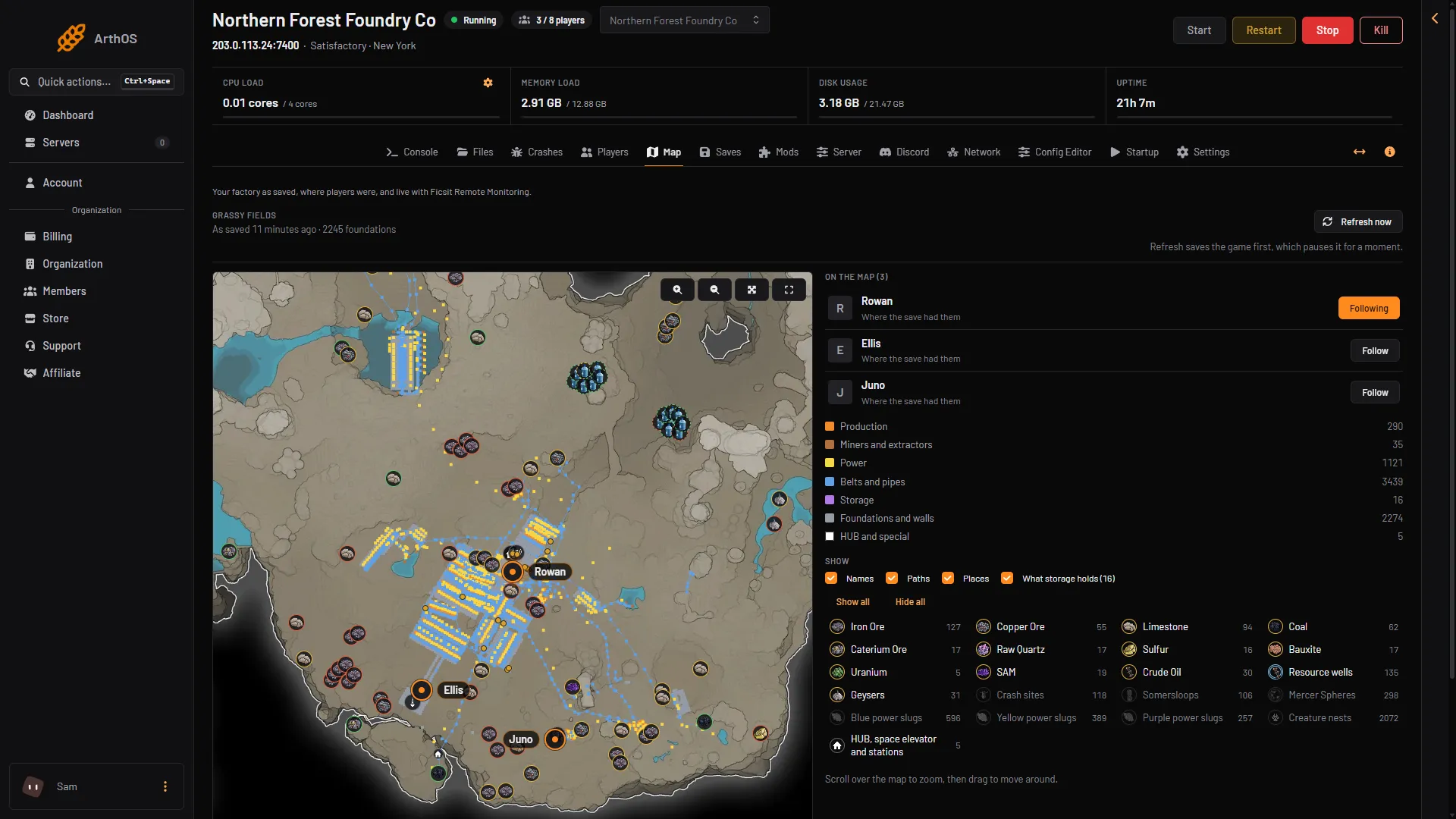
The Map draws the factory from the newest save on the game's own map: production, power, belts and pipes, each in its colour, with the HUB, the space elevator and what storage holds. Every resource node, well and geyser is there too, with crash sites, Somersloops, Mercer Spheres and power slugs, and the ones already picked up marked.
Saves
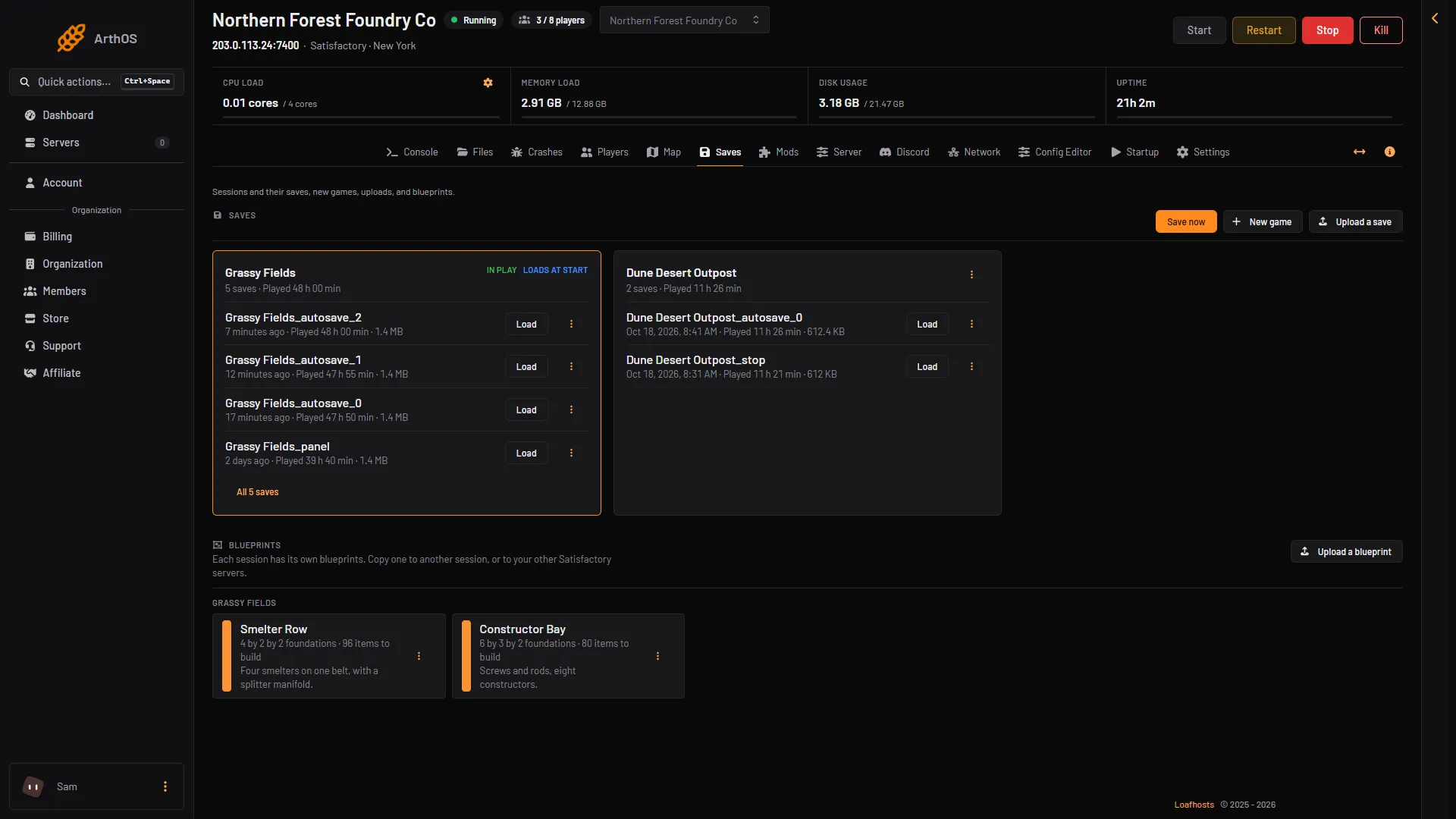
Each session with its saves and play time. Start a new game in any starting area, load an autosave, save now, or upload a save from your own game. The game in play is always saved first. Blueprints live per session, and copy to another session or to your other servers.
Server
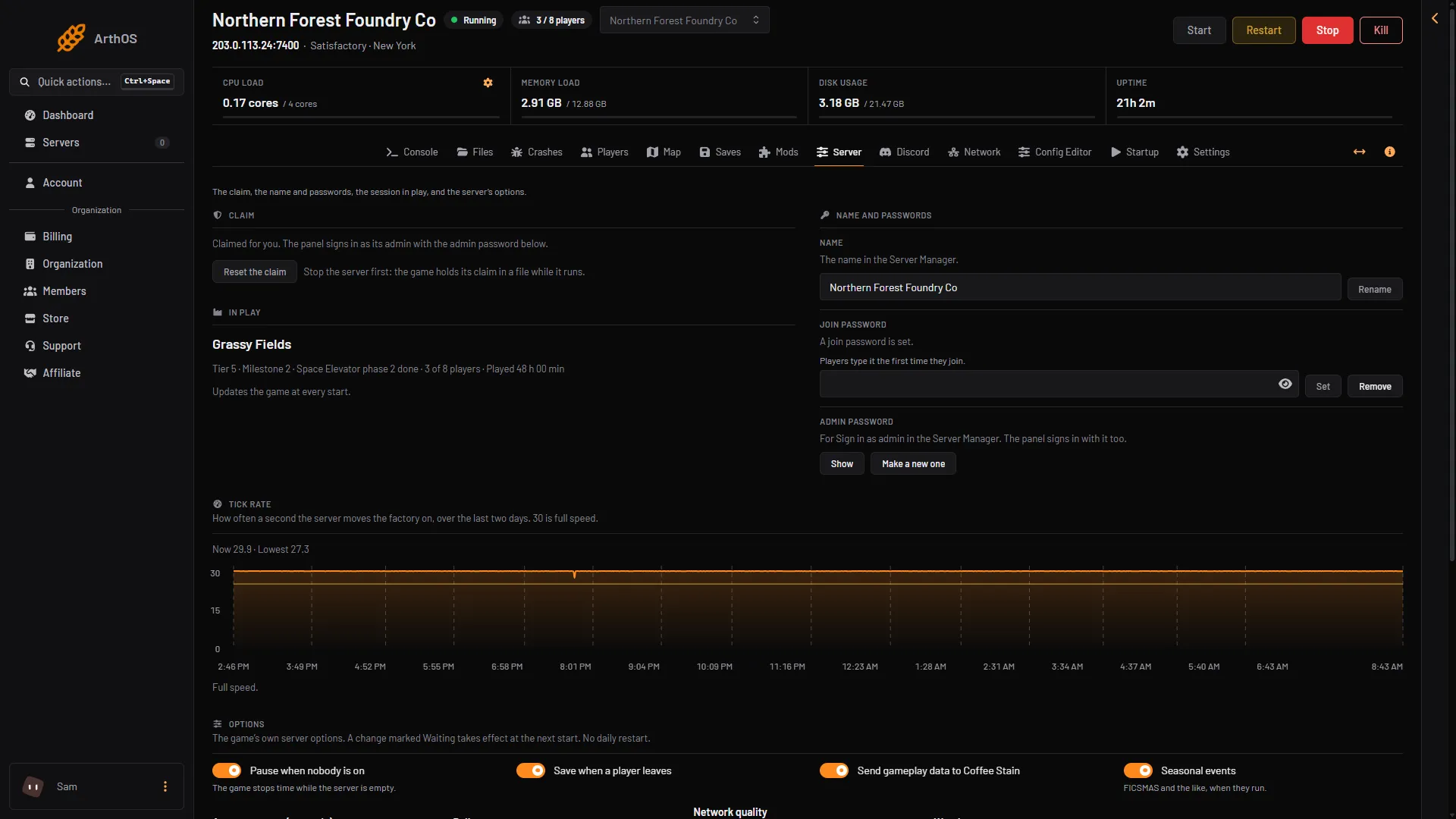
A new server claims itself with an admin password the panel makes, so nobody else can take it. The Server page holds the name, the join password and the admin password, the session in play with its tier and phase, two days of tick rate, and the game's own options.
Mods
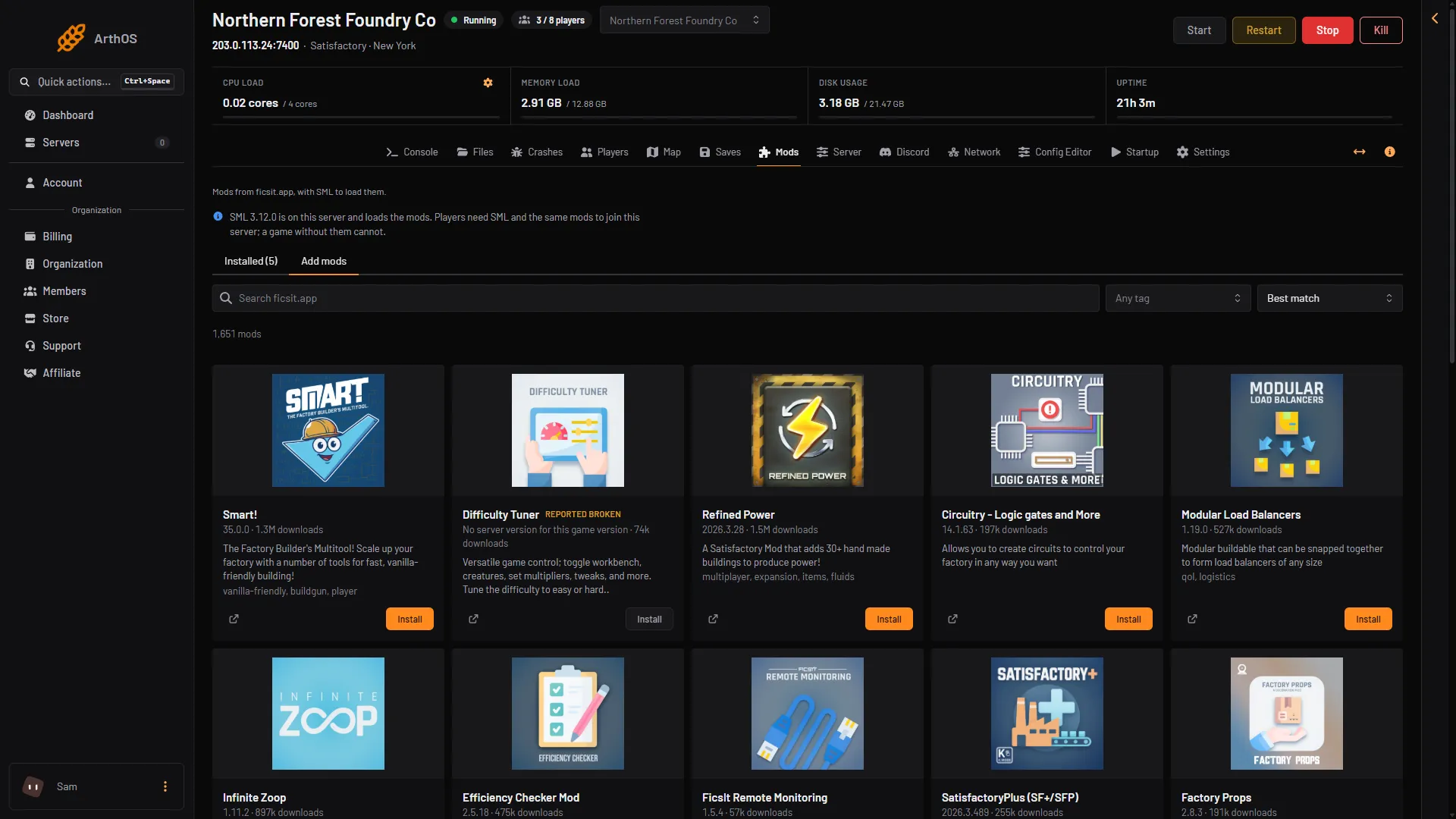
Search ficsit.app by words, a tag and an order. Install puts the mod in place with SML and every mod it needs, and starts the server again. Each mod shows whether it loaded, and players get a list to install the same mods.
Players
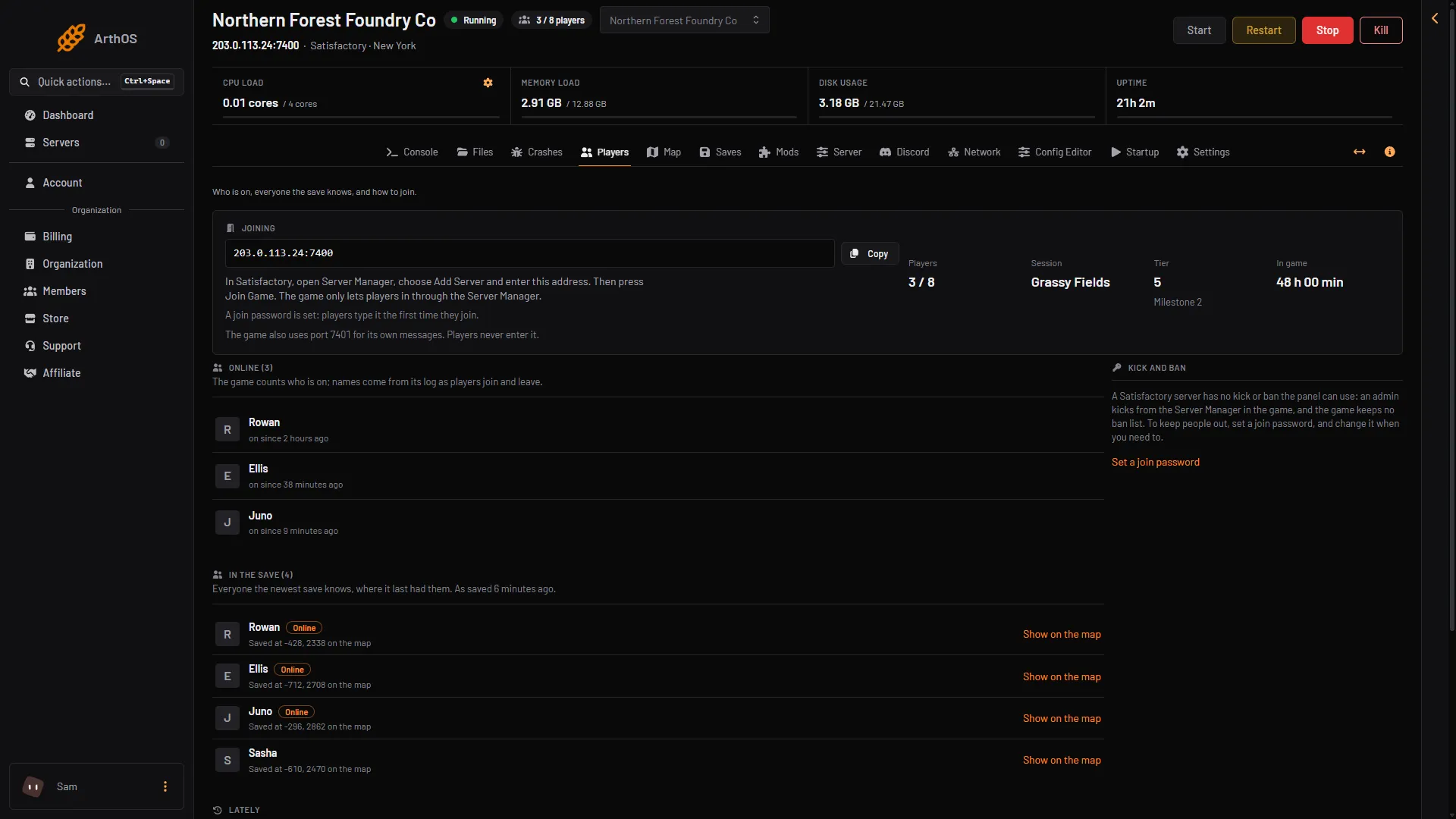
The address to share, who is on and since when, everyone the save knows with where it had them, and what happened lately: joins, leaves and anyone turned away. Players join through the game's Server Manager.
Also for Satisfactory
Also included
Satisfactory FAQ
Not covered here? Ask us from the Support page in the panel. Contact support
Guides for this game
In Satisfactory, open Server Manager, choose Add Server and enter the address shown in the panel, then press Join Game. The game only lets players in through the Server Manager.
No. A Loafhosts server claims itself at its first start, with an admin password the panel makes, so nobody else can claim it. The Server page shows the admin password for Sign in as admin in the Server Manager.
Yes. Upload a save from your own game on the Saves page and load it. A save from a newer game version than the server's cannot be loaded.
Yes. Search ficsit.app on the Mods page and install a mod with SML and everything it needs. Players install the same mods with the Satisfactory Mod Manager.
A new server takes 8, and you can set more. The game sets no limit of its own on PC; more players need more memory. Small is sized for up to 4 players, Standard for 8 and Large for 16.
No. Dedicated servers are for PC: players on Steam and on the Epic Games Store join the same server.
Game servers can be refunded within 3 days. Dedicated servers are not refundable.
See the Terms of Service
Yes. Start a free trial and you get a Satisfactory server on 6 cores, 8 GB memory and 50 GB storage for 3 days, with no card. Keep it after and the first month is 50% off.
By continuing you agree to the Terms of Service and Privacy Policy.