









Open the Players page, choose a player, choose Give an item, pick the item and press Give. The item drops at the player’s feet as one stack. If nobody picks it up within a minute, the game removes it. The player must be online.
In the panel
- Open the Players page.
- Find the player under Online. Only players who are online can be given items.
- Open their menu (three dots) and choose Give an item. The numbers below refer to the second picture. A box titled “Give (name) an item” opens.
- In Find an item (1), type part of the name, such as
pistolorbandage. You can also narrow the list with Category. The tiles show matches from the game’s own item list, with their pictures. Items that mods add are in the list too. Click the one you want (2). - The field “Item: (name)” (3) now holds the game’s id for it. Set How many (4), from 1 to 10000. The game drops them as a single stack.
- Set Quality (5), from 1 to 6, for items that have a quality. The default is As the game makes it.
- Choose Give (6).
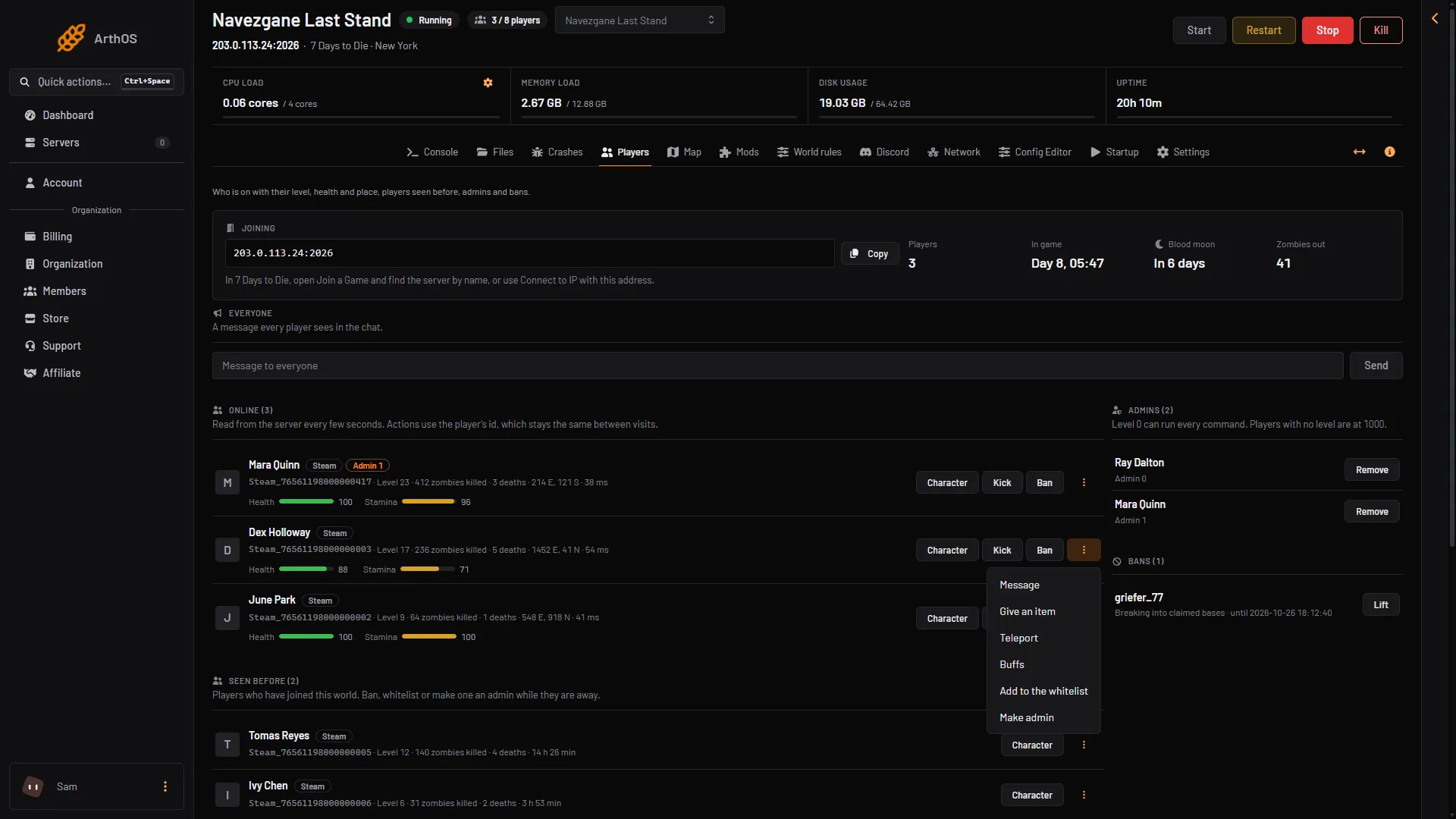
- Give an item
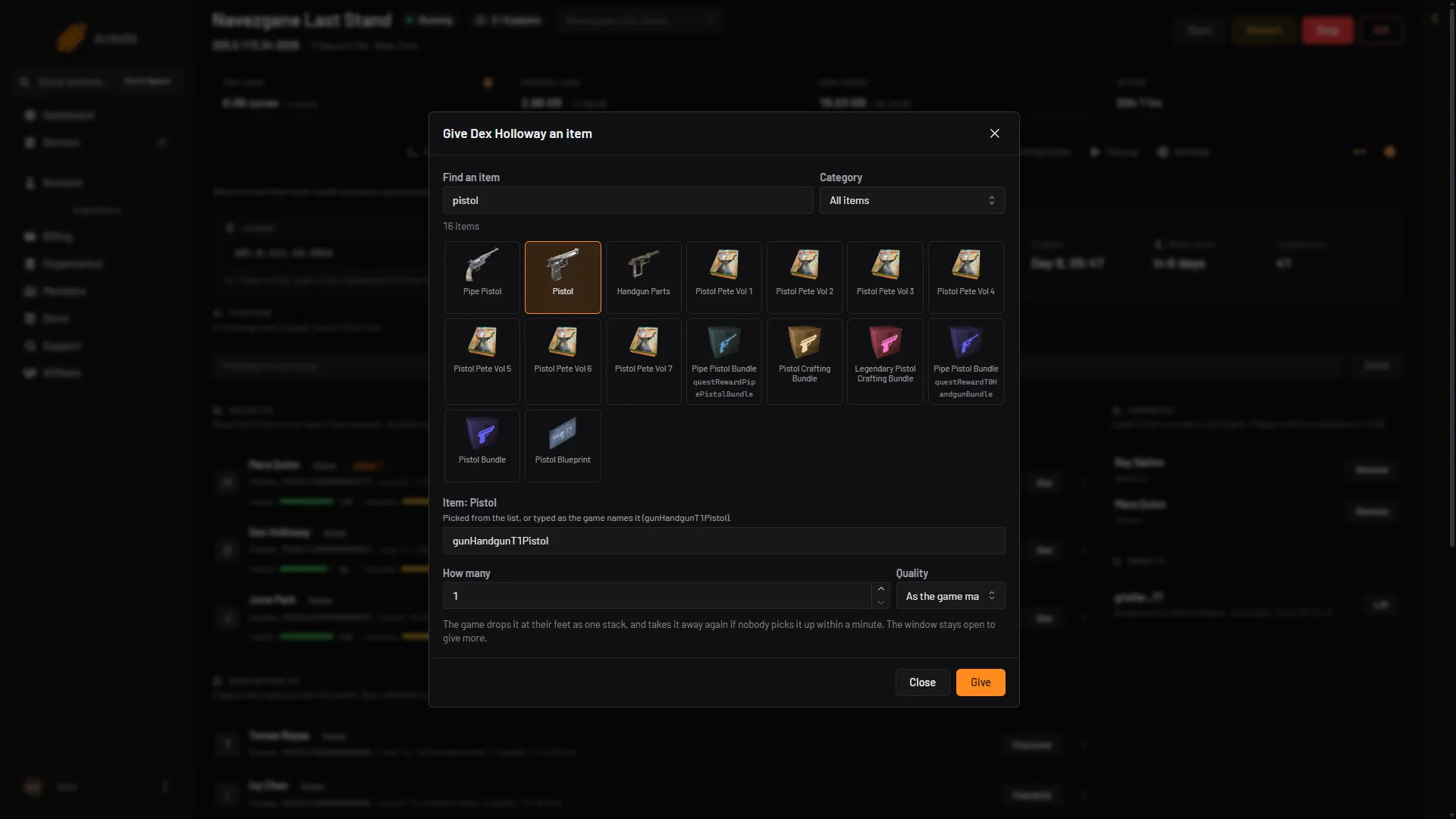
- Type the item name
- Pick the item
- Item
- Set the count
- Set the quality
- Give
The panel answers that it dropped the items at the player’s feet, and that they are gone if not picked up within a minute.
Type the item name yourself
If the item list cannot be read, the box says so and asks you to type the item as the game names it in the item field, for example gunHandgunT1Pistol. Use letters, digits, dots, hyphens and underscores only.
By hand
Type this on the Console page, without a slash.
give <name or id> <item name> <amount>give <name or id> <item name> <amount> <quality>
The id is the number from lpi, or the player’s full name. The item name must be the exact name that listitems shows. The amount is dropped as one stack. Quality only matters for items that have one.
Example: give 171 gunHandgunT1Pistol 1 6
Two more commands give to the player who types them in the game, so they work from the game’s own console, not from the panel: giveself <item> [quality] [count] [putInInventory] [spawnWithMods] and giveselfxp <number>.
If it does not work
- There is no Give an item for the player. They are not online, or your role may not allow it.
- The item is gone. It was not picked up within a minute.
- The search finds nothing. Try a shorter word, or type the game’s name for the item.
- The page says the server is stopped. Start the server first.
More about the game: 7 Days to Die servers.
Sources: 7daystodie.wiki.gg: Command Console