









Open the Players page, open the menu of an online player and choose Teleport. Pick another player or type a place, then confirm. Or open the Map, click the player and choose Pick a spot on the map. The player moves at once. They must be online.
From the Players page
- Open the Players page.
- Find the player under Online (N). Open the menu on their row.
- Choose Teleport. A box titled “Teleport (name)” opens.
- Choose where to send them:
- To another player: in Send to, pick that player. The list shows the other players who are online.
- To a place: leave Send to on A place on the map. Type East (negative is west) and North (negative is south).
- Choose Teleport.
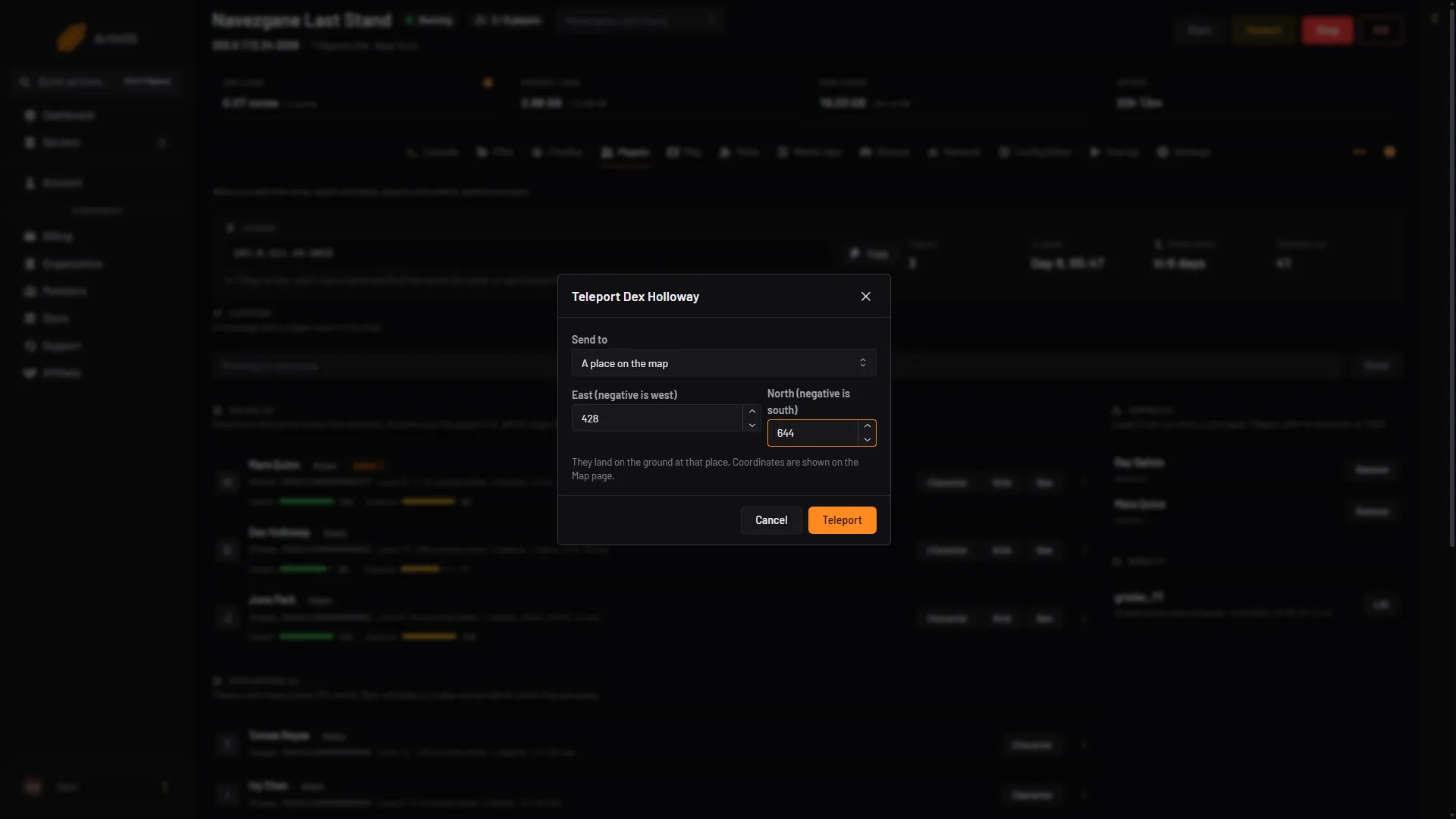
- Send to
- East (negative is west)
- North (negative is south)
- Teleport
Pick where to go in Send to (box 1), type the numbers (boxes 2 and 3) and choose Teleport (box 4). In Send to, the other choice is a player who is online.
The player lands on the ground at that place. You do not give a height.
Coordinates
The panel uses the same numbers as the Map. East is positive and west is negative. North is positive and south is negative. The middle of the world is 0 East, 0 North. The panel accepts numbers from -8192 to 8192. That is the panel’s own check, not the game’s. The largest world is 10 km wide, so keep inside half of that.
A player’s own position shows on their card on the Map, like 120 E, -340 N. Copy those numbers to send someone to the same place.
From the Map
- Open the Map.
- Click the player’s marker. A card opens.
- Under Move, choose Pick a spot on the map. The Map asks “Click where to send (name)”.
- Click the place on the map.
- The Teleport box opens with the East and North numbers already filled in. Choose Teleport.
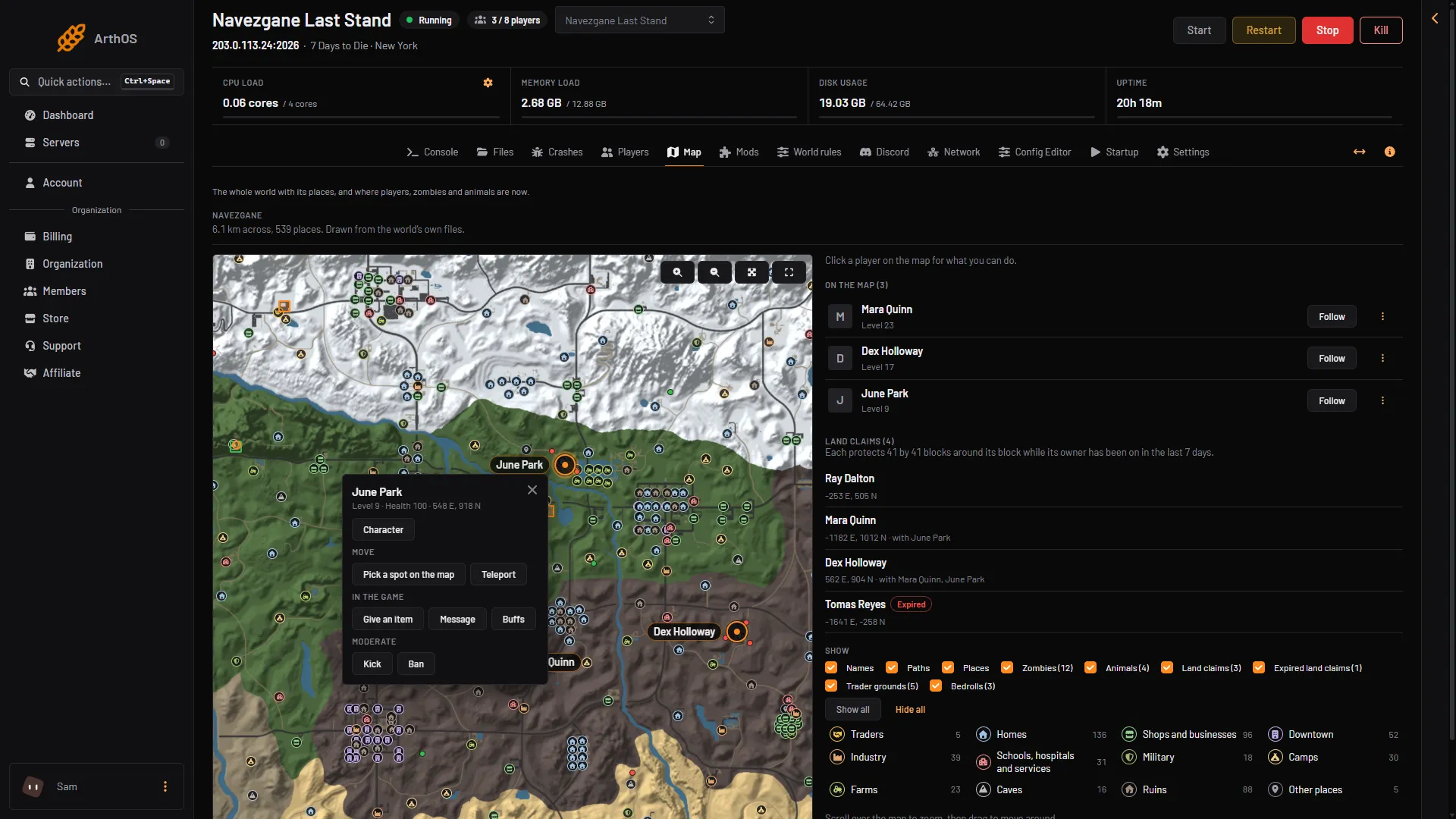
- Pick a spot on the map
- Teleport
You can also choose Teleport (box 2) on the card to type numbers or pick another player. The Map is drawn from the world’s own files, so it is empty for about a minute the first time. See the server map.
By hand
Type this on the Console page, without a slash:
teleportplayer <player> <x> <y> <z>: sends a player to a place. The short form istele.teleportplayer <player> <other player>: sends a player to another player.
<player> is a player name, an entity id or a platform id such as Steam_76561190000000000. Type lpi to list them. x is east and west, z is north and south. Use -1 for y to land on the ground, for example teleportplayer Alex -200 -1 300. You can add a direction to look in after the move: n, ne, e, se, s, sw, w or nw.
The command is the game’s own, so it answers the same in the Console as it does for an admin in the game.
Who can do it
On the panel, Teleport needs the players-in-game permission. Your role on the server must allow it. In the game, the command needs an admin level that is allowed to run it. See permission levels.
If it does not work
- There is no Teleport on the row. The player is not online, or your role does not allow it.
- The server is stopped. Players, the Map and Teleport need a running server.
- The Send to list is missing. You are the only one online. Type a place instead.
- The Map shows no players. Nobody is online, or the server is stopped.
- The player landed somewhere unexpected. Check East and North: a minus sign means west or south.
More about the game: 7 Days to Die servers.
Sources: 7daystodie.wiki.gg: Command Console