









The game loads mods in the order of their folder names in Mods. To make a mod load before the others, choose Load first for it on the Mods page. To make it load after the others, choose Load last. The change applies at the next start.
Why the order matters
Most mods change the game’s XML files with patches. A patch changes something that is already there, for example one value of one item. If the item is not there yet, the patch does not apply.
So a mod that adds an item must load before a mod that changes that item. On the Mods page, a patch that found nothing shows the chip Loaded, some changes did not apply, with the reason under the mod.
For text entries, the wiki says the last mod loaded has the final effect.
Many mods name their own folder to load in the right place, for example with a 0- at the start. Leave those names alone. The panel never takes a mod’s own prefix off.
How the game orders folder names
On V3.3.0 the game ignores upper and lower case and ignores hyphens. Then it puts these in order:
- a space
- a dot
- an underscore
- digits
- letters
For example, these folder names load in this order, top to bottom:
- Ord, a space, then A
Ord.AOrd_0Ord_AOrd0Ord1AOrdAOrd-BordC
The game’s own mod 0_TFP_Harmony starts with a digit and an underscore, so it loads before everything else you install. The other two mods that come with the game, TFP_CommandExtensions and Xample_MarkersMod, sit among the others by their names.
In the panel
The number on the left of each mod on the tab Installed (N) is its place in the load order. 1 loads first.
- Open the Mods page.
- On the mod’s row, open the menu (the three dots).
- Choose Load first or Load last.
- Restart the server.
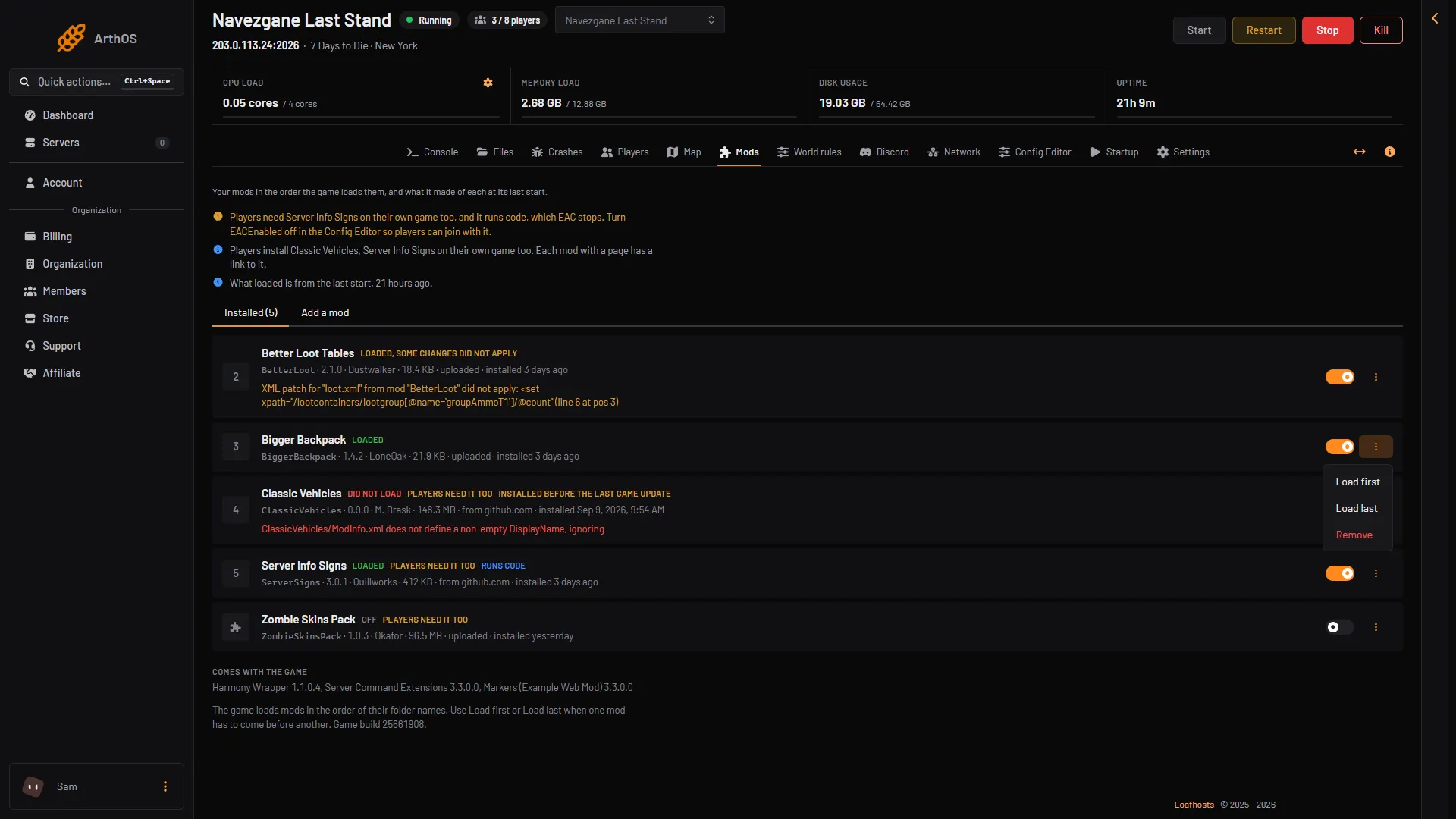
- Load first
- Load last
Load first puts 00_ in front of the folder name. Load last puts zz_ in front. A mod that has one of these now shows Normal order in the menu. Choose it to take the prefix off again.
The page only renames the folder. Nothing else about the mod changes. The new order is read at the next start, so restart the server after you change it.
By hand
Rename the mod’s folder on the Files page, in Mods. Put 00_ in front to load it early, or zz_ to load it late. Restart the server.
Do not rename a folder to something that already exists in Mods. The panel refuses that, and by hand it would mix two mods.
If it does not work
- The order did not change. The server must be restarted. The game reads the order only at start.
- Loaded, some changes did not apply, after you moved a mod. Try the other direction, or move the mod it depends on. Read the reason under the mod.
- Load first is not in the menu. The mod is off, or it comes with the game, or your role may not allow changing mods.
More about the game: 7 Days to Die servers.
Sources: 7daystodie.wiki.gg: Mod Structure