









Open World rules, find Stack Size Multiplier in the Players group and pick a value from 25% to 500%. The default is 100%. Choose Save, then restart the server. The change applies at the next start, not while the server runs.
This is the World rule StackSizeMultiplier. It is stored in the SandboxCode line of the server’s settings file.
Since V3.0, the game keeps this setting in the world rules, not in serverconfig.xml. Older guides that tell you to edit a line in serverconfig.xml are out of date.
In the panel
- Open World rules.
- Find the Players group. To find the row faster, use the search box and type
stack. Search matches labels and keys. - In the row Stack Size Multiplier (key
StackSizeMultiplier), pick a value. The choices are 25%, 50%, 75%, 100%, 125%, 150%, 175%, 200%, 250%, 300%, 400% and 500%. 100% is the game’s default and is marked as the default. - Choose Save. The panel says “Saved. The game reads its rules when it starts, so restart the server to use them.” If the server is running, choose Restart now.
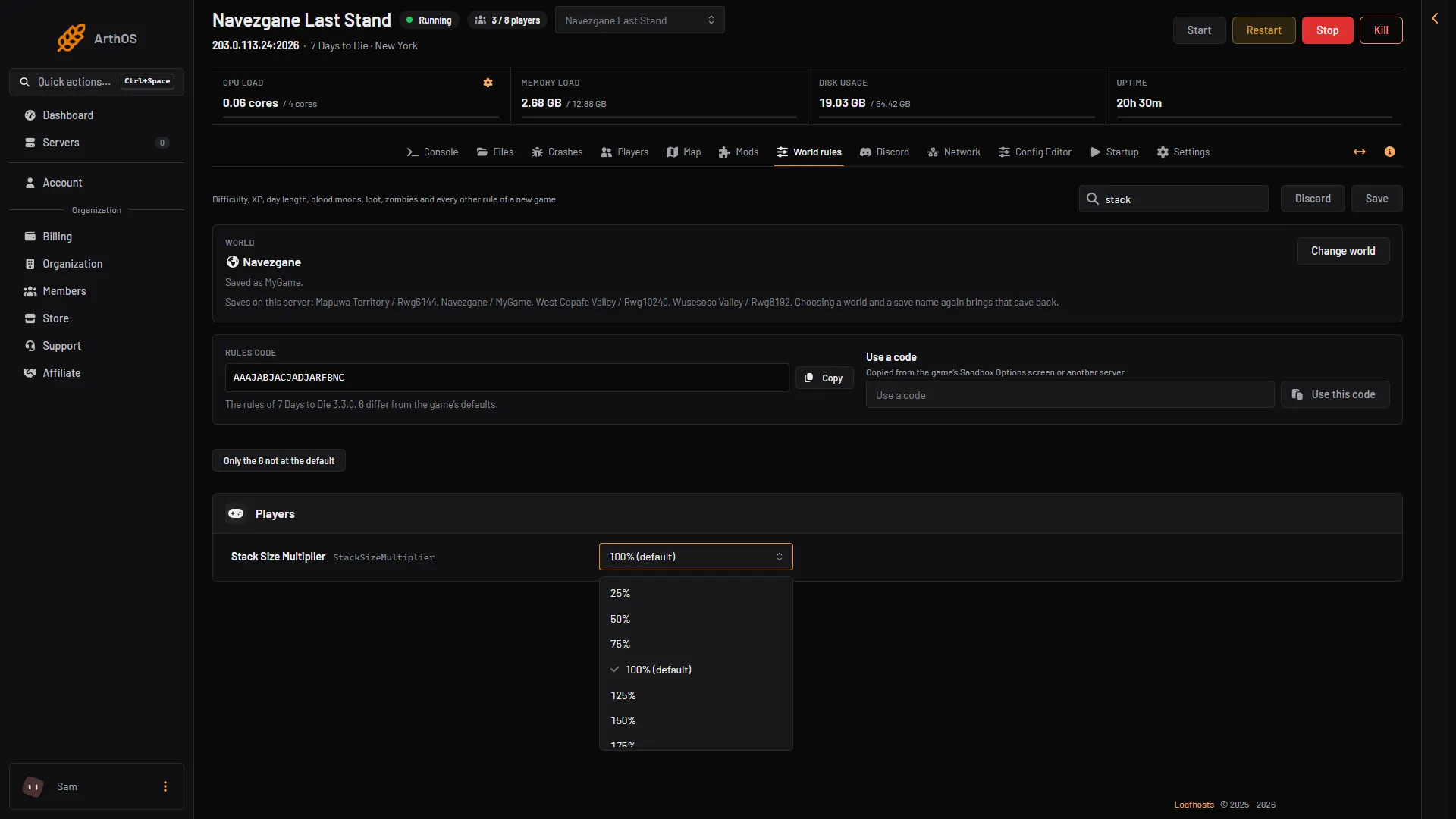
- Stack Size Multiplier
A row that is not at its default is marked Not the default. Turn on Only the N not at the default to list every rule you have changed.
A related rule: Encumbrance Modifier
A player who uses more bag slots than their carrying capacity allows becomes encumbered and moves more slowly. The rule Encumbrance Modifier (EncumbranceModifier), in the same Players group, is the game’s setting for this. The choices are Disabled, Low, Default, High, Very High and Full. The default is Default.
Not checked on V3.3.0 as of 19 October 2026: exactly how each choice changes the carrying capacity. Leave it at Default unless players tell you they are slowed down too much or too little, and change one step at a time.
The change applies at the next restart, the same as the stack size.
By hand
The stack size is stored in the rules code, not in a file you can edit by line. To set it outside the panel, change the rule on the game’s own Sandbox Options screen, copy the Rules code, and give it to your server. In the panel, open World rules, paste it in Use a code and choose Use this code. The panel asks “Replace every rule?” because rules the code does not name go back to the default. Read more in the world rules guide.
If it does not work
- The change did not apply. The game reads the rules when it starts. Restart the server.
- Items already in a bag look the same. Not checked on V3.3.0 as of 19 October 2026: what happens to items that are already in a stack when you change the multiplier. Test with a spare item before you tell your players.
- I cannot find the row. It is in the Players group. The groups are Players, Zombies and animals, Crafting, World and blood moons, Loot and resources, Traders, Quests and challenges and Vehicles, power and fun.
- You cannot edit the rows. Your role may only be allowed to read the rules.
More about the game: 7 Days to Die servers.
Sources: 7daystodie.wiki.gg: Game Settings, 7daystodie.wiki.gg: Encumbered