









Open the World rules page, group Loot and resources, and change Global Loot Abundance. The default is 100%. Choose Save, then restart the server. The change is used from the next start.
This is the World rule GlobalLootCount. It is stored in the SandboxCode line of the server’s settings file. In V3.0 and later, loot is set by World rules. It is no longer in serverconfig.xml.
How much loot
Global Loot Abundance scales the loot players find in containers and on zombies. Choose from None, 25%, 35%, 50%, 65%, 75%, 85%, 100%, 125%, 150%, 200%, 300%, 400% and 500%. 200% doubles the amount.
Each kind of loot has its own rule with the same choices and the same 100% default:
| Rule | Key |
|---|---|
| Global Loot Abundance | GlobalLootCount |
| Food Abundance | FoodLootCount |
| Drink Abundance | DrinkLootCount |
| Medical Abundance | MedicalLootCount |
| Ammo Abundance | AmmoLootCount |
| Resource Abundance | ResourceLootCount |
| Armor Abundance | ArmorLootCount |
| Melee Abundance | MeleeLootCount |
| Ranged Abundance | RangedLootCount |
| Dukes Abundance | DukesLootCount |
| Magazines Abundance | CraftingMagazinesLootCount |
| Book Abundance | BookLootCount |
Use a per-kind rule to make one kind rarer or more common without touching the rest.
When containers refill
Loot Respawn Days (LootRespawnDays) is how many days it takes before an emptied container can fill again. Choose Disabled, 5, 7, 10, 15, 20, 30, 40 or 50. The default is 7.
Not checked on V3.3.0 as of 19 October 2026: which containers refill (for example, whether one a player placed does) and what has to be true of a container before it fills again.
What loot stage means
Loot stage is the level the game uses when you open a container. Loot tables that depend on it use this number. For one player it is their character level, changed by perks and clothing.
Not checked on V3.3.0 as of 19 October 2026: which loot stage a party of players uses.
Three rules move it. Each has the choices Very Low, Low, Default, High and Very High, and each defaults to Default:
| Rule | Key |
|---|---|
| Global LootStage | GlobalLSModifier |
| Biome LootStage | BiomeLSModifier |
| POI Tier LootStage | POITierLSModifier |
Other loot rules
| Rule | Key | Choices | Default |
|---|---|---|---|
| Loot Max Tier | LootMaxTier | Default, 1 to 6 | Default |
| Loot Time | LootTimer | None, 25%, 50%, 75%, 100%, 125%, 150%, 200%, 300% | 100% |
| Loot Bag Chance | LootBagChance | None, 25% up to 500% | 100% |
| Treasure Map Chance | TreasureMapChance | None, 25% up to 300% | 100% |
The game does not describe these four in its files, so only their choices are given here.
In the panel
- Open the World rules page.
- In the group Loot and resources, pick a value.
- Choose Save.
- Restart the server. After Save the page says “Saved. The game reads its rules when it starts, so restart the server to use them.” and offers Restart now.
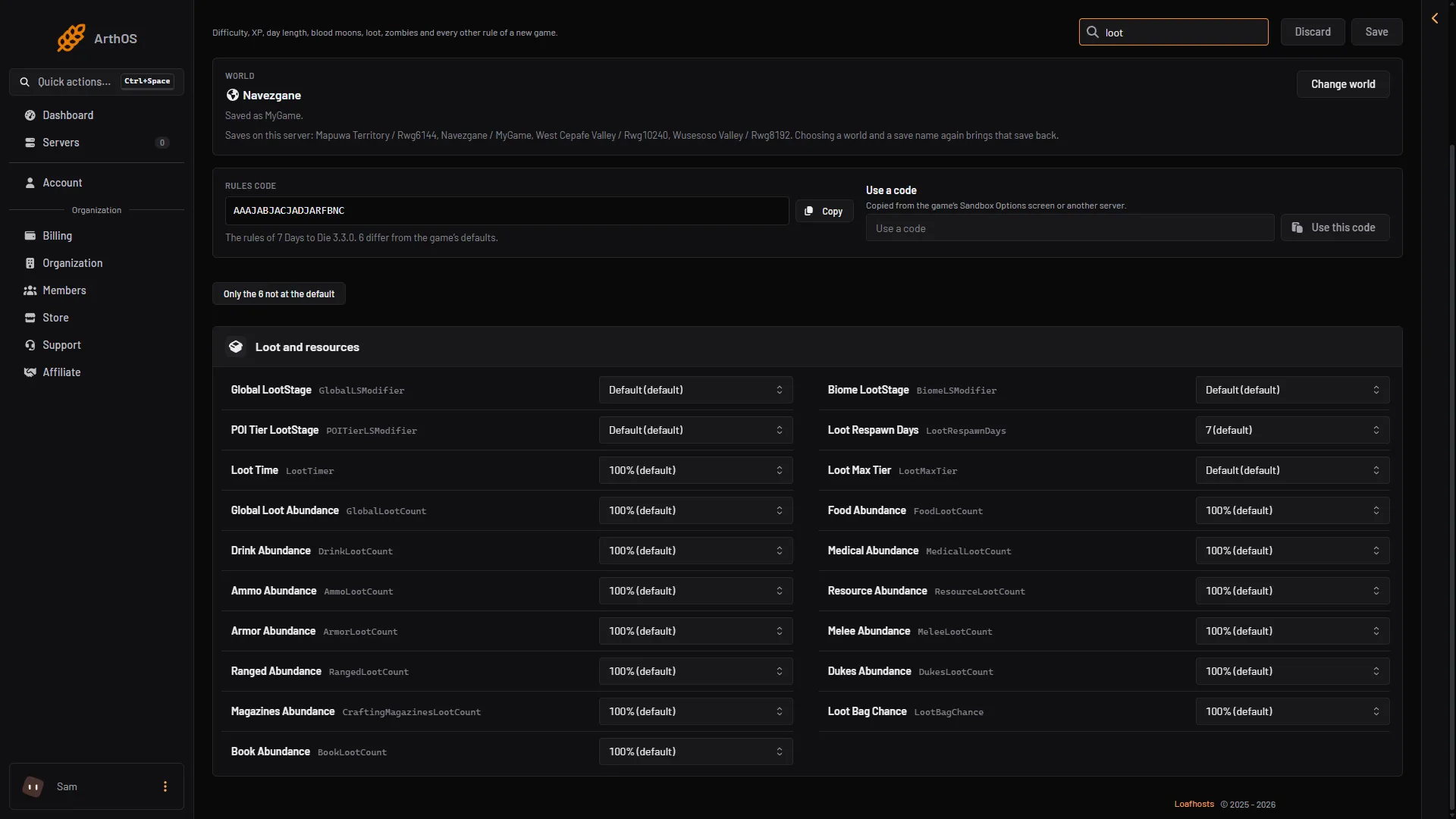
- Global LootStage
- Loot Respawn Days
- Global Loot Abundance
- Loot Bag Chance
Type “loot” in Search… to list them. Search matches both the label and the key.
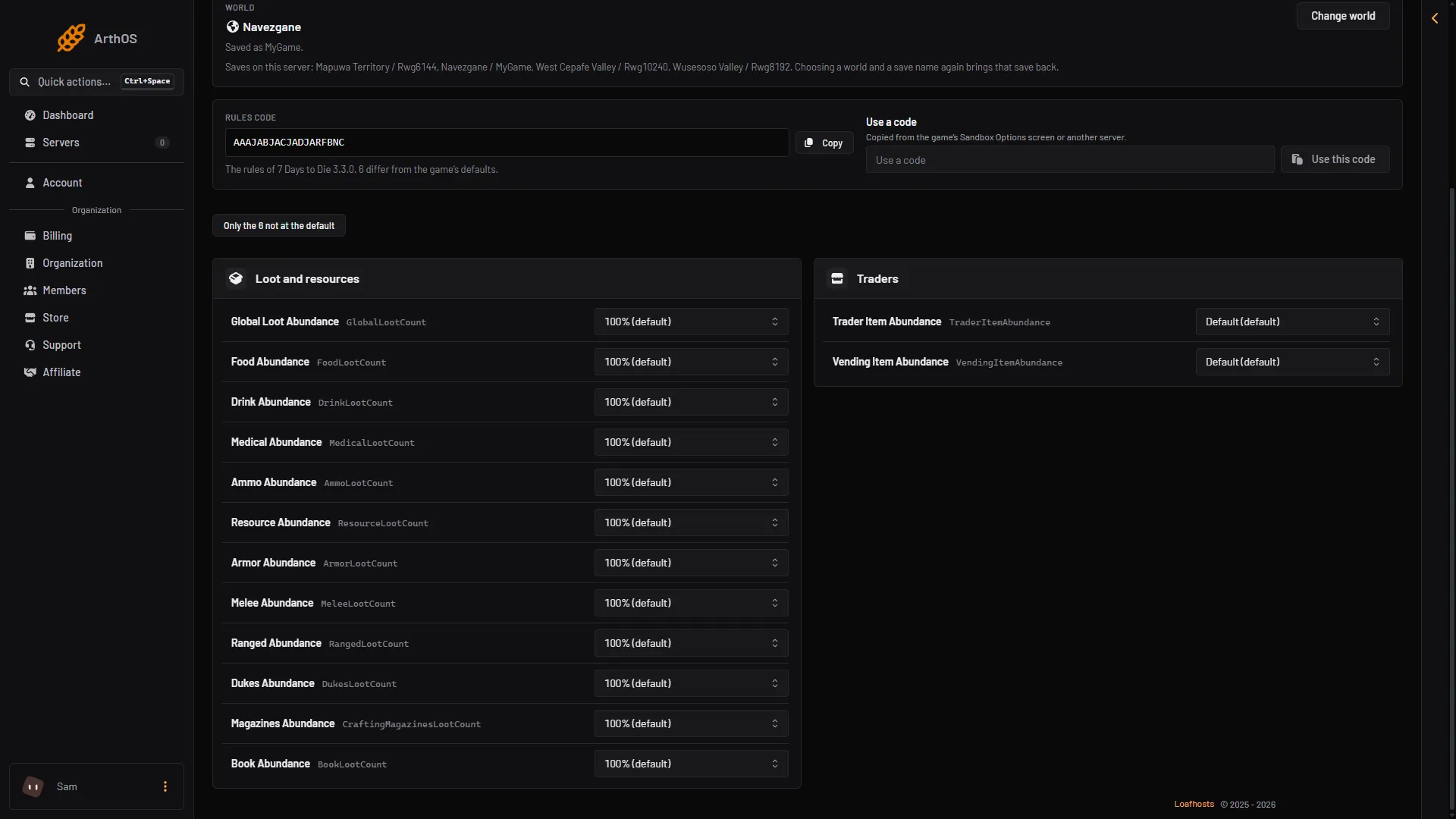
- Global Loot Abundance
- Food Abundance
- Ammo Abundance
A rule that is not at its default is marked Not the default. Only the N not at the default lists only the rules you changed.
Not checked on V3.3.0 as of 19 October 2026: whether loot already placed in containers changes before the next refill.
If it does not work
- Nothing changed. The rules are read at the next start. Restart the server.
- A container is still empty. It refills only after the days in Loot Respawn Days.
- You cannot find the rule. It is in Loot and resources, not in Players.
More about the game: 7 Days to Die servers.
Sources: 7daystodie.wiki.gg: Game Settings, 7daystodie.wiki.gg: Game Stage