









Open World rules and look in the group World and blood moons. Six rules control the weather and the dangers of each biome. Pick a value, choose Save, then restart the server. The game reads its rules when it starts.
Each is a World rule, stored in the SandboxCode line of the server’s settings file.
The rules and their defaults
| Row | Key | Choices | Default |
|---|---|---|---|
| Storm Frequency | StormFreq | None, 50%, 100%, 150%, 200%, 300%, 400%, 500% | 100% |
| Storm Warning | StormWarning | No, Yes | Yes |
| Temperature Survival | TemperatureSurvival | No, Yes | Yes |
| Biome Progression | BiomeProgression | No, Yes | Yes |
| Biome GameStage | BiomeGSModifier | Very Low, Low, Default, High, Very High | Default |
| Heatmap Sensitivity | HeatMapSensitivity | Disabled, Very Low, Low, Default, High, Very High | Default |
What each one does
A storm is a hazard in one biome at a time. Before it, players hear a siren and see a warning. A countdown follows, then the storm hurts players who are outside. Zombies always run during a storm. Players can shelter in a closed building or leave the biome.
- Storm Frequency: how often storms come. 100% is the normal rate. None turns them off.
- Storm Warning: turns the siren and the warning message on or off.
- Temperature Survival: players have an ambient and a “feels like” temperature. Too cold or too hot has harmful effects, and clothing changes it. Set it to No to play without this.
- Biome Progression: with this on, a hazard timer starts when a player enters a biome other than the Pine Forest. Sheltering or leaving the biome gives the time back. Set it to No to turn the hazard timers off.
- Biome GameStage: the game stage rises in biomes other than the Pine Forest, which sets how big and hard the zombie groups are. This choice raises or lowers that rise.
- Heatmap Sensitivity: the heat map draws zombies to places where players make noise or run fire. This choice makes the game react more or less to that.
Not checked on V3.3.0 as of 19 October 2026: the exact numbers behind the Very Low to Very High choices of Biome GameStage and Heatmap Sensitivity.
In the panel
- Open World rules.
- Find the group World and blood moons, or search for the row by label or key.
- Pick a value in each row you want to change.
- Choose Save. The panel says “Saved. The game reads its rules when it starts, so restart the server to use them.”
- Choose Restart now. A restart drops every player, so tell them first.
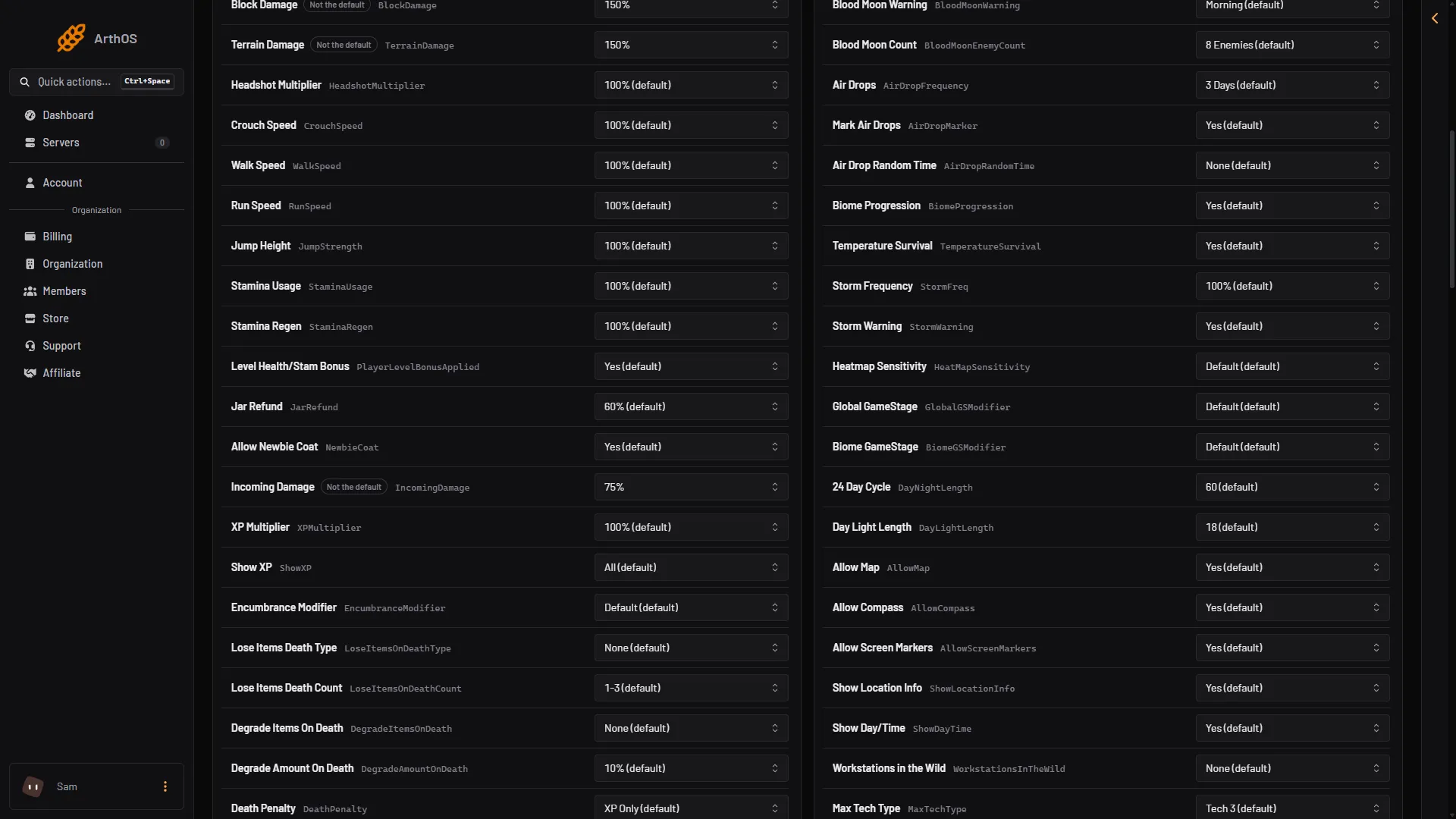
- Temperature Survival
- Storm Frequency
- Storm Warning
- Biome Progression
Box 1 is Temperature Survival, box 2 is Storm Frequency, box 3 is Storm Warning and box 4 is Biome Progression.
Turn on Only the N not at the default to see every rule you have changed.
By hand: start a storm now
On the Console page, weather Storm <duration hours> <biome name> starts a storm of that length in that biome. weather Defaults puts the weather back to normal. It does not change the rules. Not checked on V3.3.0 as of 19 October 2026: the exact spelling of each biome name. Type help weather to read the game’s own usage.
If it does not work
- Nothing changed. Restart the server.
- No siren, but storms still come. Storm Warning is set to No.
- Players freeze or overheat. Set Temperature Survival to No.
- Players are hurt in new biomes. That is Biome Progression.
- You cannot edit the rows. Your role may only read the rules.
More about the game: 7 Days to Die servers.
Sources: 7daystodie.wiki.gg: Storms, 7daystodie.wiki.gg: Temperature, 7daystodie.wiki.gg: Biome, 7daystodie.wiki.gg: Game Stage, 7daystodie.wiki.gg: Heatmap