









Open World rules. Trader rules are in the group Traders. Quest rules are in the group Quests and challenges. Change a row, choose Save and restart the server.
Traders are places where players buy and sell items for Duke’s Casino Tokens. A trader also gives out quests. With Trader Protection on its default, Yes, the wiki says a trader’s compound and its surroundings cannot be built in or broken.
Each row is a World rule with a key. The key is stored in the SandboxCode line of the server’s settings file.
The Traders group
Defaults are in brackets.
| Row | Key | Choices |
|---|---|---|
| Global TraderStage | GlobalTSModifier | Very Low, Low, Default, High, Very High [Default] |
| Trading Dialog | TraderDialog | No, Yes [Yes] |
| Trading Enabled | TradersEnabled | No, Yes [Yes] |
| Trader Hours | TraderHours | Default, Morning, Mid Day, Evening, Night, BM Closed, Always Open [Default] |
| Trader Protection | TraderProtection | Yes, Claimable, Not Claimable [Yes] |
| Traders Sell Price | TraderSellPrices | None, 25%, 50%, 75%, 100%, 125%, 150%, 175%, 200%, 300%, 400% [100%] |
| Traders Buy Price | TraderBuyPrices | the same list [100%] |
| Trader Reset Interval | TraderResetInterval | Default, 1 Day to 7 Days, 14 Days [Default] |
| Trader Item Abundance | TraderItemAbundance | Very Low, Low, Default, High, Very High [Default] |
| Trader Buy Limit | TraderBuyLimit | None, 1 to 10 [3] |
| Trader Max Tier | TraderMaxTier | Default, 1 to 6 [Default] |
| Vending Machines Enabled | VendingEnabled | No, Yes [Yes] |
| Vending Reset Interval | VendingResetInterval | Default, 1 Day to 7 Days, 14 Days [Default] |
| Vending Item Abundance | VendingItemAbundance | Very Low, Low, Default, High, Very High [Default] |
The official wiki says traders open from 04:05 to 21:50 and restock about every three days. That describes the default.
The Quests and challenges group
This is a selection of the rows in the group. The group has more, for example Quests per Tier and Trader to Trader Quests.
| Row | Key | Choices |
|---|---|---|
| Quests Enabled | QuestsEnabled | No, Yes [Yes] |
| Quests per Day | QuestProgressionDailyLimit | Unlimited, 1 to 10 [4] |
The wiki says that once a player reaches the daily limit, more quests can still be done, but they no longer count toward unlocking the next quest tier.
In the panel
- Open the World rules page.
- Find the group Traders or Quests and challenges.
- Change the rows you want.
- Choose Save.
- Choose Restart now, or choose Restart at the top of the server page later.
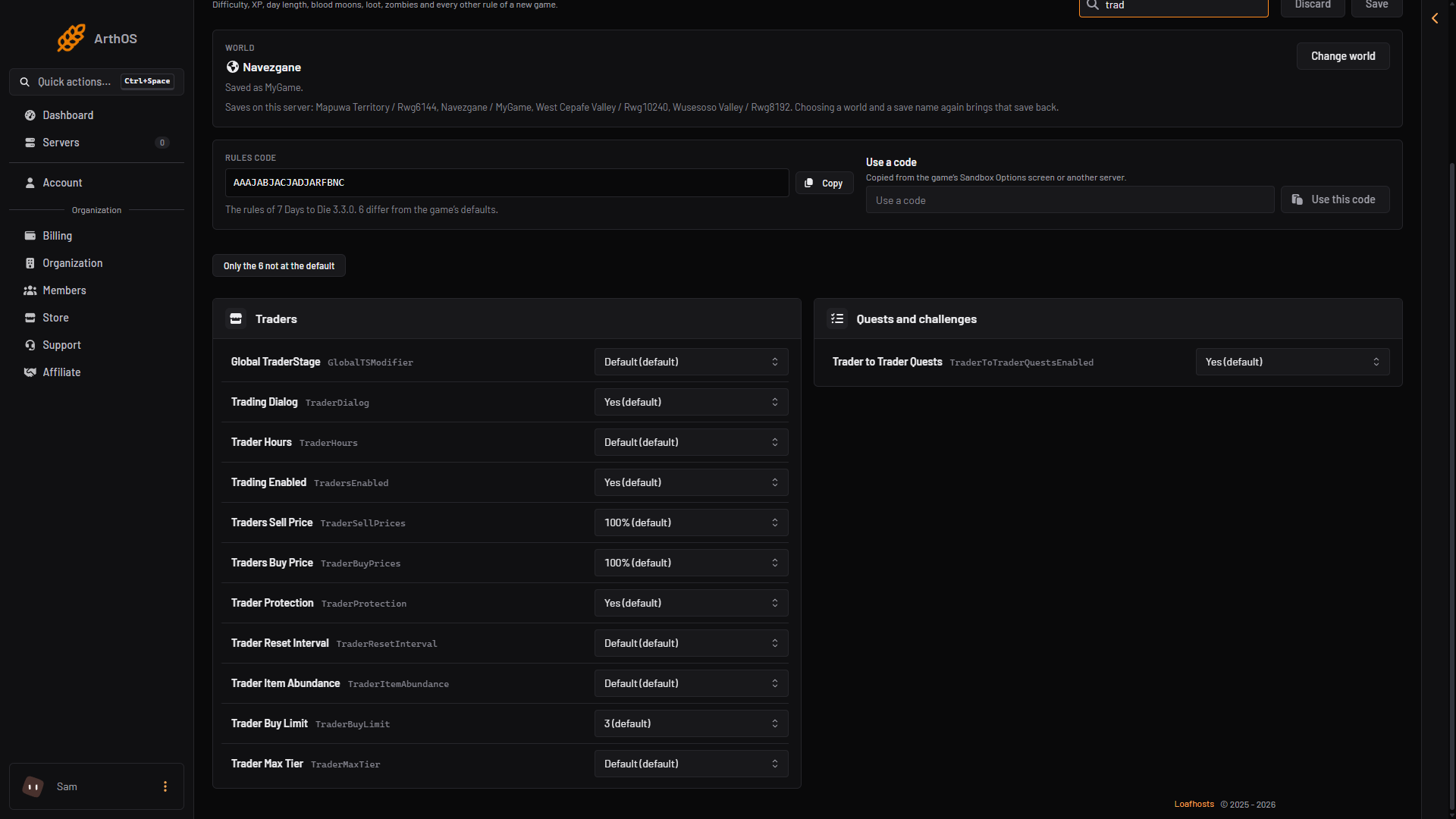
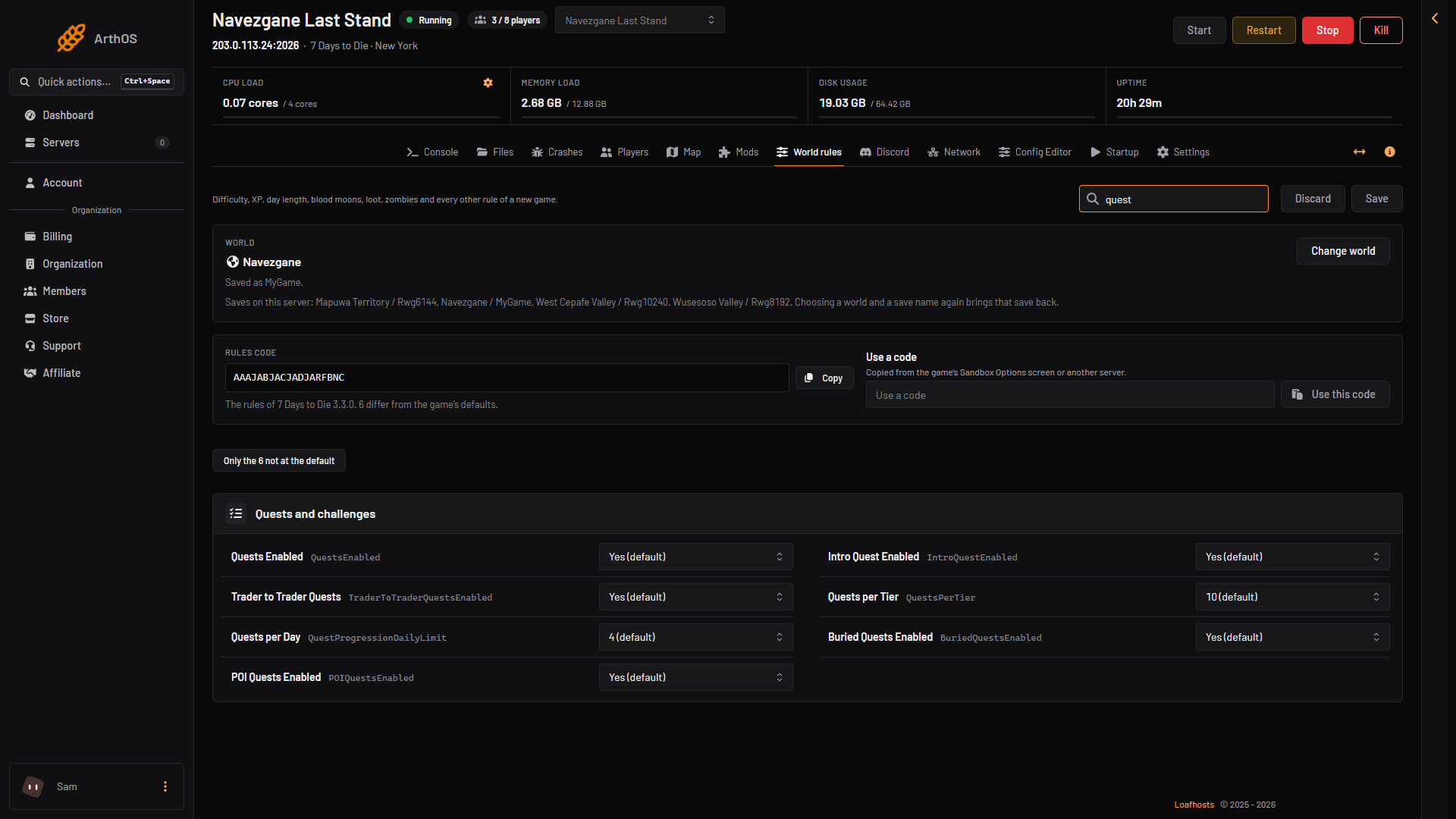
The page says: “Saved. The game reads its rules when it starts, so restart the server to use them.” Turn on Only the N not at the default to see only what you changed.
See the trader grounds
Open the Map page and turn on the layer Trader grounds. Pointing at one reads “Trader (name): no building or harm here”.
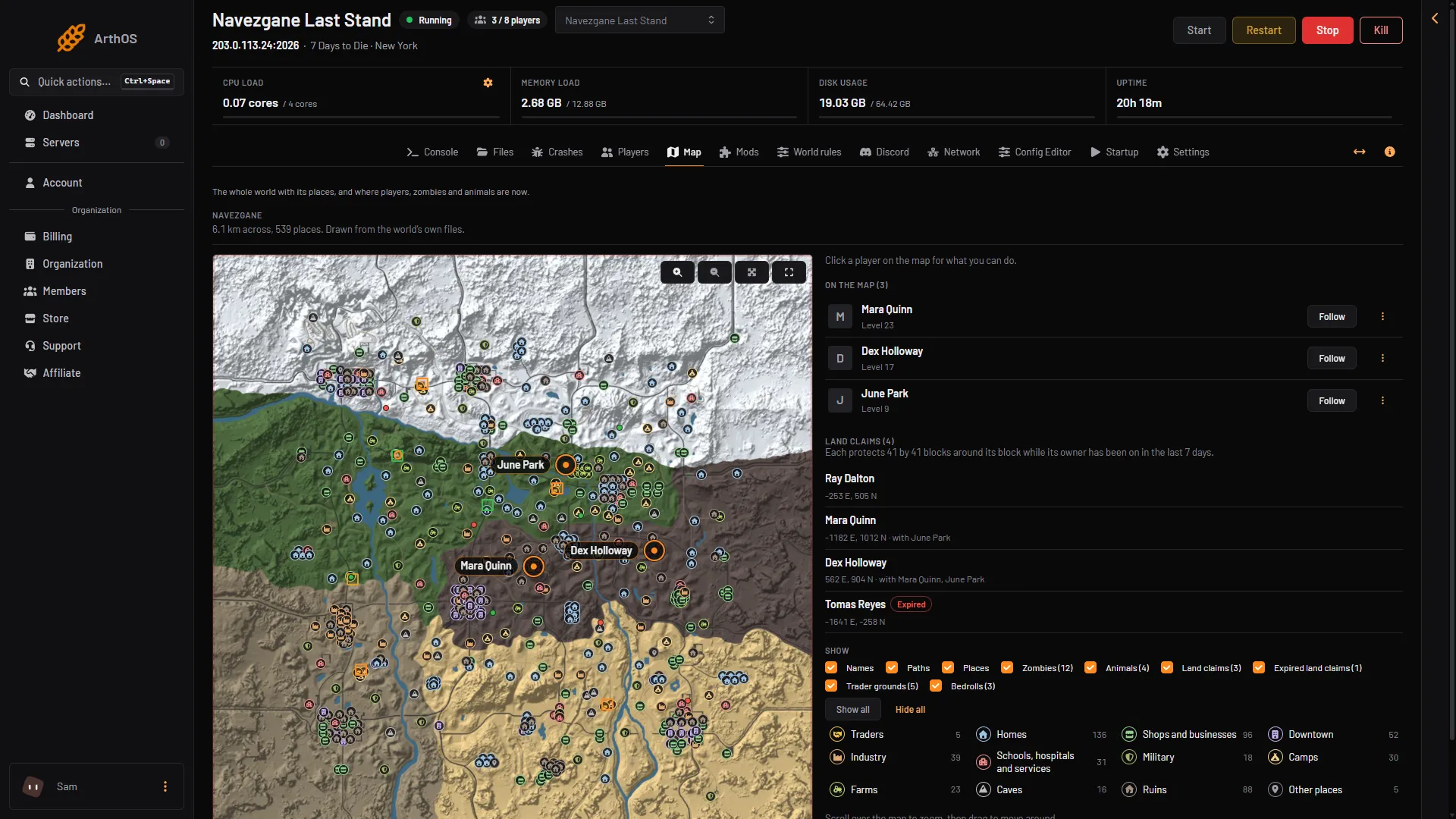
- Trader grounds
If it does not work
- Nothing changed in the game. The server has not restarted since you saved.
- Nobody can trade. Trading Enabled is set to No.
- No quests. Quests Enabled is set to No.
- The shop is empty. Check Trader Item Abundance, and remember traders restock on their own schedule, set by Trader Reset Interval.
Not checked on V3.3.0 as of 19 October 2026: what Claimable and Not Claimable change under Trader Protection, and what Global TraderStage changes.
More about the game: 7 Days to Die servers.
Sources: 7daystodie.wiki.gg: Traders