









Open the World rules page, group Players, and change XP Multiplier. The default is 100%. Choose Save, then restart the server. The new value is used from the next start.
This is the World rule XPMultiplier. It is stored in the SandboxCode line of the server’s settings file. In 7 Days to Die V3.0 and later, XP is a World rule. It is no longer in serverconfig.xml, so an older guide that tells you to edit XPMultiplier there is out of date.
The rules
The first five are in the group Players. Starter Skill Points is in Quests and challenges.
| Rule | Key | Choices | Default |
|---|---|---|---|
| XP Multiplier | XPMultiplier | None, 25%, 50%, 75%, 100%, 125%, 150%, 175%, 200%, 300%, 500% | 100% |
| Skill Gain Rate | SkillGainRate | 1, 2, 3, 4, 5 | 1 |
| Skill Gain Amount | SkillPointsPerLevel | None, 1 to 7 | 1 |
| Show XP | ShowXP | All, Bar Only, Notifications Only, None | All |
| Death Penalty | DeathPenalty | None, XP Only, Injured, Permanent Death | XP Only |
| Starter Skill Points | StarterSkillPoints | None, 1 to 10 | 4 |
XP Multiplier scales the experience players earn. 200% doubles it. 50% halves it.
Skill Gain Amount is the skill points a player gets for each level.
Starter Skill Points is how many skill points a new character starts with.
Death Penalty has four choices: None, XP Only, Injured and Permanent Death. The default is XP Only. Not checked on V3.3.0 as of 19 October 2026: what each choice costs a player who dies.
This guide does not explain Skill Gain Rate or the values of Show XP: the game does not describe them in its files.
In the panel
- Open the World rules page.
- In the group Players, pick a value for XP Multiplier.
- Choose Save.
- Restart the server. The page offers Restart now.
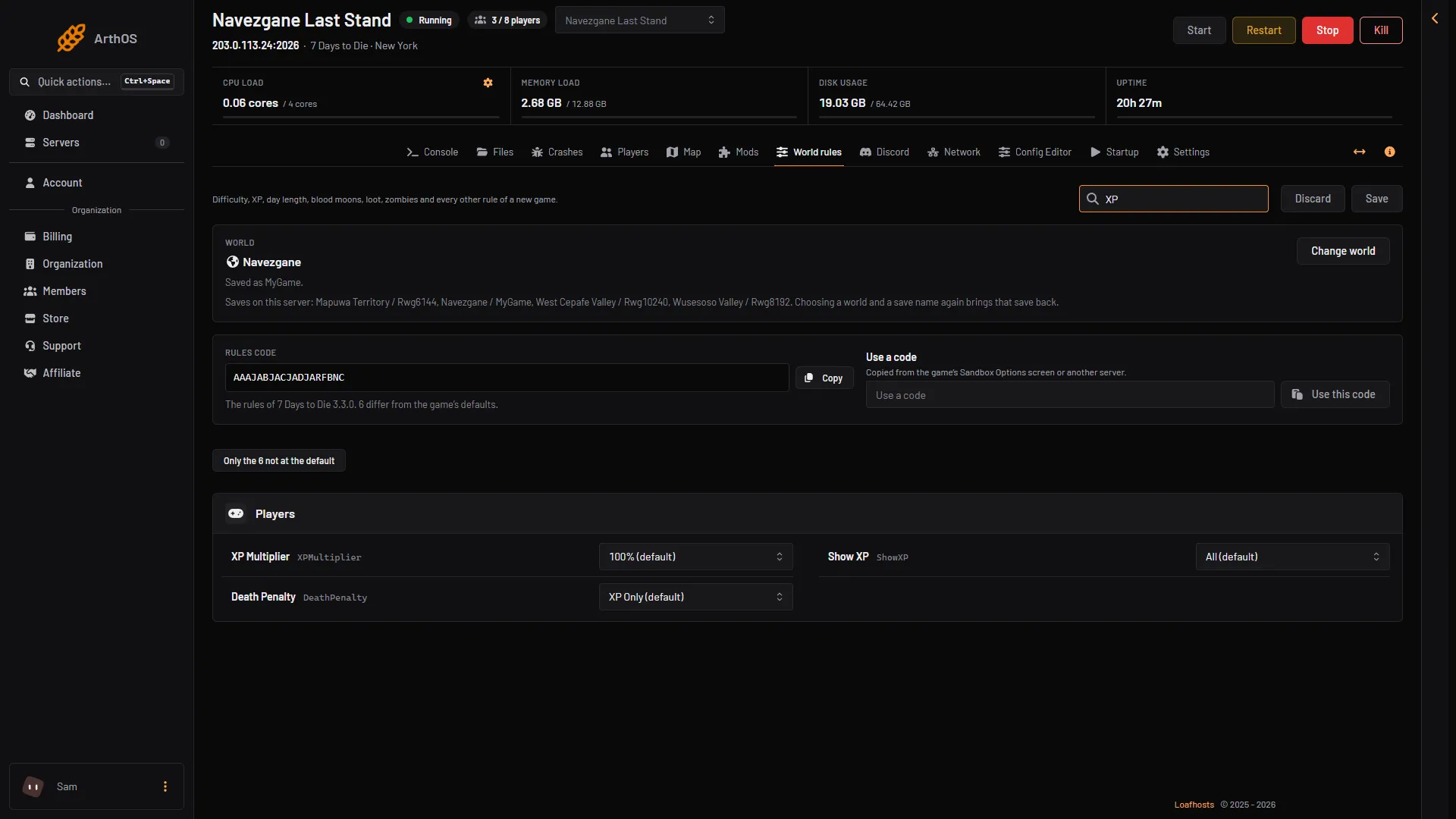
- XP Multiplier
- Show XP
- Death Penalty
Type “skill” in Search… to find the skill rules.
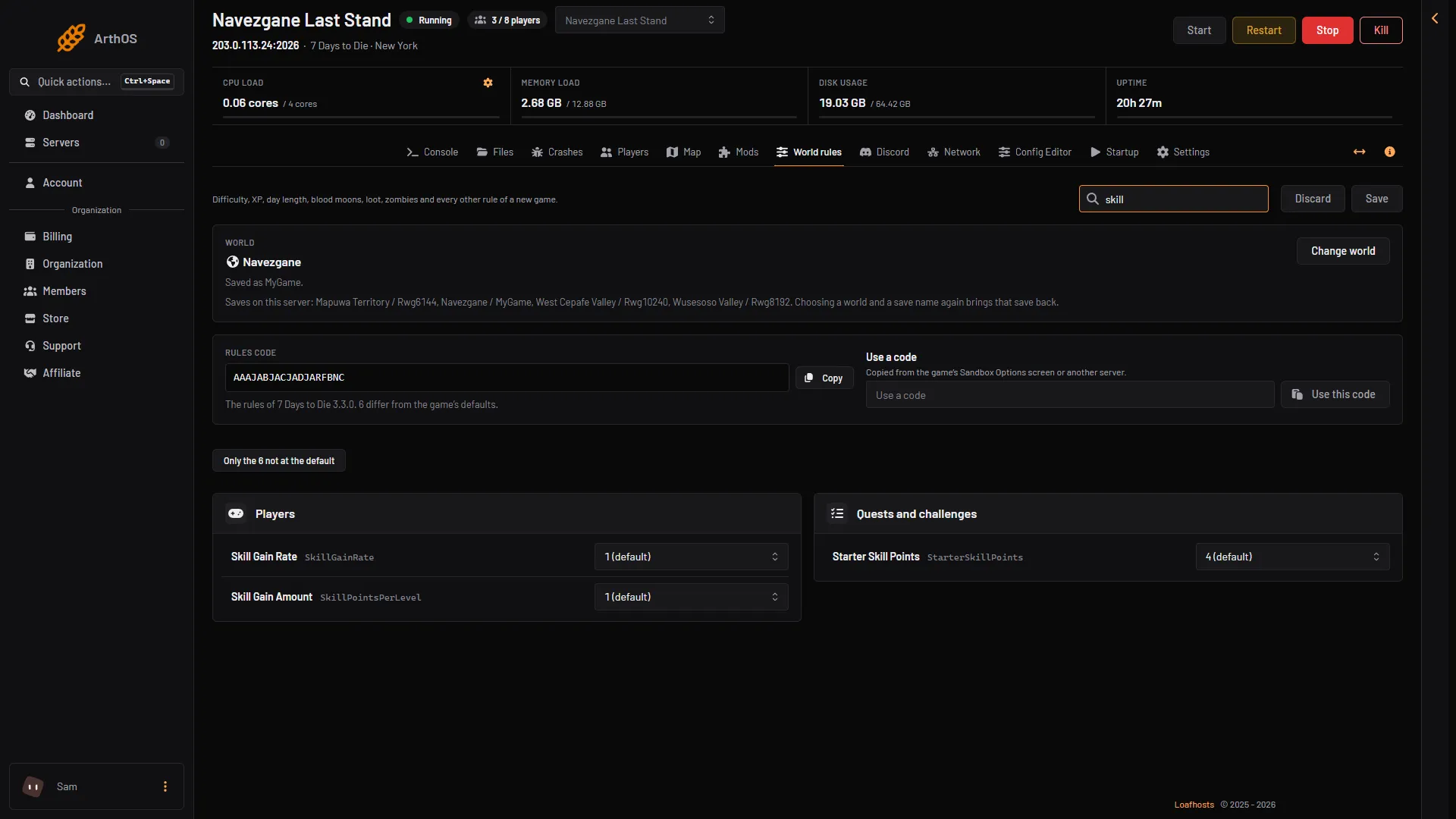
- Skill Gain Rate
- Skill Gain Amount
- Starter Skill Points
A rule that is not at its default is marked Not the default. Use Only the N not at the default to list what you changed.
Give XP to one player
Use the console command givexp. It works while the server is running.
- Open the Console page.
- Type
givexp <player name> <number>and press Enter. You can use the player’s name, their user id or their entity id in place of the name. Example:givexp Alex 5000.
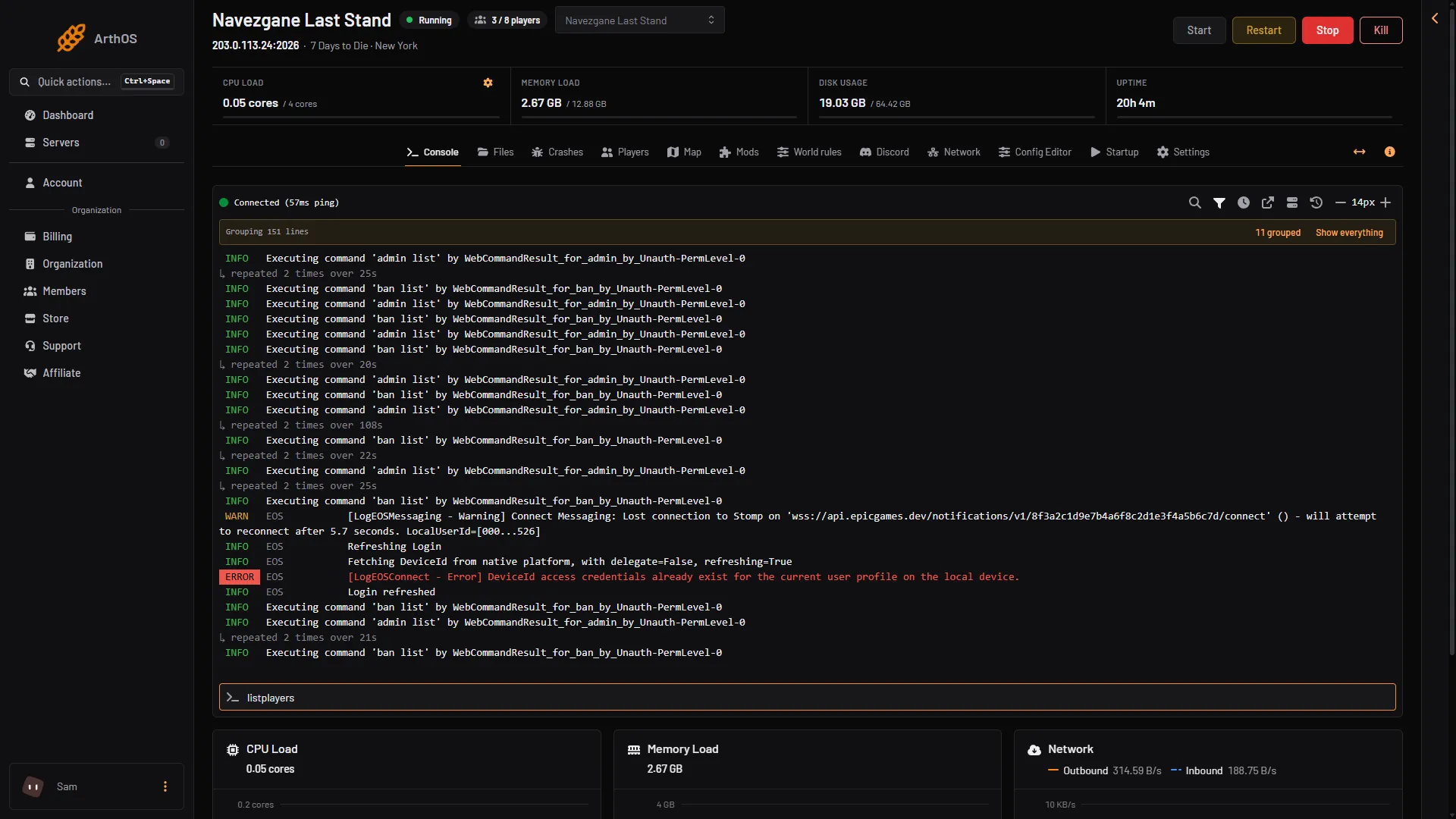
- Command box
Type the command in the box (1) without a slash. The answer shows in the console.
Not checked on V3.3.0 as of 19 October 2026: whether givexp is scaled by the XP Multiplier.
If it does not work
- Nothing changed. The rules are read at the next start. Restart the server.
- The game does not find the player. Check the name with
listplayers, or use the player’s id.
More about the game: 7 Days to Die servers.
Sources: 7daystodie.wiki.gg: Game Settings