






Conflict on Everon uses the scenario ID {ECC61978EDCC2B5A}Missions/23_Campaign.conf. Set it as game.scenarioId and restart. New servers on the ArthOS panel already start with this scenario, shown as Conflict: Everon.
What Conflict is
Bohemia calls Conflict the game’s principal multiplayer game mode. Two groups of players fight for an island. To win, one side must capture a certain number of strategic positions and hold them for a given time. A position can only be taken when it is inside your side’s radio range. Range grows from your Main Operating Base as you take communication sites, and Mobile Command Units extend it too.
Players respawn at a Main Operating Base or a deployed Mobile Command Unit. Deploying anywhere else costs supplies. Players build defences and support structures from building materials, and earn ranks that unlock better vehicles.
Everon is the main island. Bohemia lists it as 12.8 km by 12.8 km, about 51 km2 of land.
In the ArthOS panel
- Open your Arma Reforger server and choose the Config Editor tab.
- In the Server group find Scenario (1). The list holds 23 scenarios. Pick Conflict: Everon.
- Choose Save (2). The page says “Saved changes apply after a restart”, so restart the server.
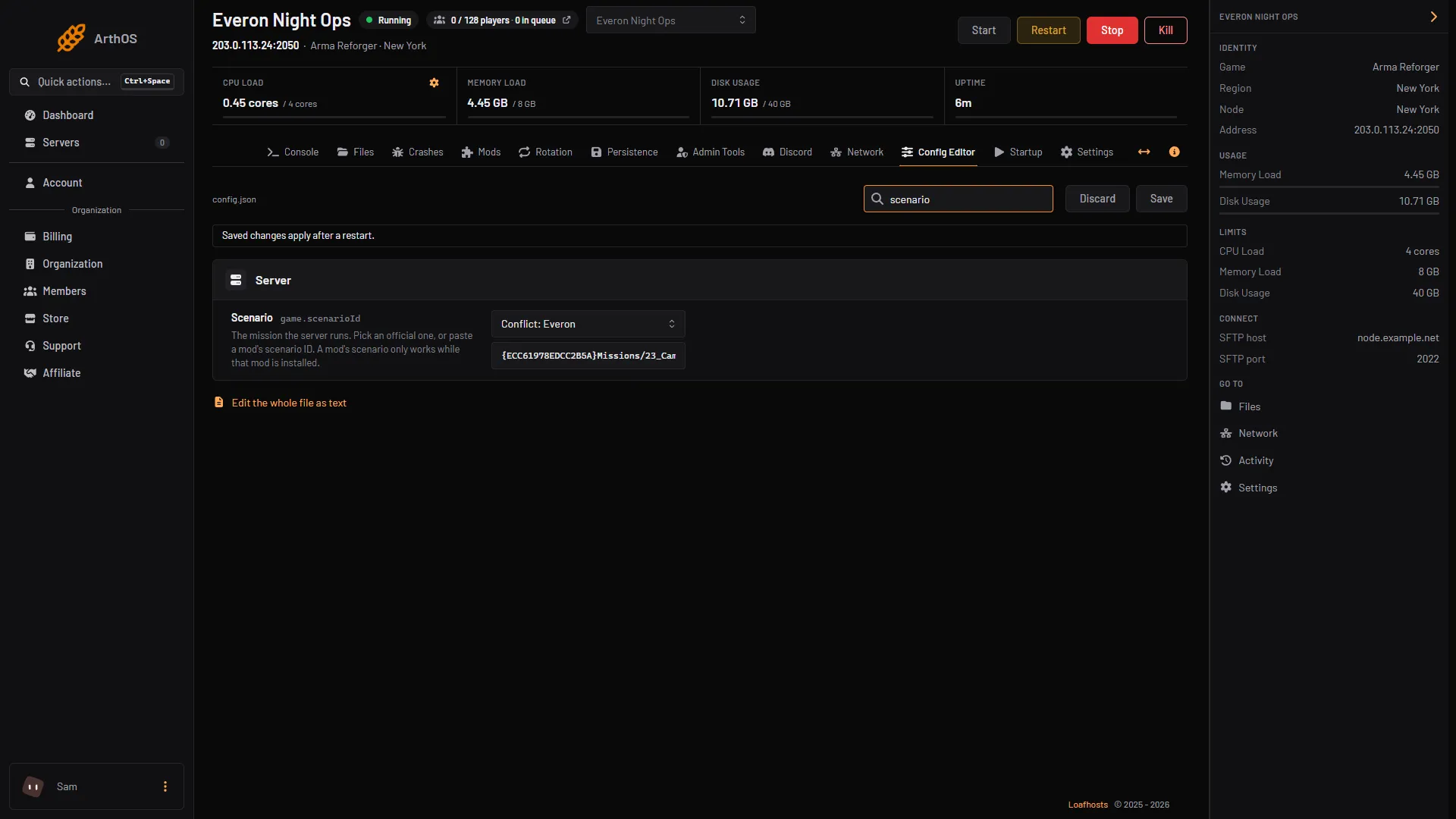
- Scenario row
- Save
By hand
Open config.json and set the scenario inside the game block:
{
    "game": {
        "scenarioId": "{ECC61978EDCC2B5A}Missions/23_Campaign.conf"
    }
}
Save the file and restart. If the server does not start, copy the ID again from the scenario ID list. Every character counts, braces included.
Other Conflict scenarios on Everon
Bohemia’s list also holds these Everon scenarios. Each has its own ID in the scenario ID list.
- Conflict: Northern Everon, Conflict: Southern Everon and Conflict: Western Everon (Bohemia: Conflict - Northern Everon and so on): Conflict on part of the island.
- Conflict: Montignac (Bohemia: Conflict - Montignac).
- Conflict HQ Commander: Everon (Bohemia: Conflict: HQ Commander - Everon).
If you use RHS units, see RHS - Status Quo.
Players
The most players a server can hold is maxPlayers, from 1 to 128 (Maximum players in the Config Editor, up to 128). New servers on the panel start at 128. Bohemia’s documentation gives no player count that suits Conflict, so set it to the number your hardware and community can fill. m_iPlayerCount in the Conflict header is the scenario’s own figure and does not limit who can join. See change max players.
Saves and persistence
Conflict works with persistence. Turn it on in the Persistence tab. A save holds bases, vehicles and progress, and it resumes when the server restarts. When a Conflict match ends, its saves end with it unless you turn on Keep saves after a match ends. See persistence and save games.
Tune the mode
Control points to win, hold time, starting supplies, XP and faction limits go in the missionHeader block. See Conflict server settings.
If it does not work
- The server starts a different scenario. The ID has a typo or an extra character. Paste it again.
- The world is empty after a restart. Saving or loading is off. Check the Persistence tab.
- Too few players for Conflict. The mode is built around two sides fighting over positions. Bohemia describes Combat Ops as a scenario for small team tactics, see Combat Ops.
- The panel list shows a different name. The list names are the panel’s own. The ID decides what loads.
Running on Loafhosts? See Arma Reforger servers.
Sources: Bohemia wiki: Conflict, Bohemia wiki: Everon, Bohemia wiki: Server Config, reforger.armaplatform.com: Game, reforger.armaplatform.com: Changelog august 13 2026