


To change your Arma Reforger server name, set game.name in config.json and restart the server. The name can be up to 100 characters, and it is what players search for and see in the server browser.
In the ArthOS panel
- Open your server and go to the Config Editor tab.
- Under Server, find Server name (
game.name) (1). Type the new name. - Press Save (2). The panel says “Saved. Restart the server to apply the changes.”
- Press Restart now, or restart from the Console tab.
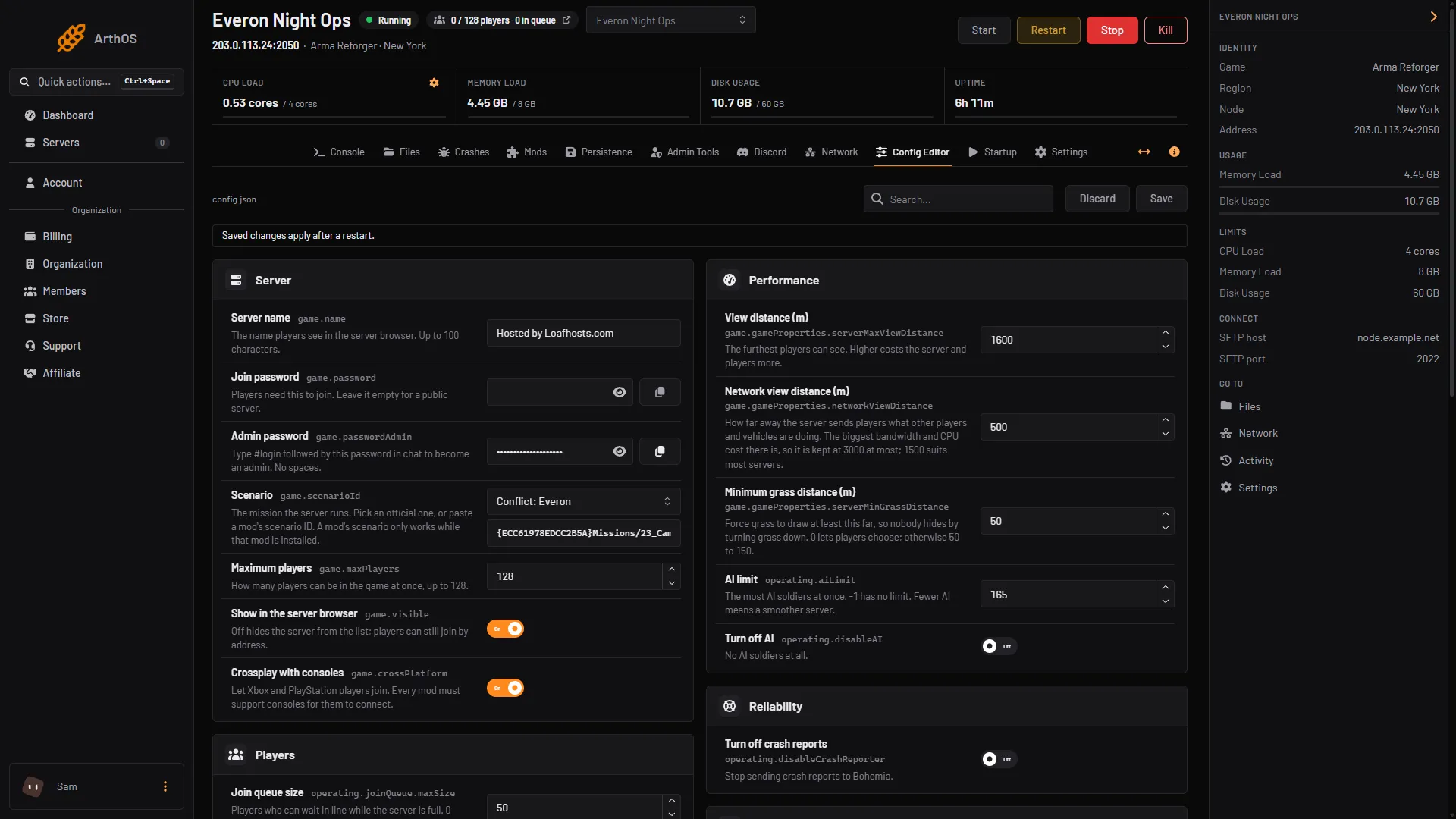
- Type the new name
- Discard and Save
The Rename Server card (1) on the Settings tab is a different name. It only changes how the server is listed in your panel, so players do not see it. Change Server name in the Config Editor for the in-game name.
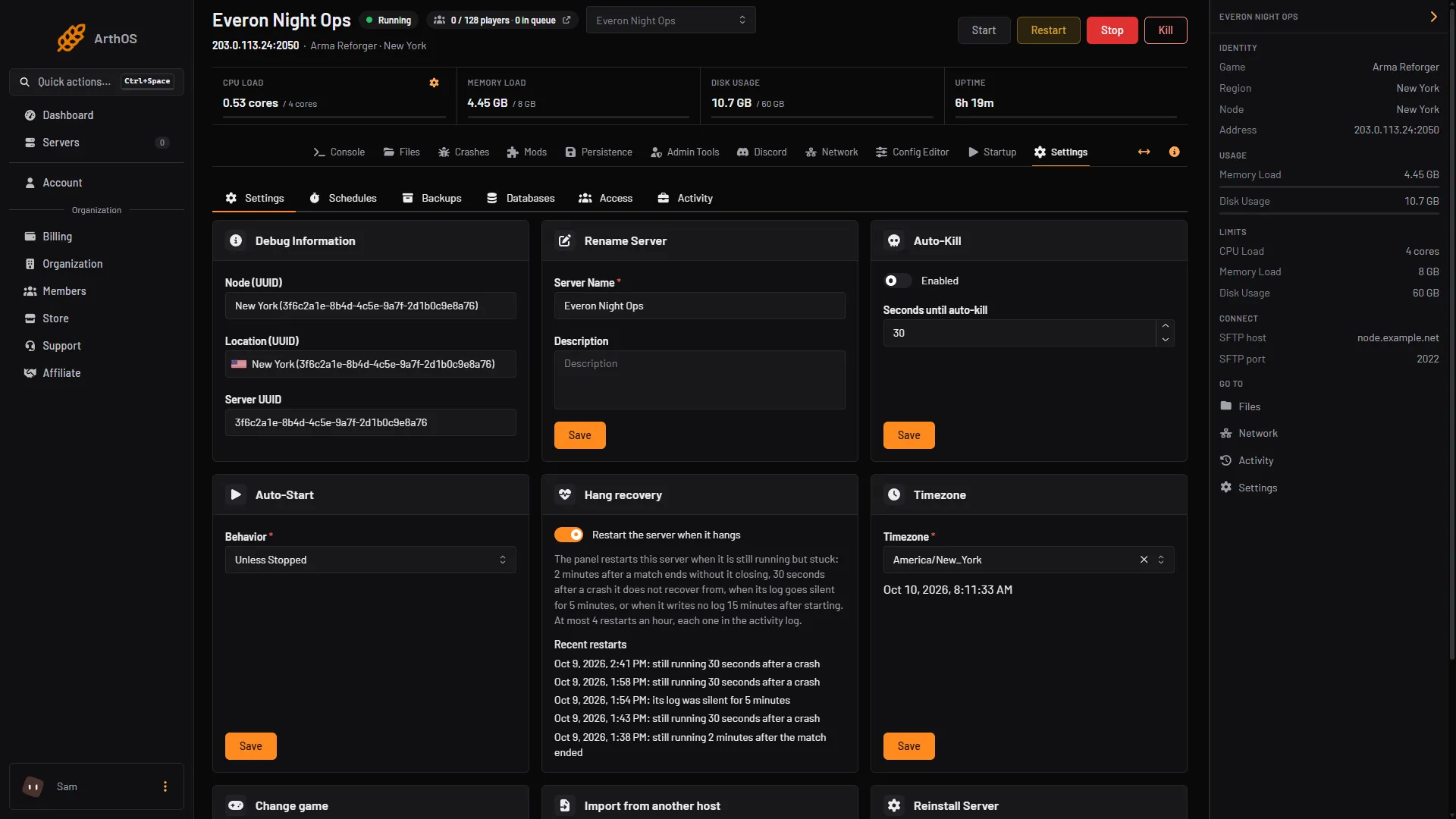
- Rename Server, panel name only
By hand
- Open
config.json. - Inside the
gameobject, change thenamevalue:
"game": {
  "name": "[EU] Everon Night Ops"
}- Save the file and restart the server. The server only reads
config.jsonwhen it starts.
Keep the file valid JSON. A missing quote or a trailing comma stops the server from starting.
Pick a name people can search for
Players find a server by typing a few words from its name. Put the word they will search for early, and add a region tag such as [EU] or [NA] so they can judge the ping before they click. Console players can only find the server by searching, so a clear name matters more for them.
Changing the name does not change the server’s address or port, so players who join by address are not affected.
If it does not work
- The old name still shows. The server has not been restarted since you saved. Restart it, then search again.
- The server will not start after a manual edit. The log names the JSON error. Check the quotes and commas around
name. - Players cannot find it by the new name. Check Show in the server browser (
game.visible) is on, and wait until the console printsEntered online game state.
Sources: Bohemia wiki: Server Config