To join an Arma Reforger server, search for its name in the server browser. On PC you can also use the browser’s IP Connect option with the server’s address and game port. On a Loafhosts server, both are shown under the server name in the panel.
Find the address
If you run the server on Loafhosts, the address is under the server name at the top of every server page, written as ip:port (1). The Server details panel on the right lists it too, in the Address row (2). Send players both parts.
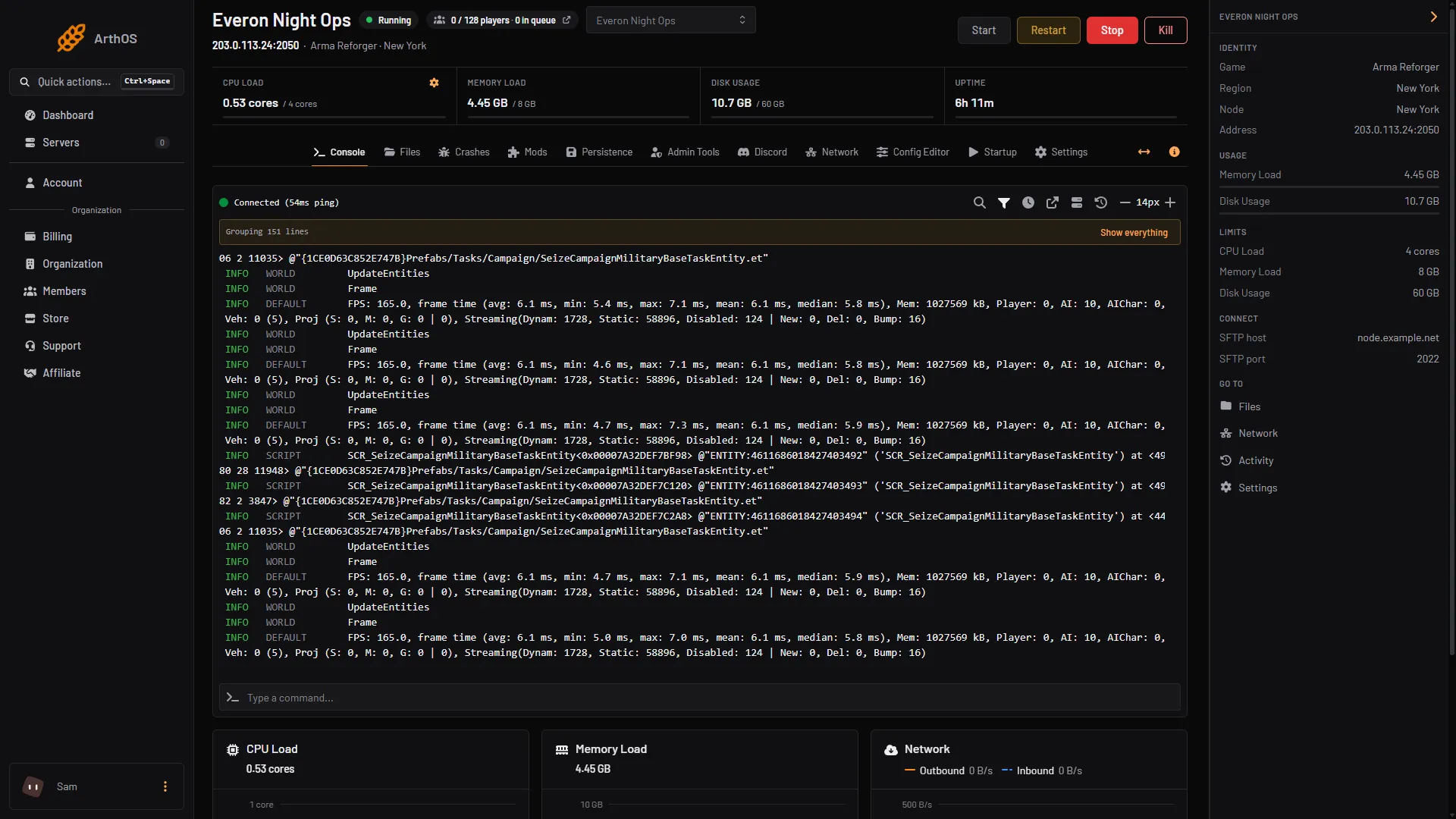
- Address under the name
- Address in Server details
Players only need the game port, which is the port in that address. A Loafhosts server gets its own ports from the panel, so it may not be 2001. The query port and the remote console port are not used to join.
Join from the server browser
- Open the multiplayer server browser in Arma Reforger.
- Type a distinctive word from the server name into the search.
- Select the server and join. If it has a join password, enter it when asked.
- If the server has mods, the game downloads them first. The first join takes longer.
This works on PC, Xbox and PlayStation. Bohemia describes finding community servers by searching for the name in the server browser, and says players from all platforms can join a modded server.
Join by IP on PC
Bohemia documents an IP Connect option in the server browser. Open it, then enter the server’s IP address and game port.
Use this when the server is hidden from the list. A server with game.visible turned off does not appear in the browser, and players can still join by address.
Consoles: Xbox and PlayStation
A server only accepts console players when crossplay is on. In the ArthOS panel, open Config Editor and switch on Crossplay with consoles (game.crossPlatform), then save and restart. Bohemia lists three platforms for it: PC, Xbox and PlayStation. PlayStation support arrived in Arma Reforger 1.2.1.169.
Console players find the server by searching for its name, so give it a name that is easy to search for and keep Show in the server browser on. They download the server’s mods like PC players, within their console’s mod storage (25 GB on PlayStation 5, 50 GB on Xbox).
If it does not work
- The server is not in the list. The server shows only once its log has printed
Entered online game state., so check the Console tab first. Then search again, and check Show in the server browser is on and the name you search for matches. The server logs guide helps if it never gets that far. - A password prompt appears. The server has a join password. Ask the owner. See set a join password.
- The join hangs while downloading. The player is downloading the server’s mods. Wait for it to finish, or retry once.
- A console player cannot see or join the server. Check Crossplay with consoles is on, and that the server was restarted after you turned it on. A long mod list can be too large for a console’s mod storage; try with fewer mods.
- Nothing connects from a machine at home. The game port is UDP and must be forwarded on your router. This does not apply to a Loafhosts server. See the setup guide.
Sources: Bohemia wiki: Server Hosting, Bohemia wiki: Server Config, reforger.armaplatform.com: 5 modded servers to try