











The Reforger ID, also called the identity ID, Bohemia ID, UID or GUID, is the lasting ID of a player’s Bohemia account. Admin lists and bans use it. You can read any player’s ID from the server log the moment they join, on any platform. Your own is also shown in the game.
Do not mix it up with two other numbers. A Steam ID is a different value, though admins accepts Steam IDs as well. The playerId that #players and #kick use is only a number for the current session, so it is no good for a ban list.
In the ArthOS panel
You can read the ID of a player who is on your server without asking them.
- Open your server and the Console tab, or the Files tab.
- In Console, watch for the join line; on a busy server it scrolls away quickly. Or in Files, open
profile/logs, then the newestlogs_folder, thenconsole.log, and search for the player’s name.
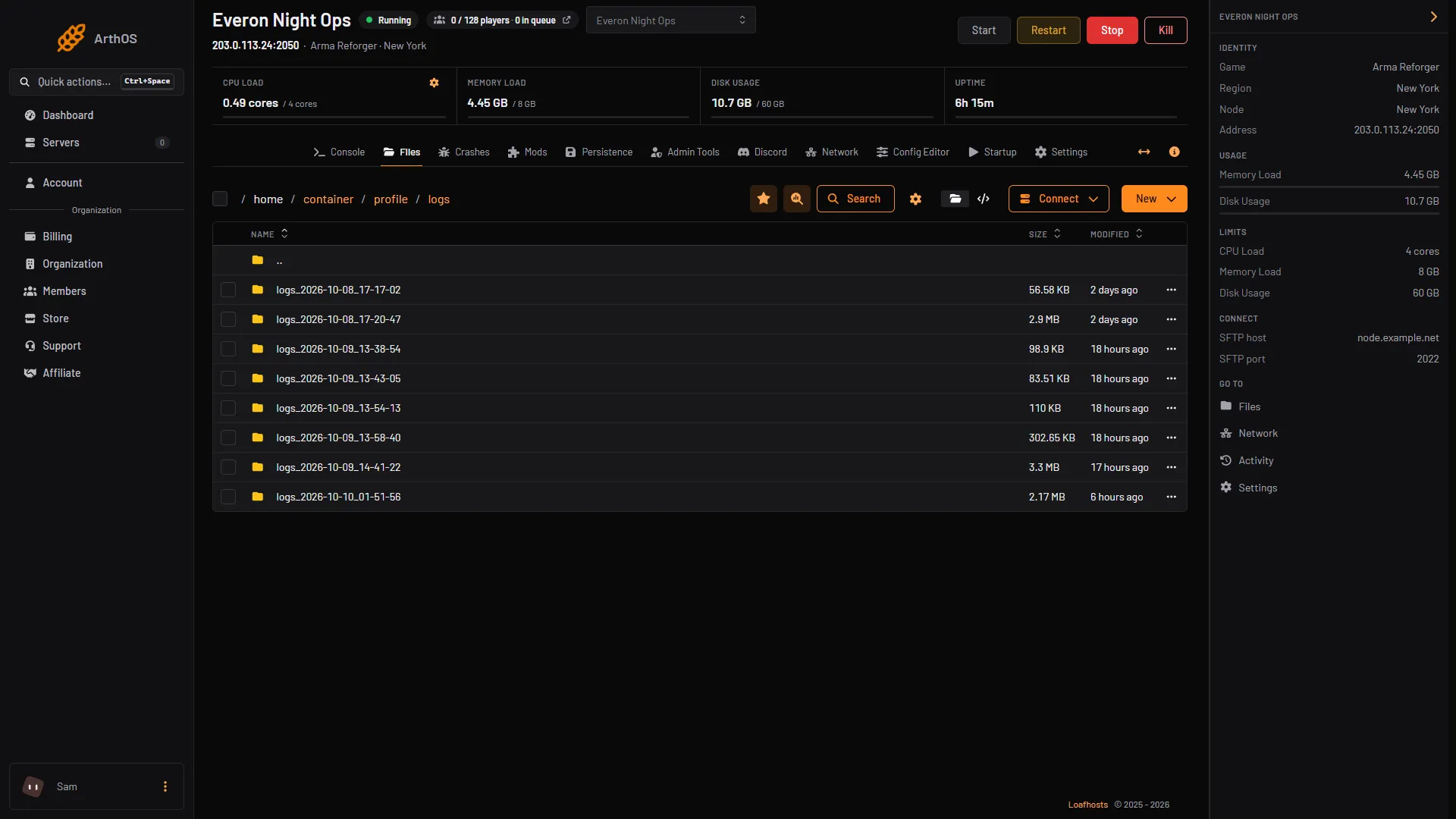
- The logs path
- Open the newest logs_ folder
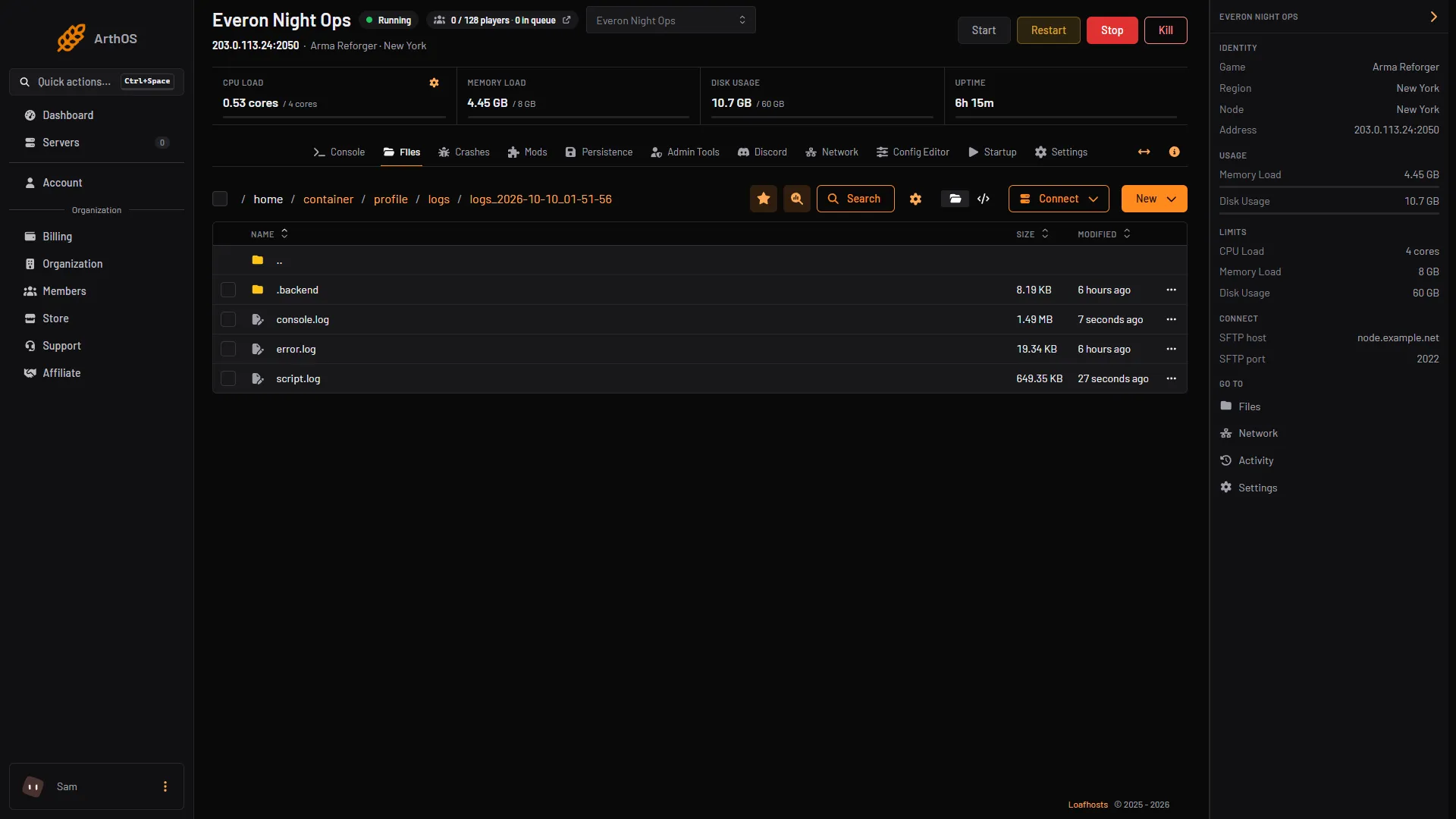
- Open console.log
- Find the line that reads like this, and copy what follows
UUID =:
SCRIPT : INFO: Faction: player Ranger1 (playerID = 1 | UUID = <the ID>) has joined faction #AR-Faction_US (US)If the Server Admin Tools mod is in your mod list, a second line appears when a player joins: Event serveradmintools_player_joined | player: NAME, identity: <the ID>.
Once you have an ID, the Admin Tools tab lists it beside the names of your admins and your banned players. Its Identity ID box accepts letters, digits and dashes, 8 to 64 characters.
The panel does not yet show a connected player’s ID in a list. You read it from the log as above.
Find your own ID
Bohemia does not document this screen. PC players report that it is under your profile in the main menu; we have not checked it on Xbox or PlayStation. The server log above works for every platform.
- Start Arma Reforger.
- From the main menu, open your profile.
- Copy the identity ID shown there. Paste it into a message rather than sending a screenshot, because the characters are easy to misread.
By hand
Each start of the server writes a new folder, profile/logs/logs_YYYY-MM-DD_HH-MM-SS, with a console.log inside. Open the newest one in any text editor and search for the player’s name, or for has joined faction. The text after UUID = is the ID. To find a player from an older session, open the older folder, since a restart starts a new log.
To read IDs of people already banned, an admin can run #ban list in game. Bohemia says it prints BanID ; Player UID ; Duration, 10 bans to a page in game.
Where you use the ID
- To make someone an admin, add it to the
adminslist. See add admins to your server. - To ban someone by ID, use
#ban create <identityId> <seconds>and lift it with#ban remove <identityId>. See ban and kick players. - Admins listed by identity ID also skip the join queue. Admins listed by Steam ID do not.
If it does not work
- The ID is rejected as not valid. Remove spaces and quotation marks, and check you copied the whole value. A Steam ID is accepted in the
adminslist, but the identity ID is the better choice. - You cannot find the join line. You are probably in an older log folder. Open the newest
logs_folder, and make sure the player joined after the server last started. - The player’s name has spaces or symbols. Search for part of the name, or for
has joined faction, and scan the matching lines. - Ban or admin does nothing. A wrong digit gives a valid-looking ID that belongs to nobody. Copy it again from the log.
Running your own server? See Arma Reforger servers.
Sources: Bohemia wiki: Server Config, Bohemia wiki: Server Management, reforger.armaplatform.com: News