









Open the Players page, find the player and choose Kick or Ban. A banned player cannot join until the ban ends or you lift it. The server must be running.
Kick a player
The player must be online.
- Open the Players page.
- Find the player under Online.
- Choose Kick (1) on their row. A box titled “Kick (name)” opens.
- Type a Reason (optional). If you leave it empty, the panel sends “Kicked by an admin” as the reason. A reason is at most 120 characters.
- Choose Kick in the box.
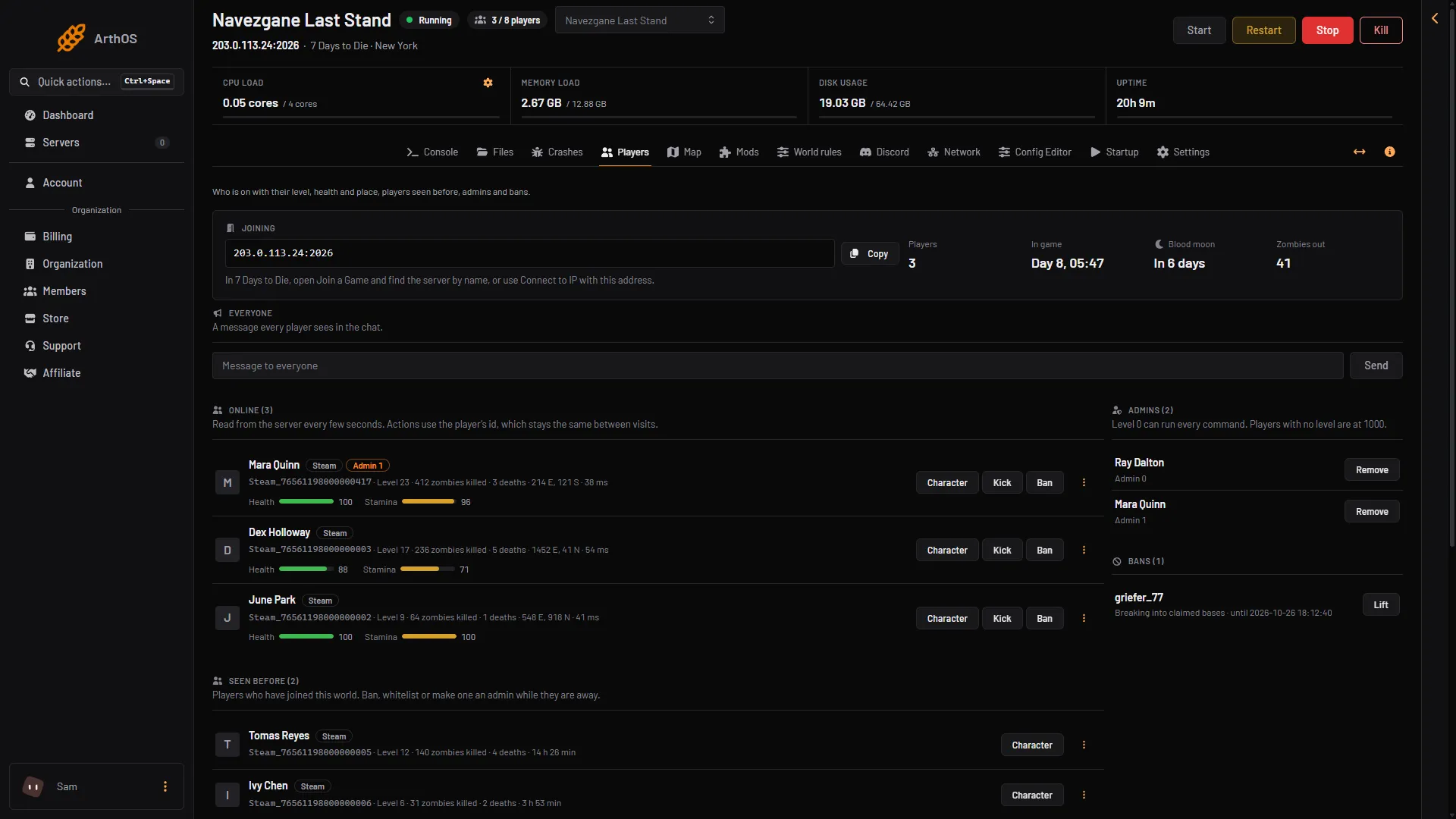
- Kick
- Ban
- Bans
- Lift
Ban a player
- Find the player. For someone online, choose Ban on their row (box 2 above). Someone who is away is under Seen before: open their menu (three dots) and choose Ban. A box titled “Ban (name)” opens.
- Type a Reason (optional) (1). If you leave it empty, the ban says “Banned by an admin”.
- Choose a Length (2): For good, 1 hour, 1 day, 3 days, 7 days or 30 days. The default is For good.
- Choose Ban (3).
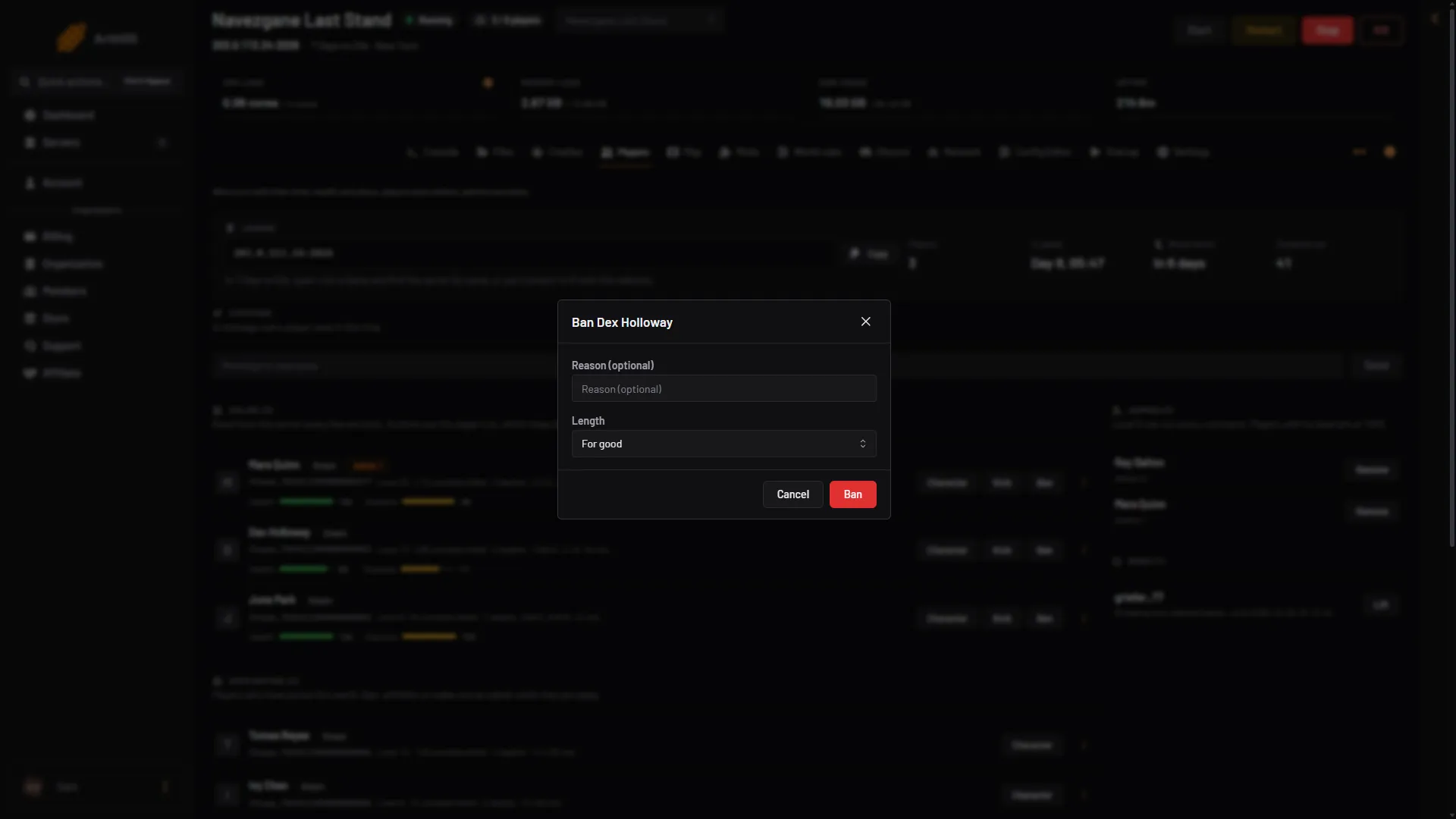
- Type a reason
- Pick the length
- Ban
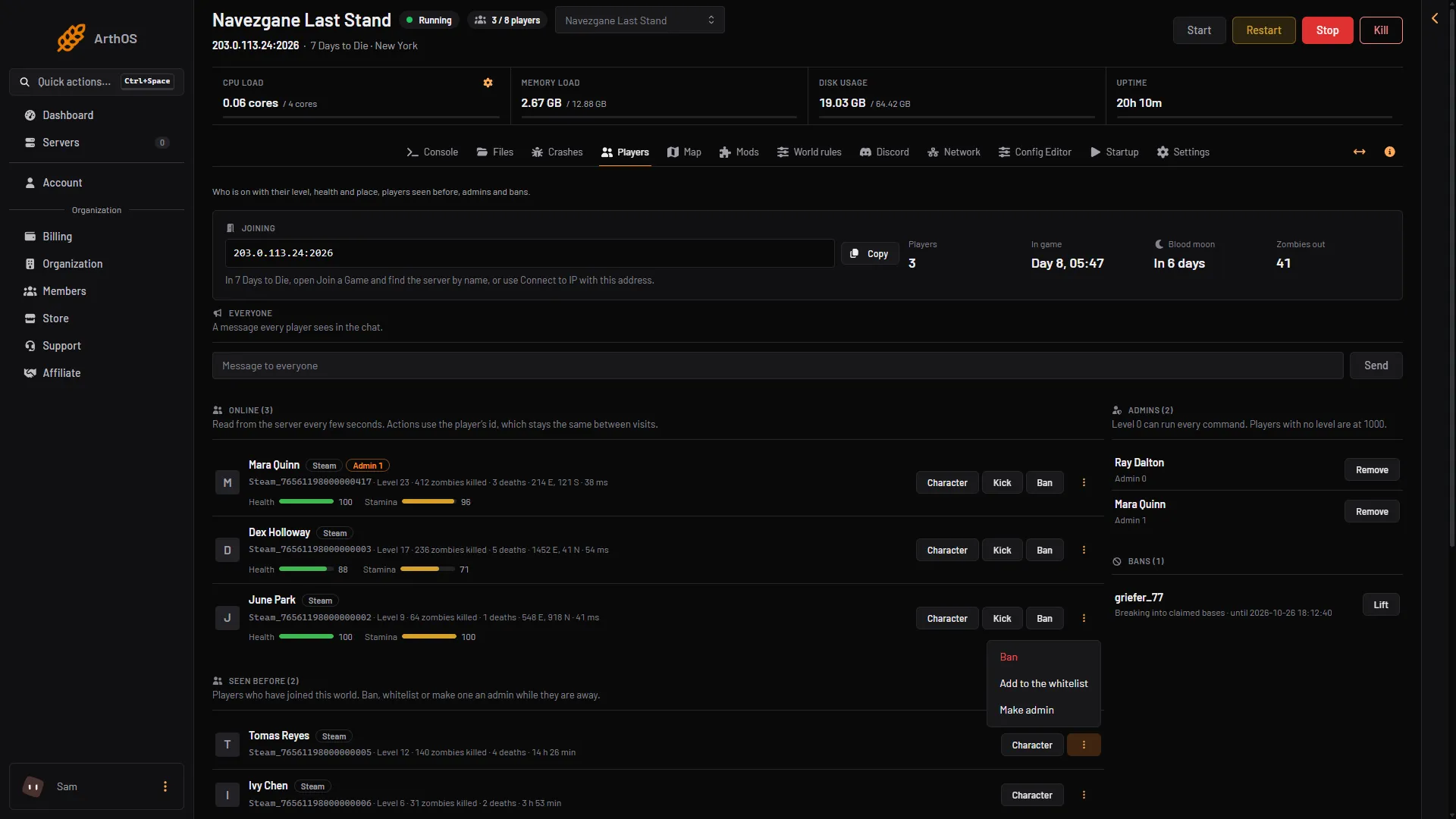
- Ban an offline player
A ban for a length ends by itself.
Not checked on V3.3.0 as of 19 October 2026: the exact message the player sees, and whether a banned player who is online is removed at once.
The banned player shows the tag Banned. Their ban is listed in the rail on the right under Bans, with who it is, when it ends and the reason.
Lift a ban
- In the Bans card on the right (box 3 in the first picture), find the player.
- Choose Lift (4).
The player can join again once the ban is lifted.
By hand
Type these on the Console page, without a slash. Use the number from lpi (the list of player ids) for a player who is online. For a player who is away, write their platform id: Steam_<SteamID64>, EOS_<id>, XBL_<id> or PSN_<id>, as the Players page shows it.
kick <id> "reason": kicks an online player.ban add <id> <number> <unit> "reason": bans for that long. The units are minutes, hours, days, weeks, months and years. Example:ban add 171 3 days "griefing".ban remove <id>: lifts a ban.ban list: shows the bans. A row looks like2026-10-17 14:47:14 - Steam_76561190000000000 (Name) - reason. The date is when the ban ends.
The game keeps bans in its admin file, serveradmin.xml, in data/Saves (on Loafhosts, open Files, then data, then Saves). The game’s own notes in the file say to change it with these commands. The ban holds the end date and the reason. If you ask the game to lift a ban for an id it does not know, it answers with a refusal sentence.
If it does not work
- Kick is missing. The player is not online. Only online players can be kicked.
- The player is back. A kick does not stop them joining again. Use Ban.
- The page says the server is stopped. Start the server first. The lists show only while it runs.
- You cannot see Kick or Ban. Your role may not allow moderating players.
More about the game: 7 Days to Die servers.
Sources: 7daystodie.wiki.gg: Command Console, 7daystodie.wiki.gg: Serveradmin.xml