






Max Players is on the Startup page, not in the Config Editor. Change the number, choose Save, and restart the server. The number is the most players that can be on at once. It does not add memory or processor time.
In the ArthOS panel
- Open your server and choose Startup.
- In the Variables list, find the Max Players card. It reads “Maximum number of players allowed to join the server.”
- Type the new number. The panel accepts a whole number above 0.
- Choose Save at the top right of the list.
- Restart the server. The number is written into
serverDZ.cfgasmaxPlayersat every start.
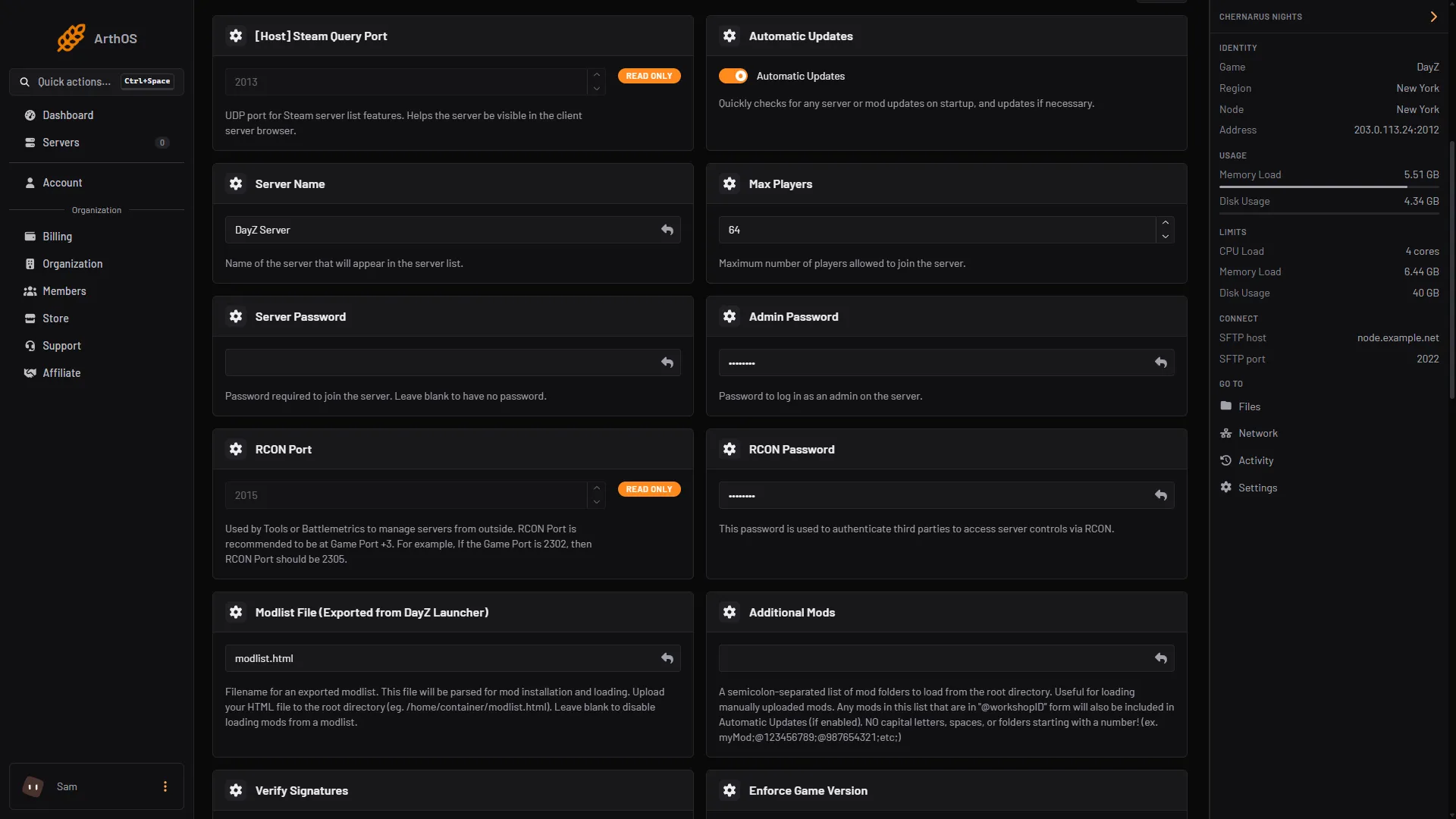
- Type the new number
A new server starts at 64.
Config Editor shows Maximum players as a locked row that says “Set on the Startup page, which writes it on every start.” Change it on Startup.
What a bigger number costs
Bohemia, the maker of DayZ, gives 60 as the example for maxPlayers in its sample file, and lists 6 GB of RAM and a dual-core 2.4 GHz processor as the server requirement. It gives no figure per player and no top limit that we could find. Each extra player adds load on the processor and the network, and mods add more.
An empty Chernarus server used about 5.5 GB of memory on 13 October 2026, so check your plan’s memory before you raise the number.
So raise it in small steps:
- Raise Max Players by about 10 and restart.
- Let the server fill on a busy evening and watch the memory and processor figures on the server page.
- If memory stays close to the limit, or the server lags, lower the number again or choose a larger size.
To choose a larger size, open your server list and use the server’s menu, or open Billing, then Services. Choose Customize. This needs the permission to order and pay. See DayZ server lag.
The login queue
Players who connect go through a login queue. It has its own settings in Config Editor: Players logging in at once and Login queue size, both under Access. See login queue and priority.
By hand
If you host DayZ yourself, set maxPlayers in serverDZ.cfg:
maxPlayers = 60;Restart the server. Bohemia documents it as the maximum amount of players, in its server configuration page.
If it does not work
- The old number still applies. Check you chose Save on Startup and restarted the server.
- I changed it in the file and it went back. On Loafhosts the file is rewritten from Startup at each start.
- The server lags with more players. The server needs more than the plan gives. Lower the number or choose a larger size under Customize.
Sources: Bohemia wiki: Server Configuration, Bohemia wiki: Server Requirements, store.steampowered.com: 221100