






Guides / DayZ
DayZ server guides.
One task per guide: how to do it in the ArthOS panel, and by hand where there is a way.
Basics
13 guides-
 Basics
 Change DayZ day length, night speed and start time
Set how fast the DayZ day passes on Startup with Time Multiplier and Night Multiplier, pick the start time in Config Editor, and keep time over restarts. - Basics
Change the map on your DayZ server
Pick Chernarus, Livonia or Sakhal in the Config Editor's Map (mission) row, save and restart. Each map keeps its own world, so switching back is safe. - Basics
Change the max players on your DayZ server
Set Max Players on the Startup page, save and restart. It is a cap, not extra power: more players need more memory and a faster processor. - Basics
Change your DayZ server name
Change the DayZ server name on the Startup page, save, and restart. The name is rewritten from Startup at every start, so editing serverDZ.cfg does not stick. - Basics
Connect to a DayZ server
Join a DayZ server from the DayZ Launcher by searching its name, or by Direct Connect with the IP and game port. Also the -connect and -port launch options. - Basics
Restart your DayZ server on a schedule
Set a daily or every-few-hours restart for your DayZ server in Settings, Schedules. A schedule cannot warn players first, so use the Players page. - Basics
Set a password on your DayZ server
Put a join password on a DayZ server with Server Password on the Startup page. Leave it empty for a public server. The admin password is a different setting. - Basics
Set up a DayZ dedicated server from scratch
Order, first start, name, passwords, map and how players join: set up a DayZ server on Loafhosts from the first start to the first player in the game. - Basics
DayZ stable or experimental: which your server runs
Loafhosts DayZ servers run the stable game, Steam app 223350. Players on the Experimental branch cannot join them. Here is how the two differ. - Basics
Run a Chernarus server on DayZ
Chernarus is DayZ's original map, mission dayzOffline.chernarusplus. Choose it in the Config Editor's Map (mission) row and restart. - Basics
Run a Livonia server on DayZ
Livonia is a 168 km² forest map in the DayZ base game, mission dayzOffline.enoch. Choose it in the Config Editor's Map (mission) row and restart. - Basics
Run a Sakhal (Frostline) server on DayZ
Sakhal is the winter map from the Frostline DLC, mission dayzOffline.sakhal. Pick it in the Config Editor, and read how its lighting works first. -
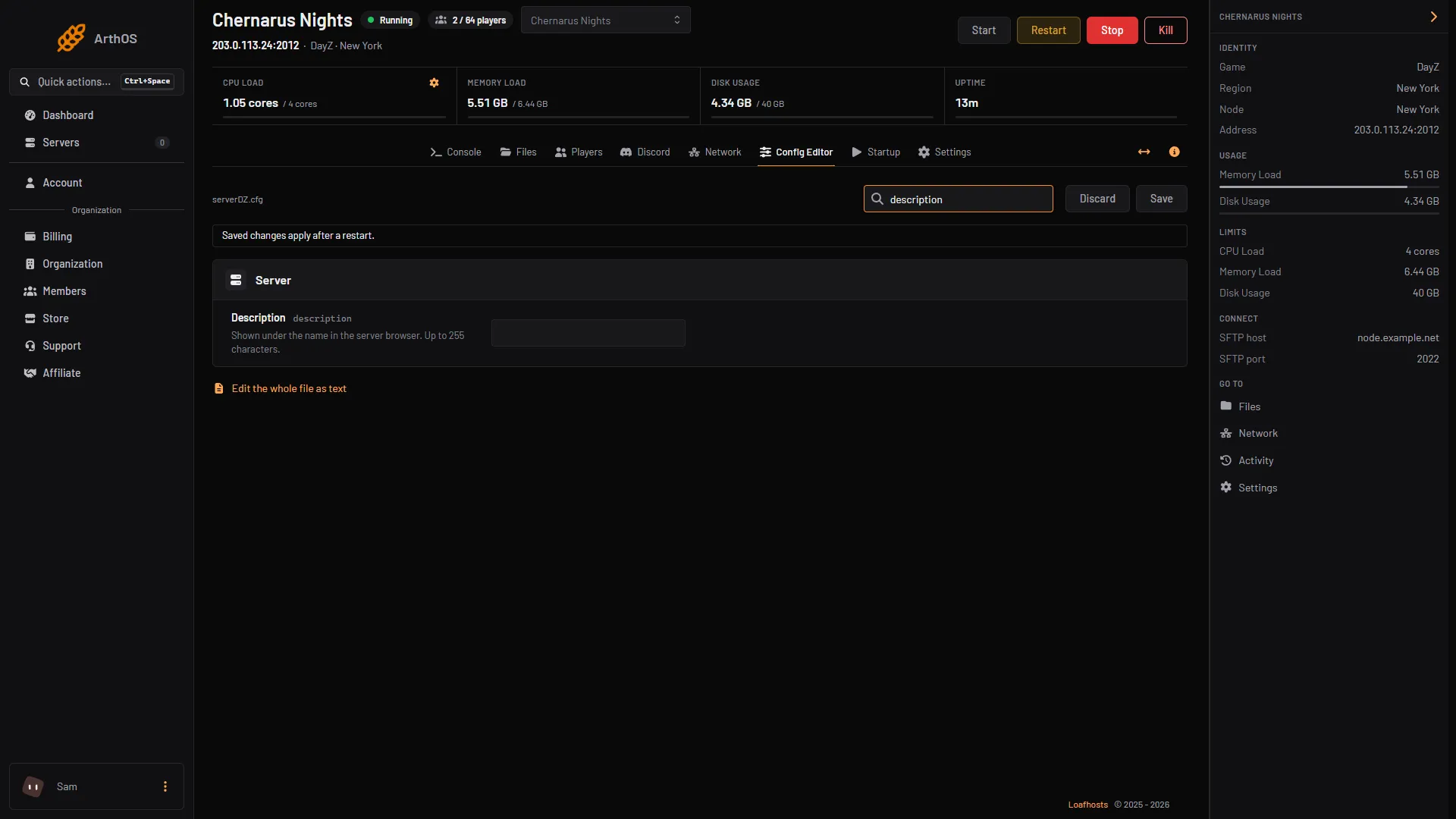
Set a DayZ server description and messages of the day
Add a description to the DayZ server browser and welcome messages in chat. Use Description, Messages of the day and Seconds between messages in Config Editor.
Mods
12 guides- Mods
DayZ mod keys and signatures (.bikey) explained
A DayZ server needs each mod's .bikey in its keys folder while Verify Signatures is on. Workshop mods add theirs for you, uploaded mods do not. - Mods
Fix the DayZ mod mismatch and signature kick
Kicked from a modded DayZ server for a mod mismatch or missing signature? Match the mod versions, keep each mod's .bikey in keys, then restart. - Mods
Install DayZ Workshop mods on your server
Upload your DayZ Launcher mod list, or type mod IDs in Additional Mods, then restart. The server downloads the mods when it starts. - Mods
Install the DayZ Expansion mod on your server
DayZ Expansion needs CF, Dabs Framework, the Expansion Bundle and Expansion Licensed together. Here are the Workshop IDs and the steps to add them. - Mods
Set up VPPAdminTools on your DayZ server
Add VPPAdminTools (Workshop ID 1828439124) with CF, put your Steam64 ID in SuperAdmins.txt, set its password, and open it from your keybinds. - Mods
Add BaseBuildingPlus to your DayZ server
BaseBuildingPlus needs the CF mod, its key in keys, and its types.xml entries merged so building parts do not despawn. Here is the full setup. - Mods
Add the Code Lock mod to your DayZ server
Code Lock adds an electronic code lock for gates and doors. Add its Workshop ID to Additional Mods, restart, and edit its config in the profiles folder. - Mods
Add the Trader mod to your DayZ server
Add the Trader mod, Workshop ID 1590841260, for AI traders, trader cities and safe zones. Copy its Trader config folder to profiles and restart. - Mods
DayZ mod load order: what order the server uses
The server sorts your DayZ mod list as text before it starts, so the order you type is not kept. The start log shows the order it used. - Mods
DayZ server-side mods (-serverMod) and how to add them
Server-side mods run only on the server, so players never download them. Add them in Server-Side Only Mods, as @ID; entries, and restart. - Mods
Install Community Framework (CF) on a DayZ server
Community Framework, CF, is a Workshop mod many DayZ mods need. Add it to Additional Mods, keep its key, and restart. Workshop ID 1559212036. - Mods
Update DayZ mods on your server
Restart the server and it downloads every Workshop mod that has a newer version. Players update in the DayZ Launcher, then they can join again.
Config
16 guides- Config
DayZ cfggameplay.json: what it controls and how to use it
cfggameplay.json changes stamina, base building, night light, the map and the hit indicator without mods. Turn it on in the Config Editor, then edit the file. - Config
DayZ Config Editor: change serverDZ.cfg in the panel
The Config Editor shows serverDZ.cfg as a form. Rows set from Startup are locked. Change a row, choose Save, then restart the server. - Config
DayZ serverDZ.cfg explained, key by key
What each main serverDZ.cfg key does, its allowed values, how the file is written, and which keys the panel rewrites from Startup at every start. - Config
Edit DayZ loot with types.xml
types.xml sets how much of each item spawns in DayZ. Find the file, learn what nominal, min and lifetime mean, and edit it safely with the server stopped. -
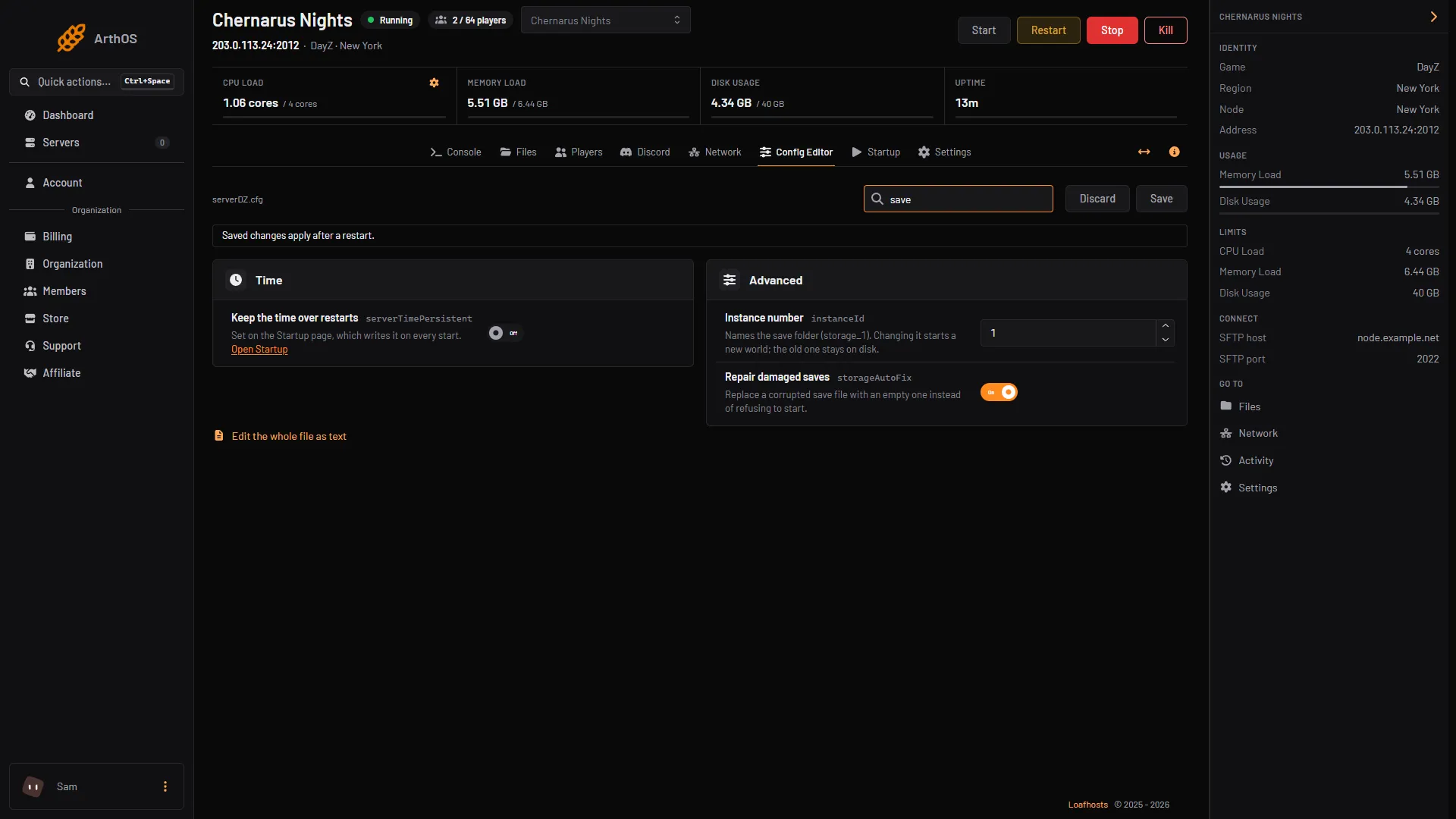
Wipe your DayZ server and understand its save files
DayZ saves the world in the storage_1 folder of your mission. Stop the server, back it up, delete that folder, and start for a fresh world. - Config
Change how many vehicles spawn on your DayZ server
Vehicle spawns are set in events.xml, and their positions in cfgeventspawns.xml. Edit the Vehicle events with the server stopped, then restart. - Config
DayZ base building settings: damage and placement rules
Turn off base and container damage in the Config Editor, or relax placement rules in cfggameplay.json. Both need a restart to apply. - Config
DayZ events.xml explained: helicrashes, vehicles, animals
events.xml tells DayZ what spawns outside normal loot: vehicles, animals, infected and helicopter crashes. It is in the db folder of your mission. - Config
DayZ globals.xml: zombie, animal and cleanup values
globals.xml holds DayZ's economy limits: ZombieMaxCount, AnimalMaxCount, cleanup timers, login and logout times, flag refresh. The main values explained. - Config
DayZ loot respawn and cleanup settings explained
Loot respawn and cleanup are set in globals.xml and types.xml. See what each value does, what a restart changes, and how to edit them safely. - Config
DayZ player spawn points: change where players start
cfgplayerspawnpoints.xml sets where new DayZ characters appear. It has fresh, hop and travel sections with lists of positions you can edit. - Config
DayZ stamina settings: change sprint and stamina limits
Change how fast DayZ players run out of stamina with the StaminaData values in cfggameplay.json. Turn the file on, edit the numbers, restart. - Config
Disable the crosshair on your DayZ server
Switch on Disable Crosshair on the Startup page and restart. The crosshair is then hidden for players on your DayZ server at every start. - Config
Make DayZ nights darker or brighter
Darker Nights picks dark or bright nights, and Disable Personal Light removes the light around players. Both are on Startup and apply at each start. - Config
Turn off or tune voice chat on your DayZ server
Switch Disable VoN on to turn off voice chat, or set VoN Quality from 0 to 20 on the Startup page. Both apply when the server restarts. - Config
Turn off third person on your DayZ server
Switch on Disable Third Person on the Startup page and restart. Players then use first person only, and the setting is applied again at every start.
Admin and fixes
14 guides- Admin and fixes
Back up and restore a DayZ server
Make a backup of your DayZ server in the panel, keep some on a timer, and restore one. A restore stops the server and puts the files back as they were. - Admin and fixes
Ban and kick players on a DayZ server
Open the Players page to kick or ban a player, or ban a BattlEye GUID or IPv4 address. Remove a ban from the same page. By hand: BattlEye RCon. - Admin and fixes
DayZ admin password, #login and what admins can do
Set the Admin Password on Startup, then type #login in chat. Bohemia lists no chat commands, so kick, ban and lock from the Players page. -
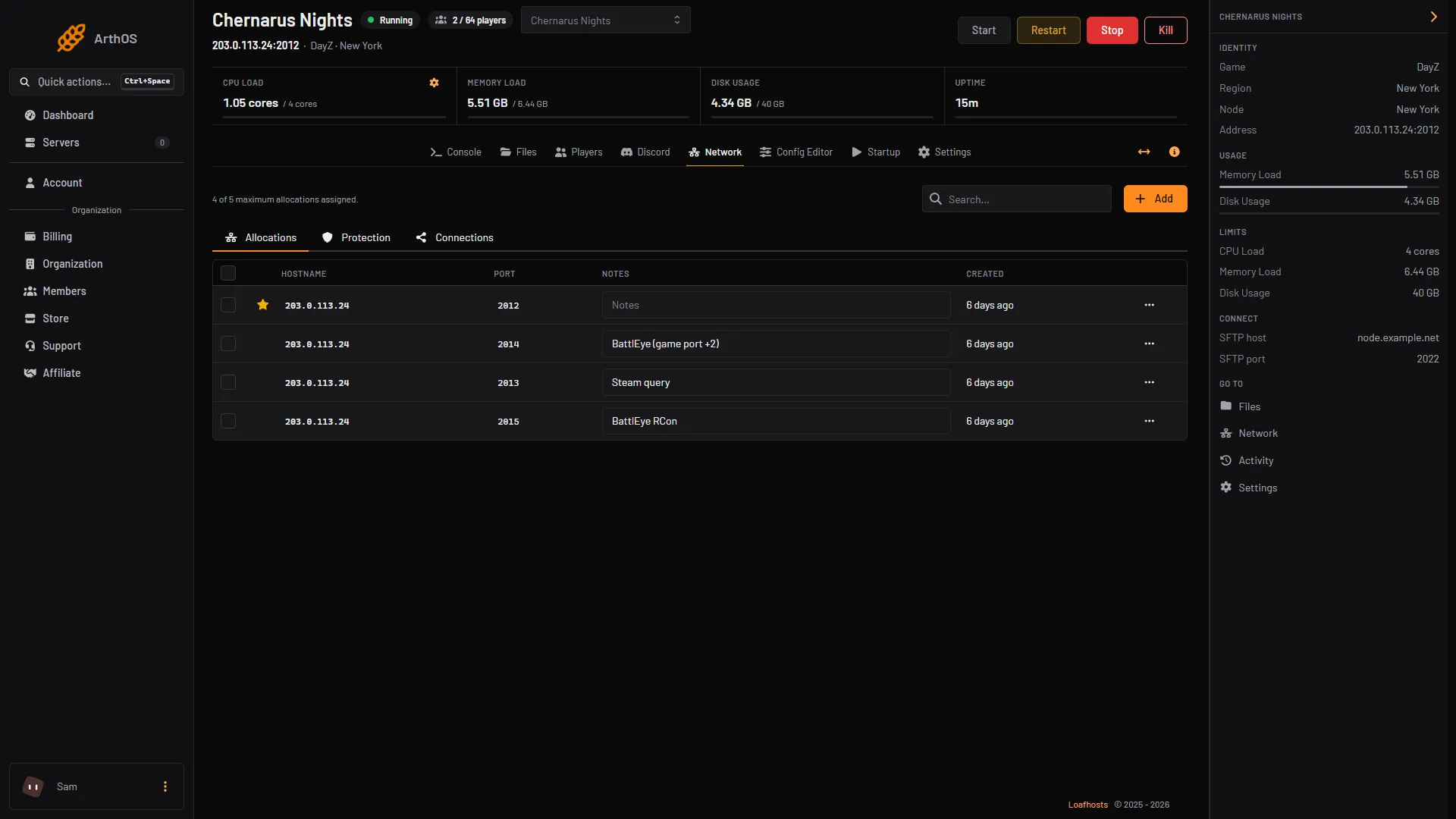
DayZ server not showing in the server list: fixes
A DayZ server missing from the list may still be starting, answering on the wrong query port, or hidden by a filter. Check these, and join by address. -
Find and read your DayZ server logs
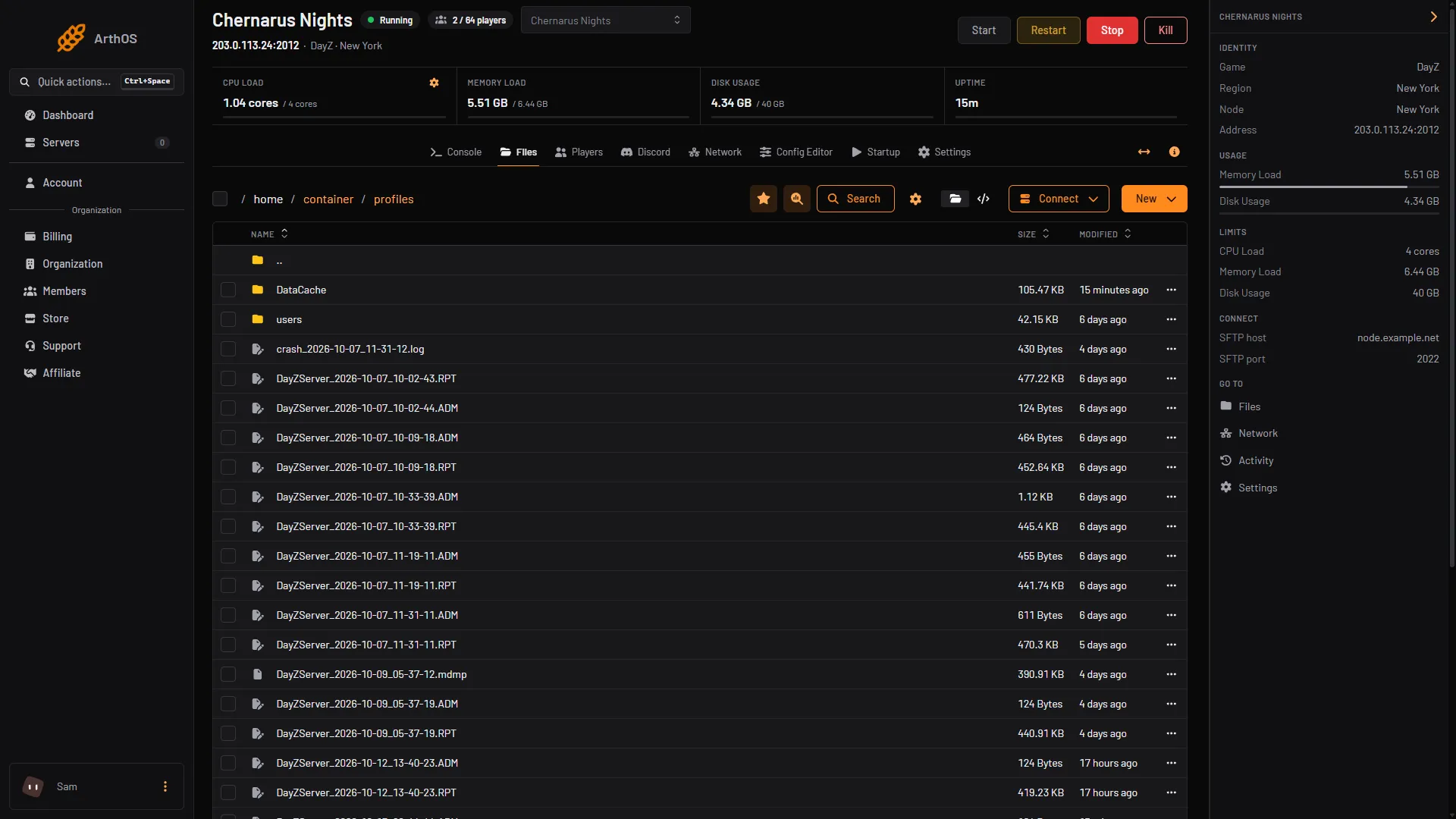
DayZ writes its logs to the profiles folder, one set per start: the RPT server log, the ADM admin log, script and error logs. Open them in Files. -
Fix DayZ server lag
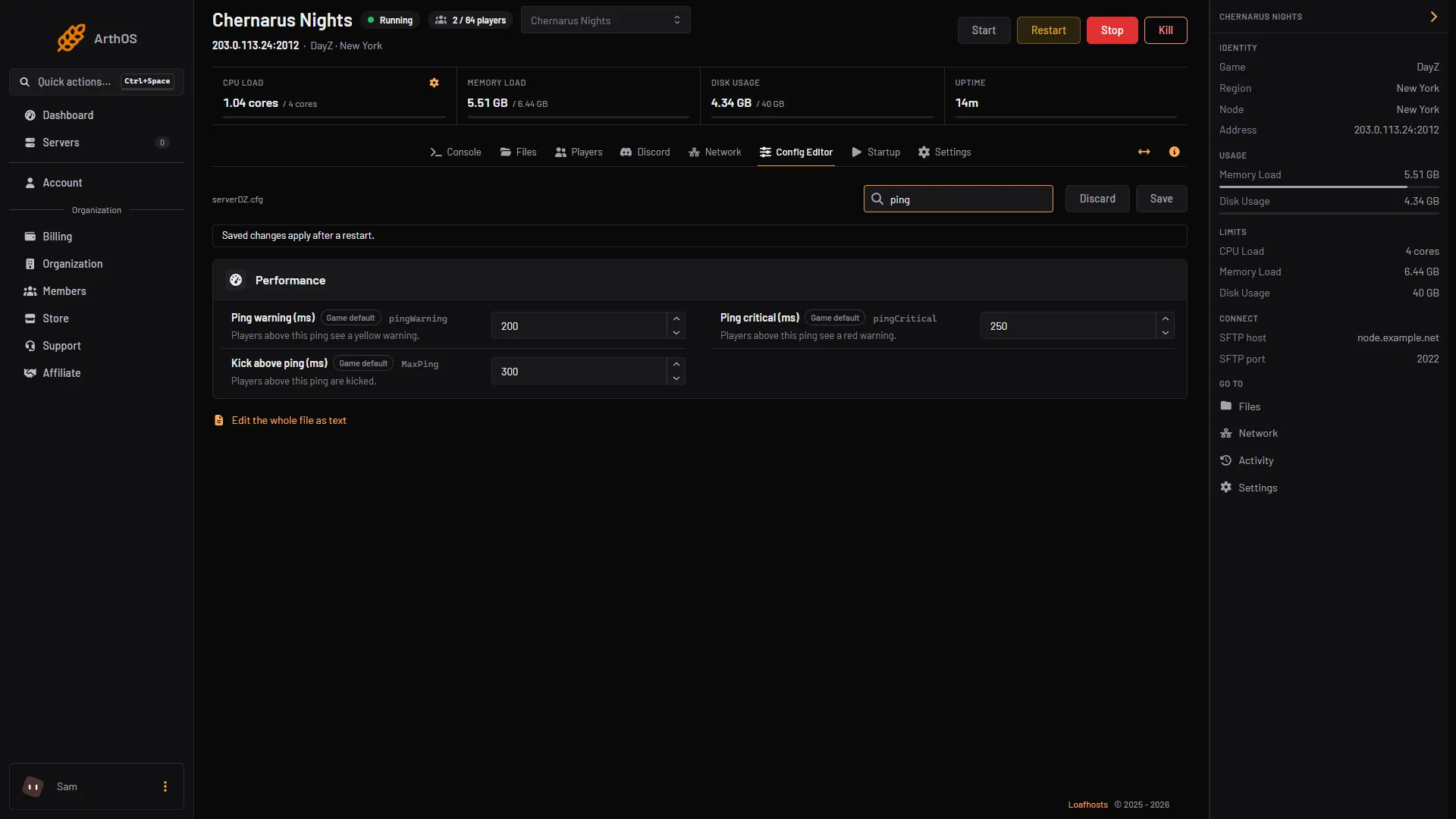
Lag on a DayZ server is a low server FPS. Measure it first, then check the plan's CPU, the performance settings, infected and loot counts, and your mods. - Admin and fixes
Set up a whitelist on your DayZ server
Turn on Whitelist only in Config Editor and list the allowed players in whitelist.txt. Get each player's 44-character ID from the admin log. - Admin and fixes
Set up BattlEye RCon on your DayZ server
The RCON Port is game port +3 and the RCON Password is set on Startup. Use both in any BattlEye RCon tool. The panel's Players page uses the same link. - Admin and fixes
Update your DayZ server after a game patch
After Bohemia patches DayZ, restart the server. With Automatic Updates on, it downloads the new server files and updates Workshop mods at start. - Admin and fixes
DayZ connection errors and kick codes, explained
What DayZ error codes such as 0x00040031, 0x00020013 and 0x0004007E mean, from Bohemia's own list, and what to change on your server for each one. - Admin and fixes
Find a DayZ player's BattlEye GUID
A BattlEye GUID is the 32-character ID DayZ bans work on. Find it on the Players page, click it to copy it, and paste it into the ban form. - Admin and fixes
Fix the DayZ Client not responding kick
BattlEye kicks a DayZ player with Client not responding when their connection stalls. What it means, how Loafhosts servers avoid it, and what players check. - Admin and fixes
Message players and lock your DayZ server
On the Players page, send a message to everyone or to one player, and Lock the server so nobody new can join. Unlock it, or restart, to open it again. - Admin and fixes
Set the DayZ login queue and priority list
Set the login queue size and how many players log in at once in the Config Editor, and move chosen players to the front with priority.txt.
- Back up and restore a DayZ server Make a backup of your DayZ server in the panel, keep some on a timer, and restore one. A restore stops the server and puts the files back as they were.
- Ban and kick players on a DayZ server Open the Players page to kick or ban a player, or ban a BattlEye GUID or IPv4 address. Remove a ban from the same page. By hand: BattlEye RCon.
- Change DayZ day length, night speed and start time Set how fast the DayZ day passes on Startup with Time Multiplier and Night Multiplier, pick the start time in Config Editor, and keep time over restarts.
- Change the map on your DayZ server Pick Chernarus, Livonia or Sakhal in the Config Editor's Map (mission) row, save and restart. Each map keeps its own world, so switching back is safe.
- Change the max players on your DayZ server Set Max Players on the Startup page, save and restart. It is a cap, not extra power: more players need more memory and a faster processor.
- Change your DayZ server name Change the DayZ server name on the Startup page, save, and restart. The name is rewritten from Startup at every start, so editing serverDZ.cfg does not stick.
- Connect to a DayZ server Join a DayZ server from the DayZ Launcher by searching its name, or by Direct Connect with the IP and game port. Also the -connect and -port launch options.
- DayZ admin password, #login and what admins can do Set the Admin Password on Startup, then type #login in chat. Bohemia lists no chat commands, so kick, ban and lock from the Players page.
- DayZ cfggameplay.json: what it controls and how to use it cfggameplay.json changes stamina, base building, night light, the map and the hit indicator without mods. Turn it on in the Config Editor, then edit the file.
- DayZ Config Editor: change serverDZ.cfg in the panel The Config Editor shows serverDZ.cfg as a form. Rows set from Startup are locked. Change a row, choose Save, then restart the server.
- DayZ mod keys and signatures (.bikey) explained A DayZ server needs each mod's .bikey in its keys folder while Verify Signatures is on. Workshop mods add theirs for you, uploaded mods do not.
- DayZ server not showing in the server list: fixes A DayZ server missing from the list may still be starting, answering on the wrong query port, or hidden by a filter. Check these, and join by address.
- DayZ serverDZ.cfg explained, key by key What each main serverDZ.cfg key does, its allowed values, how the file is written, and which keys the panel rewrites from Startup at every start.
- Edit DayZ loot with types.xml types.xml sets how much of each item spawns in DayZ. Find the file, learn what nominal, min and lifetime mean, and edit it safely with the server stopped.
- Find and read your DayZ server logs DayZ writes its logs to the profiles folder, one set per start: the RPT server log, the ADM admin log, script and error logs. Open them in Files.
- Fix DayZ server lag Lag on a DayZ server is a low server FPS. Measure it first, then check the plan's CPU, the performance settings, infected and loot counts, and your mods.
- Fix the DayZ mod mismatch and signature kick Kicked from a modded DayZ server for a mod mismatch or missing signature? Match the mod versions, keep each mod's .bikey in keys, then restart.
- Install DayZ Workshop mods on your server Upload your DayZ Launcher mod list, or type mod IDs in Additional Mods, then restart. The server downloads the mods when it starts.
- Install the DayZ Expansion mod on your server DayZ Expansion needs CF, Dabs Framework, the Expansion Bundle and Expansion Licensed together. Here are the Workshop IDs and the steps to add them.
- Restart your DayZ server on a schedule Set a daily or every-few-hours restart for your DayZ server in Settings, Schedules. A schedule cannot warn players first, so use the Players page.
- Set a password on your DayZ server Put a join password on a DayZ server with Server Password on the Startup page. Leave it empty for a public server. The admin password is a different setting.
- Set up a DayZ dedicated server from scratch Order, first start, name, passwords, map and how players join: set up a DayZ server on Loafhosts from the first start to the first player in the game.
- Set up a whitelist on your DayZ server Turn on Whitelist only in Config Editor and list the allowed players in whitelist.txt. Get each player's 44-character ID from the admin log.
- Set up BattlEye RCon on your DayZ server The RCON Port is game port +3 and the RCON Password is set on Startup. Use both in any BattlEye RCon tool. The panel's Players page uses the same link.
- Set up VPPAdminTools on your DayZ server Add VPPAdminTools (Workshop ID 1828439124) with CF, put your Steam64 ID in SuperAdmins.txt, set its password, and open it from your keybinds.
- Update your DayZ server after a game patch After Bohemia patches DayZ, restart the server. With Automatic Updates on, it downloads the new server files and updates Workshop mods at start.
- Wipe your DayZ server and understand its save files DayZ saves the world in the storage_1 folder of your mission. Stop the server, back it up, delete that folder, and start for a fresh world.
- Add BaseBuildingPlus to your DayZ server BaseBuildingPlus needs the CF mod, its key in keys, and its types.xml entries merged so building parts do not despawn. Here is the full setup.
- Add the Code Lock mod to your DayZ server Code Lock adds an electronic code lock for gates and doors. Add its Workshop ID to Additional Mods, restart, and edit its config in the profiles folder.
- Add the Trader mod to your DayZ server Add the Trader mod, Workshop ID 1590841260, for AI traders, trader cities and safe zones. Copy its Trader config folder to profiles and restart.
- Change how many vehicles spawn on your DayZ server Vehicle spawns are set in events.xml, and their positions in cfgeventspawns.xml. Edit the Vehicle events with the server stopped, then restart.
- DayZ base building settings: damage and placement rules Turn off base and container damage in the Config Editor, or relax placement rules in cfggameplay.json. Both need a restart to apply.
- DayZ connection errors and kick codes, explained What DayZ error codes such as 0x00040031, 0x00020013 and 0x0004007E mean, from Bohemia's own list, and what to change on your server for each one.
- DayZ events.xml explained: helicrashes, vehicles, animals events.xml tells DayZ what spawns outside normal loot: vehicles, animals, infected and helicopter crashes. It is in the db folder of your mission.
- DayZ globals.xml: zombie, animal and cleanup values globals.xml holds DayZ's economy limits: ZombieMaxCount, AnimalMaxCount, cleanup timers, login and logout times, flag refresh. The main values explained.
- DayZ loot respawn and cleanup settings explained Loot respawn and cleanup are set in globals.xml and types.xml. See what each value does, what a restart changes, and how to edit them safely.
- DayZ mod load order: what order the server uses The server sorts your DayZ mod list as text before it starts, so the order you type is not kept. The start log shows the order it used.
- DayZ player spawn points: change where players start cfgplayerspawnpoints.xml sets where new DayZ characters appear. It has fresh, hop and travel sections with lists of positions you can edit.
- DayZ server-side mods (-serverMod) and how to add them Server-side mods run only on the server, so players never download them. Add them in Server-Side Only Mods, as @ID; entries, and restart.
- DayZ stable or experimental: which your server runs Loafhosts DayZ servers run the stable game, Steam app 223350. Players on the Experimental branch cannot join them. Here is how the two differ.
- DayZ stamina settings: change sprint and stamina limits Change how fast DayZ players run out of stamina with the StaminaData values in cfggameplay.json. Turn the file on, edit the numbers, restart.
- Disable the crosshair on your DayZ server Switch on Disable Crosshair on the Startup page and restart. The crosshair is then hidden for players on your DayZ server at every start.
- Find a DayZ player's BattlEye GUID A BattlEye GUID is the 32-character ID DayZ bans work on. Find it on the Players page, click it to copy it, and paste it into the ban form.
- Fix the DayZ Client not responding kick BattlEye kicks a DayZ player with Client not responding when their connection stalls. What it means, how Loafhosts servers avoid it, and what players check.
- Install Community Framework (CF) on a DayZ server Community Framework, CF, is a Workshop mod many DayZ mods need. Add it to Additional Mods, keep its key, and restart. Workshop ID 1559212036.
- Make DayZ nights darker or brighter Darker Nights picks dark or bright nights, and Disable Personal Light removes the light around players. Both are on Startup and apply at each start.
- Message players and lock your DayZ server On the Players page, send a message to everyone or to one player, and Lock the server so nobody new can join. Unlock it, or restart, to open it again.
- Run a Chernarus server on DayZ Chernarus is DayZ's original map, mission dayzOffline.chernarusplus. Choose it in the Config Editor's Map (mission) row and restart.
- Run a Livonia server on DayZ Livonia is a 168 km² forest map in the DayZ base game, mission dayzOffline.enoch. Choose it in the Config Editor's Map (mission) row and restart.
- Run a Sakhal (Frostline) server on DayZ Sakhal is the winter map from the Frostline DLC, mission dayzOffline.sakhal. Pick it in the Config Editor, and read how its lighting works first.
- Set a DayZ server description and messages of the day Add a description to the DayZ server browser and welcome messages in chat. Use Description, Messages of the day and Seconds between messages in Config Editor.
- Set the DayZ login queue and priority list Set the login queue size and how many players log in at once in the Config Editor, and move chosen players to the front with priority.txt.
- Turn off or tune voice chat on your DayZ server Switch Disable VoN on to turn off voice chat, or set VoN Quality from 0 to 20 on the Startup page. Both apply when the server restarts.
- Turn off third person on your DayZ server Switch on Disable Third Person on the Startup page and restart. Players then use first person only, and the setting is applied again at every start.
- Update DayZ mods on your server Restart the server and it downloads every Workshop mod that has a newer version. Players update in the DayZ Launcher, then they can join again.