






Lag on a DayZ server means the server’s own frame rate is low. Players see it as rubber banding, slow doors and delayed hits. Find out whether the server is short of CPU or memory first, then lower the load: players simulated at once, infected, loot and mods.
Step 1: measure
CPU Load, Memory Load, Disk Usage and Uptime are cards in the server header on every server page.
- CPU Load near its limit means the server has no CPU left. Settings will not help for long. See “A bigger plan” below.
- Memory Load near its limit means the plan’s memory is too small for the load. An empty Chernarus server uses about 5.5 GB (13 October 2026), so judge Memory Load by how it moves while players are on, not by the number at idle.
Then log the server’s real frame rate. Add this line to serverDZ.cfg in Files:
logAverageFps = 60;It writes the average server FPS to the .RPT log every 60 seconds, and it needs the -dologs flag, which Loafhosts sets by default. Restart, and read the newest .RPT file in profiles after some play. See DayZ server logs.
Step 2: set the warning
In the Config Editor, group Performance, the row Server FPS warning logs a warning when the server’s frame rate drops below the value. The lowest value allowed is 11. Set it to the FPS you can live with, and a drop below it will be logged.
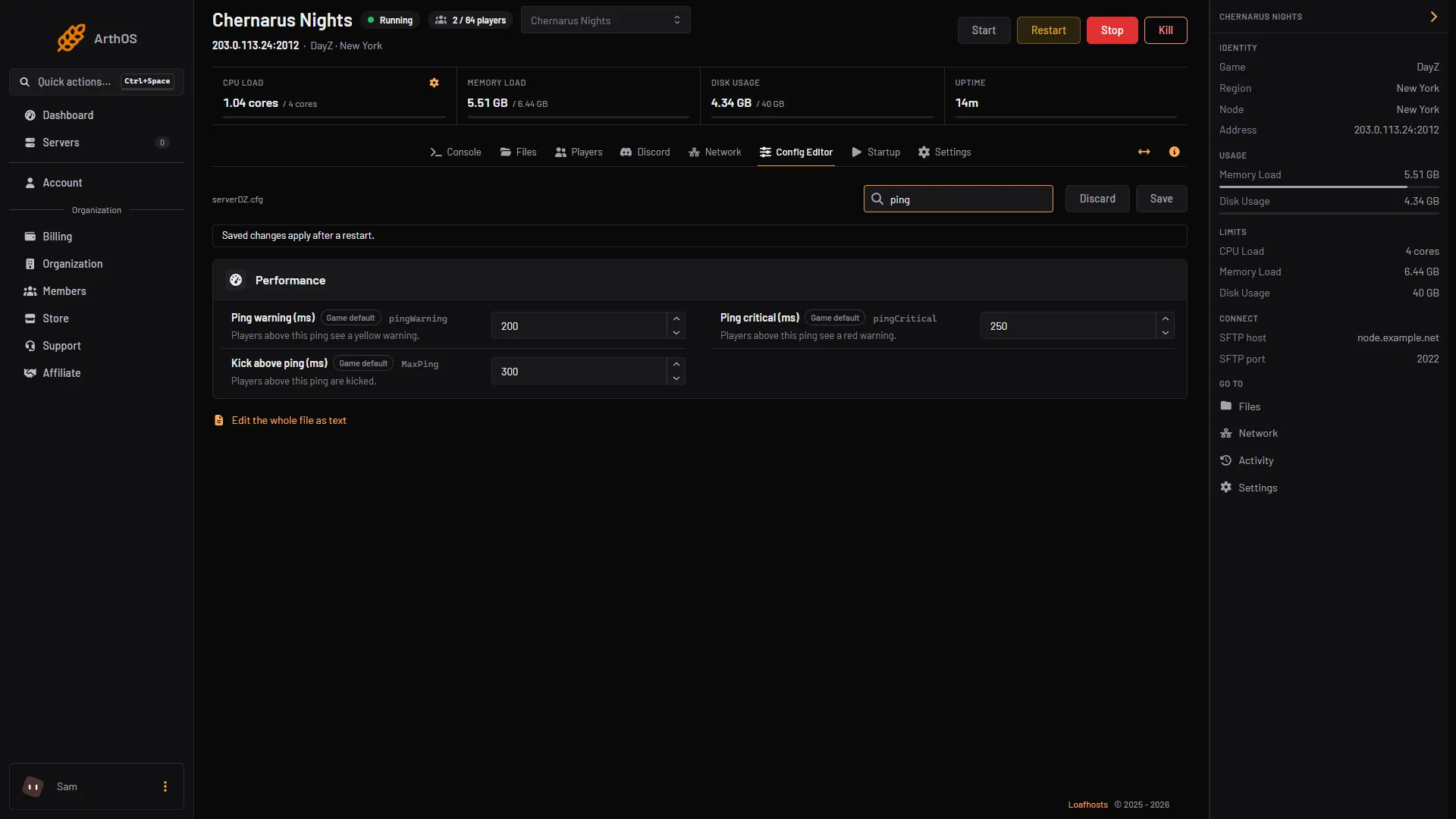
The same group also holds Ping warning, Ping critical and Kick above ping. Those are about players’ connections, not about the server’s frame rate.
Step 3: the performance settings
Also in the Performance group:
- Players simulated per frame limits how many players the server simulates in one frame. Bohemia describes it as a limit “for server performance gain”.
- Multithreaded replication turns on multi-threaded processing of the server’s replication system. Bohemia sets it to on in its example file.
Check [Advanced] Extra Startup Parameters on Startup. If it contains -limitFPS=, the server never runs faster than that number. Bohemia added it to lower CPU use on servers with few players. Remove it, or raise it, if the FPS you see is exactly that number.
Step 4: infected, animals and loot
The server simulates every infected and animal the economy spawns, and tracks every item it keeps in the world.
- In
globals.xml, in the mission’sdbfolder,ZombieMaxCountis the most infected spawned across the map, andAnimalMaxCountis the most animals. Bohemia’s Chernarus file sets them to 1000 and 200. - In
types.xml, each item’snominalis how many the economy tries to keep. A mod that adds hundreds of items raises the total.
Lower these in Files with the server stopped, then start it. See globals.xml and types.xml. The Config Editor does not edit these files.
Step 5: mods
Add mods back one at a time if the lag began after a mod change. Bohemia gives no figure for what a mod costs, so the only way to know is to remove it and measure again. Check Memory Load while you test.
A bigger plan
Bohemia lists the least a DayZ server needs: a dual-core processor at 2.4 GHz, 6 GB of RAM, and an SSD for the install and logs. A busy, modded server needs more than that. If CPU Load or Memory Load stays at its limit after the steps above, move to a bigger plan. Open your server list and use the server’s menu, or open Billing, then Services. Choose Customize. This needs the permission to order and pay. See also change the DayZ max players.
If it does not work
- The lag only happens when many players are on. More players means more for the server to simulate. Work through Steps 3 and 4, and watch CPU Load while it is busy.
- FPS stays flat at one number. Check for
-limitFPS=in [Advanced] Extra Startup Parameters. - The server keeps stopping. That is not lag. Check Memory Load and the newest
.RPTandscript_files.
More about the game: DayZ servers.
Sources: Bohemia wiki: Server Configuration, Bohemia wiki: Server Requirements, Bohemia wiki: Central Economy Configuration, github.com: DayZ Central Economy