






Change Server Name on the Startup page, choose Save, and restart the server. The panel writes that name into serverDZ.cfg as hostname every time the server starts, so the name in the file is always the one from Startup.
In the ArthOS panel
- Open your server and choose Startup.
- In the Variables list, find the Server Name card. It reads “Name of the server that will appear in the server list.”
- Type the new name. A new server is called “DayZ Server”.
- Choose Save at the top right of the list.
- Restart the server. The name is read when the server starts.
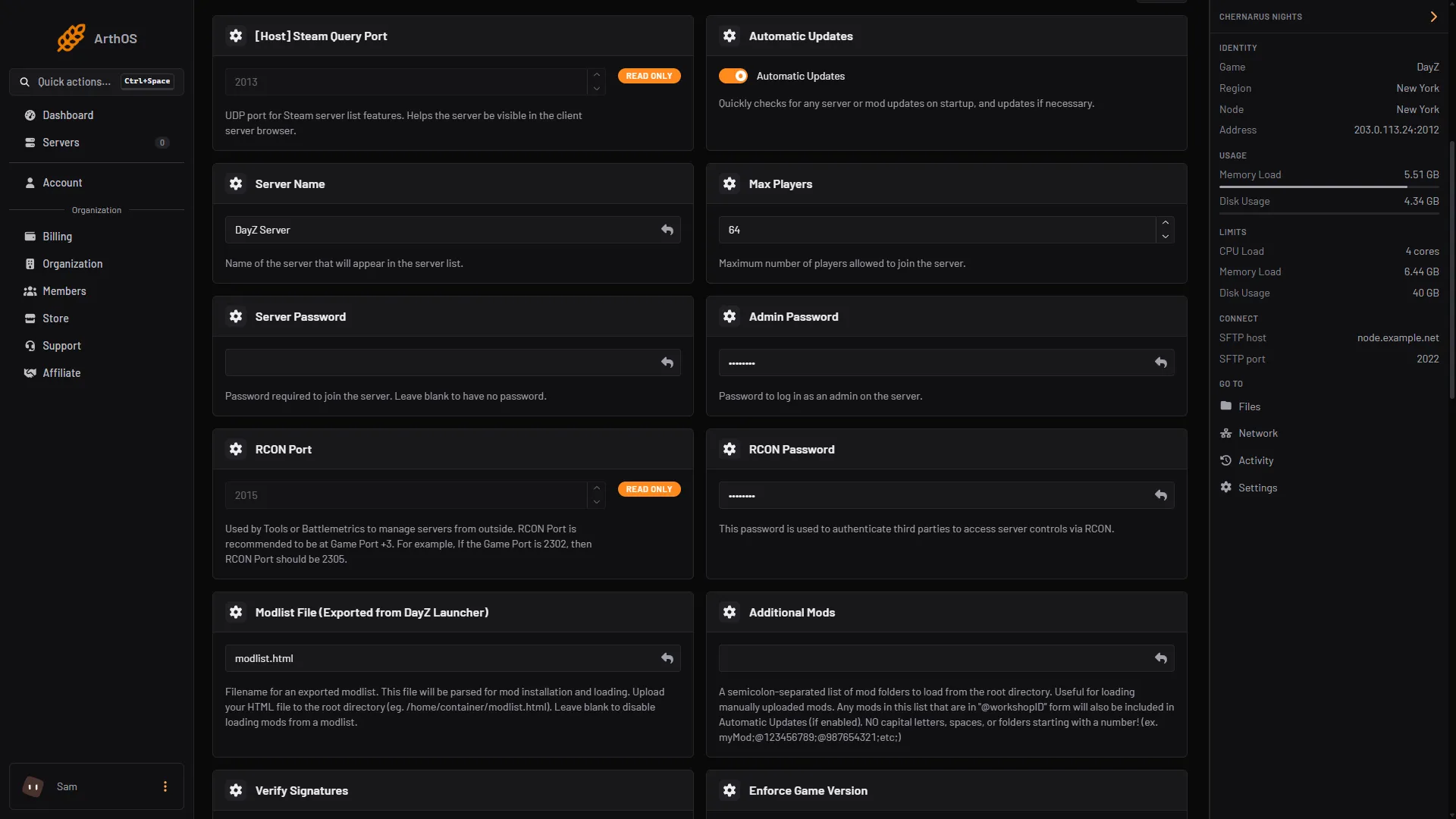
- Type the new name
After the restart, the new name shows in the server list. A list can take a short while to catch up, so search for the new name, not the old one.
Config Editor shows Server name too, but locked.
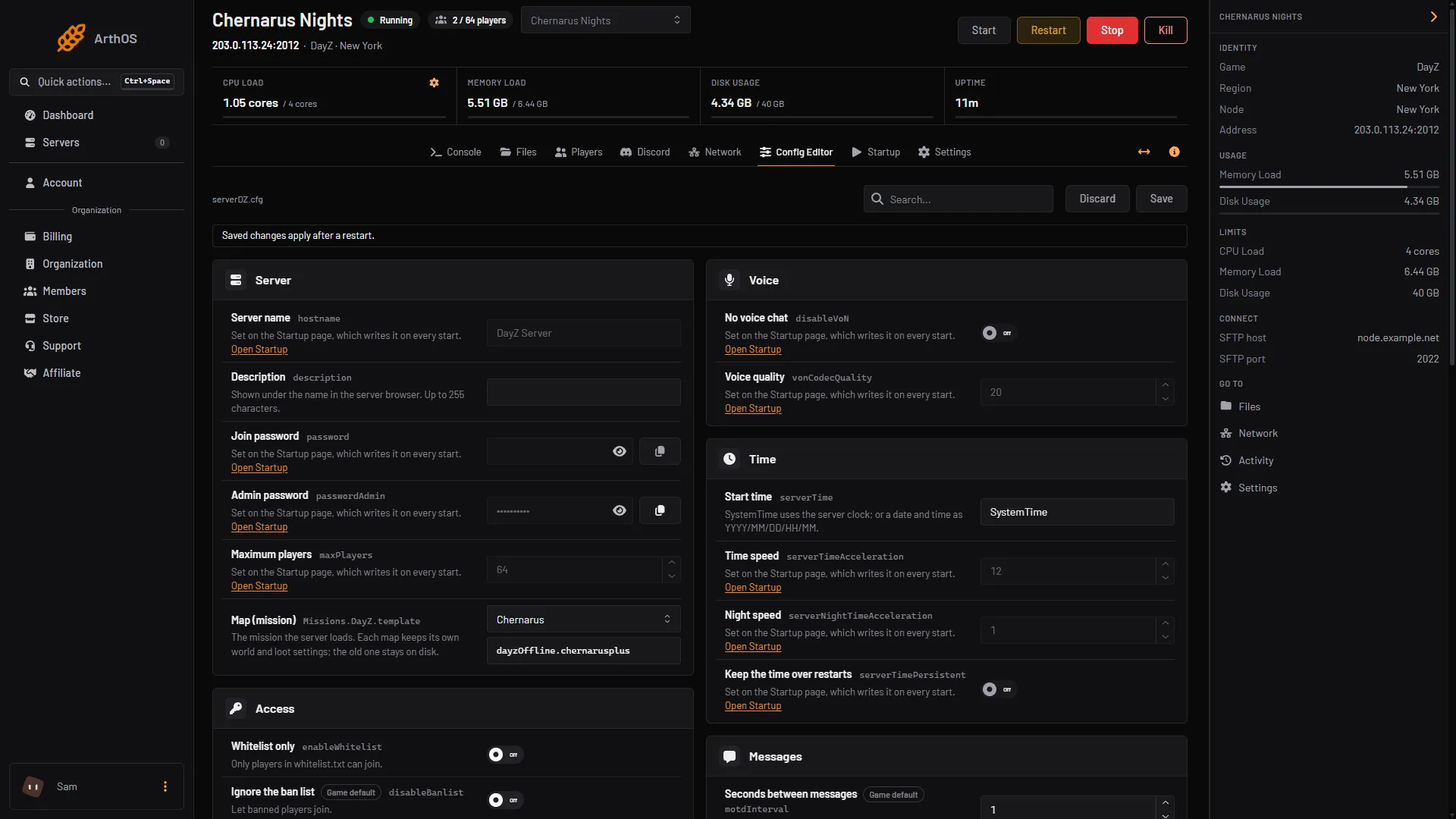
- Set on Startup
What to avoid in the name
The panel writes the name between double quotes in serverDZ.cfg. Do not use a double quote " in the name, because it ends the text early and can stop the server reading its config. Plain letters, numbers, spaces and dashes are safe. Bohemia, the maker of DayZ, gives no list of banned characters for the name, so keep it simple and check the server still starts.
The description under the name is a different setting. See description and message of the day.
By hand
If you host DayZ yourself, change the line in serverDZ.cfg:
hostname = "My DayZ server";Save the file and restart the server. Bohemia documents hostname as the server name, in its server configuration page.
If it does not work
- The old name is still shown. Check you chose Save on Startup, and that you restarted the server afterwards.
- I changed it in the file and it went back. On Loafhosts the file is rewritten at each start. Use Startup.
- The server does not start after the change. Look at the last lines of the Console. If the name has a double quote in it, remove it, save and start again.
- Players still search the old name. Tell them the new one. See connect to a DayZ server.
Sources: Bohemia wiki: Server Configuration, store.steampowered.com: 221100