






Open Config Editor and fill in Description for the text players see in the server browser. Set Seconds between messages for how often chat lines appear. Messages of the day is not in a new server’s file, so add it once by hand first. Save, then restart.
What each one does
- Description is shown under the server name in the DayZ server browser. It can be up to 255 characters.
- Messages of the day are lines shown in the in-game chat. The server shows them one after another.
- Seconds between messages is the wait between one line and the next.
In serverDZ.cfg these are description, motd[] and motdInterval.
In the ArthOS panel
- Open your server and choose Config Editor, then the
serverDZ.cfgfile. - In the Server group, type your text in Description.
- Set Seconds between messages in the Messages group. The panel accepts 1 to 3600. A value of 1 repeats a line every second, which floods the chat, so use something like 300 (five minutes).
- Choose Save.
- Add the chat lines. A new server’s
serverDZ.cfghas nomotd[]line, so Messages of the day is not shown yet. At the bottom of the Config Editor choose Edit the whole file as text, or open the file in Files, and add this line. Write each message in quotes, with commas between them, inside curly brackets:
motd[] = {"Welcome to the server.", "Rules: no cheating.", "Discord: example.invalid"};- Save the file, then restart the server. The panel says “Saved. Restart the server to apply the changes.” while the server runs.
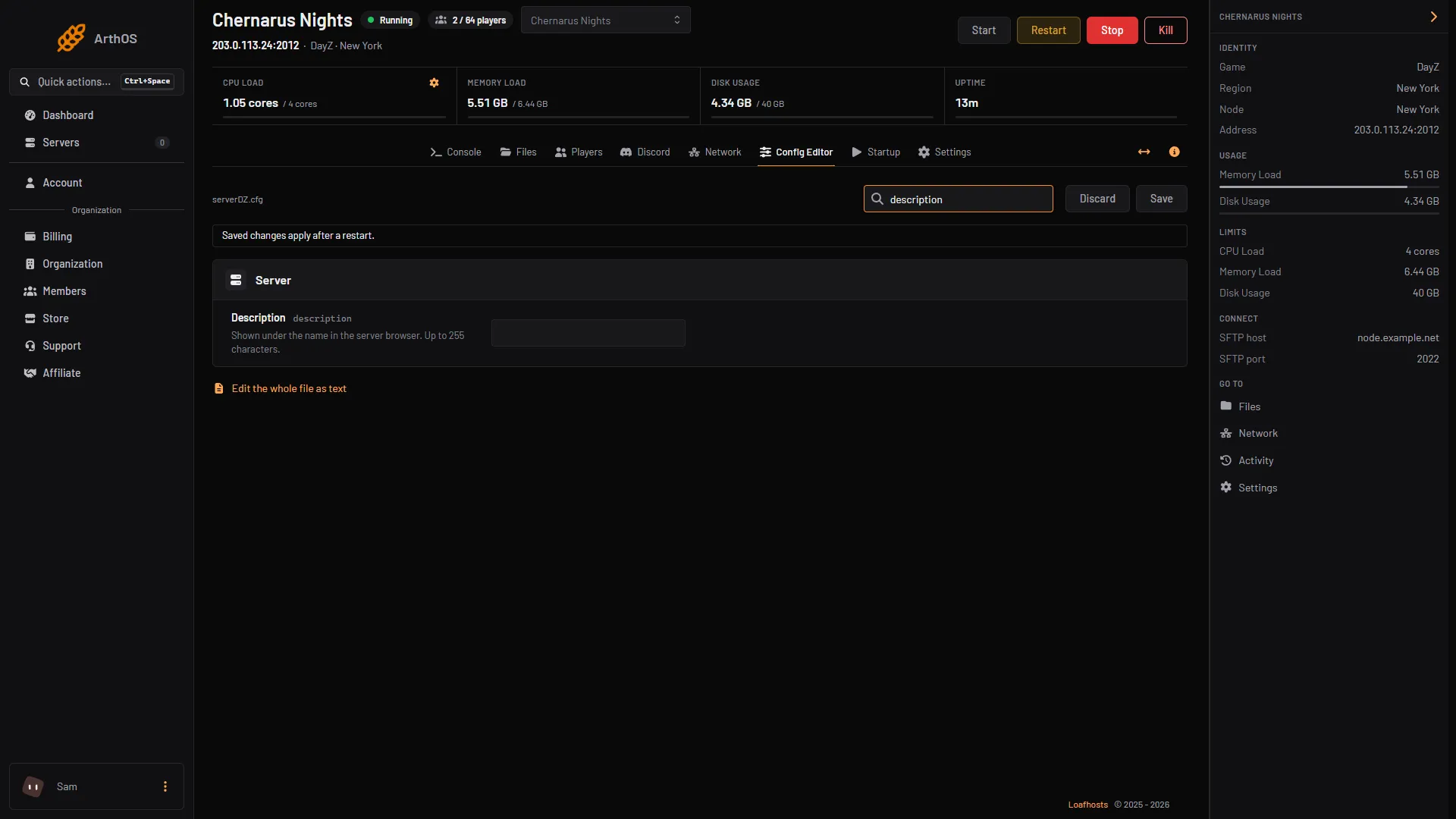
After that, the Messages of the day row appears in the Config Editor and you can edit it there.
The description and the chat lines are not on the Startup page. The server name, password and player limit are. For the name, see change the DayZ server name.
By hand
On a server you run yourself, edit serverDZ.cfg and restart the server:
description = "A friendly Chernarus server. Rules in chat.";
motd[] = { "Welcome to the server.", "Rules: no cheating." };
motdInterval = 300;
Bohemia’s wording: the interval is the time in seconds between each message, and the messages appear in the in-game chat.
Other messages
Messages of the day are plain lines in a fixed order. For a message that appears once when a player connects, or a timed shutdown warning, Bohemia has another file, messages.xml, in the mission’s db folder. A message there can be 160 characters at most. See message everyone and lock the server for sending a message right now.
If it does not work
- The description does not show in the browser. Restart the server first. Keep it to 255 characters or fewer, which is the most Bohemia allows.
- The chat shows nothing. Check that the lines are in quotes and inside
{ }, and that you restarted after saving. - Messages of the day is missing from Config Editor. A new server has no
motd[]line. Add it as shown above, save, and reopen Config Editor.
More about the game: DayZ servers.
Sources: Bohemia wiki: Server Configuration, Bohemia wiki: Server Messages