






Open DayZ from Steam, go to the Servers tab of the DayZ Launcher, and search for the server name. If the server is not listed, use Direct Connect and type the IP and the game port. On a Loafhosts server both are shown under the server name in the panel.
A server ordered from the Loafhosts store starts with a random join password, so ask the owner for it before you join.
Checked on DayZ 1.29. Update 1.30 is due on 15 October 2026. Not checked on 1.29 as of 13 October 2026: the DayZ Launcher’s screens and which port Direct Connect expects.
Find the address
The address is under the server name at the top of every server page, written as ip:port. It is the IP and the game port, for example 203.0.113.24:2302. Your port will differ, so copy it from the panel.
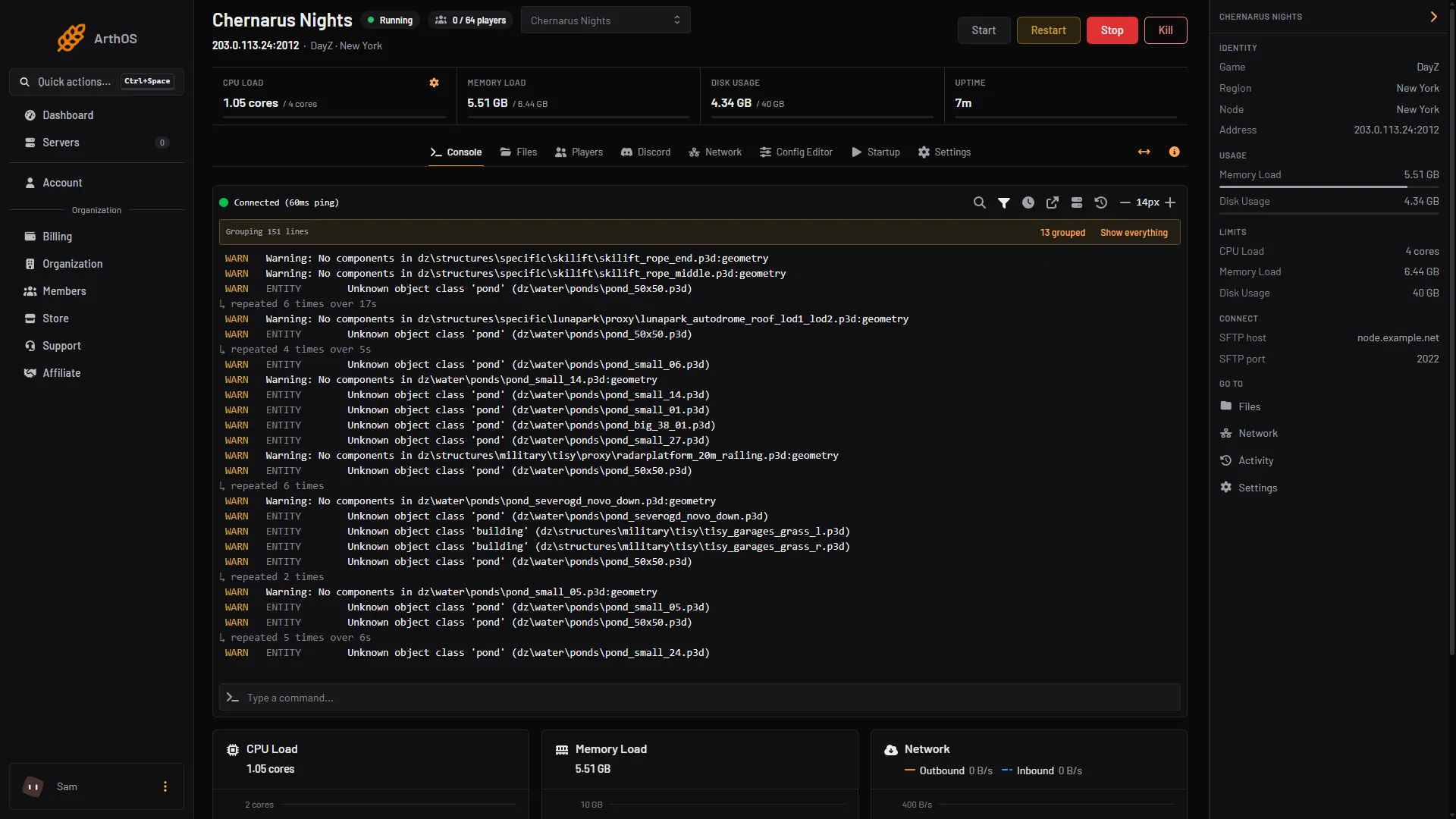
- Copy this address
The server also has a query port, the game port plus 1. The game lists servers through the query port, so it matters when the server does not show in a list. The Network page shows all four ports, and the Steam query port row under Advanced in Config Editor shows this one. Players do not type it for Direct Connect.
Join from the DayZ Launcher
- Start DayZ from Steam. The DayZ Launcher opens.
- Open the Servers tab and type a distinctive word from the server name in the search.
- Select the server and join.
- The launcher asks for the join password. Ask the owner; the owner can also empty the password for a public server. See set a join password.
- If the server runs Workshop mods, the launcher offers to download and enable them first. The first join takes longer. See install DayZ Workshop mods.
Join by address
Use this when the server is not in the list.
- In the launcher, choose Direct Connect.
- Type the IP and the game port from the panel. The IP is the part before the colon and the port is the number after it.
- Join. Enter the password if asked.
Join with launch options
You can also start DayZ already pointed at a server. In Steam, open the game’s Properties and put this in Launch Options:
-connect=203.0.113.24 -port=2302Use your own IP and game port. -connect is the server’s IP and -port is the game port. Bohemia, the maker of DayZ, describes both options on its Arma 3 start options page, and DayZ is built on the same engine.
If it does not work
- The server is not in the list. Search by exact name, and check the server is running. If it still does not show, see DayZ server not showing in the list.
- Direct Connect times out. Check you typed the game port, not the query port or the RCon port. Check the server’s Console printed
Mission read.. - A password prompt appears. The server has a join password, and a new Loafhosts server has one. Ask the owner.
- You are kicked for mods. Your mods do not match the server’s. See mismatched mods kick.
- You are kicked for the game version. With Enforce Game Version on, the server only accepts the same game build. Update DayZ in Steam, or ask the owner to restart the server after a patch. See update after a game patch.
More about the game: DayZ servers.
Sources: Bohemia wiki: Server Configuration, Bohemia wiki: Startup Parameters, store.steampowered.com: 221100