






Set Server name on the Startup page, save, and restart the server. The name is the one players see in the Enshrouded server list.
Keen Games, who make Enshrouded, ask for a name that is not offensive, because every player can see it. Checked on the 0.9 server. Enshrouded 1.0 is released on 15 October 2026.
In the ArthOS panel
- Open your server and choose Startup.
- Change Server name (box 1 in the picture). It can be up to 64 characters and cannot be empty.
- Save the change.
- Restart the server from Console.
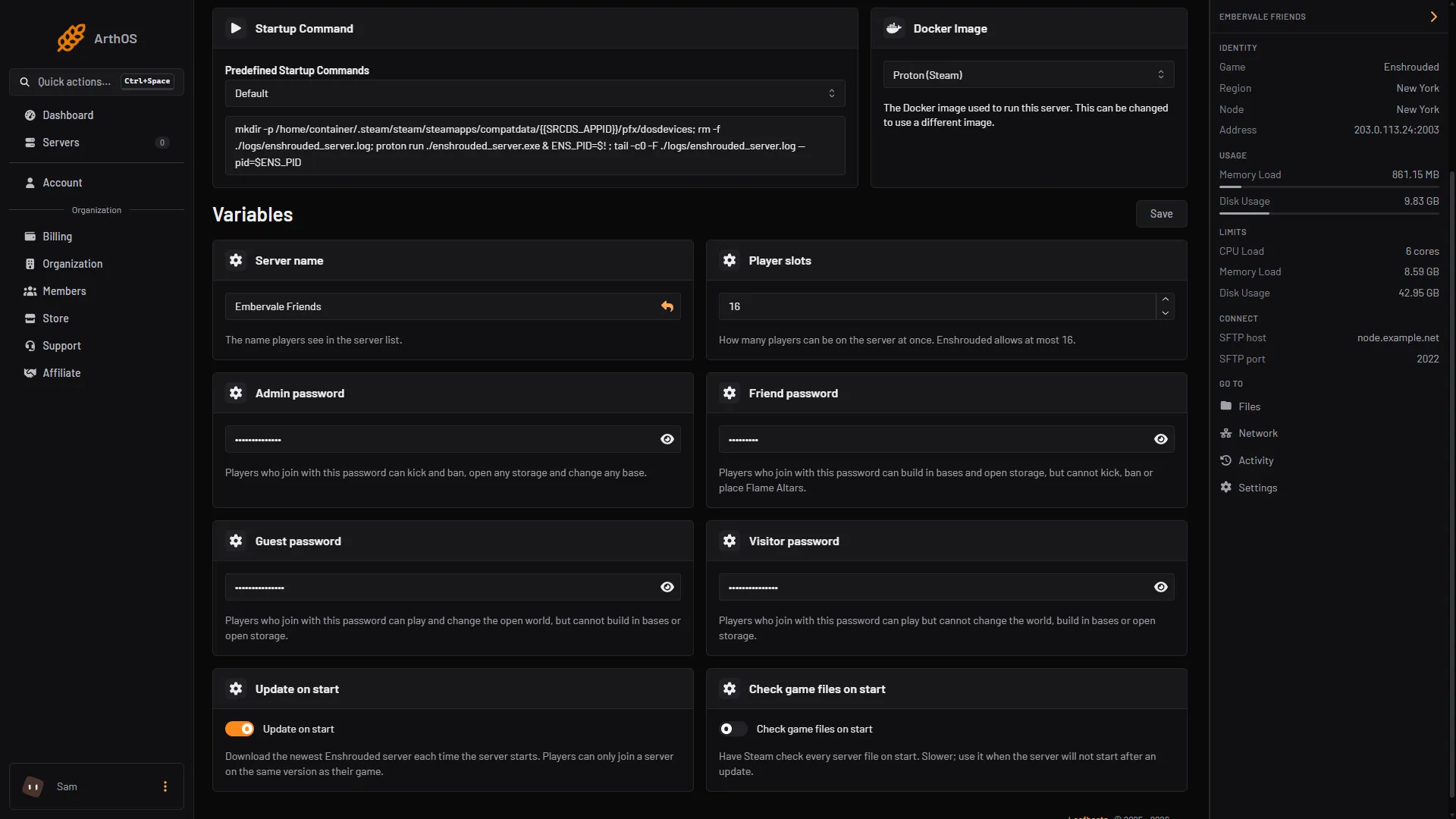
- Type the new name here
The panel writes the name into enshrouded_server.json every time the server starts. That is why the change shows after a restart. A server ordered from the store gets the name you chose when you ordered it as its name in the in-game list.
Do not edit the name in the file
You can open enshrouded_server.json in Files, but a name changed there is replaced by the Server name from Startup at the next start. The game also rewrites this file when it starts. Always change the name on Startup. Stop the server first only if you edit the file by hand in Files.
By hand
On your own machine, stop the server, open enshrouded_server.json and change the line:
"name": "My Enshrouded Server",Start the server again. The file is next to enshrouded_server.exe.
If it does not work
- The old name still shows. Restart the server. The name is read at start.
- I changed it in Files and it went back. Change it on Startup instead.
- Players cannot find the server under the new name. Turn on Show dedicated server in the filter, then search again. See connect to an Enshrouded server.
More about the game: Enshrouded servers.
Sources: enshrouded.zendesk.com: 16055441447709 Dedicated Server Configuration, store.steampowered.com: 1203620