
















Choose a character’s name on the Players page and a box opens with that character’s level, clan, how many items, thralls and building pieces they have, and where they were last seen. If the character died, it also says who killed them.
Open it
- Open the Players page of your server. The server must be running and answering.
- In Characters in the world, choose a name. The list is explained in the characters list.
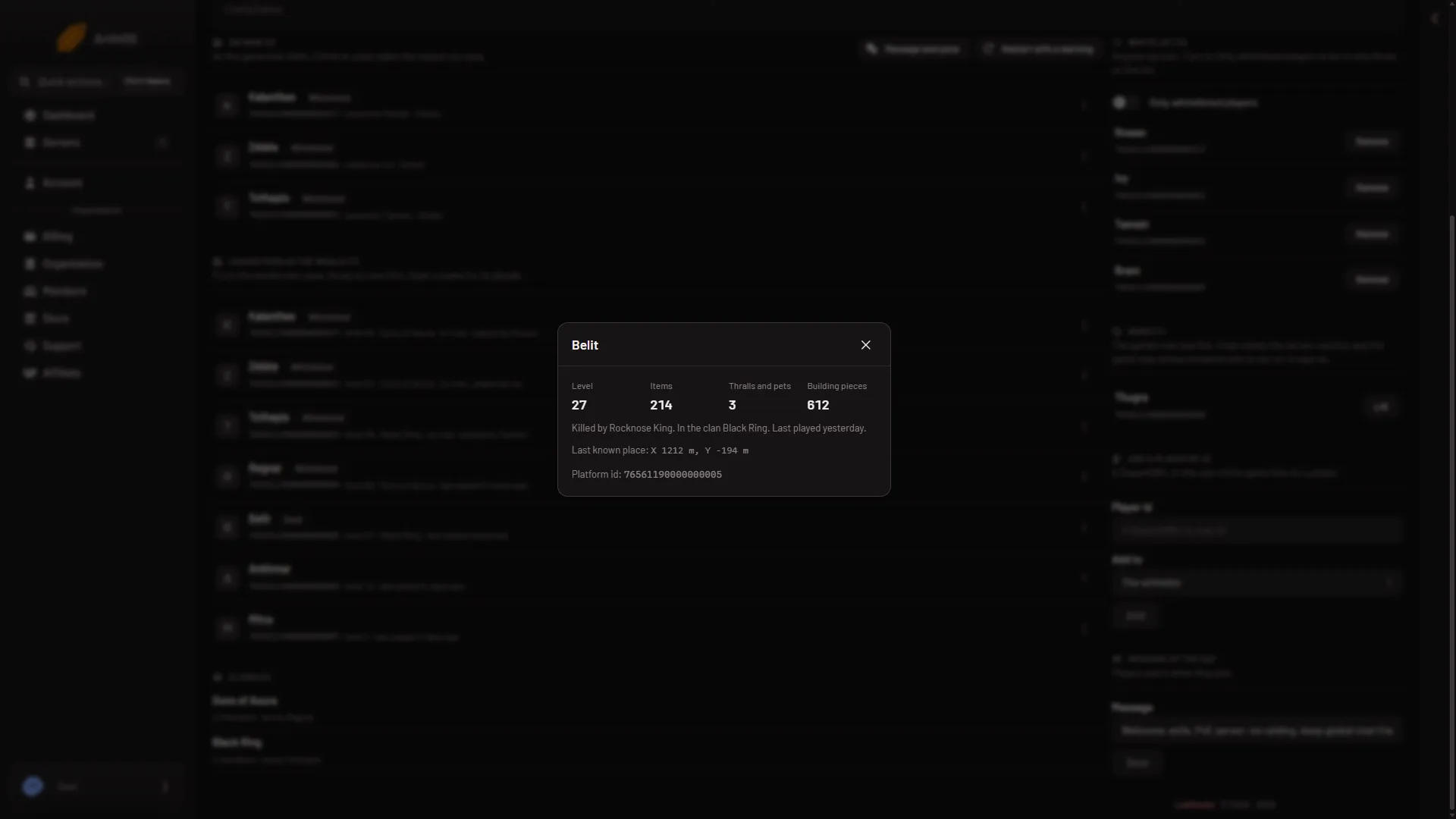
- Who killed them
- Last known place
- Platform id
The box above is for a dead character, so the status line names a killer (1). The place the game last wrote is under it (2), and the platform id is the last line (3).
What the box shows
Four numbers sit at the top:
- Level: the character’s level.
- Items: how many items the character owns.
- Thralls and pets: how many followers the character has.
- Building pieces: how many building pieces the character has placed in the world.
These are counts, not lists. The box does not name the items or the thralls.
Under the numbers, one line gives the state of the character:
- Alive., or Killed by (name). when the game knows who killed them, or Dead. when it does not.
- In the clan (name). or In no clan.
- On now. or Last played (date and time).
Last known place
If the game has a position for the character, the box shows Last known place: with two numbers in metres, for example X 1200 m, Y -800 m. Choose the numbers to copy the position.
The place is where the game last wrote the character. For a character who is not on, it is where they logged out. You can see the same place on the map: see the Map page.
Platform id
The last line, Platform id:, is the id the game keeps for that player’s account. On Steam it is the 17-digit SteamID64. Choose it to copy it. You need this id to add or ban a player by hand. Which id other platforms use was not checked. The name and numbers in the picture are demo values. See find a player’s platform id.
If it does not work
- The box shows an error instead of details. The panel reads the details from the world’s save through the game. If the server stopped or is still starting, start it and try again.
- “that character is not in the world any more”. The character is no longer in the world’s save. Reload the page.
- There is no Last known place line. The game has no position written for that character.
- Killed by is missing for a dead character. The line then reads Dead. The panel found no killer for that character in the save.
More about the game: Conan Exiles servers.