
















To join a Loafhosts Factorio server, open Multiplayer in the game’s main menu, choose Connect to address, and paste the address from the server’s Players page. Your game must be the same version as the server and have the same mods.
Get the address
If you own the server:
- Open the Players page.
- Find the Join card.
- Choose Copy (1).
- Send the address to your friends.
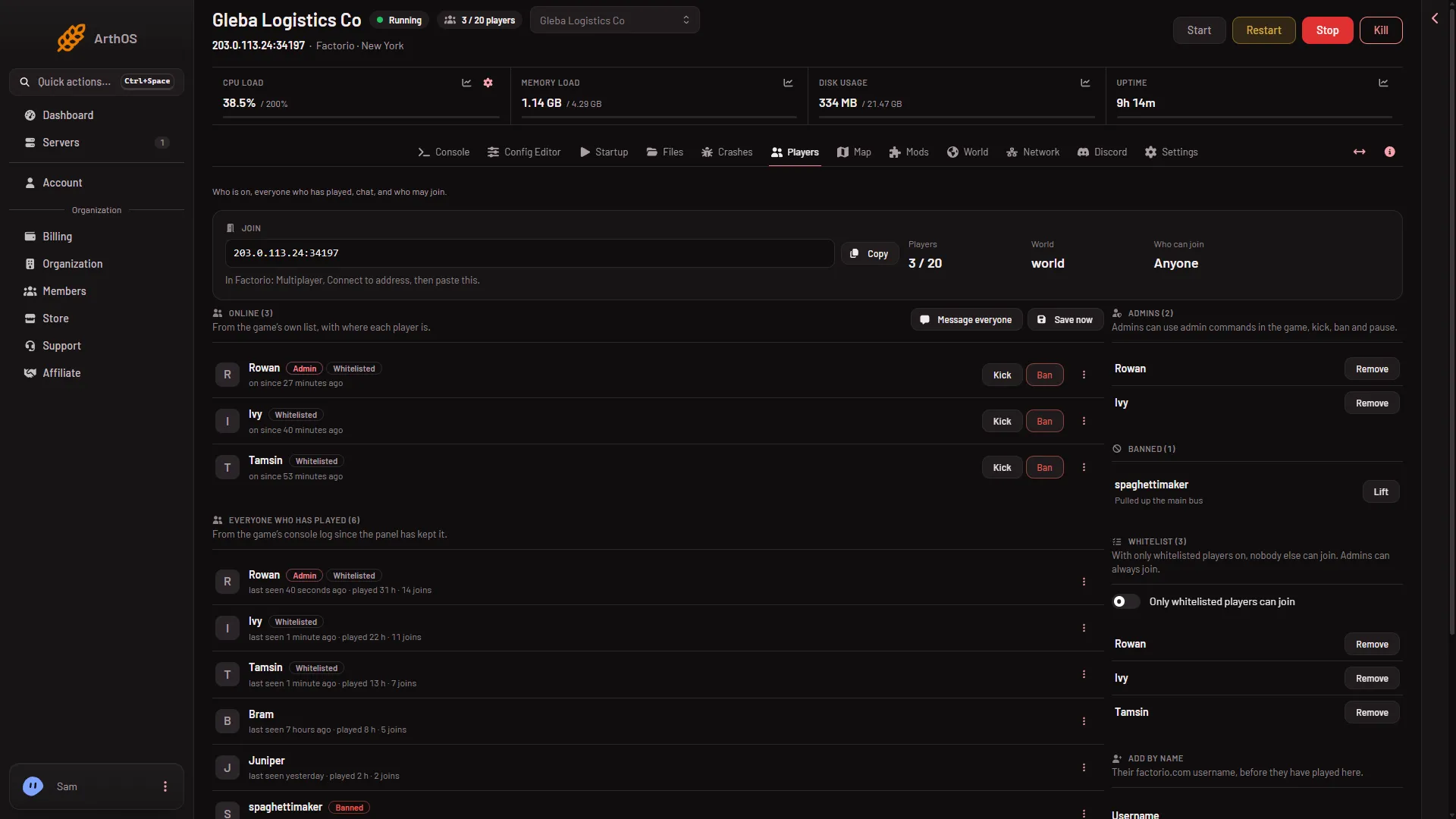
- Copy the address
The card says: “In Factorio: Multiplayer, Connect to address, then paste this.” If it says “This server has no address yet.”, there is nothing to copy yet. Try again after a short time.
If a friend owns the server, ask them for the address. It is the whole value from the Join card, with the colon and the port, for example 203.0.113.24:34197.
The names in bold are the English names in the panel and the game. If your game or your browser shows other words, look for the entry that asks for an address.
Join
- Start Factorio.
- In the main menu, choose Multiplayer.
- Choose Connect to address.
- Paste the address. If the server has a join password, type it when the game asks. The game then connects to the server.
A new server is not shown in the game’s public list. It stays unlisted, so Connect to address is the way in. You also need a factorio.com account: the server only lets in players who sign in with one.
Same version
Factorio needs the same game version on both sides. The wiki says all game copies “need the installation of exactly the same game-versions and mods.”
The server runs the current stable version unless its owner chose another. The owner can see it on the World page, under Game version. If the server is on a different version from your game, either update your game or ask the owner to change the server.
Same mods and the expansion
Everyone needs the same mods as the server. A mod added by hand on one side is a common cause of a refused join.
A server with no mod list loads Wube’s four own mods: Space Age, Quality, Elevated Rails and Recycler. While Space Age is on, you need the Space Age expansion to join. The owner can turn it off on the Mods page, and that applies at the next start.
If it does not work
- The game says the version is different. Match the version. See above.
- The game says the mods are different. Install the mods the server has, in the same versions. The owner can read them on the Mods page.
- The game asks for a password you do not have. The owner set a join password. Ask them for it.
- Nothing happens. The server may be stopped or still starting. The owner can check the Console page: the server is ready when it shows
Starting RCON interface. - You are asked to sign in. The server accepts only factorio.com accounts. Sign in to the game with yours.
More about the game on Loafhosts: Factorio servers. The owner’s setup steps are in set up a Factorio server.
Sources: wiki.factorio.com: Multiplayer, factorio.com: Latest releases