
















Guides / Factorio
Factorio server guides.
One task per guide: how to do it in the ArthOS panel, and by hand where there is a way.
Basics
12 guides-
 Basics
Change your Factorio server name
Change the Factorio server name on the Startup page. It is written into the game's settings at each start, so restart to apply it. A hand edit does not stay. - Basics
Connect to a Factorio server by address
Copy the address from the Join card on the Players page, then use Multiplayer and Connect to address in Factorio. Same game version and same mods are needed. - Basics
Factorio server game version: stable, experimental
See which Factorio version the server has and which runs next, choose Stable, Experimental or one version, and why players need the same version to join. - Basics
Factorio server in Discord: status and event posts
Keep a Discord message up to date with your Factorio server: who is on, Space Age, mods. Also post when it starts, stops, crashes or finishes a backup. - Basics
Factorio server standby and wake link
Let an empty Factorio server stop by itself and start again from the Start button or a wake link your players open. Nothing is deleted when it sleeps. - Basics
Pin a Factorio server to one version, like 2.1.24
Keep a Factorio server on one version number such as 2.1.24 so it never changes, and what to expect if you go back to an older version than your world. -
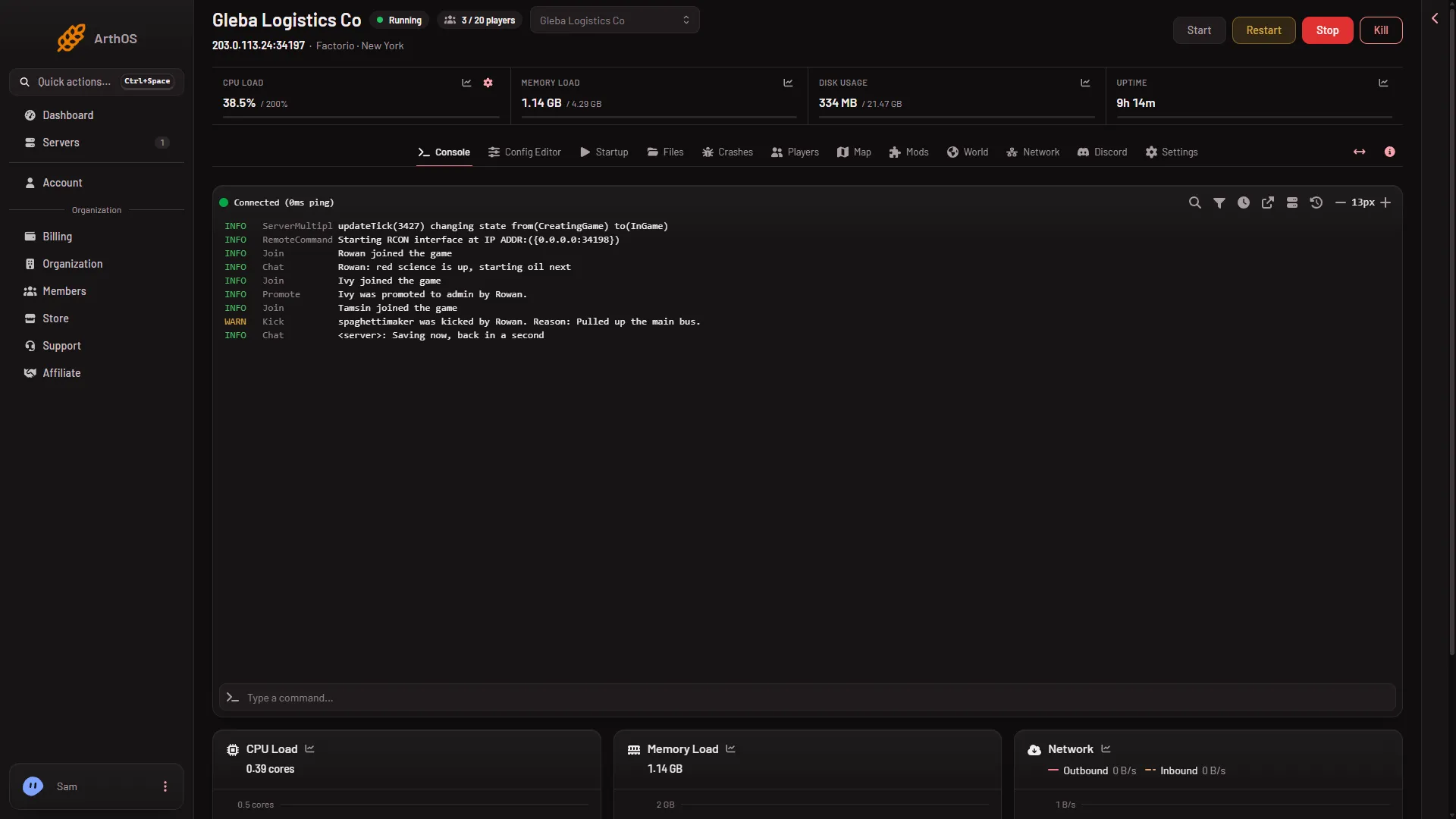
Restart a Factorio server safely
Restart a Factorio server from the buttons at the top of the server page: the stop saves the world, the start takes about 4 seconds, and a Kill does not save. -
Set up a Factorio server, from order to first join
A new Factorio server on Loafhosts makes its own world on the first start. Start it, copy the address from the Players page, and join with Connect to address. - Basics
Update a Factorio server to the newest version
Turn Update at every start on or off so a Factorio server installs the newest version before each start, and what happens if the download is incomplete. -
Factorio server console: the ready line and chat
Read the Factorio server Console tab: the Starting RCON interface line means ready, panel messages show as server chat, and the full logs are in Files. -
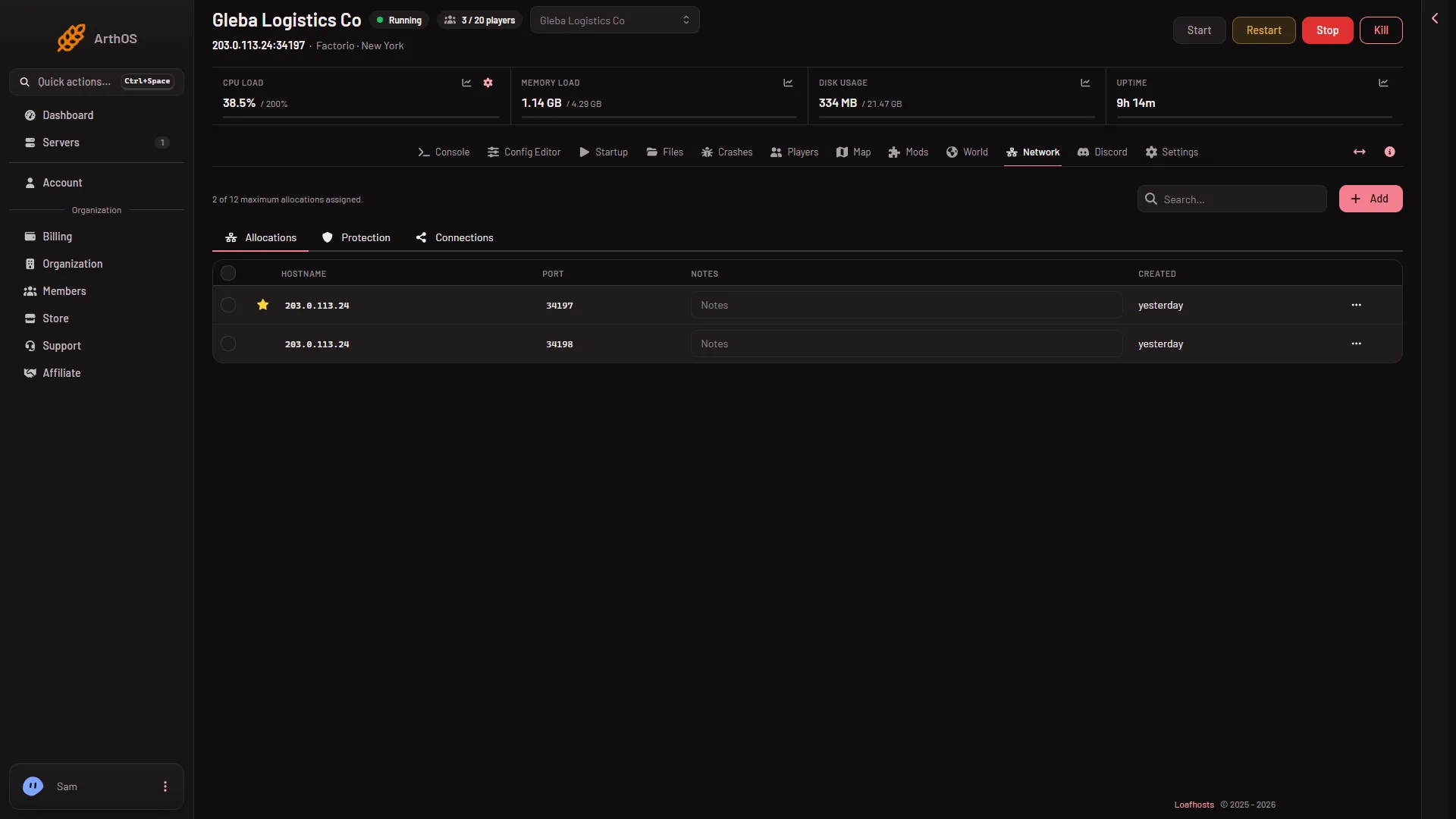
Factorio server ports: the game port and RCON
A Factorio server on Loafhosts has two ports: a UDP game port that players use, and a TCP RCON port the panel uses. Find both on the Network page. -
How big a Factorio server do you need?
Loafhosts Factorio sizes: Small 2 cores and 3 GB for 10 players, Standard 4 GB for 20, Large 4 cores and 6 GB for 40. Big factories and mods need more memory.
Players and admins
16 guides- Players and admins
Factorio admin commands: kick, ban, promote, whitelist
The admin commands a Factorio server understands, who may use them, and how the Players page does the same job without typing. Includes /config and /players. -
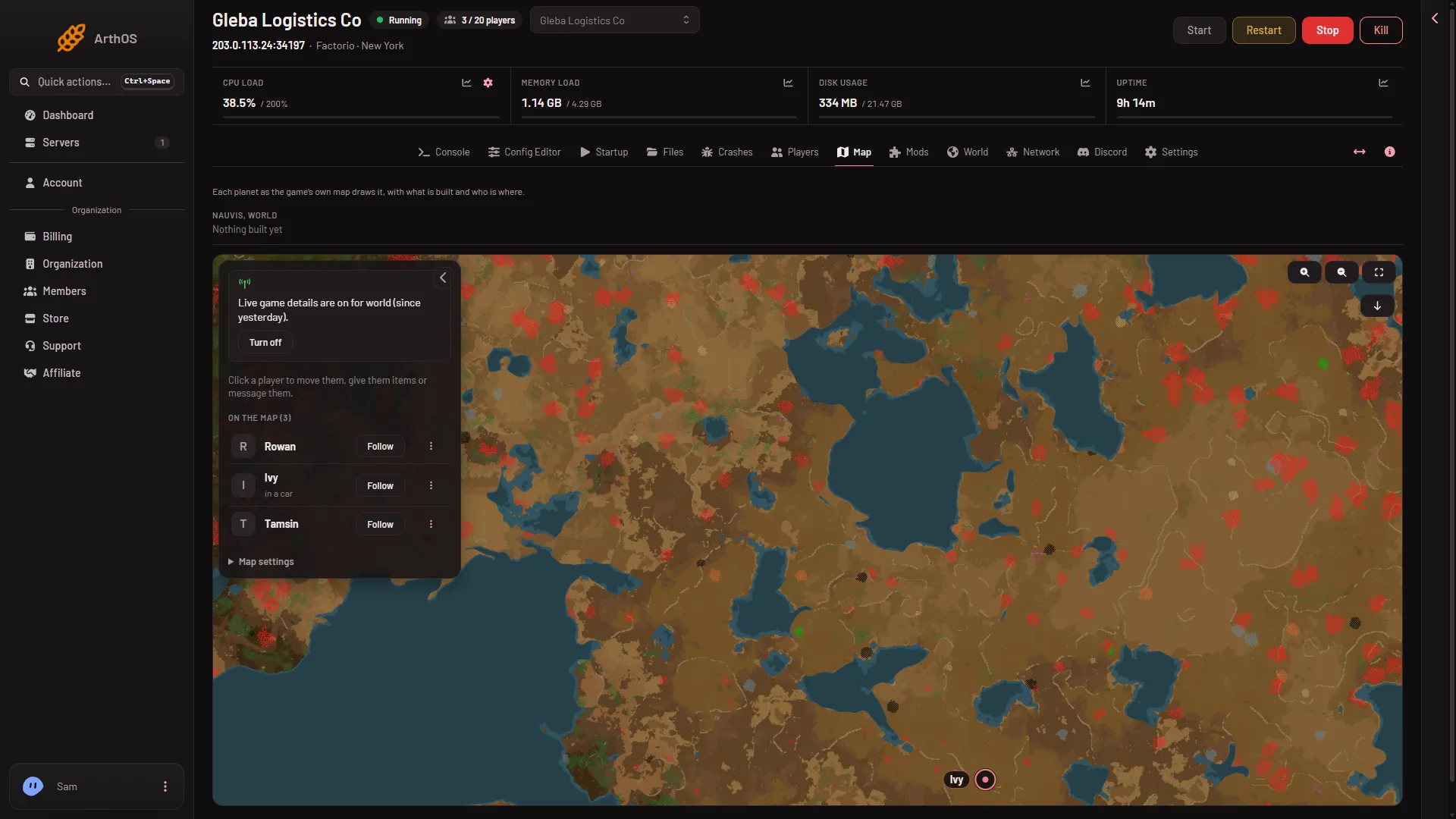
Factorio live game details: what they do, and the cost
Live game details show where players are and what is built, and let you give items or move players. They end Steam achievements on that world for good. - Players and admins
Give items to a player on a Factorio server
Give a player belts, plates or modules from the Players page: turn on live game details, pick the item, set how many. What a full inventory does. -
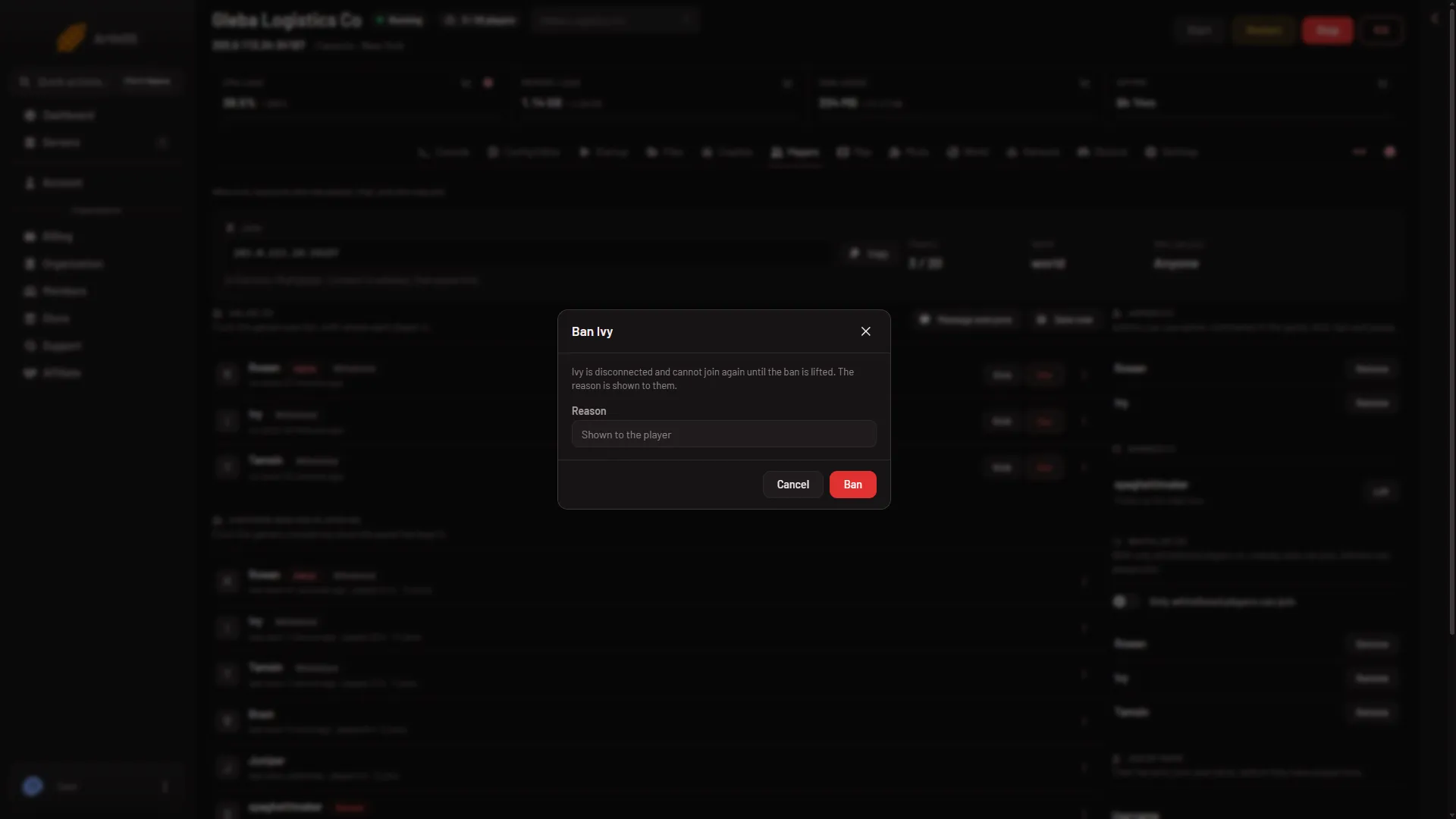
Kick and ban players on a Factorio server
Kick a Factorio player so they can rejoin, or ban them by factorio.com username with a reason. Use the Players page: no console commands needed. -
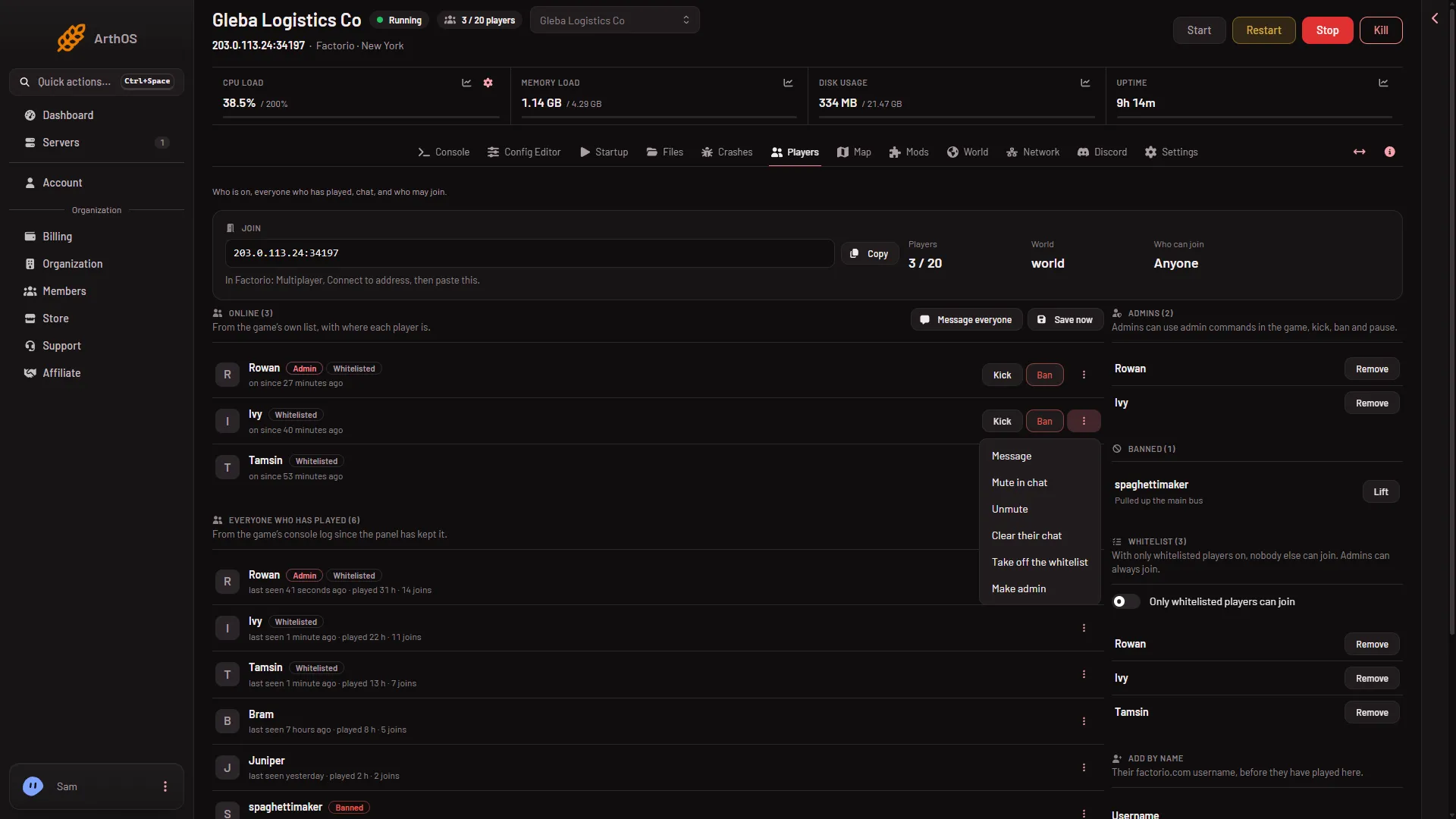
Make yourself admin on a Factorio server
Become an admin on your Factorio server from the Players page: Make admin on your row, or Add by name to Admins. Or edit server-adminlist.json by hand. - Players and admins
Read the chat and event log on a Factorio server
The What happened feed on the Players page shows chat, joins, kicks, bans, admin changes and commands, newest first. The panel keeps 30 days of it. - Players and admins
See who is online on your Factorio server
The Online list on the Factorio Players page shows who is on now, since when, and how long they have played. It is read from the game every 15 seconds. - Players and admins
Set a Factorio server password
Set or remove the Factorio join password under Passwords in the Config Editor. A new server has none, so anyone with the address can join. Used at next start. - Players and admins
Teleport a player on a Factorio server
Move a player next to a friend or to a spot you click on the map, from the Players page. Needs live game details, and the move happens at once. - Players and admins
Unban a player on a Factorio server
Lift a Factorio ban from the Banned list on the Players page, or from the player's row menu. The player can join again, at once on a running server. - Players and admins
Whitelist on a Factorio server: only chosen players
Make a Factorio server whitelist only. Add players by name, turn on Only whitelisted players can join, and keep admins in. All from the Players page. - Players and admins
Factorio server: see everyone who has played
The Players page keeps a list of every player who has joined your Factorio server, with last seen, time played and joins. Names are kept for 180 days. - Players and admins
Kill a player on a Factorio server (and what they keep)
Kill a player's character from the Players page. They die as in the game, what they carried stays where they fell, and they respawn. Needs live game details. -
Make admin and take admin away in Factorio
Promote a player to Factorio admin or take admin away from the Players page, what each box says, when it applies, and the /promote and /demote commands. -
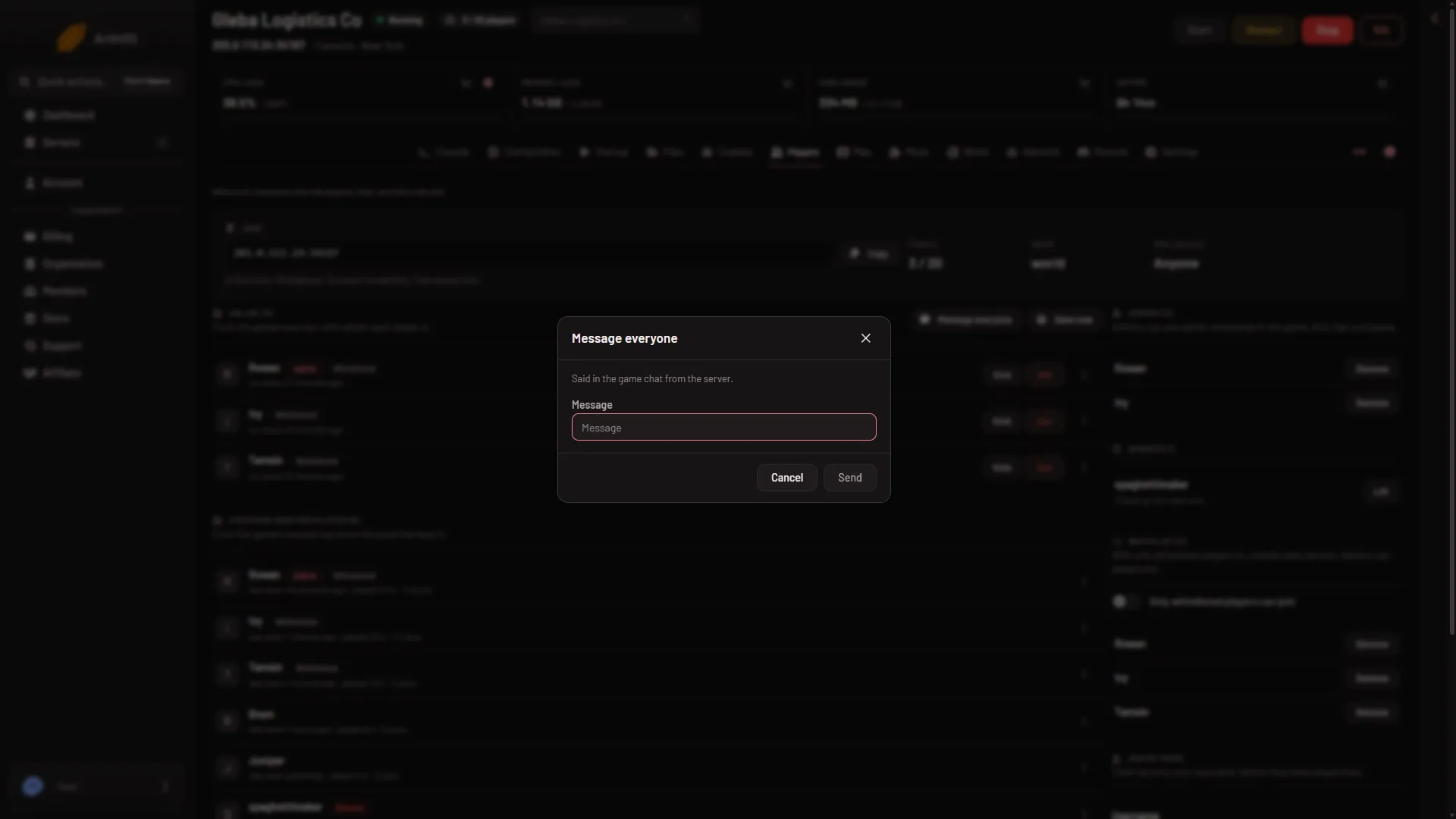
Message a player on a Factorio server
Send one Factorio player a private message, or tell everyone in the game chat. The text comes from the server. Both are buttons on the Players page. - Players and admins
Turn on factorio.com bans on a Factorio server
The factorio.com bans switch makes your Factorio server refuse players banned by Wube and report your bans to factorio.com. Set it on Startup, then restart.
Saves, versions and worlds
19 guides- Saves, versions and worlds
Back up and restore a Factorio server world
Back up a Factorio world, see when the panel does it for you, and restore a backup. Covers new world backups, schedules and the backup limit. -
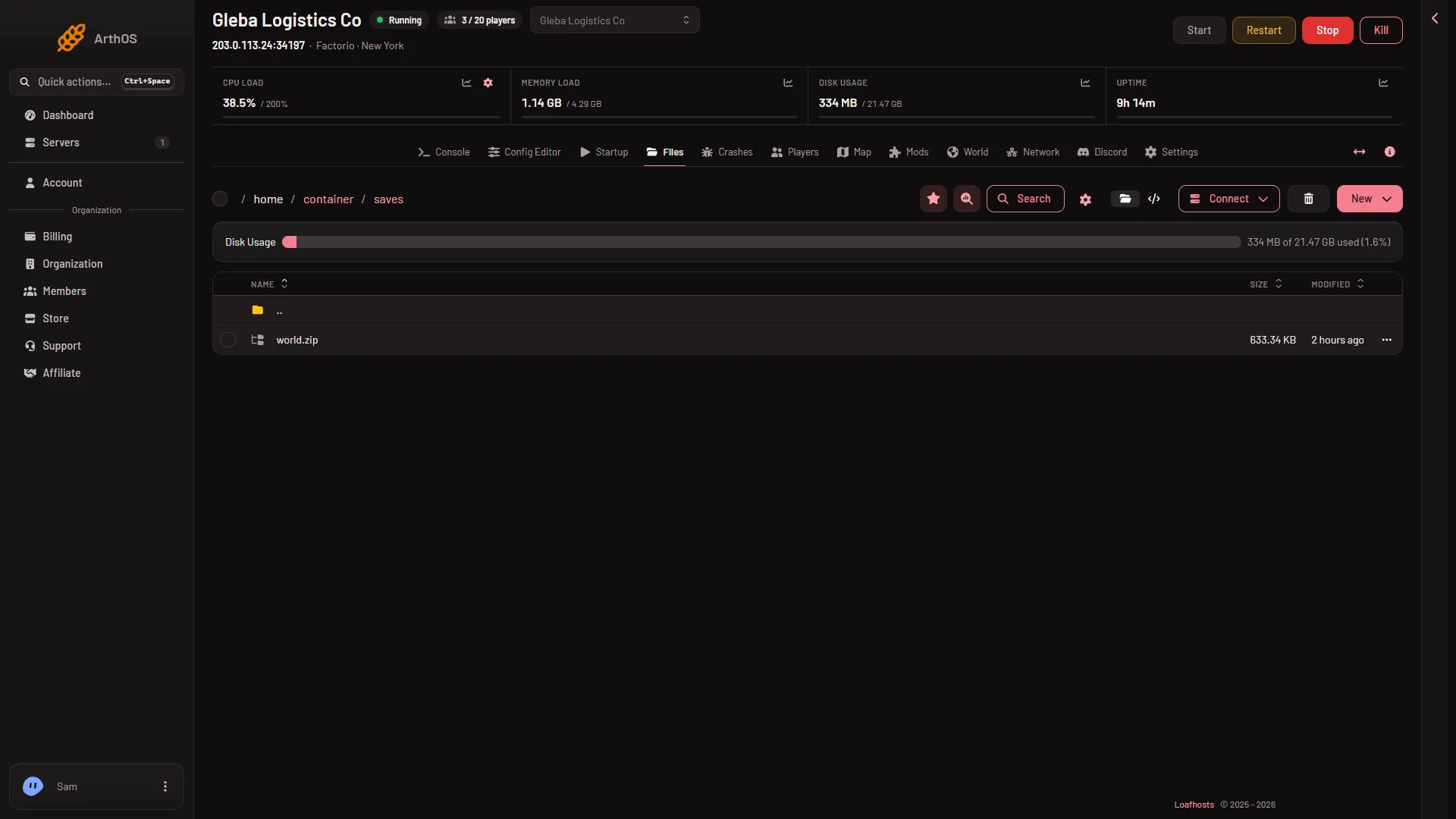
Download your Factorio server save
Download the Factorio server world as a zip: save a copy on the World page, then use Download on the file in Files, and open it in single player. - Saves, versions and worlds
Factorio autosave interval and number of autosaves
Set how often a Factorio server autosaves and how many it keeps, with Autosave every and Autosaves kept in the Config Editor. Find the autosave files. - Saves, versions and worlds
Factorio saves and autosaves on your server
See every Factorio save on your server, which one runs now and which are autosaves, on the World page. Learn when saves are written and where they live. - Saves, versions and worlds
Factorio server map: ground, builds and players
The Map page draws each planet's ground and, with live game details on, what is built, train stops and where players are. What it shows and what it does not. - Saves, versions and worlds
Factorio server: save the world now
Save a Factorio server's world on demand: Save now on the Players page, or Save a copy now on the World page. Do it before a backup or a risky change. - Saves, versions and worlds
Factorio World page: saves, version and new worlds
The World page on your Factorio server shows the factory now, your saves, the game version and a form for new worlds. What each part does. - Saves, versions and worlds
Load a Factorio autosave on your server
Go back to a Factorio autosave: pick it on the World page with Run this from the next start, then restart. Your current world stays as a save. - Saves, versions and worlds
Save a copy of your Factorio world on the server
Save a copy of the running Factorio world under another name on the World page, before a risky change. Learn the name rules and how to go back to it. - Saves, versions and worlds
Start a new Factorio world on your server
Make a new Factorio world from the World page with a preset, a seed or a map exchange string. The server takes a backup first and the old world stays as a save. - Saves, versions and worlds
Switch Factorio worlds: run another save
Make your Factorio server run a different save: open the World page, choose Run this from the next start on a row, then restart. The old world stays safe. -
Upload a Factorio single-player save to your server
Put your single-player Factorio world on the server: upload the zip to saves in Files, then run it from the World page. Same or older version only. -
Where is the Factorio server save file?
A Factorio server's world is the file saves/world.zip. Find it in Files, see how the World value picks it, and where autosaves and copies go. - Saves, versions and worlds
Draw the map on a Factorio server (stops it a minute)
When the Map page says a planet's ground is not drawn yet, choose Draw the map. A running server stops for about a minute and players are disconnected. - Saves, versions and worlds
Factorio planets: view each planet on the server map
See Nauvis, Vulcanus, Gleba, Fulgora and Aquilo on the Map page with the Planet picker, and draw a planet's ground that is not drawn yet. - Saves, versions and worlds
Factorio save editor: what to use on a server
There is no Factorio save editor on a Loafhosts server. Give items, move players, make a new world or change new-world rules from the panel instead. -
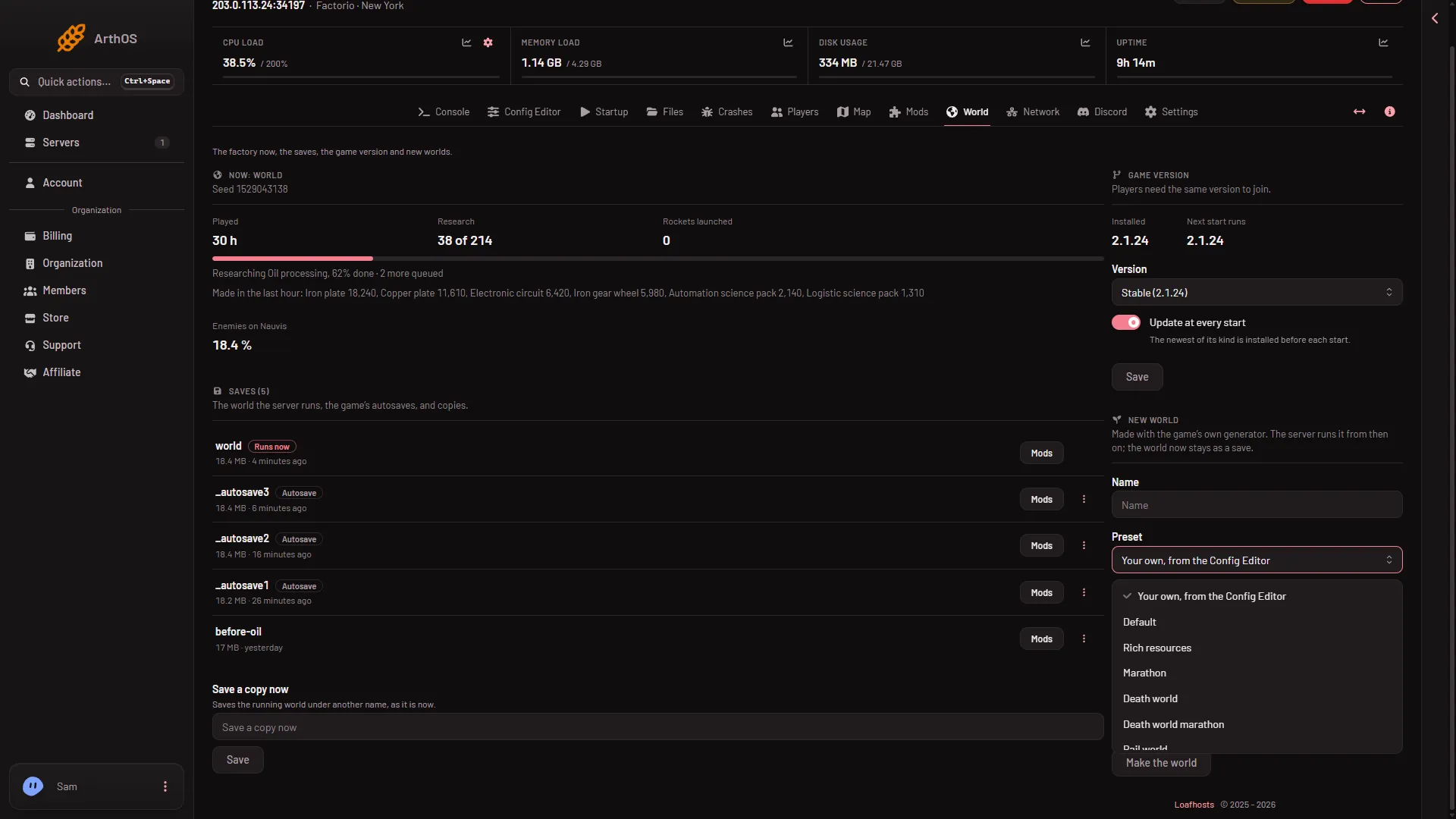
Factorio world presets: what each one changes
The nine Factorio map presets you can pick for a new world on your server, from Default to Island, and what each one does to resources, enemies and research. - Saves, versions and worlds
Factorio world seed: set it and find it
Set a seed for a new Factorio world on your server, or read the seed of the world that runs now. The same seed and settings make the same map. - Saves, versions and worlds
Use a Factorio map exchange string on your server
Paste a map exchange string from the game's map generator into the World page to make a new world with the same map settings as a friend's or your own.
Mods and Space Age
11 guides- Mods and Space Age
Change Factorio mod settings on a server
Change a mod's settings on a Factorio server from the Mods page. Startup settings apply at the next start; Map and Per player ones are for new worlds. - Mods and Space Age
Factorio mod portal account for server mod downloads
A Factorio server downloads mods with its own factorio.com account: set the username on Startup and the token under Passwords, not the password. - Mods and Space Age
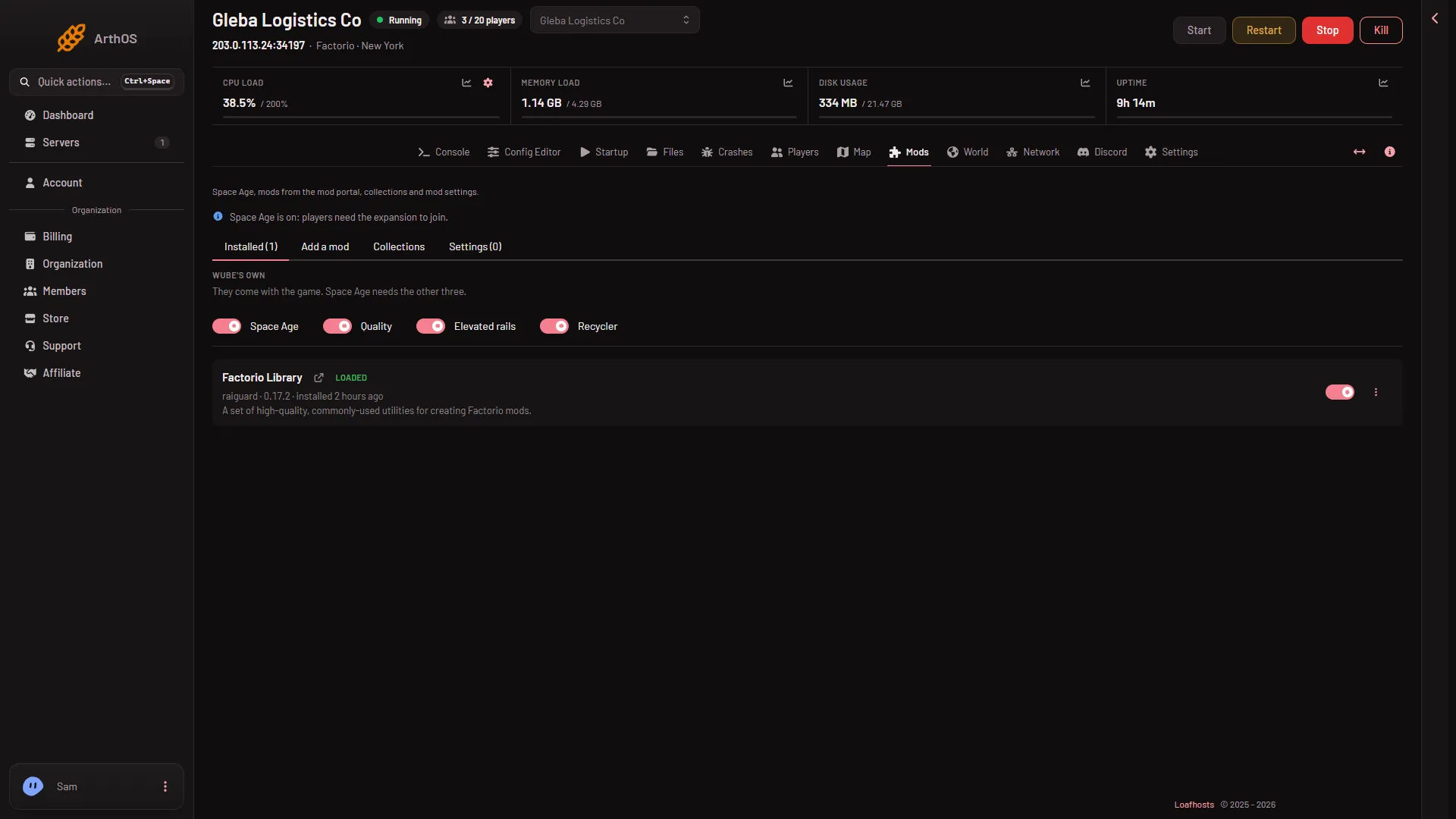
Factorio server mods: the Mods page explained
What the Mods page shows: Wube's own mods, installed mods, the four tabs, and why a mod change only takes effect when the server next starts. - Mods and Space Age
Factorio Space Age on a server: turn it on or off
Turn Space Age on or off on the Mods page. It brings Quality, Elevated rails and Recycler, and players need the expansion to join while it is on. - Mods and Space Age
Install Factorio mods on a server with dependencies
Search the mod portal on the Mods page, press Install, and the panel downloads the mod with everything it needs, then restarts the server. - Mods and Space Age
Remove a mod from a Factorio server and its leftovers
Remove a Factorio mod from the Mods page. The file is deleted at once and the mod stops loading at the next start. Tick the box to remove what only it brought. - Mods and Space Age
Update Factorio mods on a server: one or all at once
Update one Factorio mod with Update to version, or every mod with Update all, from the Mods page. The server restarts to apply them, so plan for players. - Mods and Space Age
Upload a mod to a Factorio server from a .zip file
Install a Factorio mod from a .zip on your computer with the Mods page Upload a mod box. The file must be named name_version, such as my-mod_1.2.3.zip. -
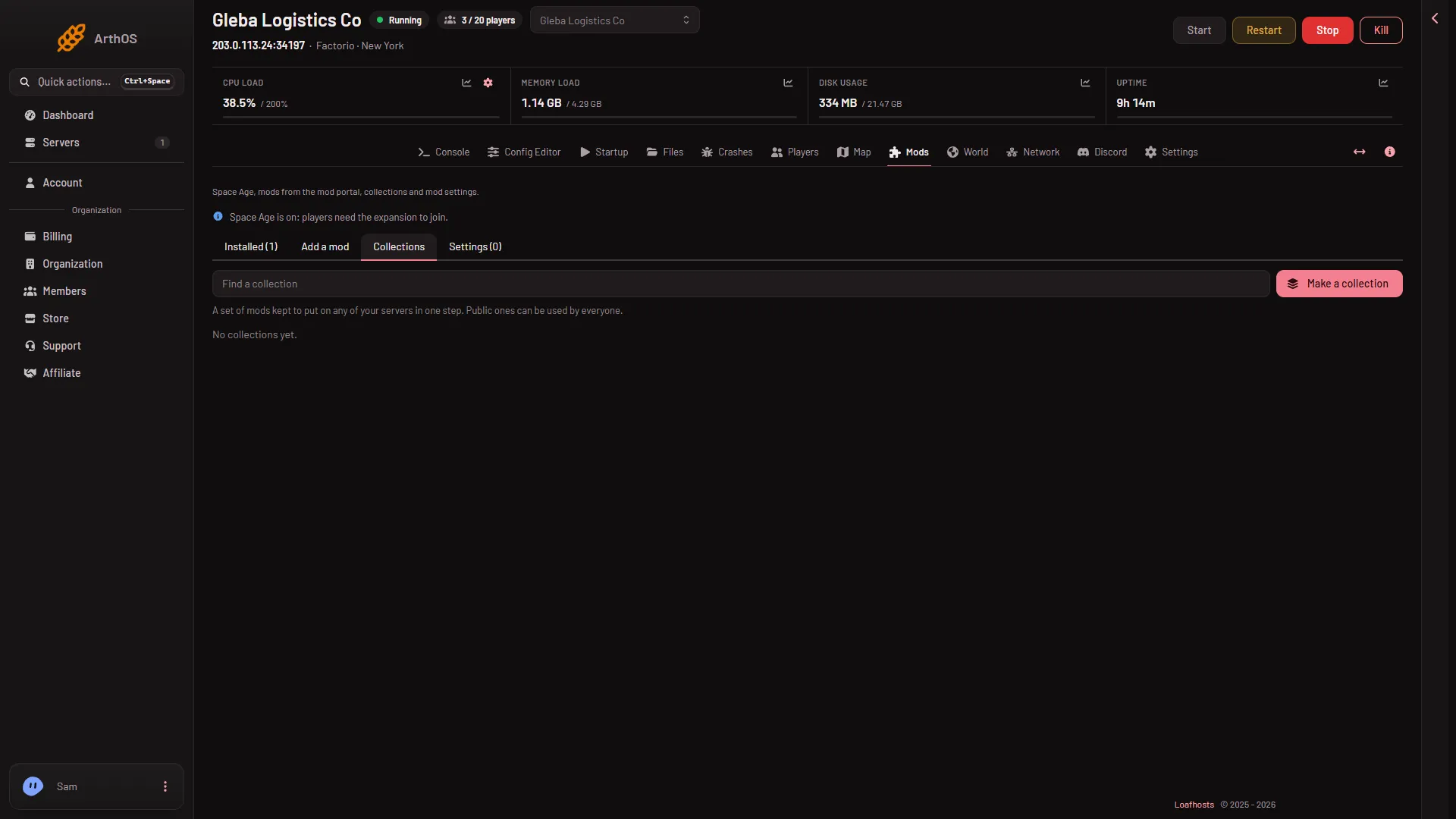
Factorio mod collections: make one and use one
Save your Factorio server's mods as a collection and put the same set on another server in one step. How to make, share and use a collection. - Mods and Space Age
Factorio mod load order on a server: what controls it
Factorio orders mods itself, by what each mod depends on. A Loafhosts server has no manual order: you turn mods on or off, and the game does the rest. - Mods and Space Age
Factorio mod-list.json: turn mods on or off by hand
mod-list.json says which Factorio mods load. Find it in the mods folder, read the format, edit it by hand, and know what a missing file means.
Server settings
20 guides- Server settings
Factorio /c and /sc commands: achievements are lost
The first /c or /sc Lua command on a Factorio save ends Steam achievements on it for good. How the repeat prompt works and how to stop it happening by mistake. -
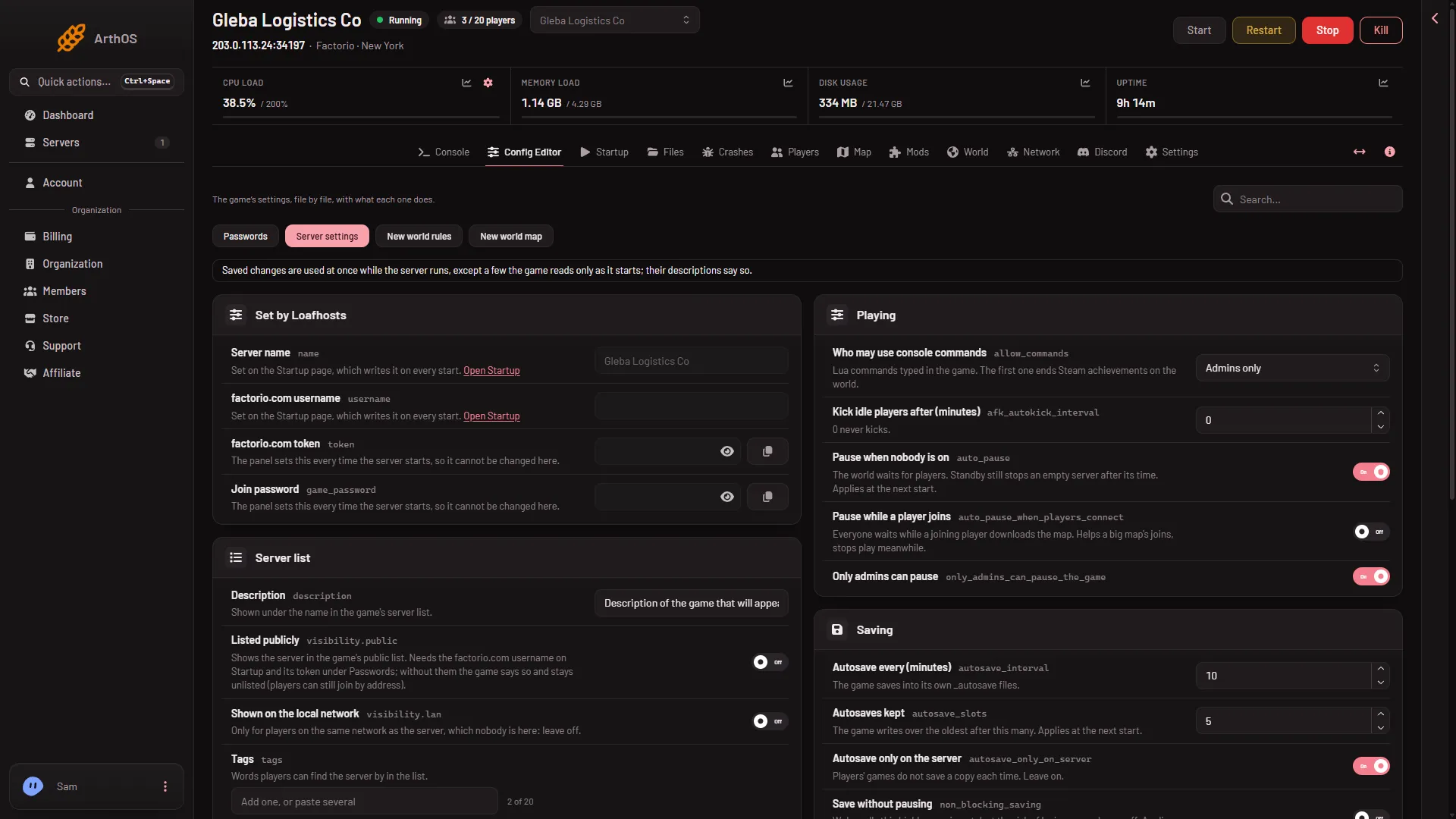
Factorio Config Editor: server and new world settings
The Config Editor holds your Factorio server's settings, new world rules and passwords. Most server settings apply at once, a few wait for a restart. - Server settings
Factorio enemy settings: nests, evolution and expansion
Change Factorio's enemy nests, evolution and expansion for a new world in the Config Editor, or turn the biters peaceful. Only a newly made world uses them. - Server settings
Factorio RCON port and password
Find and change the RCON password and port of your Factorio server. The password is under Passwords in the Config Editor and applies at the next start. - Server settings
Factorio resource settings: ore, coal, oil and richness
Set how often, how big and how rich iron, copper, coal, stone, uranium and crude oil are in a new Factorio world, in the Config Editor. New worlds only. - Server settings
Factorio server max players: set the player limit
Set how many players can be on your Factorio server at once. Use Most players in the Config Editor, 0 means no limit, admins can always join. Applies at once. -
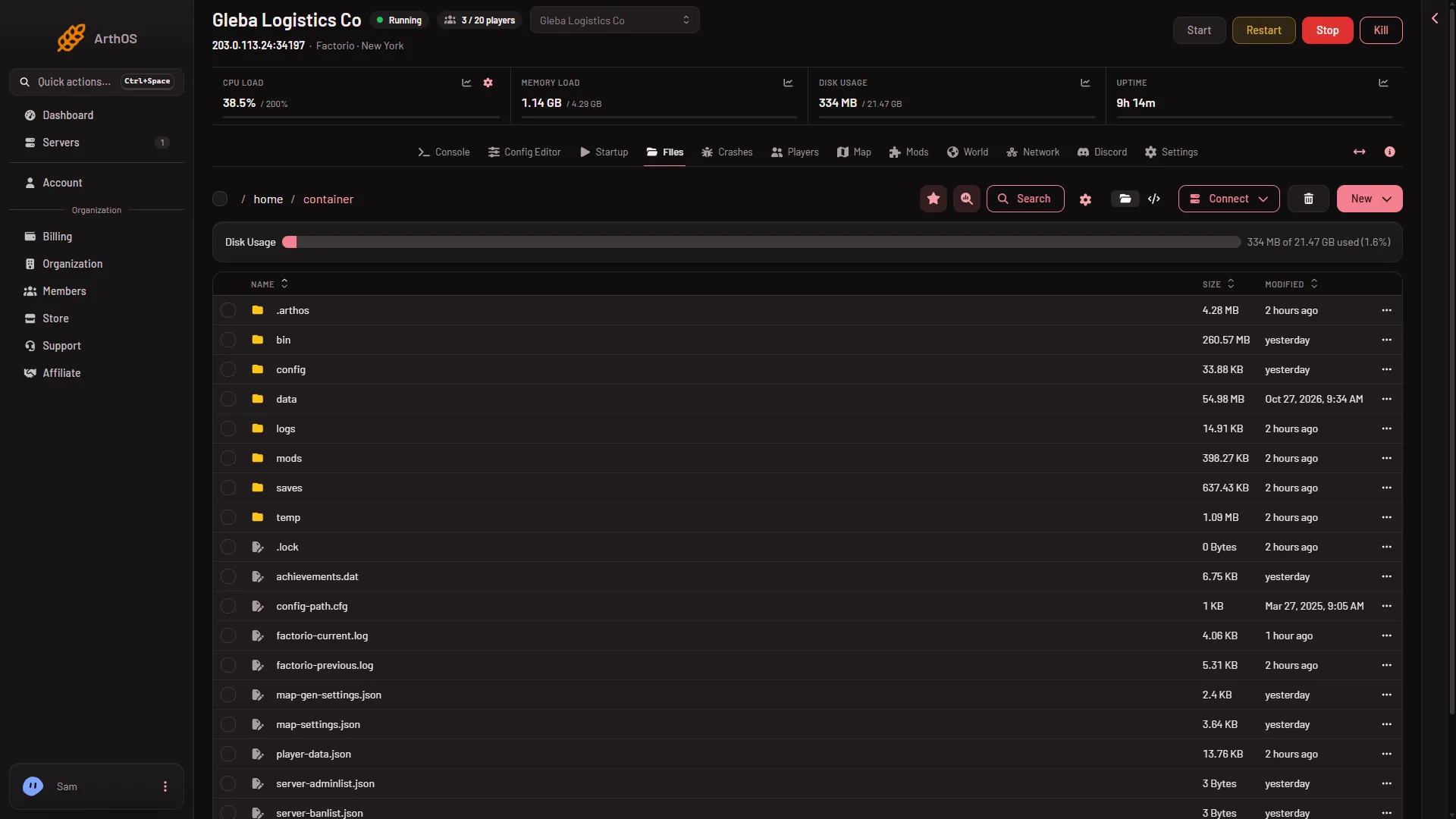
Factorio server-settings.json: where it is, what applies
Find server-settings.json in Files, see the four values Loafhosts rewrites at every start, and learn which edits apply at once and which wait for a restart. - Server settings
Factorio server: pause the game when nobody is on
Pause when nobody is on makes a Factorio server wait while no one is connected. Turn it on or off in the Config Editor. It applies at the next start. - Server settings
Factorio settings that only apply to a new world
Resource, enemy, research and map size settings in the Config Editor are read only when Factorio makes a world. See which ones and why edits change nothing now. - Server settings
Factorio token and username: where they go
Your factorio.com username goes on Startup and its token under Passwords in the Config Editor. Never the account password. Used for listing and mod downloads. - Server settings
Factorio: who can use console commands on a server
Choose who may type Lua commands on your Factorio server: admins only, everyone or nobody. The first command ends Steam achievements on that world for good. -
List your Factorio server in the public list
A new Factorio server is unlisted. Add your factorio.com username and token, then turn on Listed publicly. Without them the game stays unlisted. - Server settings
Factorio network settings: delay, updates and segments
What Smallest delay, Network updates a second and the message part sizes do on a Factorio server, their game defaults, and why they wait for a restart. - Server settings
Factorio non-blocking saving: why to leave it off
Save without pausing is Factorio's non-blocking saving. Wube calls it highly experimental and risky for saves, so leave it off. Where it is. - Server settings
Factorio players downloading the map at once
Players downloading the map at once sets how many players fetch the map together as they join a Factorio server. Default 5, 0 is no limit. Config Editor. - Server settings
Factorio server upload limit (KB/s) explained
Upload limit (KB/s) caps how fast a Factorio server sends data to players. 0 means no limit. Where to set it in the Config Editor and when it applies. - Server settings
Factorio: kick idle players after a set time
Set Kick idle players after (minutes) to remove players who stand still on your Factorio server. 0 never kicks, the most is 1440. Applies at once. -
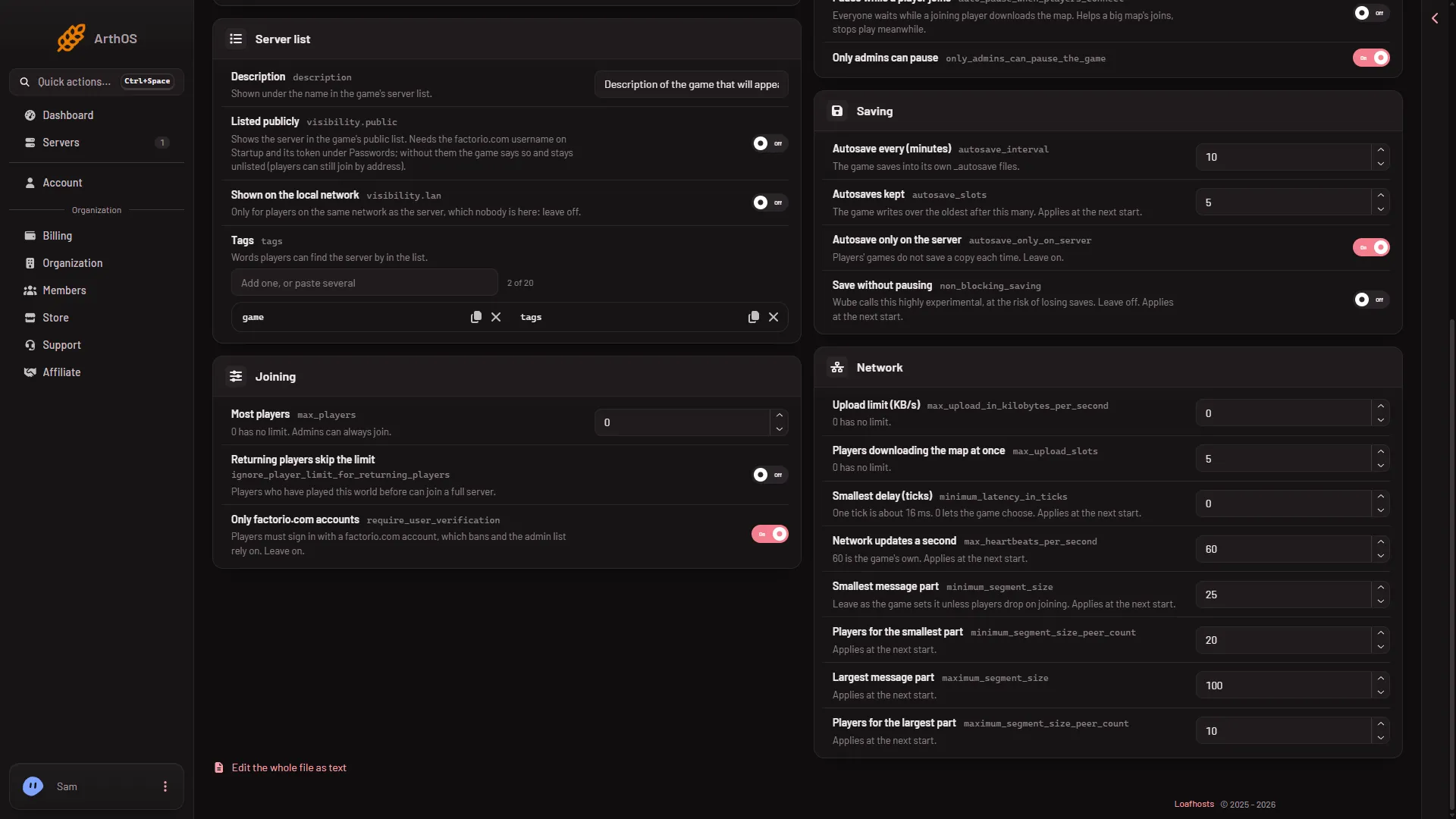
Factorio: let returning players join a full server
Turn on Returning players skip the limit so players who played your Factorio world before can join even when the server is full. Applies at once. - Server settings
Factorio: Only factorio.com accounts, leave it on
Only factorio.com accounts makes players sign in with a factorio.com account. Bans and the admin list rely on it, so leave it on. Where to find it. -
Set a Factorio server description and tags
Set the Factorio server Description and Tags in the Config Editor's Server list group. On a running server they apply at once, with no restart. Up to 20 tags.
Fixes
19 guides- Fixes
Cannot connect to my Factorio server: fixes
Cannot join a Factorio server? Check it is running, the address, the game version, mods, the join password, the whitelist and bans. Each fix is here. - Fixes
Factorio mod download refused: fix the account
A Factorio mod install fails because factorio.com refused the download. Set the server's factorio.com username and token, and check the account owns the game. - Fixes
Factorio mod for another game version stops the start
A Factorio mod made for another game version stops the server before it starts. See which mod it is on the Crashes and Mods pages, then update or turn it off. - Fixes
Factorio server crashed: how to read the Crashes page
Your Factorio server stopped or will not start? The Crashes page lists each start, how it ended and what went wrong, with a fix for each known cause. - Fixes
Factorio server files: what each file and folder is
Where a Factorio server keeps its saves, mods, logs, settings and player lists, and which files you can edit and which the panel rewrites. -
Factorio server lag: how to find the cause
Players lag on your Factorio server? Check memory on the Console, the Crashes page and players joining first, then mods and upload. Change one thing at a time. -
Factorio server logs: where they are and how to read them
Find the Factorio game log and the console log in Files, learn which file holds what, and download one. Crashes reads the same files for you. -
Factorio server not showing in Browse public games
A new Factorio server is not in the public list until it has your factorio.com username, token and Listed publicly on. Players can join by address meanwhile. - Fixes
Factorio server settings not saving or reverting
A Factorio setting that comes back at every start or does nothing after saving. Name, username, token and join password are set elsewhere; nine wait for a start - Fixes
Factorio server will not load a save: fixes
A Factorio save that will not load usually comes from a newer game version, a missing mod or the wrong save name. Read Crashes, then fix each cause. - Fixes
Factorio version mismatch: players need the same version
Players cannot join a Factorio server on another version. Read the server's version on the World page, then match it or switch the server to Stable. - Fixes
Factorio: a mod could not load, server will not start
The server stopped before it loaded because a mod is for another game version or misses a dependency. Find the mod in Crashes, then fix it on the Mods page. - Fixes
Factorio: a mod crashed the server, how to fix it
The Crashes page says a mod crashed your Factorio server. Read which mod it names, turn it off or update it on the Mods page, and start the server again. - Fixes
Factorio: the server ran out of memory
The Crashes page says your Factorio server ran out of memory or used all of it. What it means, how to turn off a mod you do not need, and when to go bigger. - Fixes
Factorio: the world is newer than the game
A save made by a newer Factorio cannot load in an older one. Pick the newer version on the World page, or run an older save, and start the server again. - Fixes
Factorio mods mismatch when joining a server
A player cannot join a Factorio server because a mod is missing or on another version. Compare the Mods page with the player's mods and make them match. - Fixes
Factorio server password not working: fixes
Changed the Factorio join password but players still get in, or are refused? Set it under Passwords in the Config Editor and restart the server. -
Factorio: a player desynced, what to do
A desync means one player's game stopped matching the server. They are sent back to rejoin. A mod is the usual cause: find it from Crashes and test without it. - Fixes
Factorio: the world could not be loaded
The server stopped because it could not open its save. Run an autosave or another save on the World page, or restore a backup, and start the server again.
- Back up and restore a Factorio server world Back up a Factorio world, see when the panel does it for you, and restore a backup. Covers new world backups, schedules and the backup limit.
- Cannot connect to my Factorio server: fixes Cannot join a Factorio server? Check it is running, the address, the game version, mods, the join password, the whitelist and bans. Each fix is here.
- Change Factorio mod settings on a server Change a mod's settings on a Factorio server from the Mods page. Startup settings apply at the next start; Map and Per player ones are for new worlds.
- Change your Factorio server name Change the Factorio server name on the Startup page. It is written into the game's settings at each start, so restart to apply it. A hand edit does not stay.
- Connect to a Factorio server by address Copy the address from the Join card on the Players page, then use Multiplayer and Connect to address in Factorio. Same game version and same mods are needed.
- Download your Factorio server save Download the Factorio server world as a zip: save a copy on the World page, then use Download on the file in Files, and open it in single player.
- Factorio /c and /sc commands: achievements are lost The first /c or /sc Lua command on a Factorio save ends Steam achievements on it for good. How the repeat prompt works and how to stop it happening by mistake.
- Factorio admin commands: kick, ban, promote, whitelist The admin commands a Factorio server understands, who may use them, and how the Players page does the same job without typing. Includes /config and /players.
- Factorio autosave interval and number of autosaves Set how often a Factorio server autosaves and how many it keeps, with Autosave every and Autosaves kept in the Config Editor. Find the autosave files.
- Factorio Config Editor: server and new world settings The Config Editor holds your Factorio server's settings, new world rules and passwords. Most server settings apply at once, a few wait for a restart.
- Factorio enemy settings: nests, evolution and expansion Change Factorio's enemy nests, evolution and expansion for a new world in the Config Editor, or turn the biters peaceful. Only a newly made world uses them.
- Factorio live game details: what they do, and the cost Live game details show where players are and what is built, and let you give items or move players. They end Steam achievements on that world for good.
- Factorio mod download refused: fix the account A Factorio mod install fails because factorio.com refused the download. Set the server's factorio.com username and token, and check the account owns the game.
- Factorio mod for another game version stops the start A Factorio mod made for another game version stops the server before it starts. See which mod it is on the Crashes and Mods pages, then update or turn it off.
- Factorio mod portal account for server mod downloads A Factorio server downloads mods with its own factorio.com account: set the username on Startup and the token under Passwords, not the password.
- Factorio RCON port and password Find and change the RCON password and port of your Factorio server. The password is under Passwords in the Config Editor and applies at the next start.
- Factorio resource settings: ore, coal, oil and richness Set how often, how big and how rich iron, copper, coal, stone, uranium and crude oil are in a new Factorio world, in the Config Editor. New worlds only.
- Factorio saves and autosaves on your server See every Factorio save on your server, which one runs now and which are autosaves, on the World page. Learn when saves are written and where they live.
- Factorio server crashed: how to read the Crashes page Your Factorio server stopped or will not start? The Crashes page lists each start, how it ended and what went wrong, with a fix for each known cause.
- Factorio server files: what each file and folder is Where a Factorio server keeps its saves, mods, logs, settings and player lists, and which files you can edit and which the panel rewrites.
- Factorio server game version: stable, experimental See which Factorio version the server has and which runs next, choose Stable, Experimental or one version, and why players need the same version to join.
- Factorio server in Discord: status and event posts Keep a Discord message up to date with your Factorio server: who is on, Space Age, mods. Also post when it starts, stops, crashes or finishes a backup.
- Factorio server lag: how to find the cause Players lag on your Factorio server? Check memory on the Console, the Crashes page and players joining first, then mods and upload. Change one thing at a time.
- Factorio server logs: where they are and how to read them Find the Factorio game log and the console log in Files, learn which file holds what, and download one. Crashes reads the same files for you.
- Factorio server map: ground, builds and players The Map page draws each planet's ground and, with live game details on, what is built, train stops and where players are. What it shows and what it does not.
- Factorio server max players: set the player limit Set how many players can be on your Factorio server at once. Use Most players in the Config Editor, 0 means no limit, admins can always join. Applies at once.
- Factorio server mods: the Mods page explained What the Mods page shows: Wube's own mods, installed mods, the four tabs, and why a mod change only takes effect when the server next starts.
- Factorio server not showing in Browse public games A new Factorio server is not in the public list until it has your factorio.com username, token and Listed publicly on. Players can join by address meanwhile.
- Factorio server settings not saving or reverting A Factorio setting that comes back at every start or does nothing after saving. Name, username, token and join password are set elsewhere; nine wait for a start
- Factorio server standby and wake link Let an empty Factorio server stop by itself and start again from the Start button or a wake link your players open. Nothing is deleted when it sleeps.
- Factorio server will not load a save: fixes A Factorio save that will not load usually comes from a newer game version, a missing mod or the wrong save name. Read Crashes, then fix each cause.
- Factorio server-settings.json: where it is, what applies Find server-settings.json in Files, see the four values Loafhosts rewrites at every start, and learn which edits apply at once and which wait for a restart.
- Factorio server: pause the game when nobody is on Pause when nobody is on makes a Factorio server wait while no one is connected. Turn it on or off in the Config Editor. It applies at the next start.
- Factorio server: save the world now Save a Factorio server's world on demand: Save now on the Players page, or Save a copy now on the World page. Do it before a backup or a risky change.
- Factorio settings that only apply to a new world Resource, enemy, research and map size settings in the Config Editor are read only when Factorio makes a world. See which ones and why edits change nothing now.
- Factorio Space Age on a server: turn it on or off Turn Space Age on or off on the Mods page. It brings Quality, Elevated rails and Recycler, and players need the expansion to join while it is on.
- Factorio token and username: where they go Your factorio.com username goes on Startup and its token under Passwords in the Config Editor. Never the account password. Used for listing and mod downloads.
- Factorio version mismatch: players need the same version Players cannot join a Factorio server on another version. Read the server's version on the World page, then match it or switch the server to Stable.
- Factorio World page: saves, version and new worlds The World page on your Factorio server shows the factory now, your saves, the game version and a form for new worlds. What each part does.
- Factorio: a mod could not load, server will not start The server stopped before it loaded because a mod is for another game version or misses a dependency. Find the mod in Crashes, then fix it on the Mods page.
- Factorio: a mod crashed the server, how to fix it The Crashes page says a mod crashed your Factorio server. Read which mod it names, turn it off or update it on the Mods page, and start the server again.
- Factorio: the server ran out of memory The Crashes page says your Factorio server ran out of memory or used all of it. What it means, how to turn off a mod you do not need, and when to go bigger.
- Factorio: the world is newer than the game A save made by a newer Factorio cannot load in an older one. Pick the newer version on the World page, or run an older save, and start the server again.
- Factorio: who can use console commands on a server Choose who may type Lua commands on your Factorio server: admins only, everyone or nobody. The first command ends Steam achievements on that world for good.
- Give items to a player on a Factorio server Give a player belts, plates or modules from the Players page: turn on live game details, pick the item, set how many. What a full inventory does.
- Install Factorio mods on a server with dependencies Search the mod portal on the Mods page, press Install, and the panel downloads the mod with everything it needs, then restarts the server.
- Kick and ban players on a Factorio server Kick a Factorio player so they can rejoin, or ban them by factorio.com username with a reason. Use the Players page: no console commands needed.
- List your Factorio server in the public list A new Factorio server is unlisted. Add your factorio.com username and token, then turn on Listed publicly. Without them the game stays unlisted.
- Load a Factorio autosave on your server Go back to a Factorio autosave: pick it on the World page with Run this from the next start, then restart. Your current world stays as a save.
- Make yourself admin on a Factorio server Become an admin on your Factorio server from the Players page: Make admin on your row, or Add by name to Admins. Or edit server-adminlist.json by hand.
- Pin a Factorio server to one version, like 2.1.24 Keep a Factorio server on one version number such as 2.1.24 so it never changes, and what to expect if you go back to an older version than your world.
- Read the chat and event log on a Factorio server The What happened feed on the Players page shows chat, joins, kicks, bans, admin changes and commands, newest first. The panel keeps 30 days of it.
- Remove a mod from a Factorio server and its leftovers Remove a Factorio mod from the Mods page. The file is deleted at once and the mod stops loading at the next start. Tick the box to remove what only it brought.
- Restart a Factorio server safely Restart a Factorio server from the buttons at the top of the server page: the stop saves the world, the start takes about 4 seconds, and a Kill does not save.
- Save a copy of your Factorio world on the server Save a copy of the running Factorio world under another name on the World page, before a risky change. Learn the name rules and how to go back to it.
- See who is online on your Factorio server The Online list on the Factorio Players page shows who is on now, since when, and how long they have played. It is read from the game every 15 seconds.
- Set a Factorio server password Set or remove the Factorio join password under Passwords in the Config Editor. A new server has none, so anyone with the address can join. Used at next start.
- Set up a Factorio server, from order to first join A new Factorio server on Loafhosts makes its own world on the first start. Start it, copy the address from the Players page, and join with Connect to address.
- Start a new Factorio world on your server Make a new Factorio world from the World page with a preset, a seed or a map exchange string. The server takes a backup first and the old world stays as a save.
- Switch Factorio worlds: run another save Make your Factorio server run a different save: open the World page, choose Run this from the next start on a row, then restart. The old world stays safe.
- Teleport a player on a Factorio server Move a player next to a friend or to a spot you click on the map, from the Players page. Needs live game details, and the move happens at once.
- Unban a player on a Factorio server Lift a Factorio ban from the Banned list on the Players page, or from the player's row menu. The player can join again, at once on a running server.
- Update a Factorio server to the newest version Turn Update at every start on or off so a Factorio server installs the newest version before each start, and what happens if the download is incomplete.
- Update Factorio mods on a server: one or all at once Update one Factorio mod with Update to version, or every mod with Update all, from the Mods page. The server restarts to apply them, so plan for players.
- Upload a Factorio single-player save to your server Put your single-player Factorio world on the server: upload the zip to saves in Files, then run it from the World page. Same or older version only.
- Upload a mod to a Factorio server from a .zip file Install a Factorio mod from a .zip on your computer with the Mods page Upload a mod box. The file must be named name_version, such as my-mod_1.2.3.zip.
- Where is the Factorio server save file? A Factorio server's world is the file saves/world.zip. Find it in Files, see how the World value picks it, and where autosaves and copies go.
- Whitelist on a Factorio server: only chosen players Make a Factorio server whitelist only. Add players by name, turn on Only whitelisted players can join, and keep admins in. All from the Players page.
- Draw the map on a Factorio server (stops it a minute) When the Map page says a planet's ground is not drawn yet, choose Draw the map. A running server stops for about a minute and players are disconnected.
- Factorio mod collections: make one and use one Save your Factorio server's mods as a collection and put the same set on another server in one step. How to make, share and use a collection.
- Factorio mod load order on a server: what controls it Factorio orders mods itself, by what each mod depends on. A Loafhosts server has no manual order: you turn mods on or off, and the game does the rest.
- Factorio mod-list.json: turn mods on or off by hand mod-list.json says which Factorio mods load. Find it in the mods folder, read the format, edit it by hand, and know what a missing file means.
- Factorio mods mismatch when joining a server A player cannot join a Factorio server because a mod is missing or on another version. Compare the Mods page with the player's mods and make them match.
- Factorio network settings: delay, updates and segments What Smallest delay, Network updates a second and the message part sizes do on a Factorio server, their game defaults, and why they wait for a restart.
- Factorio non-blocking saving: why to leave it off Save without pausing is Factorio's non-blocking saving. Wube calls it highly experimental and risky for saves, so leave it off. Where it is.
- Factorio planets: view each planet on the server map See Nauvis, Vulcanus, Gleba, Fulgora and Aquilo on the Map page with the Planet picker, and draw a planet's ground that is not drawn yet.
- Factorio players downloading the map at once Players downloading the map at once sets how many players fetch the map together as they join a Factorio server. Default 5, 0 is no limit. Config Editor.
- Factorio save editor: what to use on a server There is no Factorio save editor on a Loafhosts server. Give items, move players, make a new world or change new-world rules from the panel instead.
- Factorio server console: the ready line and chat Read the Factorio server Console tab: the Starting RCON interface line means ready, panel messages show as server chat, and the full logs are in Files.
- Factorio server password not working: fixes Changed the Factorio join password but players still get in, or are refused? Set it under Passwords in the Config Editor and restart the server.
- Factorio server ports: the game port and RCON A Factorio server on Loafhosts has two ports: a UDP game port that players use, and a TCP RCON port the panel uses. Find both on the Network page.
- Factorio server upload limit (KB/s) explained Upload limit (KB/s) caps how fast a Factorio server sends data to players. 0 means no limit. Where to set it in the Config Editor and when it applies.
- Factorio server: see everyone who has played The Players page keeps a list of every player who has joined your Factorio server, with last seen, time played and joins. Names are kept for 180 days.
- Factorio world presets: what each one changes The nine Factorio map presets you can pick for a new world on your server, from Default to Island, and what each one does to resources, enemies and research.
- Factorio world seed: set it and find it Set a seed for a new Factorio world on your server, or read the seed of the world that runs now. The same seed and settings make the same map.
- Factorio: a player desynced, what to do A desync means one player's game stopped matching the server. They are sent back to rejoin. A mod is the usual cause: find it from Crashes and test without it.
- Factorio: kick idle players after a set time Set Kick idle players after (minutes) to remove players who stand still on your Factorio server. 0 never kicks, the most is 1440. Applies at once.
- Factorio: let returning players join a full server Turn on Returning players skip the limit so players who played your Factorio world before can join even when the server is full. Applies at once.
- Factorio: Only factorio.com accounts, leave it on Only factorio.com accounts makes players sign in with a factorio.com account. Bans and the admin list rely on it, so leave it on. Where to find it.
- Factorio: the world could not be loaded The server stopped because it could not open its save. Run an autosave or another save on the World page, or restore a backup, and start the server again.
- How big a Factorio server do you need? Loafhosts Factorio sizes: Small 2 cores and 3 GB for 10 players, Standard 4 GB for 20, Large 4 cores and 6 GB for 40. Big factories and mods need more memory.
- Kill a player on a Factorio server (and what they keep) Kill a player's character from the Players page. They die as in the game, what they carried stays where they fell, and they respawn. Needs live game details.
- Make admin and take admin away in Factorio Promote a player to Factorio admin or take admin away from the Players page, what each box says, when it applies, and the /promote and /demote commands.
- Message a player on a Factorio server Send one Factorio player a private message, or tell everyone in the game chat. The text comes from the server. Both are buttons on the Players page.
- Set a Factorio server description and tags Set the Factorio server Description and Tags in the Config Editor's Server list group. On a running server they apply at once, with no restart. Up to 20 tags.
- Turn on factorio.com bans on a Factorio server The factorio.com bans switch makes your Factorio server refuse players banned by Wube and report your bans to factorio.com. Set it on Startup, then restart.
- Use a Factorio map exchange string on your server Paste a map exchange string from the game's map generator into the World page to make a new world with the same map settings as a friend's or your own.