






To make your DayZ server first person only, switch on Disable Third Person on the Startup page, save, and restart the server. Bohemia’s setting is disable3rdPerson: “Toggles the 3rd person view for players” (0 is off, 1 is on). Players on the server then see the game through their character’s eyes only.
In the ArthOS panel
- Open your server and choose Startup.
- Under the variables, find Disable Third Person (1) and switch it on.
- Choose Save. The panel answers “Variables updated.”
- Restart the server. The setting is written into
serverDZ.cfgevery time the server starts, so it only takes effect at the next start.
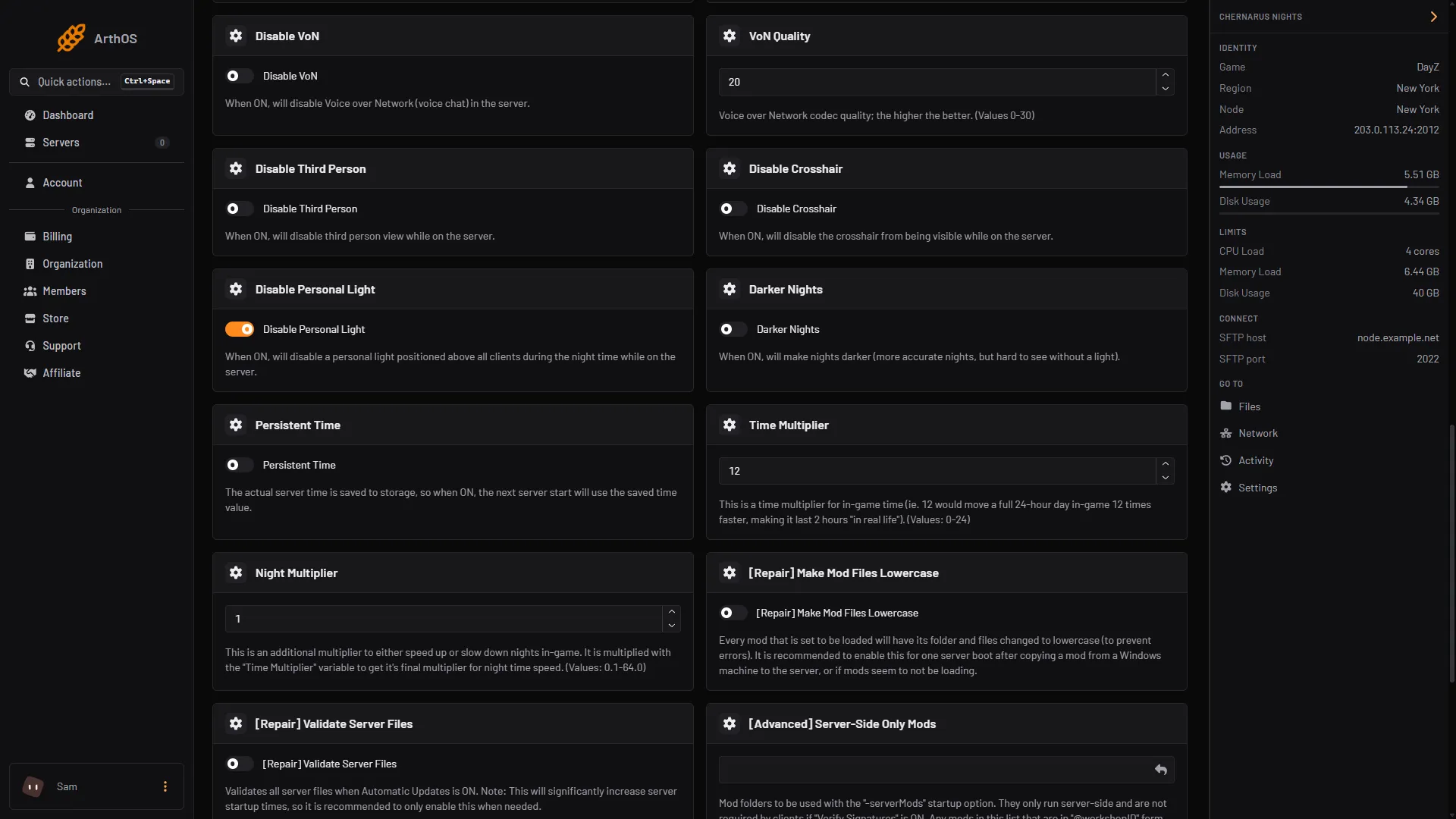
- Switch on Disable Third Person
The Config Editor also shows this setting, as First person only. That row is locked. It says “Set on the Startup page, which writes it on every start.” with an Open Startup link, so change it on Startup, not there.
By hand
If you host the server yourself, open serverDZ.cfg and set:
disable3rdPerson = 1;Use 0 to allow third person again. Restart the server after you change it. Bohemia lists the setting in DayZ: Server Configuration.
If it does not work
- Third person is still on. You did not restart after saving. The value is only written at the start.
- The Save button is grey. You have not changed anything yet. Switch Disable Third Person on first.
- You edited
serverDZ.cfgin Files and it went back. On the ArthOS panel the Startup page owns this line and writes it again at every start. Change it on Startup instead.
More settings in the same file are explained in the serverDZ.cfg guide. The game’s own page is DayZ.
Sources: Bohemia wiki: Server Configuration